00197454-01_AI_Portal_40mm_TwinVHF_SX12_de_en - 第98页
Brief Description Tools and Equipment Required 2.2.1 SIPLACE SX "Prepared" 98 Reconfiguration Kit Twin VHF with Gantry Reconfiguration Kit Twin VHF mit Por -
Brief Description
2.2.1 SIPLACE SX "Prepared" Tools and Equipment Required
Reconfiguration Kit Twin VHF with Gantry Reconfiguration Kit Twin VHF mit Portal 97
2.4
2.4 Tools and Equipment Required
Tools and Equipment Required
▪ Gantry lift [00519813-xx]
▪ Gantry Carrier Plate for SX1/SX2 [03012160-xx]
▪ Torque wrench (2 – 25 Nm) [00376625
-
xx]
▪ Loctite 241 [02101037-xx]
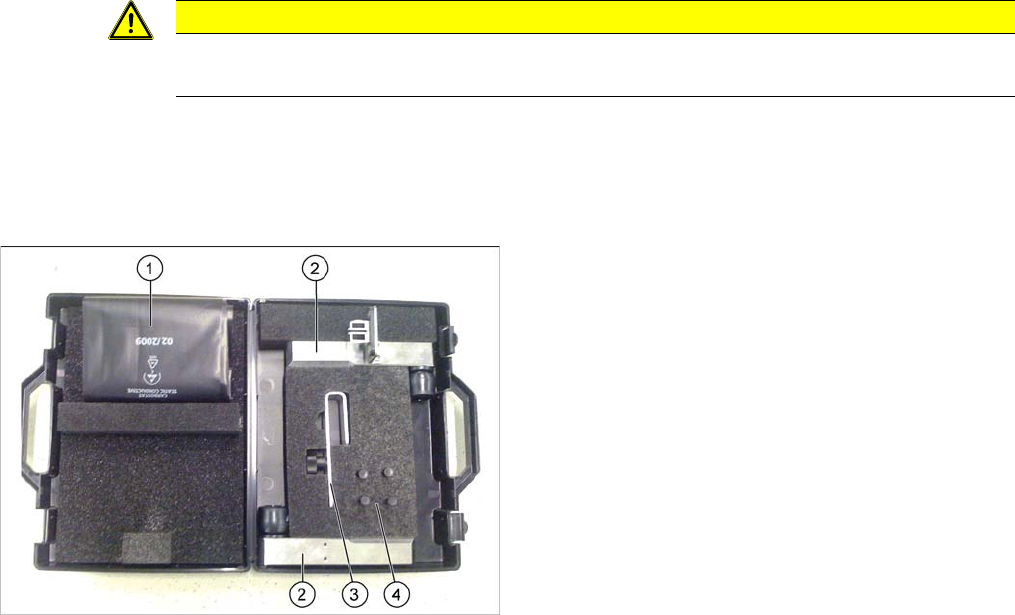
▪ Prepared case (plastic case with foam insert) containing the following:
▪ Help of second person, if needed
▪ If required, assembly instructions "Gantry Modularity - SIPLACE SX1/SX2" [00196626-xx]
▪ Torque screwdriver 100-500 Ncm [03078400-xx]
▪ Extension/straight TX20 [03073256-xx]
▪ Extension/straight [03043440-xx]
▪ Bit holder for Torque Vario-S screwdriver [03078706-xx]
▪ Calibration tool version 3 [03010565-xx]
CAUTION
TÜV (Technical Control Board)
The gantry lift must be tested by the TÜV (Technical Control Board) every two years.
Prepared case
The case is configured differently depending on the ma
-
chine type
1. Trailing cable protective foil
2. Buffer stop (2x)
3. Trailing cable mount
4. Pneumatic hose plug (4x)
Brief Description
Tools and Equipment Required 2.2.1 SIPLACE SX "Prepared"
98 Reconfiguration Kit Twin VHF with Gantry Reconfiguration Kit Twin VHF mit Por
-
assembly
3.1.1 Removing the Gantry Preparations at the Machine
Reconfiguration Kit Twin VHF with Gantry Reconfiguration Kit Twin VHF mit Portal 99
3
3 assembly
$ssembly
3.1
3.1 Preparations at the Machine
Preparations at the Machine
See also
1.2 Preparatory Work... [ ➙ 76]
3.1.1
3.1.1 Removing the Gantry
Removing the Gantry
► I you need to remove an existing gantry before installation, read the assembly instructions "Gantry
Modularity SX1/SX2" [00196626-xx] (English/German).
3.1.2
3.1.2 Opening the Covers
Opening the Covers
► Switch off the machine, disconnect it from the power supply and secure it to prevent unauthorized
reactivation. Observe the instructions in section "1.2 Preparatory Work..." [ ➙ 76].
NOTICE
Description example
This manual describes the upgrading of gantry 2 at location 2. The assembly of gantry 1 is the
same. The diagrams sometimes show standard gantries as an example. You should still per
-
form the tasks described. Any differences will be explicitly indicated.
NOTICE
Mapping
When upgrading gantry 1 (master gantry) at location 1, component board mapping must be per
-
formed after the assembly.
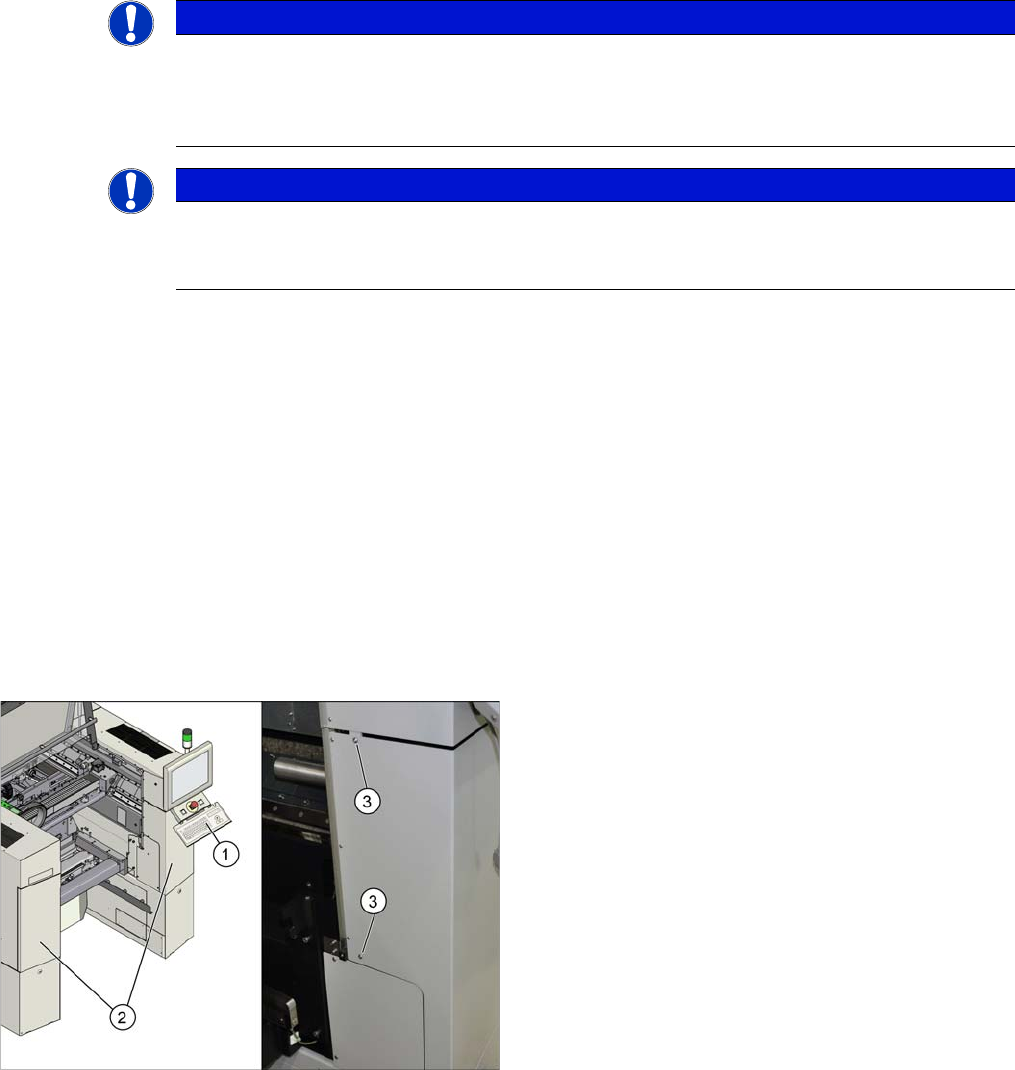
► Open the protective cover and move the component
trolley out of the machine.
► Remove the keyboard (1).
► Loosen the two screws (3) fastening the side covers
(2) on the right and left.
► Open the two covers (2).