EUKYX-199-4110_G5S2_Instruction_Vol4_E.pdf - 第164页
199-4100 Chapt er 3 T roubleshooting from Error ID This chapter outlines the troubleshooting based on error ID. 1. Error IDs and T ypical Description 2. Error IDs and Controlled Area 3. Error IDs and Remedial Procedures …

EUKYX
2-34199-4100
4. “Error“ Window
[3] Error Name
In this text box, the error category is displayed.
[4] Description
In this text box, the error description is displayed.
[5] Remedy
In this text box, the error name, description, cause and remedial procedure are described.
[6] Date, Time
In this text box, the data and time when the error occurred are described.
[7] Error Description Page
The total pages for the error description and current page are displayed.
Example (3/5)
Total Pages : 5
Current Page : 3
[8] [Details] button
This button changes to the text display.
[9] Image display
The images of the error contents are displayed.
[10] Language button
This button switches the languages.
[11] [Minimize] button
This button minimizes the window.
[12] Page Change
[Previous error] Button : The previous page is displayed.
[Next error] Button : The next page is displayed.
[13] [Clr Alarm] Button
When this button is pressed, only the alarm buzzer is canceled.
[14] [RETURN] Button
When this button is pressed, the alarm buzzer and error display are canceled and returns to the
previous window.
• Reset Procedure from “ERROR” Window
(1) Take notes of the descriptions under “Error ID / Error Name / Description”.
If you forget to make a note of the error description, refer to error description saved in the
“Recall” submenu in the “Product” menu.
(2) Press the [RETURN] button to resume the original window.
(3) Perform the correct remedial procedure referring to “Chapter 3 Troubleshooting from Error
ID” using the error ID as an index, or referring to the remedial procedure in your note.
Notice

199-4100
Chapter 3
Troubleshooting from Error ID
This chapter outlines the troubleshooting based on error ID.
1. Error IDs and Typical Description
2. Error IDs and Controlled Area
3. Error IDs and Remedial Procedures
EUKYX
EUKYX
3-1199-4100
1. Error IDs and Typical Description
1. Error IDs and Typical Description
Error ID
Error Name, Description, Cause, and Remedy
400101
400102
Load Power Shutoff
The [emergency stop] switch was pressed.
(Please confirm the nozzle has not fallen when you push the beam by the hand.)
Load Power Shutoff
An emergency stop switch is pushed.
Please switch on a power supply after canceling an emergency stop switch and
screen return to normal display.
Please switch on a power supply after canceling an emergency stop switch and
screen return to normal display.
-----
Zeroing Error.
Abnormality was found in processing zeroing operation.
Please perform zeroing.
Lightning Surge Warning
Lightning Surge Protector worked (L201,L202,L203). Please turn on the load
power supply after resetting error.
[1]
[3]
[2]
400301
400501
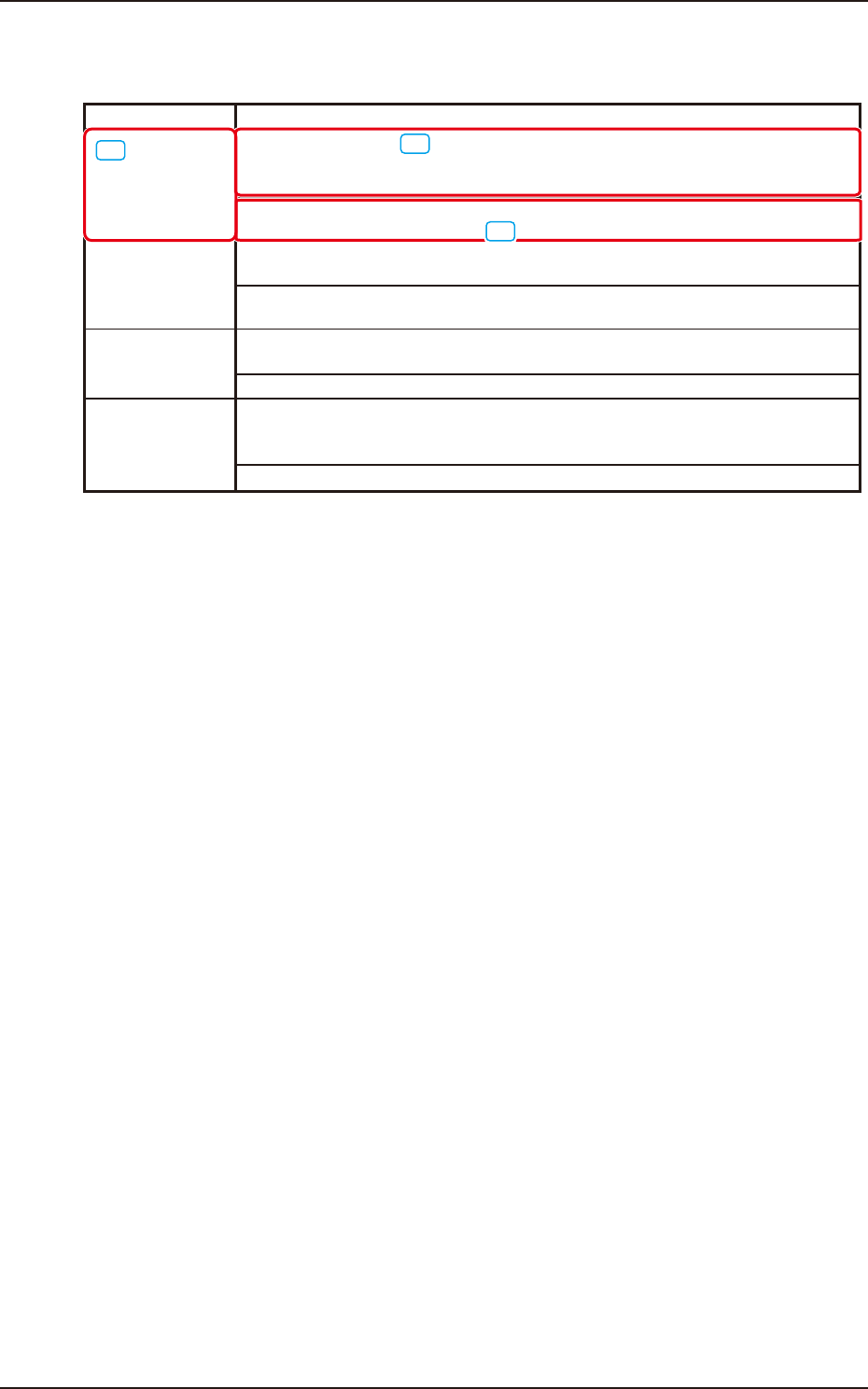
[1] The error IDs (IDs displayed in the "ERROR" window) are described in the numerical order.
[2] Described are the error name and the description in the "ERROR" window.
[3] Described are the Causes and Remedial Procedures for each of the "Error Name and
Description" items.