工作头自动清洗机使用说明书.pdf - 第53页
INS-HDCLN-002S0 5. 基本操作 工作头自动清洗机使用说明书 43 4. START 按钮闪烁。请 按下此按钮。 5. 重新开始清洗工作头,并且返回到 清洗中画面。 [ Pause cleaning ] V3.00 [ Filter exchange notice ] T o restart cleaning, press STAR T on the operation panel. STAR T: Restart cle…
5. 基本操作 INS-HDCLN-002S0
42 工作头自动清洗机使用说明书
5.3 运转中的紧急停止
处在工作头清洗、检查和空运转中,因某种原因而希望停止运转时,请紧急停止工作头自动
清洗机。
5.3.1 如何紧急停止
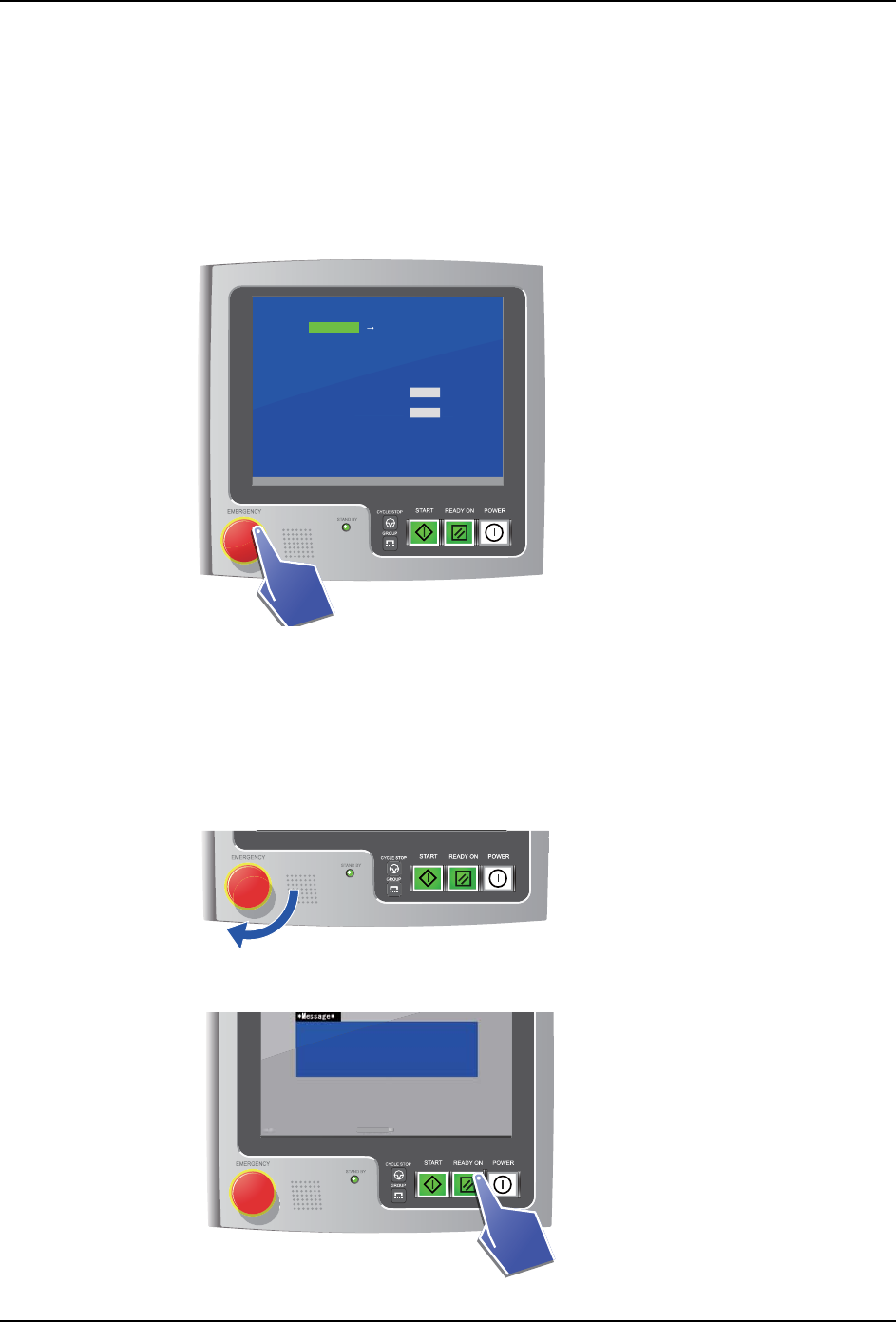
1. 请按下 EMERGENCY 按钮。
2. 工作头自动清洗机立刻停止。并且,在画面上显示 [Emergency stop] 的红色文字。
5.3.2 如何从紧急停止状态重新开始清洗
1. 请确认解决了紧急停止的原因。
2. 向右转动 EMERGENCY 按钮。锁定被解除。
3. 按下 READY ON 按钮。错误画面被解除。
[ Air cleaning in progress ]
V3.00 [ Filter exchange notice ]
Push CYCLE STOP on the operation panel
to pause.
Inspection
Required time 20
10Remaining time
Cleaning
min
min
V
3
.
00
[
Fi
l
ter exc
h
an
g
e notice
]
R
equire
d
time
20
1
0
R
ema
i
n
i
ng t
i
m
e
m
in
m
in
01NST-1915E
01NST-1918
01NST-1936E
[ Filter exchange notice ]
[ Filter exchange notice ]
[
Fi
l
ter exc
h
ange noti
INS-HDCLN-002S0 5. 基本操作
工作头自动清洗机使用说明书 43
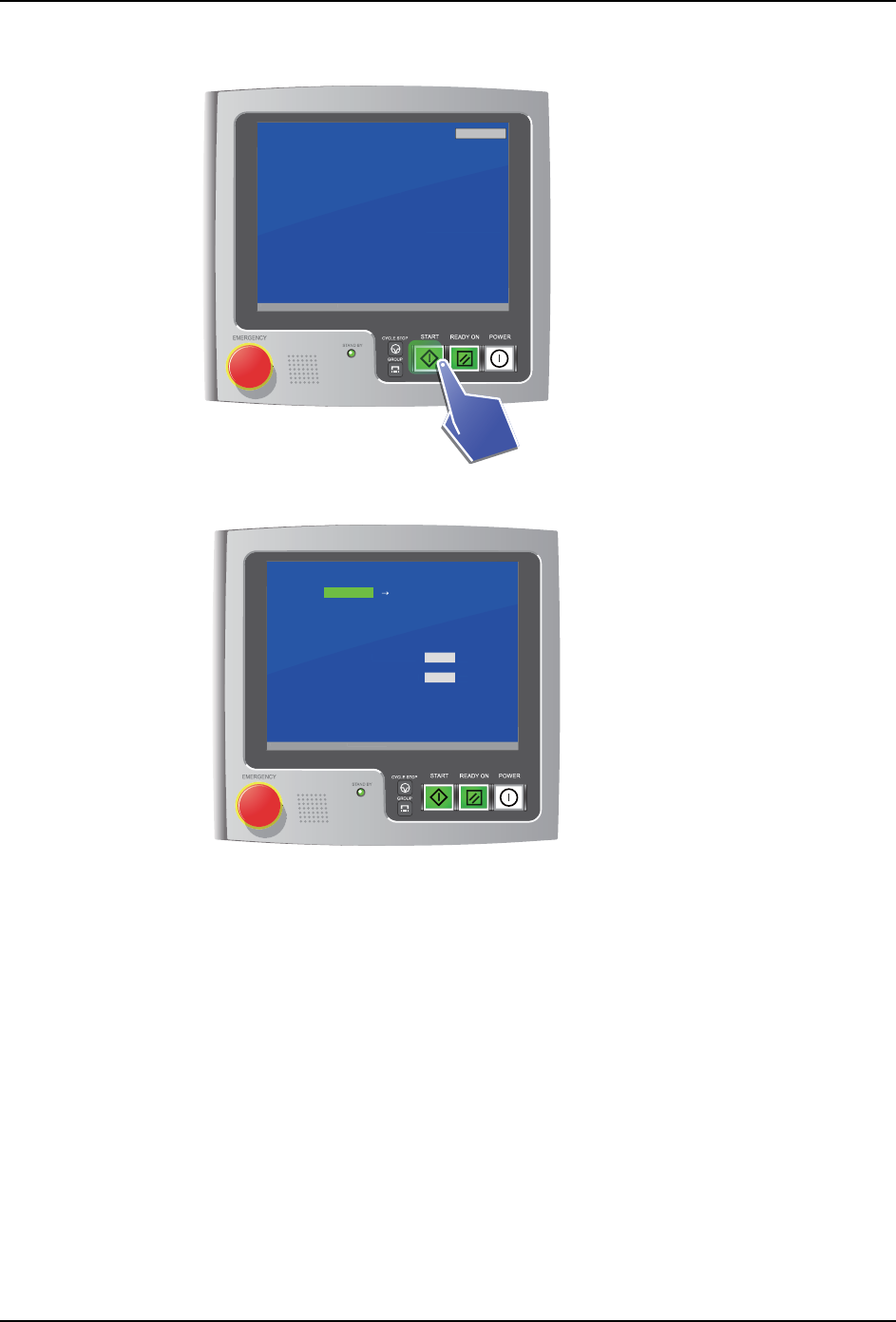
4. START 按钮闪烁。请按下此按钮。
5. 重新开始清洗工作头,并且返回到清洗中画面。
[ Pause cleaning ]
V3.00 [ Filter exchange notice ]
To restart cleaning,
press START on the operation panel.
START: Restart cleaning
Cancel
V
3
.
00
[
Fi
l
ter exc
h
an
g
e notice
]
nel.
S
TART: Restart c
l
eanin
g
01NST-1913E
01NST-1914E
[ Air cleaning in progress ]
V3.00 [ Filter exchange notice ]
Push CYCLE STOP on the operation panel
to pause.
Inspection
Required time 20
10Remaining time
Cleaning
min
min
V
3
.
00
[
Fi
l
ter exc
h
an
g
e notice
]
R
equire
d
time
20
1
0
R
ema
i
n
i
ng t
i
me
m
in
m
in
5. 基本操作 INS-HDCLN-002S0
44 工作头自动清洗机使用说明书
5.4 解除错误画面
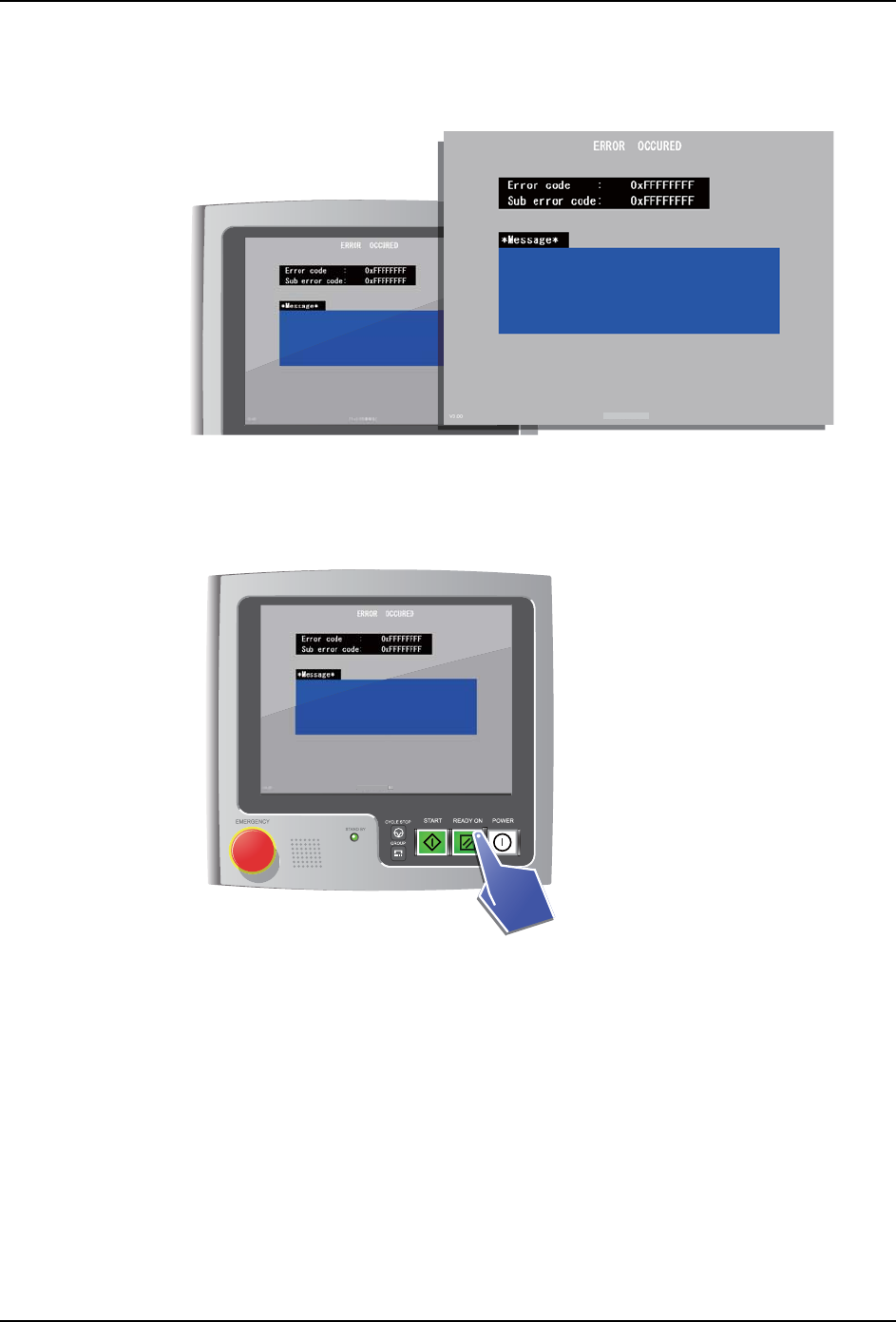
发生某种异常时,就会显示错误画面。
1. 请确认错误内容并解除错误。确认错误的方法:利用附属软件的错误检索功能进行检
索。
2. 按下 READY ON 按钮。错误画面被解除。
01NST-1935E
[ Filter exchange notice ]
01NST-1936E
[ Filter exchange notice ]
[ Filter exchange notice ]
[
Fi
l
ter exc
h
ange noti