00196351-06_UM_ACT_DE_EN.pdf - 第135页
ACT - Accurac y Check Tool / User Manual 09/2015 Edition 45 4.2.2 Setting Up Components in a WPC/MTC ► Move the tray changer i nto the refill posit ion. ► Remove an empt y plate (waffle pack tray carrier) f rom the tower…
ACT - Accuracy Check Tool / User Manual 09/2015 Edition
44
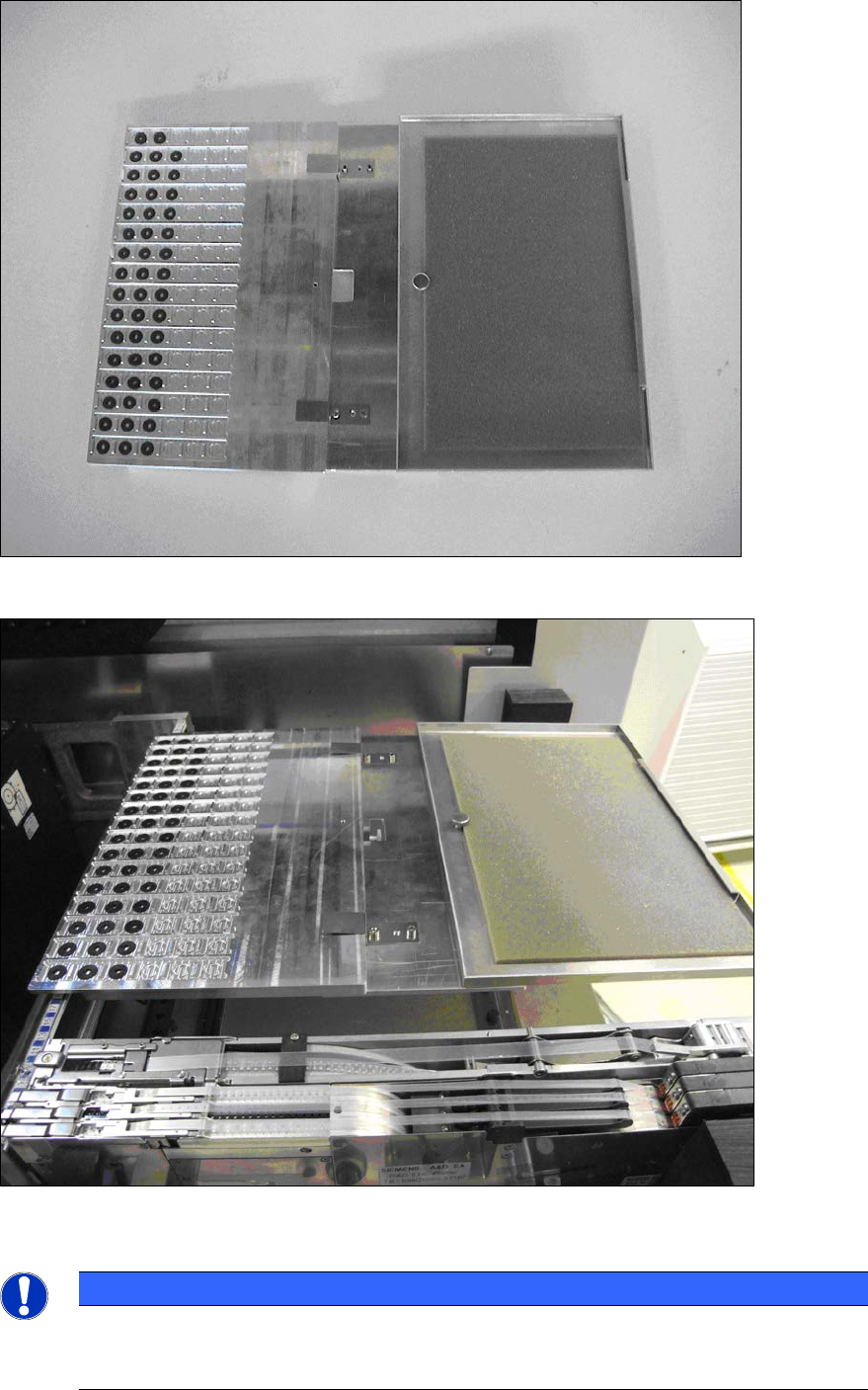
Figure 4-17: Intervention guard completely mounted
Figure 4-18: Tray set up with intervention guard
NOTICE
The gaps still remaining to the left and right of the tray must be closed off with the
dummy feeders described above so that full protection against intervention in the
machine from the outside is ensured.
ACT - Accuracy Check Tool / User Manual 09/2015 Edition
45
4.2.2 Setting Up Components in a WPC/MTC
► Move the tray changer into the refill position.
► Remove an empty plate (waffle pack tray carrier) from the tower.
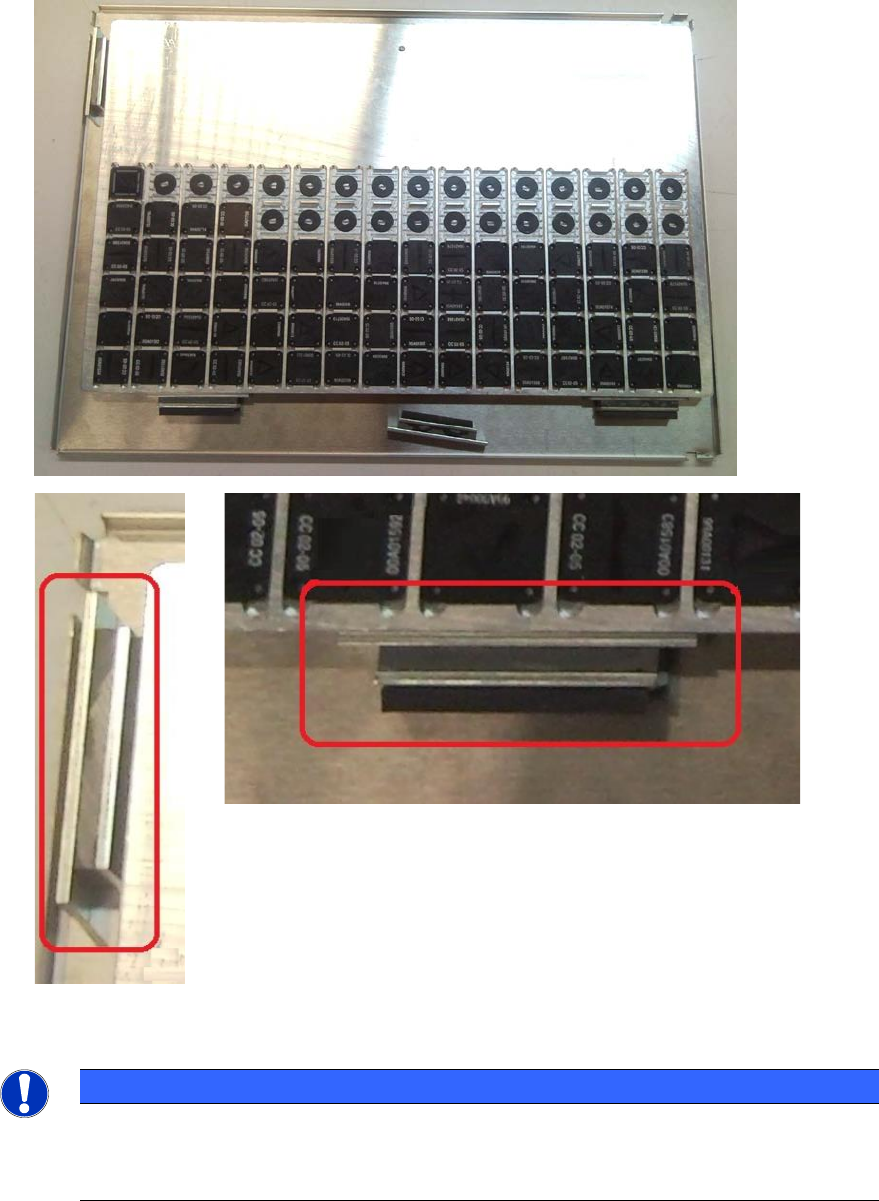
► Fasten the tray on the plate as displayed below.
► Push the plate into the corresponding level according to the specified setup.
Figure 4-19: Fastening tray on plate
NOTICE
The tray has a cutout at the bottom of the long side.
► Therefore, use the magnets for fastening the tray so that the high plate side of the
magnet faces the tray and not the rubber side.
ACT - Accuracy Check Tool / User Manual 09/2015 Edition
46
4.2.3 Inserting the Plate
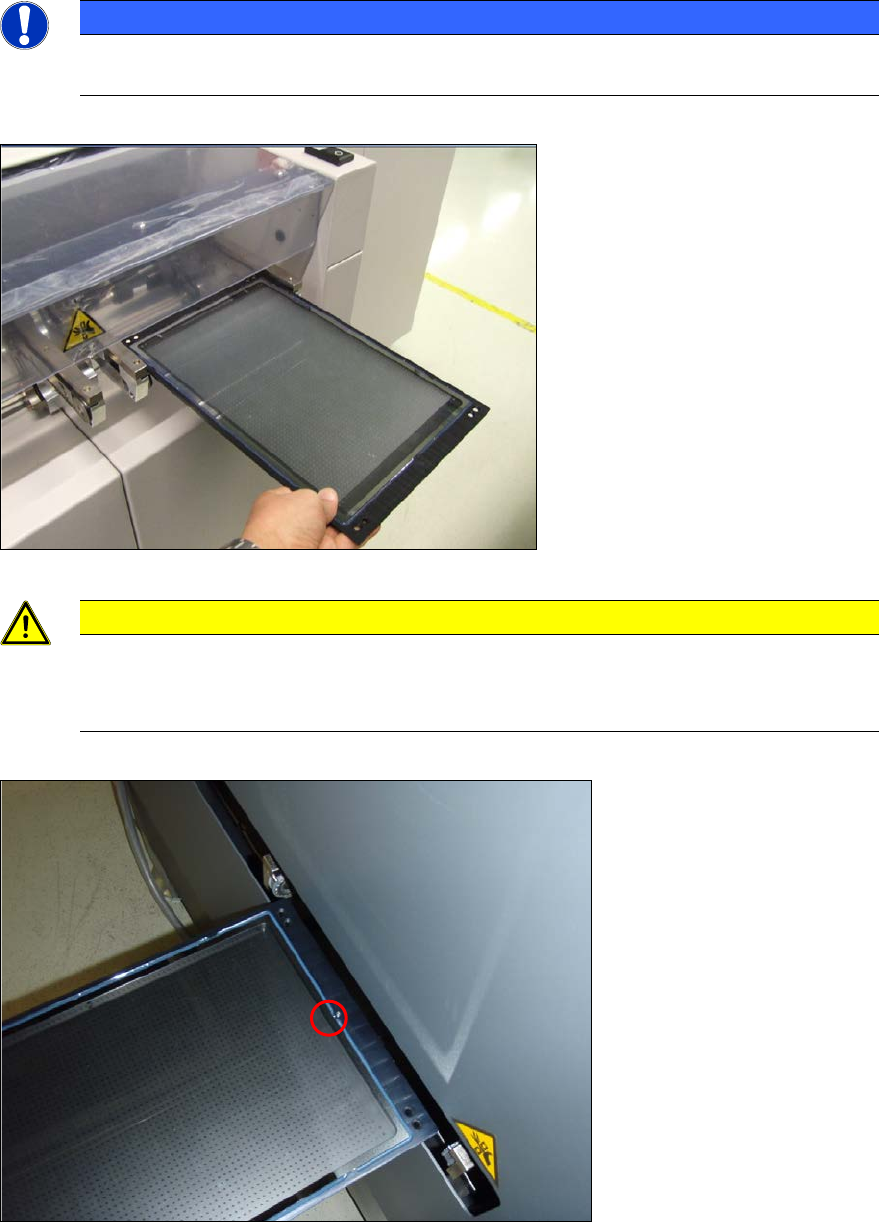
► Insert the glass plate with the incident light plate (black metal plate) underneath it in the input
section.
NOTICE
The measuring plate needs to be inserted so that the arrows marked on the plate show
in the transport direction.
Figure 4-20: Placing the measuring plate in the conveyor (example SIPLACE X4)
CAUTION
Caution for SX4 and DX4 machines:
The measuring plate needs to be inserted so that the arrows marked on the plate show
against the transport direction on the SX4 and DX4 machines.
Figure 4-21: Placing the measuring plate in the SX4 / DX4 conveyor with the calibration structure (ink spot forward)