00195406-01_Version Description Setup Center 2.3_ger eng.pdf - 第20页
Requirements Device Recognition Unique Table ID 20 Software Version Description SIPLACE Setup Center 2.3
Requirements
Unique Machine IDs Device Recognition
Software Version Description SIPLACE Setup Center 2.3
19
4.5 Device Recognition
4.5.1 Unique Machine IDs
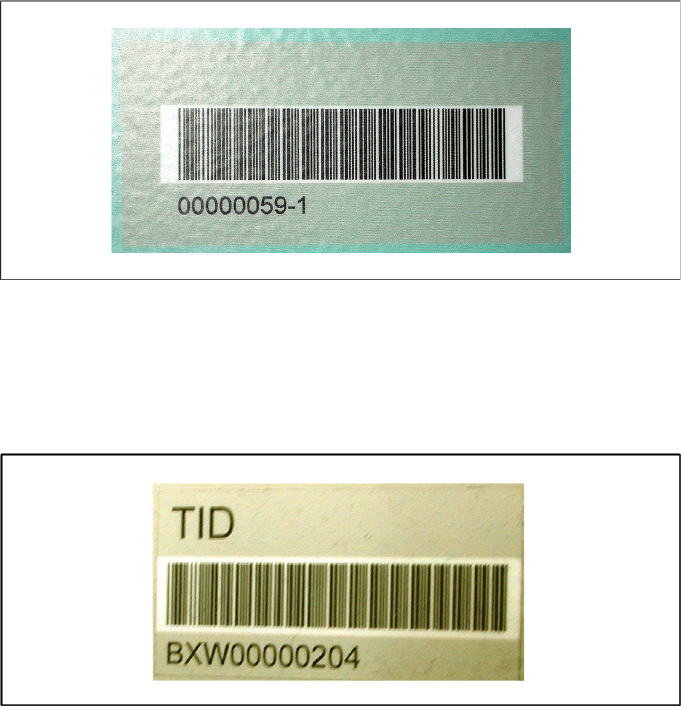
Unique machine IDs are attached to all X-Series machines ex factory.
For other machine series we recommend you order the unique machine IDs before installation and
attach them to each machine (item no.: 0303470-xx).
4.5.2 Unique Table ID
Unique table IDs are attached to all X-Series changeover tables ex factory.
For other machine series we recommend you order the unique table IDs before installation and attach
them to each table (item no.: 03046294-xx).
Requirements
Device Recognition Unique Table ID
20 Software Version Description SIPLACE Setup Center 2.3
New Functions in Setup Center 2.3
Support of the station software
Software Version Description SIPLACE Setup Center 2.3
21
5 New Functions in Setup Center 2.3
5.1 Support of the station software
Station software 604.01 for forced verification
5.2 Support of programming system SIPLACE Pro
SIPLACE Pro 5.0
5.3 Supported of the 2D barcode scanner
Purpose
Setup Center supports the scanning of 2D barcodes with the "Symbol MC70" scanner. A 2D barcode
may contain more information than a 1D barcode. This enables scanning several packaging unit
information at the same time.
Function
The "Symbol MC70" has following features:
1D and 2D barcode scanner
Data communication with 2,4 GHz and 5GHz WLAN
Installed operating system Microsoft® Windows™ Mobile
Setup Center – Mobile Scanner Application
5.4 Firmware Download for Docking Station
Purpose
Setup Center can update the Firmware for Docking Station.
Function
In the dialog of the firmware download for docking station you can choose the firmware version, which
shall be downloaded for the docking station. You can also add new firmware files to the firmware list and
install them. The firmware download lasts for approximately 1-2 minutes.
5.5 Automatic configuration for Dragon Scanner
Purpose
This option enables the automatic configuration of scanner and base station.
Function:
The scanners must be configured with Setup Center before usage. The necessary configuration can
then be transferred with Setup Center to the barcode scanners.