Spec of AX-3 AX-5 June 2005 LR - 第23页
Any possible setup error can be corrected prior to the actual changeover using SVS-Pro. The software helps to minimize the online changeover time from one to the other production batch. It is also designed for ease-of-us…
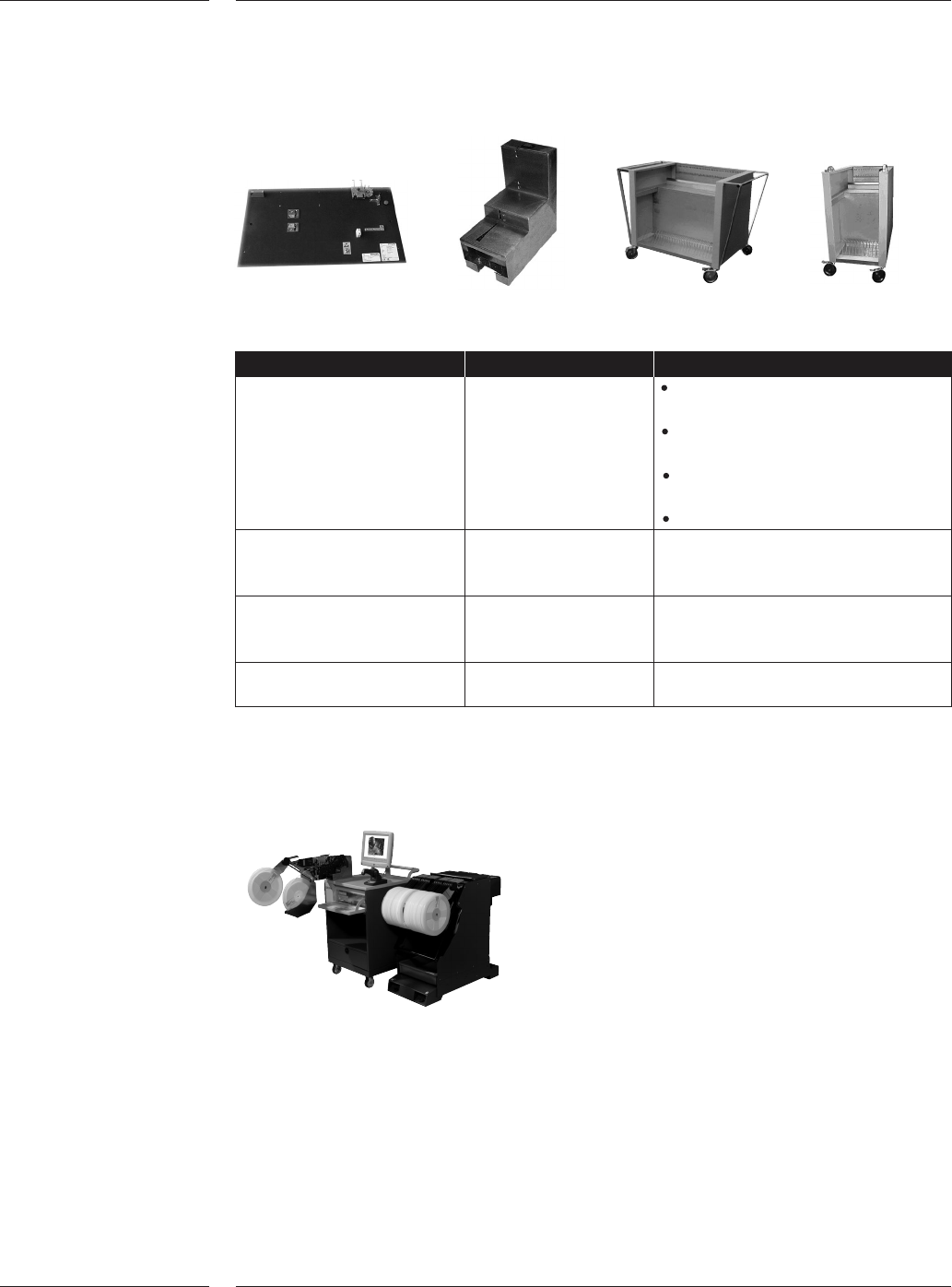
Description Supports
ITF Analysis and ITF feeders Fast feeder analysis and
repair tool trouble shooting
Easy operation by local technical
personnel
Quick feeder repair for fast
return to operation
Reduces total feeder inventory
ITF Tape loading unit ITF and TTF feeders For off-line loading of tapes
Capacity of 1 feeder
Battery life: 8 hours
Feeder storage cart ITF and TTF feeders 50 x 8mm feeders (or equivalent)
100 reels 8mm size
PA 2601/01 prepared
Small feeder storage cart ITF and TTF feeders 20 x 8mm feeders (or equivalent)
40 reels 8mm size
Trolley with SVS-Pro loading unit
The optional Set-up Verification System (SVS-Pro) enables offline preparation and
verification of the feeder set-up on the feeder trolleys for FCM-Multiflex, AX-3,
AX-5, AQ-1, AQ-2, ACM Micro (NT version) and the GEM-Xi2 systems.
SVS-Pro takes advantage of the intelligence in the ITF feeders. Only one time reel-
scan is required to store reel-info in the feeder memory, which means that if you
move a feeder to an other placement machine plus even after 'power down' the info
will not be lost.
2.11.4 Feeder
options
3.0 Options
3.1 Setup
Verification
System
Figure 14
Features
20 of 34

Any possible setup error can be corrected prior to the actual changeover using
SVS-Pro. The software helps to minimize the online changeover time from one to
the other production batch. It is also designed for ease-of-use in a frequent
changeover environment, because not only setup but verification takes place offline
as well. Next to that SVS-Pro provides pro-active pre-empty tape warnings and
real-time set-up verifications online.
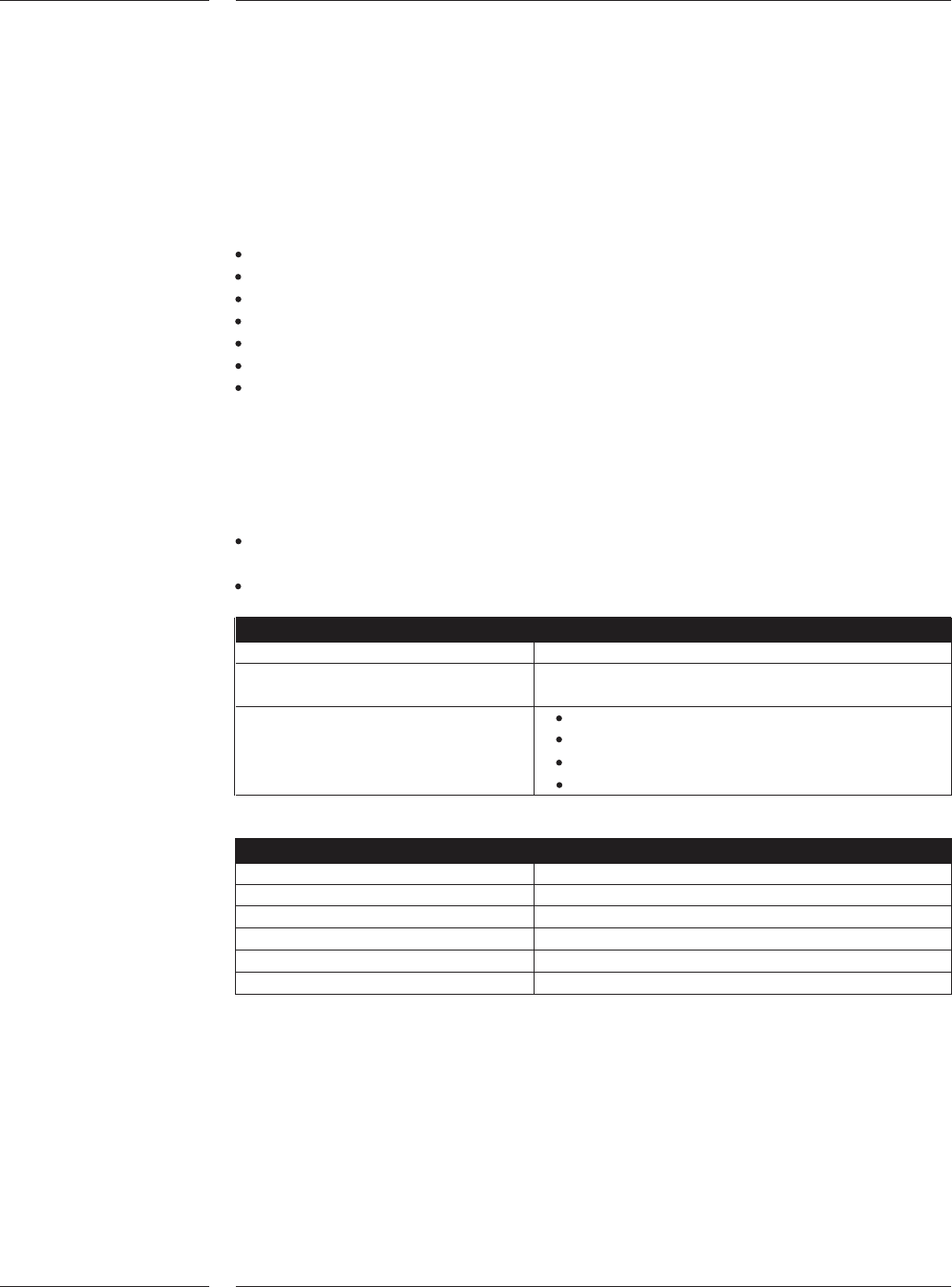
SVS-Pro consists of two elements, an offline loading unit for the feeder and trolley
setup and verification, and the machine specific part running on the placement
system(s).
Offline loading unit
The offline loading unit is a small trolley that conveniently can be moved around the
factory floor, for instance to be placed near the trolleys that needs to be prepared
for a next production batch.
The offline loading unit guides the operator, as to which reel needs to be on which
trolley position. When a reel is scanned with the wireless scanner, the GUI of the
loading unit indicates if this reel that is required to be used for the set-up. It also
indicates on which trolley position this reel needs to be located.
When a trolley is connected to the loading unit and a feeder is inserted in the
trolley, the loading unit will verify the information stored on the feeder and inform
the operator whether the feeder is in its correct position. If the feeder location is
correct, it will be removed from the set-up list. If the location is incorrect, advice will
be given on where the feeder needs to be located.
On the offline loading unit a barcode printer or text printer can be connected. New
barcode label can be printed unloading the feeder. Various reports can be printed
via a text printer.
The unit can be network connected to download placement programs.
The trolley is connected to the loading unit via a cable at the rear side of the trolley
unit.
The loading unit contains:
All operating actions can be done with the touch screen
Others can be done with the keyboard, eg when barcode can't be recognized
by scanner
Floppy & CD-rom drive
Ethernet card for networking
Space for (optional) printer to print reel label with actual remaining quantity
Cabinet for reels and/or documentation
For SVS-Pro minimum one (1) offline loading unit is required.
Machine specific part
When a trolley set-up is docked, the machine specific part of SVS-Pro will verify the
feeder set-up once again. At any improper set-up for the order to be produced, it is
impossible to start the production. Error messages will be provided on the Graphical
User Interface as well as on the wireless barcode scanner. The ITF feeder where an
improper set-up is detected will also be indicated with a blinking LED on the
ITF feeder. The operator can select the error on the wireless barcode scanner to
correct the fault.
Features
21 of 34
When there are no more errors left, the machine will be enabled to start production.
During production, SVS-Pro will verify the feeder set-up real-time. When a feeder is
exchanged or when splicing is executed and an error is detected, the machine will be
stopped directly to prevent that wrong components will be placed.
SVS-Pro provides the basis for lot-traceability, it will log the following items:
Part number
Quantity
Vendor ID
Lot code
Operator ID
Date & time stamp
Set-up changes
A barcode can be used to enable Board Identification (BI) and for the optional Barcode
Triggered Change Over (BTCO) functionality.
Board Identification (BI) can be used to provide barcode -ID and traceability information.
It features:
A check of the board ID versus the running placement program. On error the
system will block the board from entering the machine.
Board identification for traceability (see paragraph on traceability).
Barcode specifications
Types 1D and 2D
Length 1D: max.1024
2D: to ISO/IEC 16022
Codes CODE39
2/5 Interleaved
CODE128
Data matrix ECC200
Scanner specifications
Connection RS-232
Baudrate 9600 kb/s
Number of bits 7
Stopbit 1
Parity bit none
X-on/X-off off
On request scanners can be delivered.
3.2 Board
Idenitification
Technical specifications
22 of 34