Spec of AX-3 AX-5 June 2005 LR - 第26页
Board traceability delivers a dataset per board. That means that whenever a board leaves the machine the data interface will deliver a dataset containing all traceability data for that one board. The dataset contains: Th…
On top of the Board Identification functionality Barcode Triggered Changeover (BTCO) also
provides:
1. Automatic placement program changeover if new models are offered to the machine
(indicated with barcodes).
2. Optimal use of production with combined set-ups (e.g. family board)
3. An easy to use production schema especially if you are running small batches
Note:
Rolling change-over can be done with same board width, board thickness and index
scheme (the same pitch)
Traceability system layout
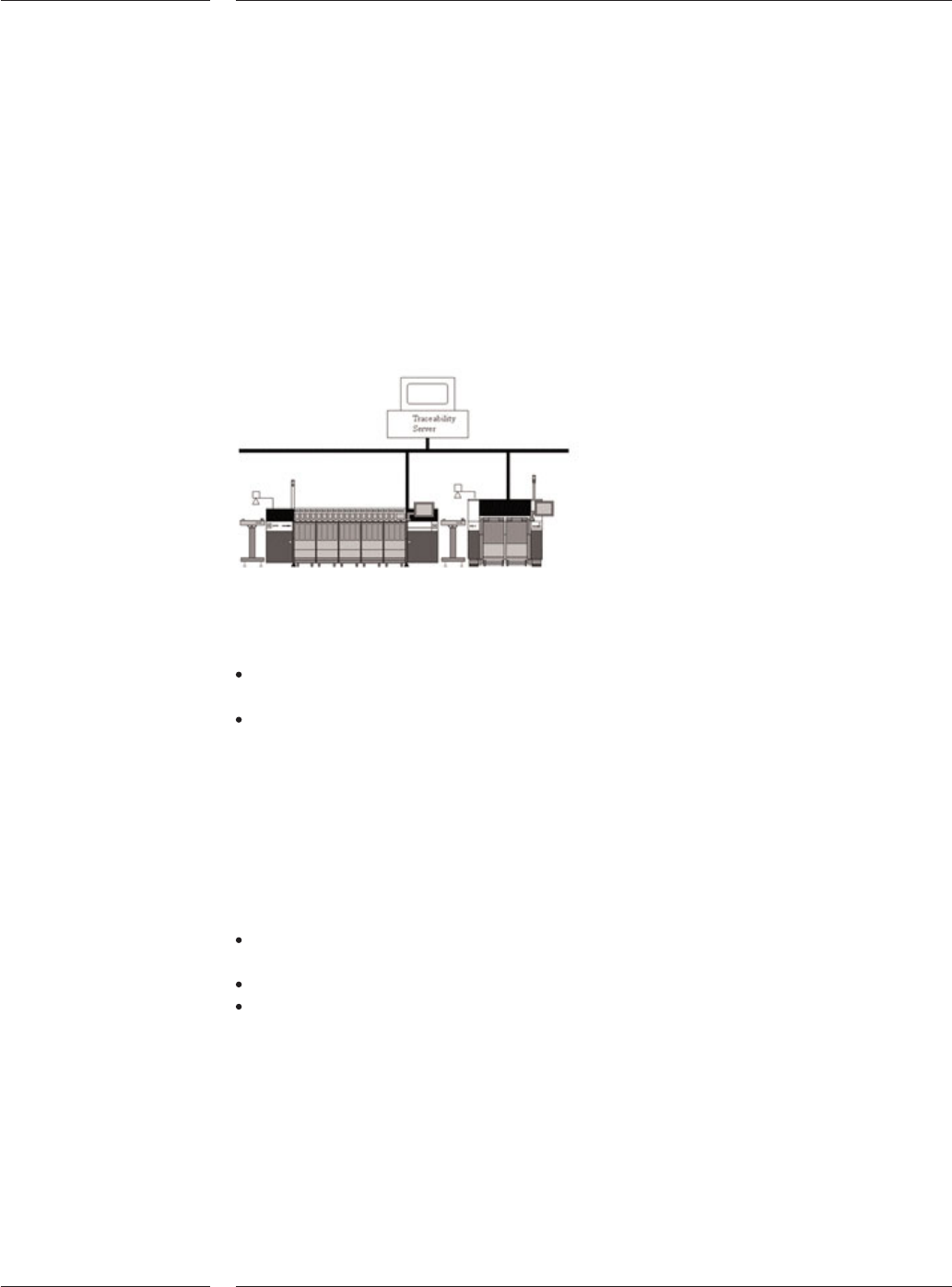
The AX supports two levels of traceability:
The first level of traceability is called board traceability. Board traceability contains
traceability information about each individual board produced by a machine.
The second level of traceability is called batch traceability. At this level data
contains information about all the boards in a batch.
Both traceability products can make their data available to the user in files or in messages.
In message mode traceability information is sent in XML-messages to a front-end system.
In file mode traceability information is written in XML-files to a location on the factory
network (e.g. customers file server). The traceability files can then be archived on
CD-ROM's for long term storage. The files are easy readable using for example Excel.
A traceability solution is built up out of three products:
BI: scanner interface that supplies board identification data. The software
functionality is standard available on the AX-3, AX-5 and AQ-2
SVS-Pro: supplies component identification data. SVS-Pro is required for traceability
Traceability software: combines the board identification data and component
identification data
3.3 Barcode
Triggered
Changeover
3.4 Traceability
Figure 15
Contents
23 of 34
Board traceability delivers a dataset per board. That means that whenever a
board leaves the machine the data interface will deliver a dataset containing all
traceability data for that one board. The dataset contains:
The production date and time
The machine type and machine name that produced the board
The board ID and production status of the board
The placement program used to build the board
For each used tape:
a. Partnumber, package-type and reference designators that must be
placed from that feeder-position according to the placement program
b. Partnumber, vendor- and lot-identifier, set-up date and time, and
operator according to SVS-Pro
The data is collected and stored in a database at the front-end. Customers
consult the database via reports. Two typically queries are:
Given a board ID print all the used part ID's
Given a part ID print all related board ID's
On an AX a batch start is initiated by starting a placement program. As soon as
the operator presses the 'Run'-button, the batch is started. The batch is stopped
when the last board of the running placement program leaves the machine.
Additionally a batch report is created every hour, on the hour. An example
scenario could look like this:
Time Event Data
8:35 Start of job 1 --
9:00 -- report for 8:35-9:00
10:00 -- report for 9:00 - 10:00
10:28 End of job 1 report for 10:00 - 10:28 (end of job 1)
10:32 Start of job 2 --
11:00 -- report for 10:32 - 11:00
Etc… -- --
The contents of a batch-report contain:
1. The batch production data and time
2. The machine type and machine name that produced the board
3. The board ID and production status of all boards in the batch
4. The placement program used to build the batch
Furthermore the traceability data contains, for each used tape:
Partnumber, package-type and reference designators that must be placed
from that feeder-position according to the placement program
Partnumber, vendor- and lot-identifier, set-up date and time, and operator
according to SVS-Pro
3.4.1 Board
traceability
3.4.2 Batch
traceability
Technical specifications
24 of 34
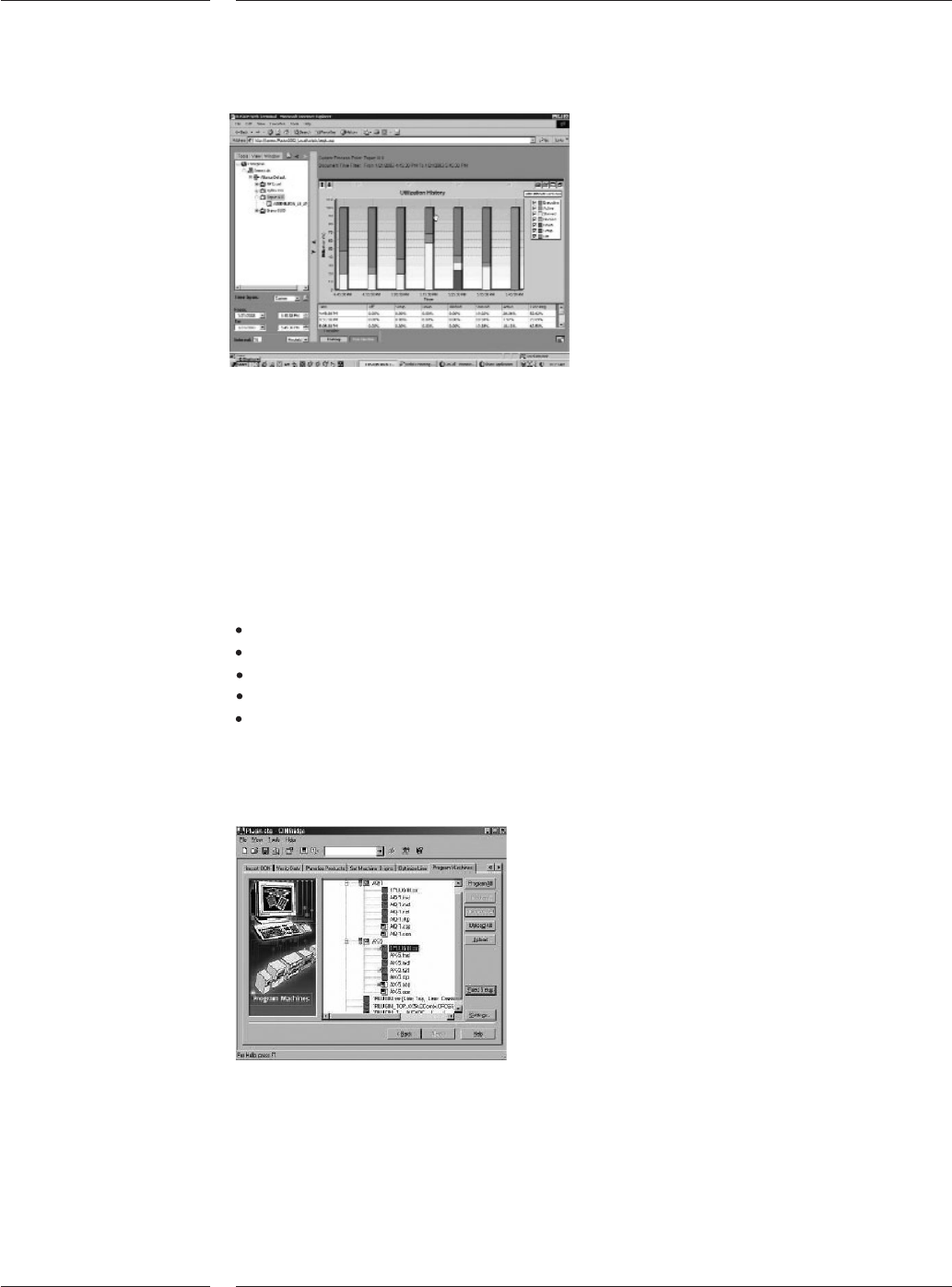
Example of the performance analysis solution
The pick and place machine creates, while running, performance data. To under-
stand how the machine is running performance data is exported in an orderly
standardized method. The data is exported in real time so as events occur on the
machine they are exported. This makes it possible to create an application to
monitor the machine performance on remote locations. The product is supported
by an extensive description of the data and the connection method. The product
also includes some sample programs that describe how to connect to the
machine performance data.
The performance data contains:
machine status
board-count
component consumption
PPM-levels
error-events
To get support from (remote) specialists a connection can be built via broadband
internet connection. The connection enables to operate all functions remotely, to
up- and download files and log information to and from the AX.
PPS-Pro Graphical User Interface
CAD Conversion and machine program creation are two of the most important
steps to bring a new product into production. Maximized output combined with
maximum flexibility doing it the first time right is what counts. Assembleon offers
two different NPI products: PPS-Pro and eM-Assembly Expert. Both packages gen-
erate optimized placement programs for any configuration. They accept CAD and
BOM files and rapidly translate them into fully verified, machine ready programs.
3.5 AX Data
interface
Figure 16
3.6 Remote
diagnostics
3.7 CAD
Conversion
/ Machine
Program
Creation
(PPS-Pro)
Figure 17
Contents
25 of 34