Spectrum Operating Manual - 第123页
S2-9 XXX Se ri es Dispensing Sys te m IOM Man ual Maintenance © 2023 Nordson C orporatio n 6-11 6.9 Remov in g and Installing t he Axi s Covers In order to lu bric at e the cab l es and linear gu ides and to te nsion th …
S2-9XXX Series Dispensing System IOM Manual Maintenance
6-10 © 2023 Nordson Corporation
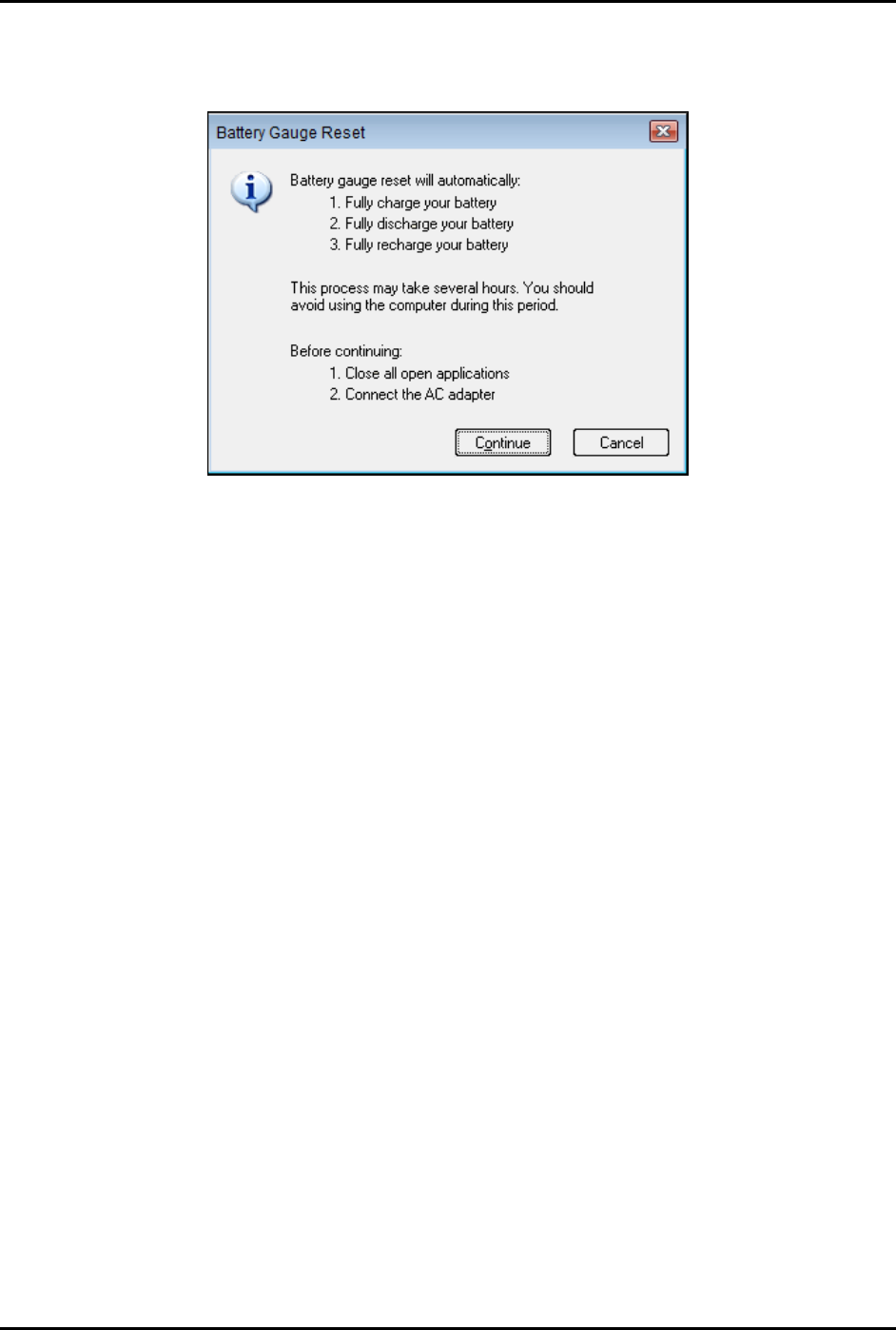
4. Click on Perform Reset.
The Battery Gauge Reset window opens (Figure 6-5).
Figure 6-5 Battery Gauge Reset Window
5. Click on Continue.
The process may take several hours to complete. You should avoid using the computer
during this period.
S2-9XXX Series Dispensing System IOM Manual Maintenance
© 2023 Nordson Corporation 6-11
6.9 Removing and Installing the Axis Covers
In order to lubricate the cables and linear guides and to tension the cables, it will be necessary to remove
the X-axis, Y-axis, and rear cable covers.
Tools and Materials Needed:
• Hex Wrench Set
WARNING! Ensure the dispensing system has been completely shutdown before attempting to
remove any panel.
6.9.1 X-Axis Cable Cover
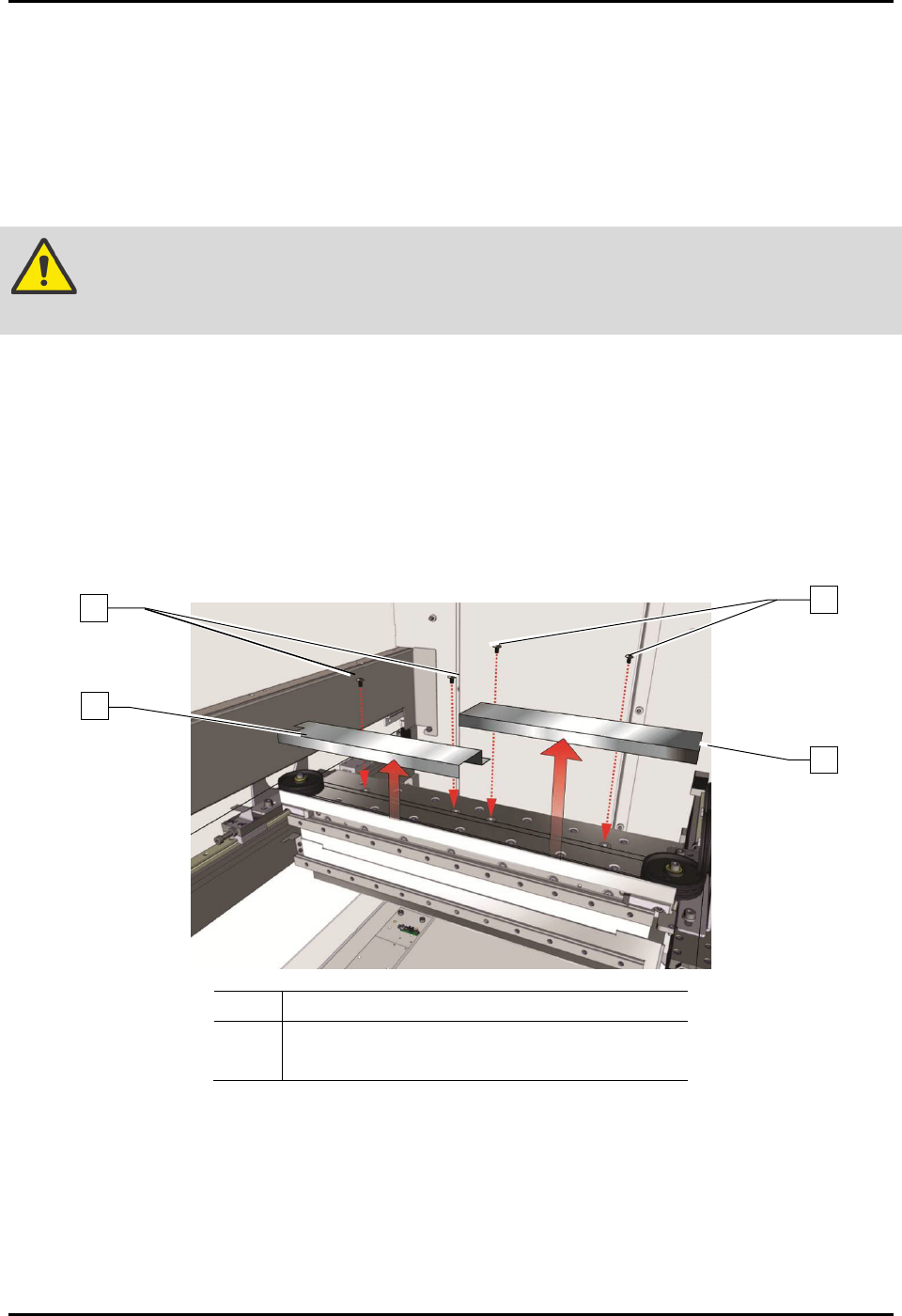
To remove the X-axis covers (Figure 6-6):
1. Perform a service shutdown, see 2.14 Service Shutdown.
2. Open the dispensing area door.
3. Remove the four (4) screws securing the X-axis cable cover to the X-axis.
4. Remove the X-axis cable cover.
Item Description
1 X-Axis Cable Cover
2 Screws (4)
Figure 6-6 Removing the X-Axis Covers
To install the X-axis cable cover (Figure 6-1):
1. Install the four (4) screws securing the X-axis cable cover to the X-axis.
2. Torque the four (4) screws to 2.8 Nm (25 in-lbs).
3. Close the dispensing area door.
2
1
1
2
S2-9XXX Series Dispensing System IOM Manual Maintenance
6-12 © 2023 Nordson Corporation
6.9.2 Y-Axis Cable Cover
This procedure is for both left or right Y-axis cable covers.
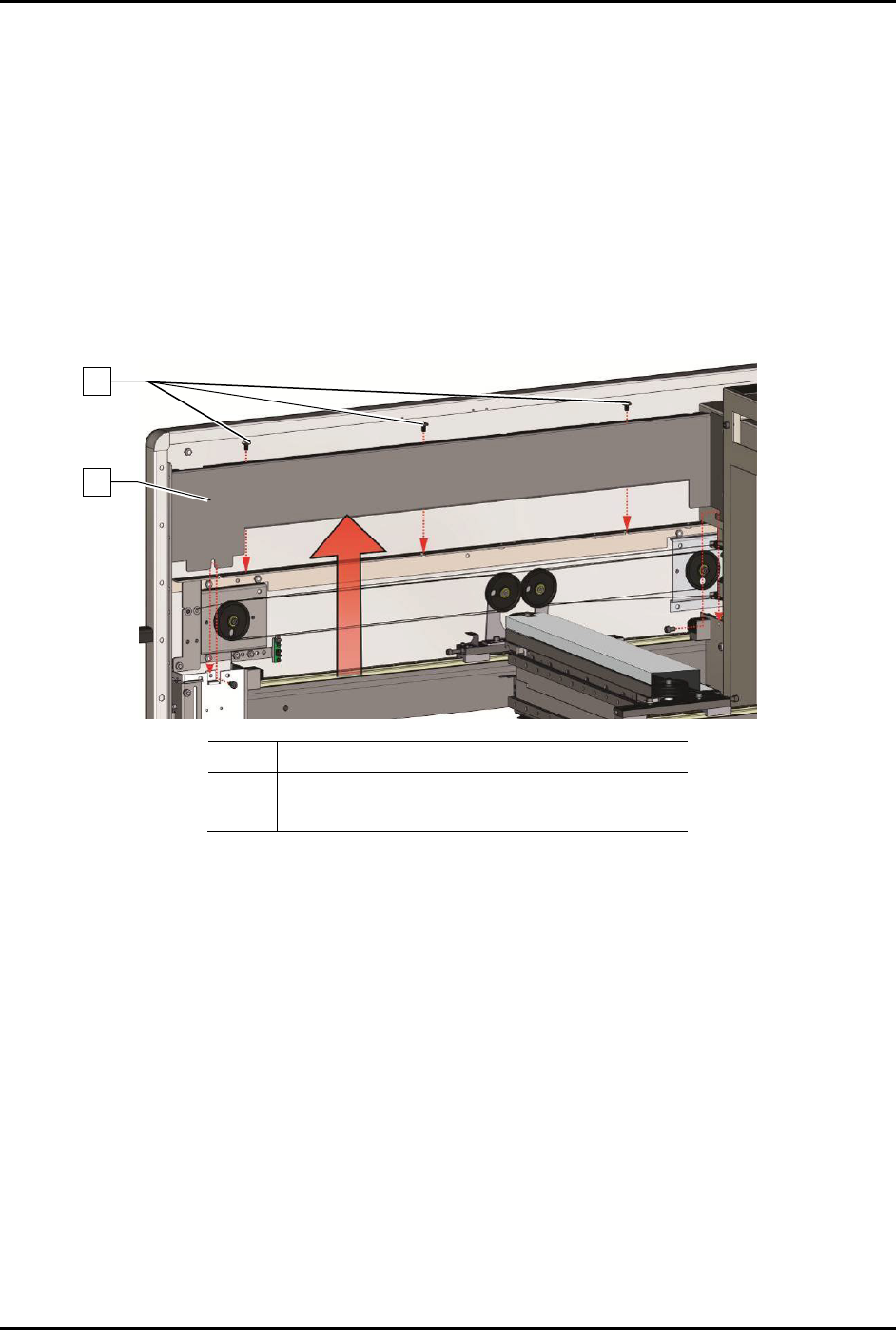
To remove the Y-axis covers (Figure 6-7):
1. Perform a service shutdown, see 2.14 Service Shutdown.
2. Open the dispensing area door.
3. Removing the top cover, see 8.7 Removing and Installing the Top Cover and Components.
4. Remove the three (3) screws securing the Y-axis cable cover to the Y-axis.
5. Remove the Y-axis cable cover.
Item
Description
1 Y-Axis Cable Cover
2 Screws (3)
Figure 6-7 Removing the Y-Axis Covers
To install the Y-axis cable cover (Figure 6-7):
1. Install the three (3) screws securing the Y-axis cable cover to the Y-axis.
2. Torque the three (3) screws to 5.6 Nm (50 in-lbs).
3. Install the top cover, see 8.7 Removing and Installing the Top Cover and Components.
4. Close the dispensing area door.
2
1