Spectrum Operating Manual - 第151页
S2-9 XXX Se ri es Dispensing Sys te m IOM Man ual Troubleshootin g © 2023 Nordson C orpor ation 7-13 7.4.12.2 V isio n S ystem T able 7- 13 Vi sion System Trou bleshootin g Symptom P ossible Cause Recover y N o Im age ( …
S2-9XXX Series Dispensing System IOM Manual Troubleshooting
7-12 © 2023 Nordson Corporation
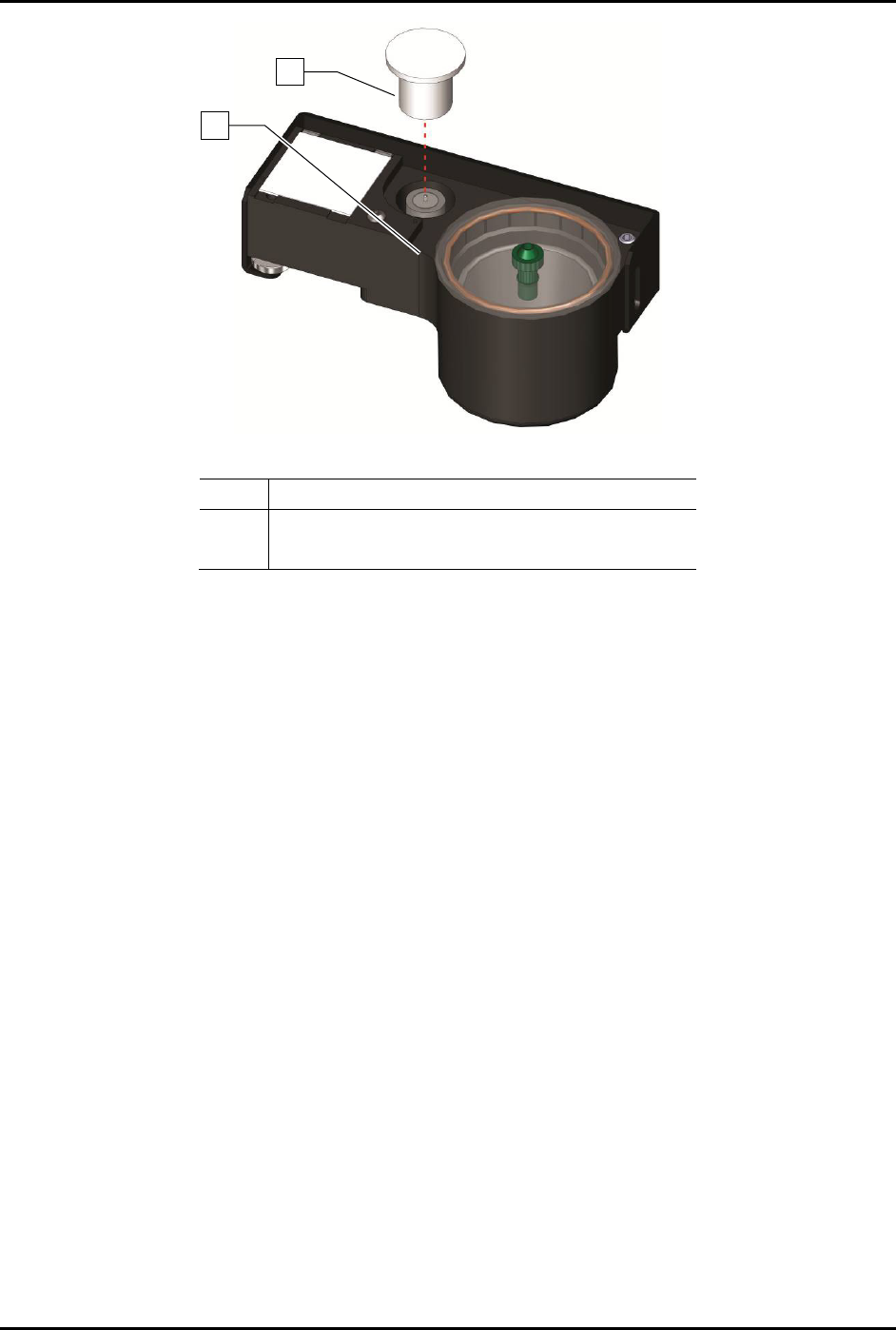
Item
Description
1 Tactile Sensor Cap
2 Tactile Sensor
Figure 7-3 Tactile Sensor Exposed
1
2

S2-9XXX Series Dispensing System IOM Manual Troubleshooting
© 2023 Nordson Corporation 7-13
7.4.12.2 Vision System
Table 7-13 Vision System Troubleshooting
Symptom Possible Cause Recovery
No Image
(Fluidmove display
window is a solid
pink color)
Camera not connected.
Verify camera cable is securely connected to the
connector on the top of the camera.
Faulty camera cable. Replace camera cable.
Camera LED is OFF
Camera not connected.
Verify camera cable is securely connected to the
connector on the top of the camera.
Faulty camera cable. Replace camera cable.
Camera LED
Steady Red
Camera not initialized.
It may take several minutes for the camera to acquire
a connection with the laptop. DO NOT attempt to run
Fluidmove or DALSA programs during this time.
Camera LED Slow
Flashing Red
Camera initialization problem.
1. Shutdown the computer and turn off power to the
machine.
2. Restart the machine, and then the computer.
3. If necessary, contact Asymtek Technical Support.
Camera LED Fast
Flashing Red
Camera overheated. Contact Asymtek Technical Support.
Camera LED Fast
Flashing Blue
Ethernet cable disconnected.
Verify ethernet cable is securely connected to the
camera and computer.
No Image
(Fluidmove display
window is dark or
black)
Lighting intensity is too low.
Increase light level in Fluidmove. Refer to the
Fluidmove User Guide or Fluidmove Online Help.
Lighting module disconnected. Restore lighting module connection.
Lens is blocked by foreign matter.
1. Remove and inspect the camera lens.
2. If necessary, replace lens, see 8.10.1 Replacing
the Camera Lens.
Lighting module is not functioning
properly.
Contact Asymtek Technical Support.
Unfocused image
Substrate is not within height
focus limits of the camera or the
lens is loose.
Adjust camera bracket, see 5.4 Focusing the
Camera.
Lens is damaged or there is
foreign matter on the lens.
1. Remove and inspect the camera lens, see 8.10.1
Replacing the Camera Lens.
2. If lens is damaged or dirty, contact Asymtek
Technical Support.
Inaccurate
dispensing after
moving or replacing
camera or lighting
module
Camera-to-needle offset is
incorrect and vision system
requires calibration.
1. Recalibrate camera, see 5.5 Calibrating the
Camera.
2. Perform a “Valve Offsets” routine in Fluidmove.
For assistance, refer to the Fluidmove User
Guide or Fluidmove Online Help.
No monitor display
Computer power switch OFF (0). Turn ON (I) computer power switch.
Monitor power or video cable is
not connected.
Verify that power and video cables are securely
connected to the back of the monitor.
Fluidmove vision
error encountered
during fiducial find
sequence.
Monitor power switch OFF (0). Turn ON (I) monitor power switch.
Corrupted vision file.
Re-teach the vision targets or entire program as
necessary.
Loose camera lens. Refocus the camera, see 5.4 Focusing the Camera.