7OM-1625-004_w - 第111页
7OM-1603 3-12 Chapter 3 : 1. Maintenance Menu 1.4 "DVC Check" Submenu 1.4.1 "INP/OUT" Window This window enables the operator to check the I/O status in each section. "INP/OUT" window F7C11 …

7OM-1603
Chapter 3 : 1. Maintenance Menu
3-111003-002
[4] Operational Object Selection Buttons
Select the object for the operation.
When pressed, this button moves the specied step to the traverse draw out
position.
[5] Operation Selection Buttons
[Pallet Chng Pos] Button
: When pressed, this button moves the
elevat
or to the component supply position.
[Mag Chng Pos] Button
: When pressed, this button moves the
elevator to the magazine change position.
[Pallet Draw Position] Button
: When pressed, this button moves the
elevator to the traverse draw out position.
[Zero] Button
: When pressed, this button zeros the
elevator.
[Rack Shtr Opn/Cls] Button
: When pressed, this button opens or closes
the rack shutter.
[Chuck Opn/Cls] Button
: When pressed, this button opens or closes
the chuck.
[Servo ON] Button
: When pressed, this button turns on the
power to the servomotor.
[Servo OFF] Button
: When pressed, this button turns off the
power to the servomotor.
[Up (Step)] Button
: When pressed, this button moves the
elevator upward by 1 pitch of the pallet.
[Down (Step)] Button
: When pressed, this button moves the
elevator downward by 1 pitch of the
pallet.
[Pallet Draw] Button
: When pressed, this button activates the
traverse to draw out the pallet.
[Pallet Storage] Button
: When pressed, this button stores the pallet
drawn out on the traverse.
7OM-1603
3-12
Chapter 3 : 1. Maintenance Menu
1.4 "DVC Check" Submenu
1.4.1 "INP/OUT" Window
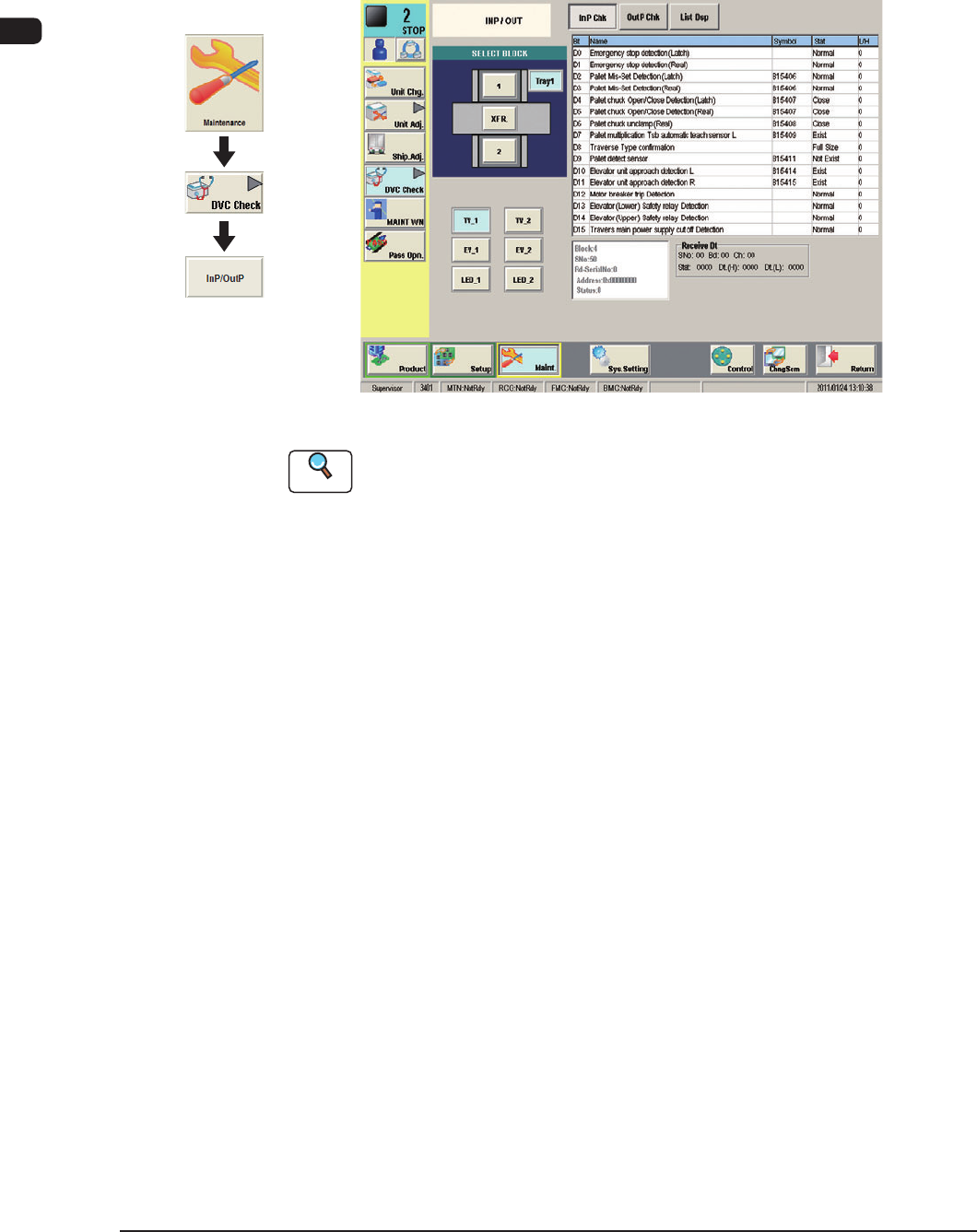
This window enables the operator to check the I/O status in each section.
"INP/OUT" window F7C11
Reference
Refer to "6.1 "INP/OUT" Window" in Chapter 1, Volume 3 for the details.
1102-004
Graphic
Development
7OM-1603
Chapter 3 : 1. Maintenance Menu
3-131102-004
1.4.2 "MOTOR" Window
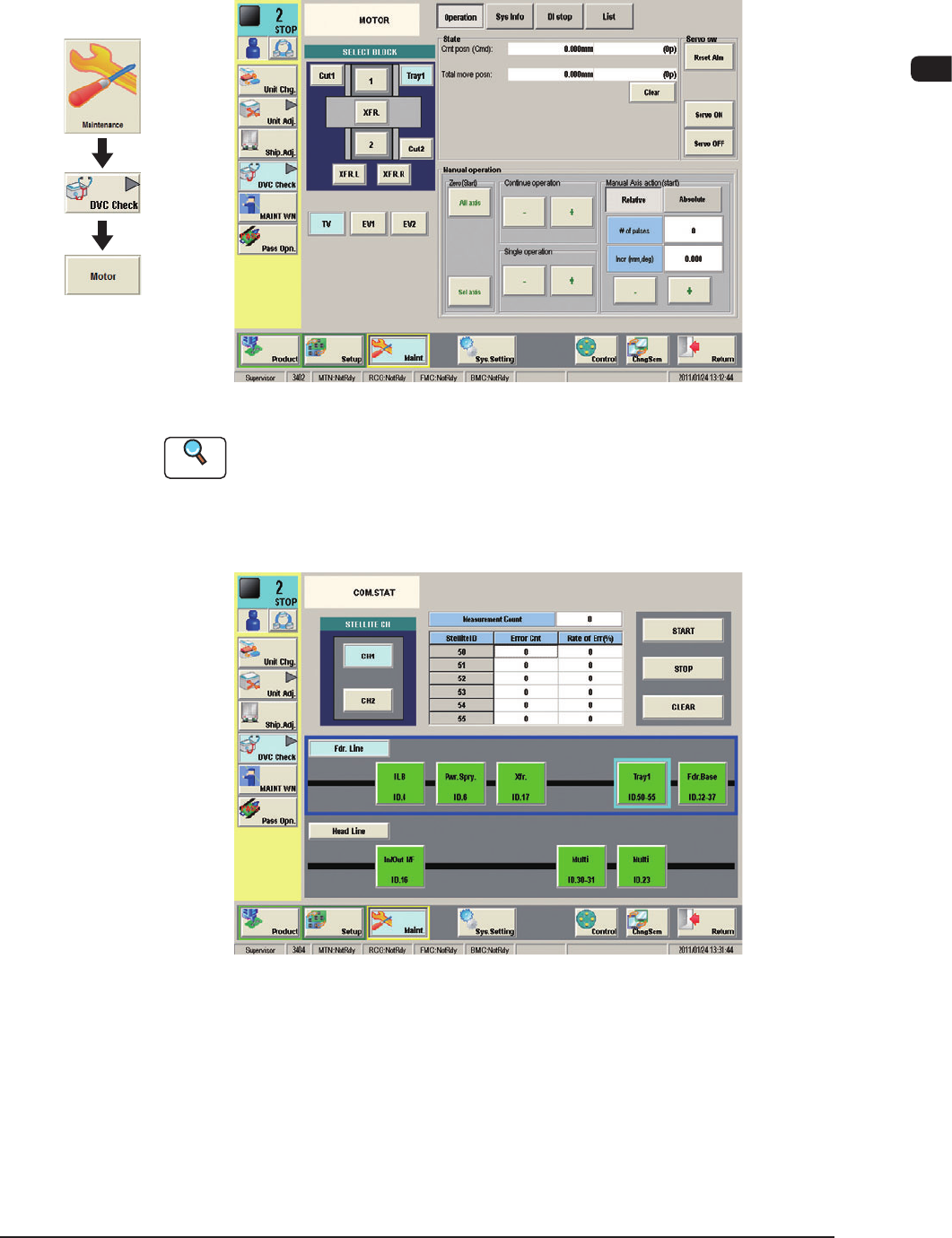
This window enables the operator to perform the manual alignment operation of
each unit and display the current system data.
"MOTOR" window F7C12
Reference
Refer to "6.2 "MOTOR" Window" in Chapter 1, Volume 3 for the details.
1.4.3 "COM. STAT" Window
F7C13
Graphic
Development