7OM-1625-004_w - 第114页
7OM-1603 Chapter 3 : 2. Menus for System Setting 3-15 1003-002 2.1 "Of fset Data" Window F7C15 Notice Do not change the parameters unless necessary . These parameters are factory-adjusted upon shipment of the m…
7OM-1603
3-14
Chapter 3 : 2. Menus for System Setting
1003-002
2. Menus for System Setting
[1]
F7C14
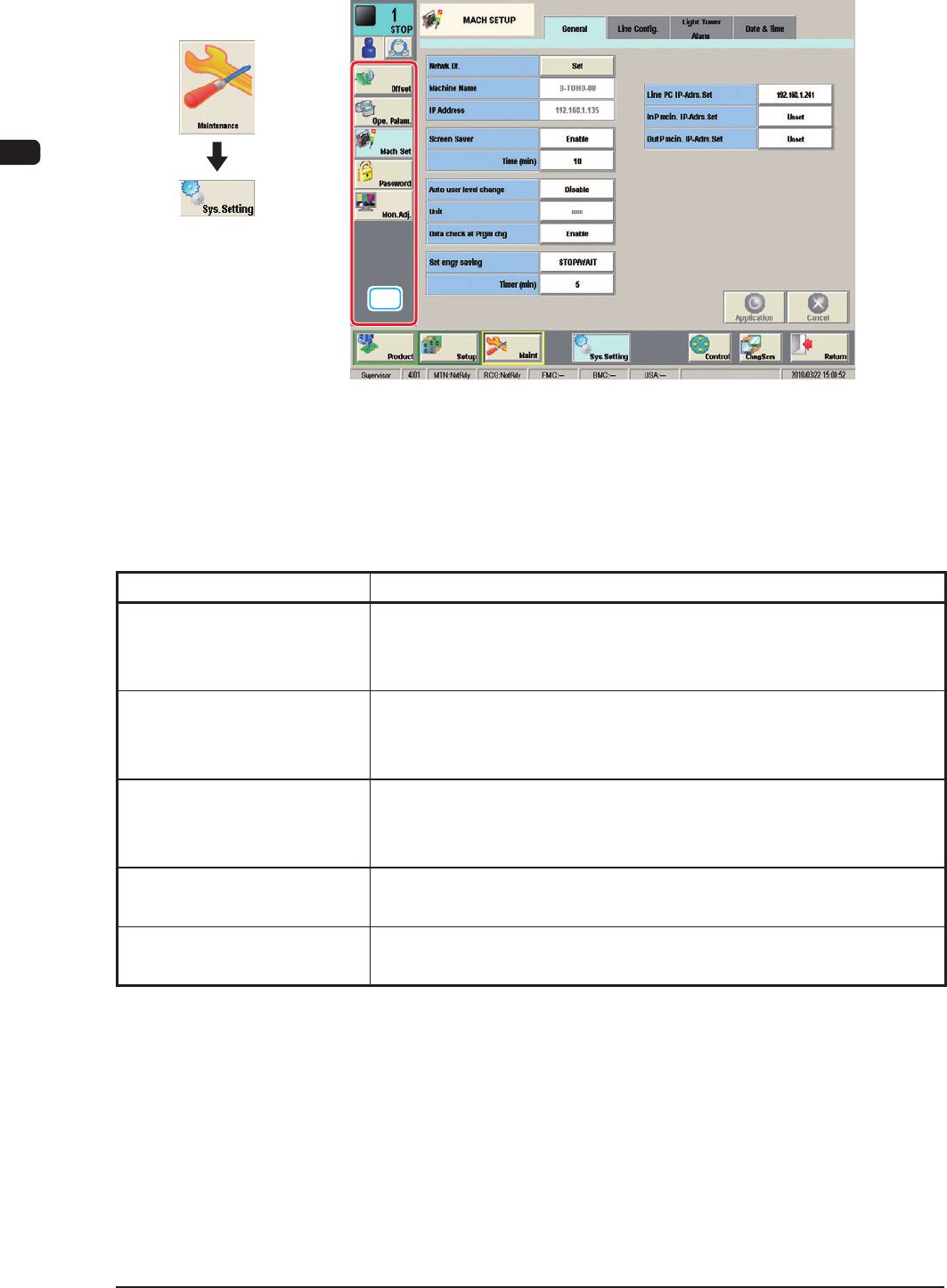
[1] "Sys.Setting" Main Menu Bar
The following buttons are arranged to display the operation windows for the
system environment setting.
Menu Buttons Description
Offset
The corresponding tab sheet enables the operator to set various kinds
of offset data for positional adjustment and accuracy of each device
section related to machine operation.
Ope. Palam.
The corresponding tab sheet enables the operator to set various
parameters related to automatic operation of the machine and check
the machine performance, production rate, production guidance, etc.
Mach Set
This enables the operator to set the screen saver function, specify the
unit of length, and enable or disable the data editing under production
operation.
Password
This enables the operator to set a password and the scope of authority
according to the given authority.
Mon. Adj.
This enables the operator to adjust the monitor.
T7C1
Graphic
Development
7OM-1603
Chapter 3 : 2. Menus for System Setting
3-151003-002
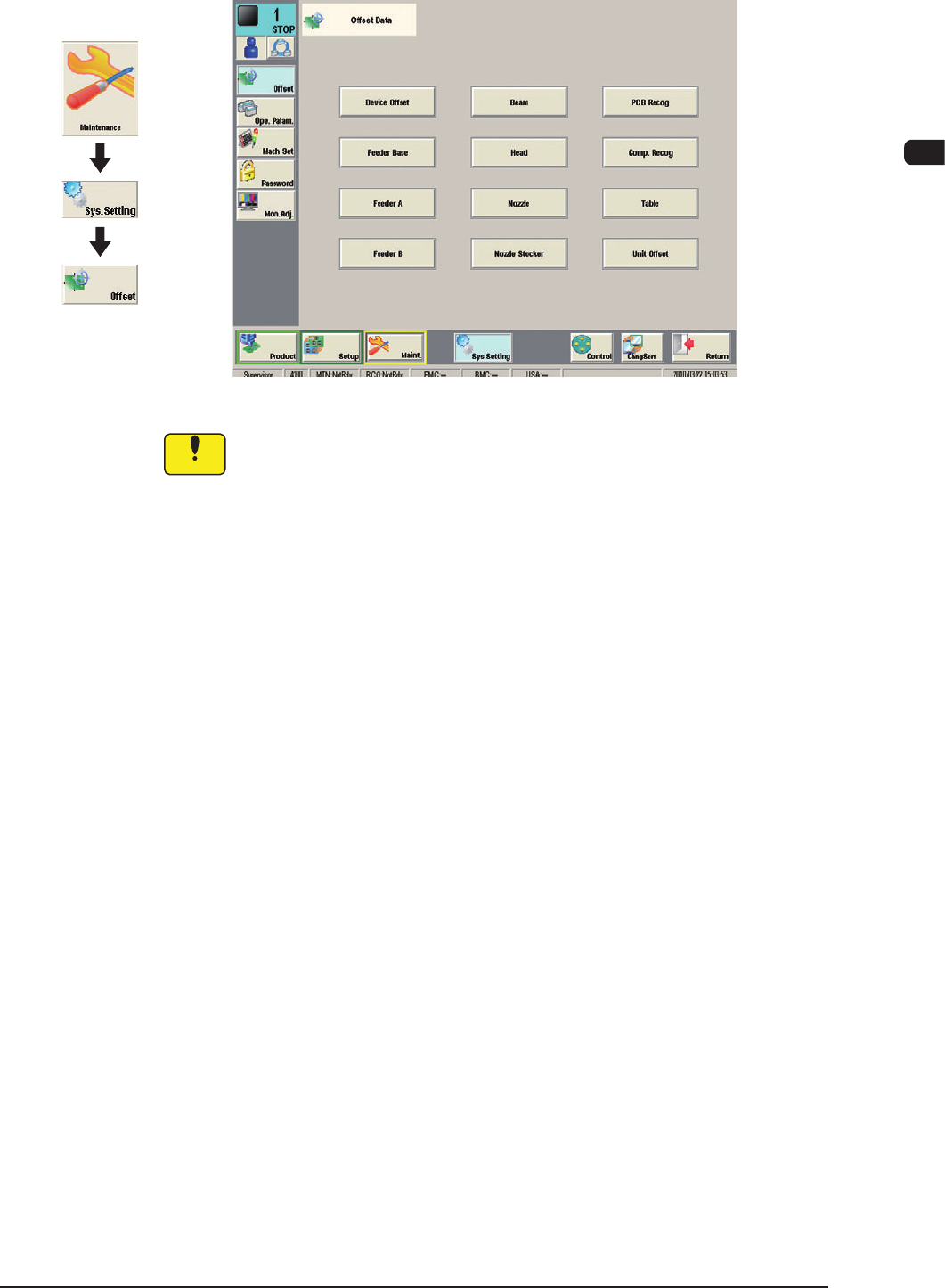
2.1 "Offset Data" Window
F7C15
Notice
Do not change the parameters unless necessary. These parameters are
factory-adjusted upon shipment of the machine.
Graphic
Development
7OM-1603
3-16
Chapter 3 : 2. Menus for System Setting
1003-002
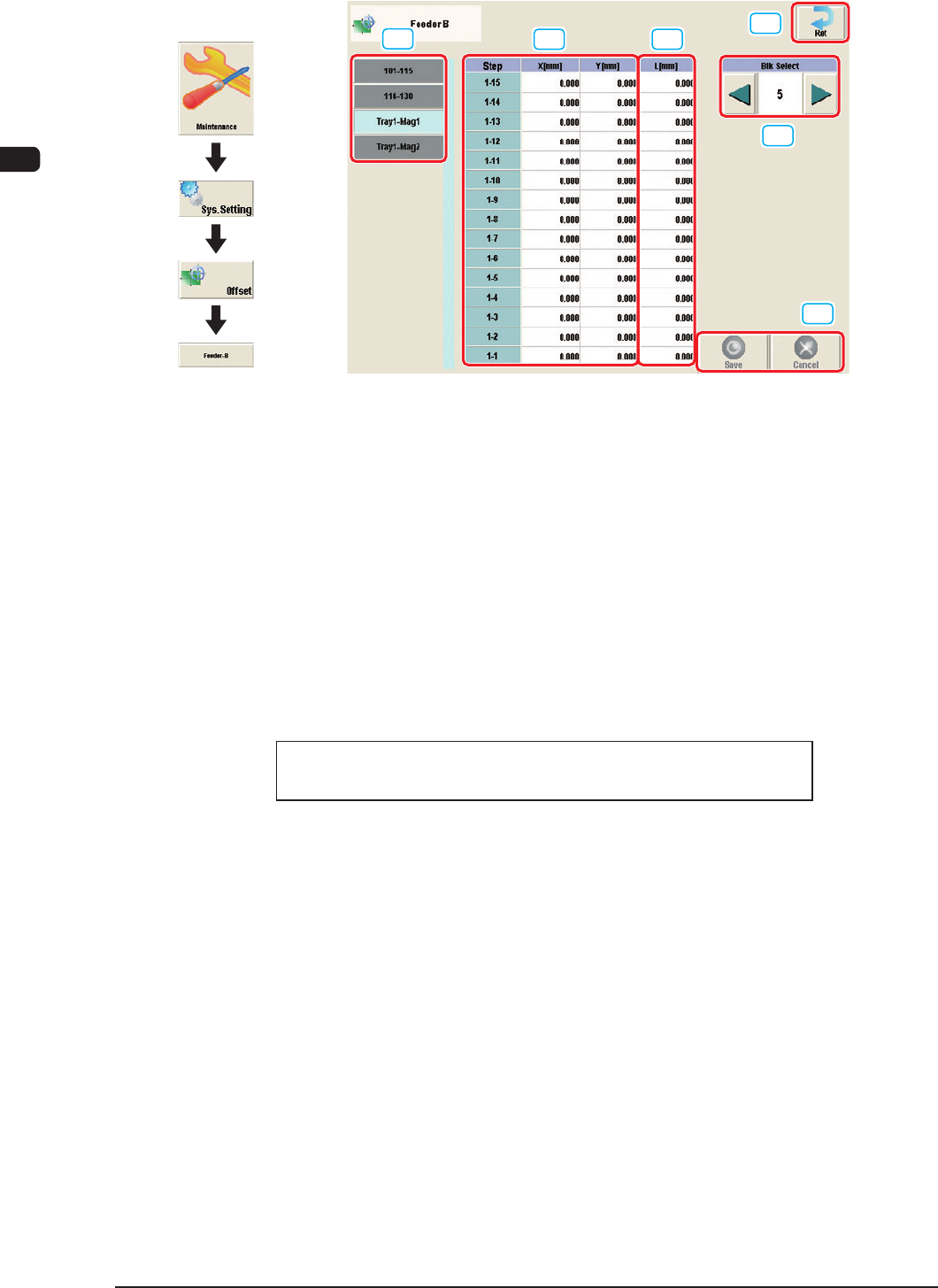
2.1.1 "Feeder B" Window
[1]
[2] [3]
[5]
[4]
[6]
F7C16
Feeder Offset B
This offset data is used to correct variation in the feeder.
·
The X and
Y parameters are recognition-processed during the automatic
operation to track the positional relation between the nozzle and component
centers and updated automatically for better pickup posture (pickup on the
component center).
Note: In normal cases, it is not necessary to enter any parameters.
·
The "L [mm]" parameters are not updated automatically but the entered ones
are reected.
Feeder offset parameters are added to actual offset values.
Actual Offset Values = Feeder (A) Offset + Feeder (B) Offset
[1] Feeder Change Tab
Another tab sheet can be opened by pressing the corresponding "Feeder
Base" tab.
Graphic
Development