7OM-1625-004_w - 第52页
7OM-1603 Chapter 1 : 2. V arious Functions and Outline of Actions 1-1 1 2.2 Outline of Actions (1) A pallet is pulled out from the magazine stored in the elevator section onto the traverse according to the pattern progra…

7OM-1603
1-10
Chapter 1 : 2. Various Functions and Outline of Actions
•
Magazine Alternate Function
The components required for the production model must be set fully for both
Magazines #1 and #2. When the magazine alternate function is activated, the
machine performs the automatic operation with either one of the upper and
lower magazines being connected. The connected magazine is automatically
changed to the other one set automatically ready for use right after the
connected magazine gets empty of the components, making it possible for the
machine to perform the operation continuously. That is, this function makes
it possible to supply components from the trays while the machine is running,
reducing downtime of the machine for component replenishment.
0908-001

7OM-1603
Chapter 1 : 2. Various Functions and Outline of Actions
1-11
2.2 Outline of Actions
(1) A pallet is pulled out from the magazine stored in the elevator section onto
the traverse according to the pattern program data.
(2) The placement heads of the main machine pickup components from the
pallet that was pulled out onto the traverse.
(3) The images of the picked components (the components picked up by the
placement heads) are captured and recognized by the component recognition
cameras to detect the deviation in the pickup position.
The detected deviation is corrected and the components are placed accurately
on the specied positions.
When a pickup error or a recognition error is detected during the component
recognition, the machine performs the discharge operation of the rejected
component.
(4) The pallet on the traverse is stored in the magazine of the elevator and the
subsequent pallet is pulled out onto the traverse according to the pattern
program data.
When the subsequently placed component originates from the same pallet,
the pallet stays on the traverse.
(5) Steps (1) through (4) are repeated.
When the tray on the pallet (specied in the pattern program data) becomes
empty of components, the LED of the stage No. button starts ickering and
the error message "Component Shortage Error" appears on the operation
monitor. In this case, reload the tray with components.
0908-001
7OM-1603
1-12
Chapter 1 : 3. Name of Each Section and Handling
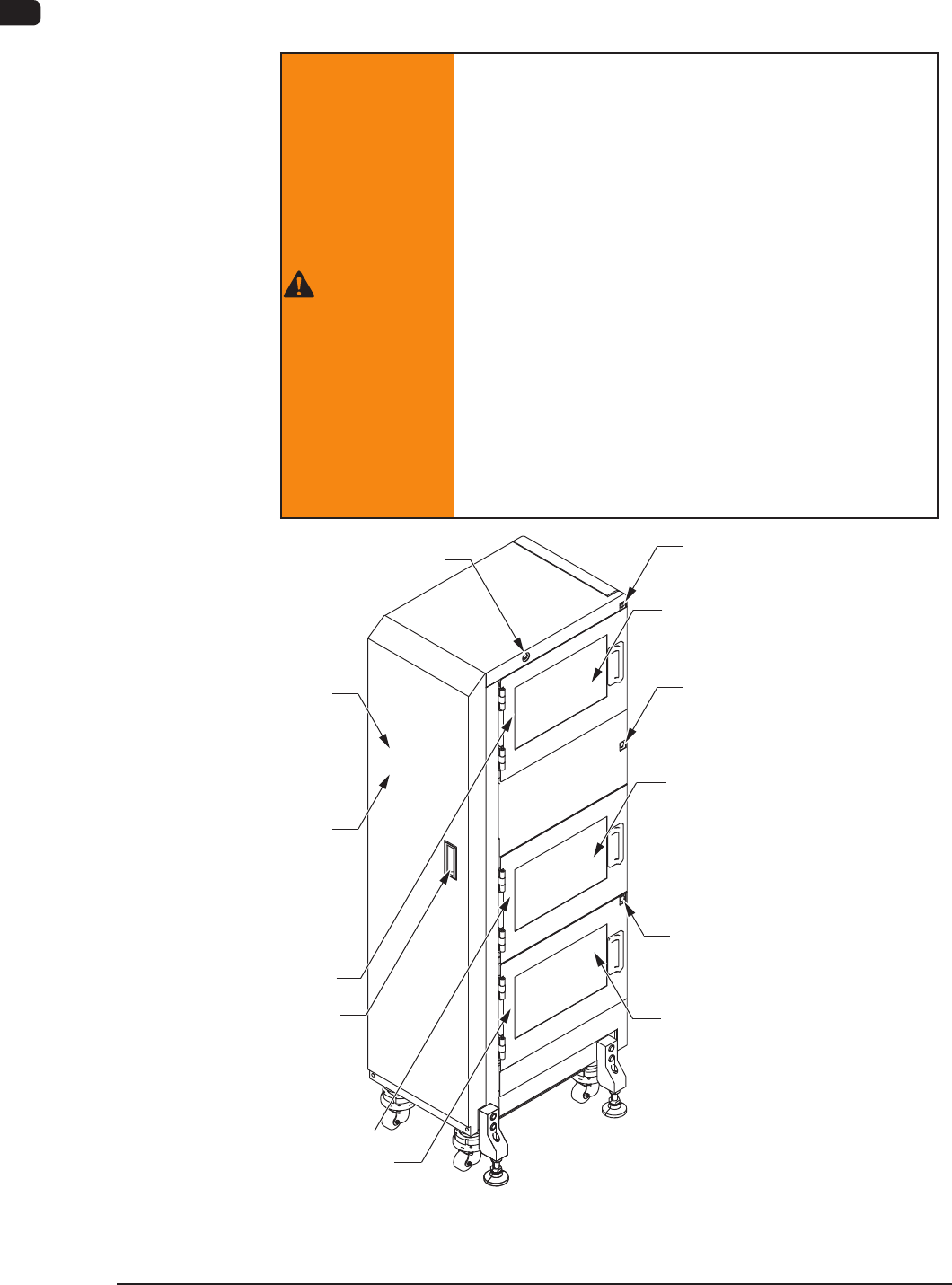
3. Name of Each Section and Handling
This feeder is constructed of an elevator unit, magazines, cutter unit, pallets a
JEDEC / FULL size traverse cart, and tray xing magnets.
WARNING
There are strong motorized and high-voltage areas
inside the machine. Special caution should be paid
not to touch them.
Doing otherwise will cause personal injury (serious
accident).
Onlyqualiedmaintenancepersonnelshould
detach the safety covers.
The machine should be operated with the covers
being attached.
If a safety cover is detached, be sure to reattach
it.
Be sure to close the magazine door before
operating the machine.
Do not disengage the interlock of the magazine
door.
Magazine #2 Ready
Ready Switch
Pallet Change Position
Ready Switch
Magazine #1 Ready
Ready Switch
Magazine #2 Supply Position
Upper Magazine
Change Position
Magazine #1 Supply Position
Lower Magazine
Change Position
Magazine Change Position
Elevator Power LED
Elevator
Magazine #2 Door
Pallet Change
Position Door
Handle
Magazine #1 Door
Safety Cover
Elevator Unit (Front Side of Machine) F7A1
1102-004