MR8740T_user_manual_eng_20191016H.pdf - 第104页
99 Enabling the T rigger Function 5.2 Enabling the T rigger Function > [T rigger] > [Common] Click the [T rigger] button to set it to [On] . On Enables the trigger function. Off Disables the trigger function. T o…
98
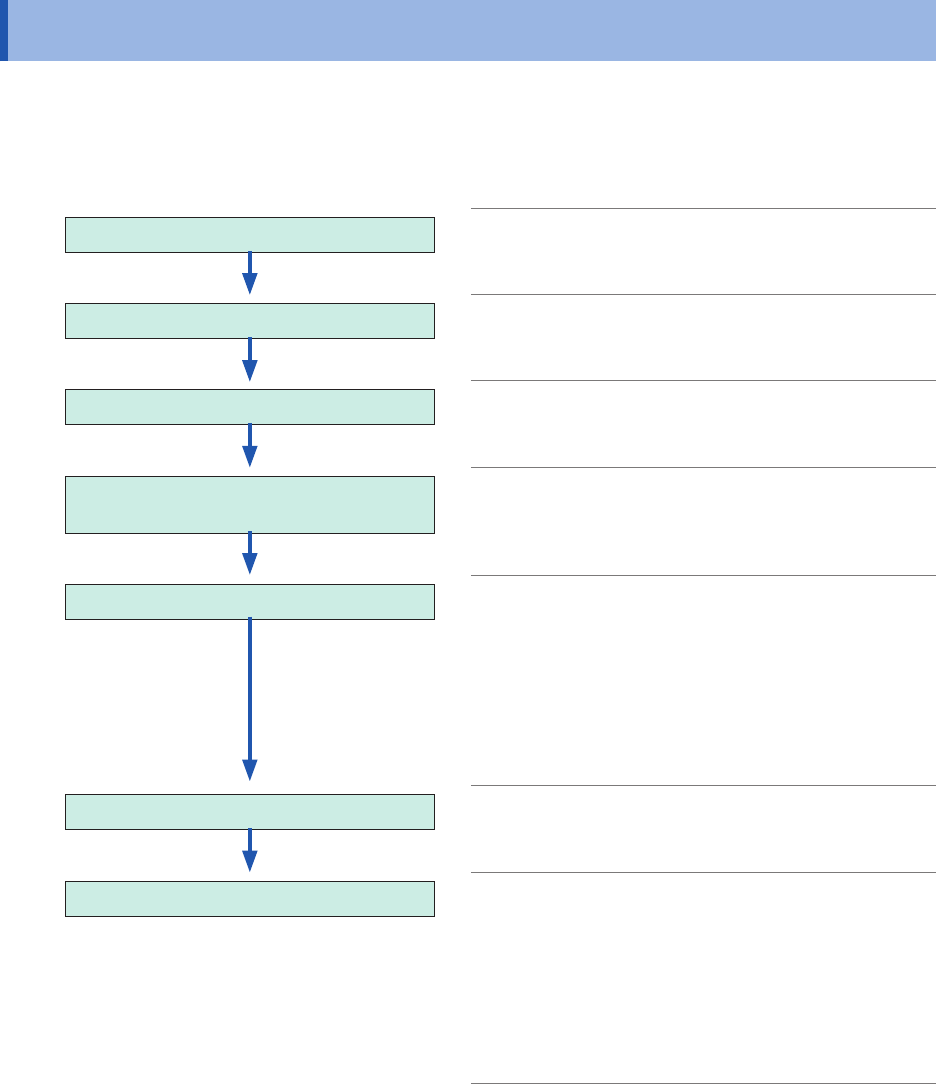
Trigger Setting Procedure
5.1 Trigger Setting Procedure
• The instrument is triggered based on trigger logical-conditions (logical AND or OR operation)
among trigger sources except for the forcible trigger. (p. 105)
• When triggered, the instrument outputs the TRIG OUT signal from the external control terminal.
(p. 213)
Congure the trigger function setting
Enables the trigger function. (p. 99)
Conguring the trigger timing setting
Specify the start timing of recordings
controlled by triggers.
(p. 100)
Conguring the pre-trigger settings
Specify a recording length that precedes
the start trigger point.
(p. 102)
Setting trigger logical-conditions (AND or
OR operation) among trigger sources
Setting trigger logical-conditions (AND or
OR operation) among the analog, logic,
external, and interval triggers to trigger the
instrument.
(p. 105)
Conguring the trigger type settings
Set trigger conditions for each trigger.
• Analog trigger (p. 106)
• Logic trigger (p. 114)
• Interval trigger (p. 116)
• External trigger (p. 118)
• Forcible trigger (p. 118)
Choosing a measurement mode
Choose whether the instrument repeatedly
waits for a trigger after a measurement has
been stopped.
(p. 6)
Starting a measurement
Click the start icon to start a measurement. (The key
green LED lights up.)
When a trigger condition is satised, the instrument
starts to acquire data.
To stop the measurement, click the stop icon.
Click the icon once: Stops the measurement once the
instrument has acquired the recording-length data.
Click the icon twice: Immediately stops the recording.
99
Enabling the Trigger Function
5.2 Enabling the Trigger Function
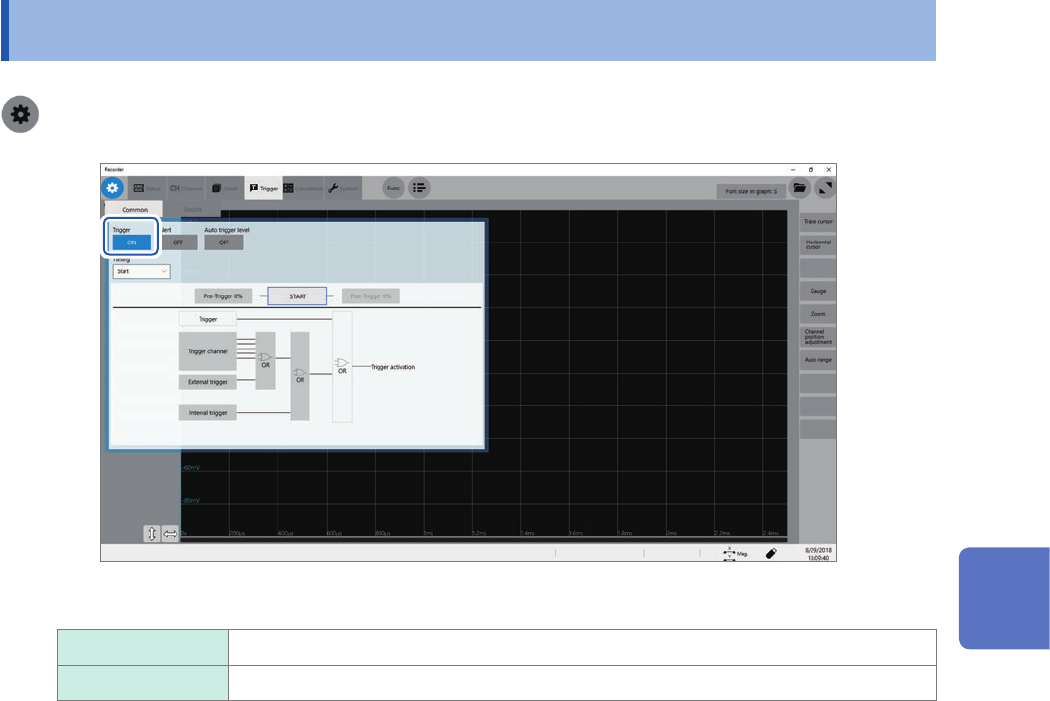
> [Trigger] > [Common]
Click the [Trigger] button to set it to [On].
On
Enables the trigger function.
Off Disables the trigger function.
To copy settings to other channels
You can copy settings on the analog trigger setting screen.
Refer to “3.5 Copying Settings (Copy Function)” (p. 45).
5
Conguring the Trigger Settings
100
Trigger timing
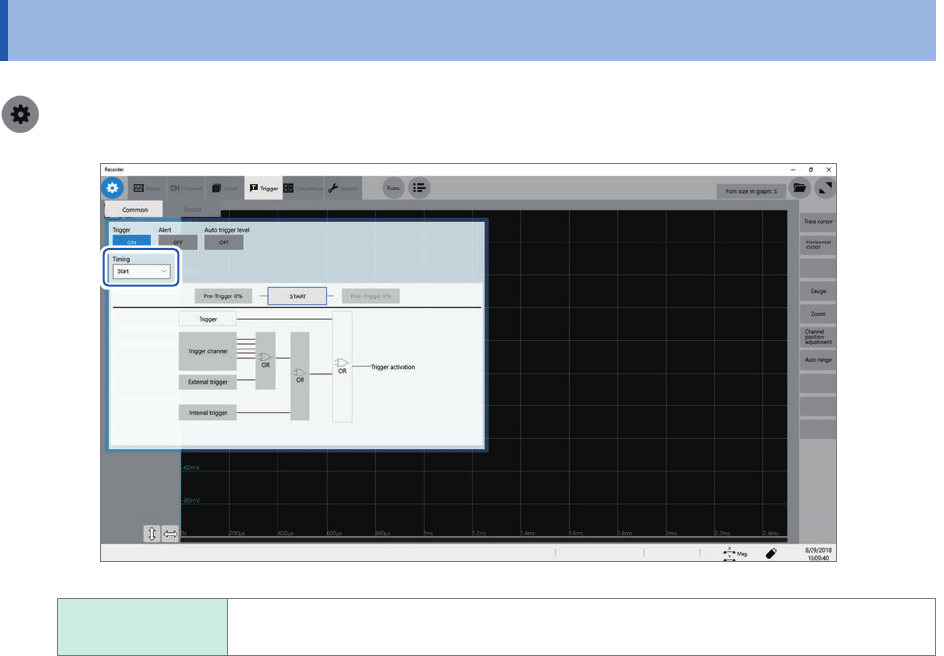
5.3 Trigger timing
> [Trigger] > [Common]
START
Starts recording when the instrument is triggered, and stops the recording after the
instrument has acquired the recording-length waveforms.
A displayed trigger point may lag behind the actual trigger point by some samples between one and
four when measuring modules include any one of the following modules: Model U8975 4ch Analog
Unit, Model MR8990 Digital Voltmeter, and Model U8991 Digital Voltmeter Unit.