MR8740T_user_manual_eng_20191016H.pdf - 第122页
11 7 T riggering the Instrument at Regular Intervals (Interval T rigger) Acquiring data at regular intervals (relation between a time interval and a recording length or recording time) The instrument is not triggered unt…
116
Triggering the Instrument at Regular Intervals (Interval Trigger)
5.8 Triggering the Instrument at Regular Intervals
(Interval Trigger)
Start triggers can be activated at specied intervals. Setting the recording mode to [Repeat] allows
the instrument to record waveforms at regular intervals.
• When using the pre-trigger, the instrument starts monitoring interval-trigger times after the rst
pre-trigger time elapses since the start of measurement.
• No start triggers are activated by any interval triggers while the instrument is lling the pre-trigger
memory. An interval trigger triggers the instrument while the instrument is waiting for a trigger
after the instrument has lled the pre-trigger memory.
• Since the clock is internally corrected, displayed trigger times may not synchronize with the
intervals of the interval trigger.
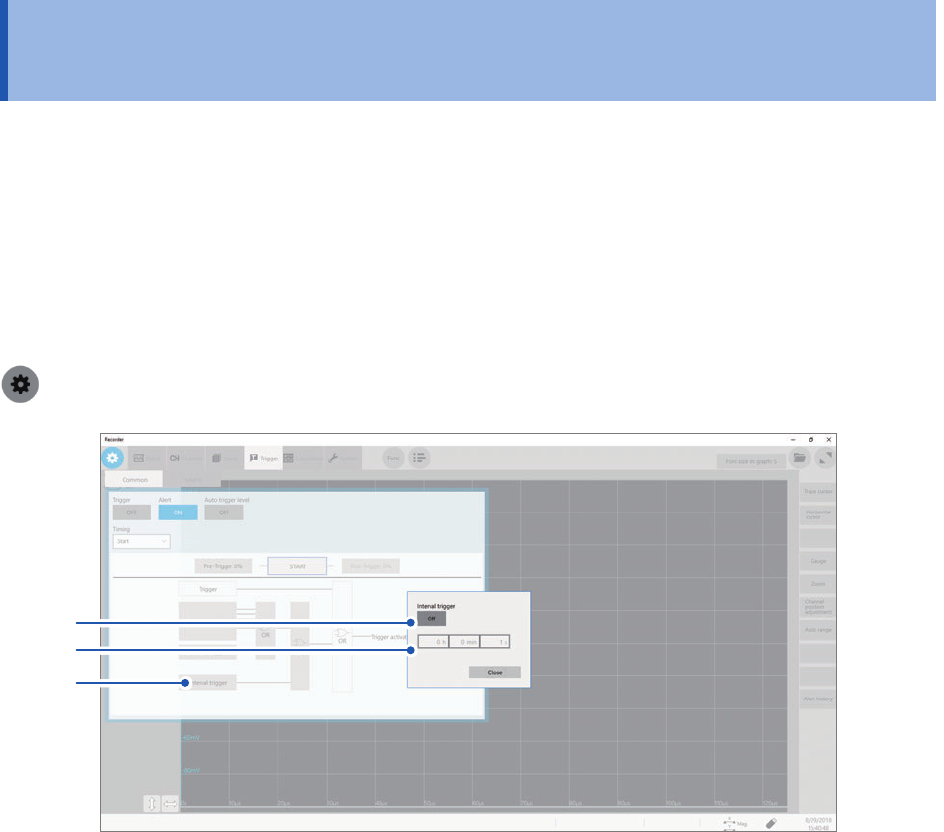
> [Trigger] > [Common]
2
3
1
1
Click [Interval trigger].
The interval trigger setting dialog box will appear.
2
Click [Interval trigger] to set it to [On].
3
Click the [h], [min], and [s] boxes, and then enter a period of time for interval triggers.
An internal trigger is generated at the start of measurement, and triggers are repeatedly generated at the
specied intervals.
117
Triggering the Instrument at Regular Intervals (Interval Trigger)
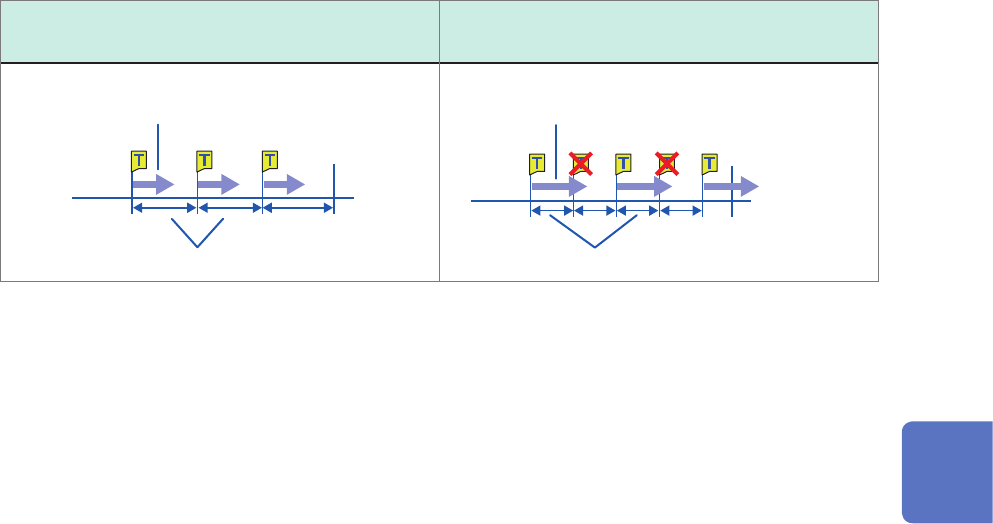
Acquiring data at regular intervals (relation between a time interval and a
recording length or recording time)
The instrument is not triggered until having acquired data that has the specied recording length or
recording interval.
When a recording length or recording time is
shorter than a time interval
When a recording length or recording time is
longer than a time interval
The instrument records the specied recording
length or recording time of the data.
Start
Time interval
Finish
Start
Time interval
Finish
The instrument records the specied recording
length or recording time of the data.
5
Conguring the Trigger Settings
118
Externally Triggering the Instrument (External Trigger)
5.9 Externally Triggering the Instrument (External
Trigger)
External signals applied to the external control terminals can serve as trigger sources.
External signals can also be used to operate multiple instruments in synchronization with each
other.
Refer to “External trigger terminal (EXT.TRIG)” (p. 215).
5.10 Manually Triggering the Instrument (Forcible
Trigger)
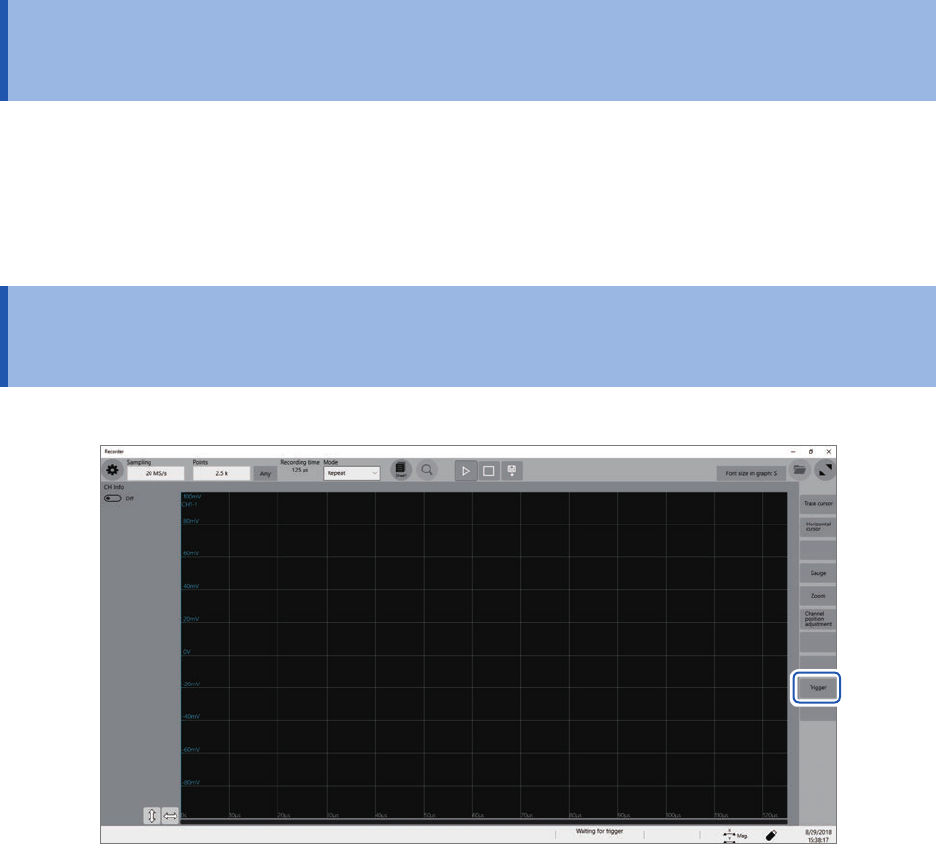
Clicking [Trigger] on the right side of the waveform screen allows you to manually trigger the
instrument while the instrument is waiting time for a trigger.
The forcible trigger triggers the instrument regardless of the other trigger source settings.
To stop the measurement, click the stop icon.
• Clicking the stop icon once stops the measurement after the instrument has acquired recording-
length waveforms.
• Click the stop icon once and click [OK] on the dialog box displayed to stop the measurement.