MR8740T_user_manual_eng_20191016H.pdf - 第123页
11 8 Externally T riggering the Instrument (External T rigger) 5.9 Externally T riggering the Instrument (External T rigger) External signals applied to the external control terminals can serve as trigger sources. Extern…
117
Triggering the Instrument at Regular Intervals (Interval Trigger)
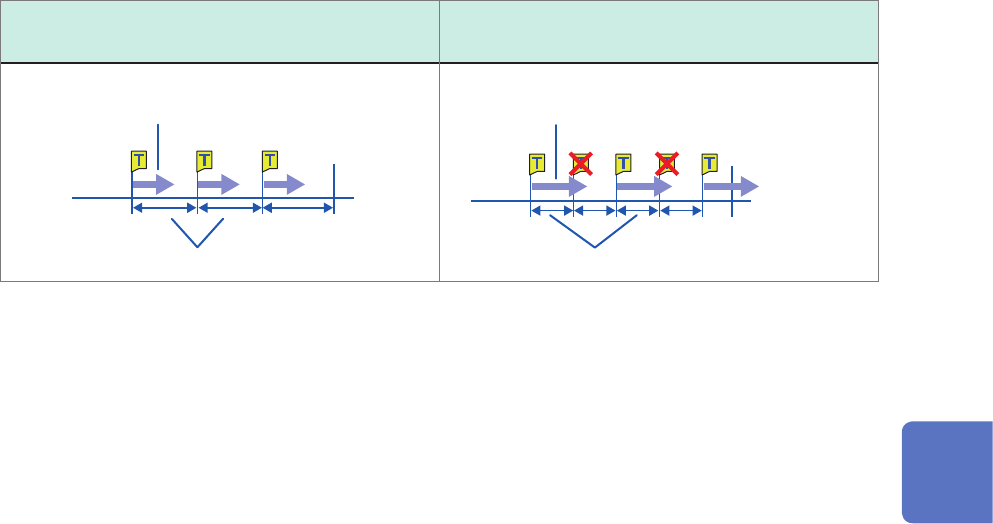
Acquiring data at regular intervals (relation between a time interval and a
recording length or recording time)
The instrument is not triggered until having acquired data that has the specied recording length or
recording interval.
When a recording length or recording time is
shorter than a time interval
When a recording length or recording time is
longer than a time interval
The instrument records the specied recording
length or recording time of the data.
Start
Time interval
Finish
Start
Time interval
Finish
The instrument records the specied recording
length or recording time of the data.
5
Conguring the Trigger Settings
118
Externally Triggering the Instrument (External Trigger)
5.9 Externally Triggering the Instrument (External
Trigger)
External signals applied to the external control terminals can serve as trigger sources.
External signals can also be used to operate multiple instruments in synchronization with each
other.
Refer to “External trigger terminal (EXT.TRIG)” (p. 215).
5.10 Manually Triggering the Instrument (Forcible
Trigger)
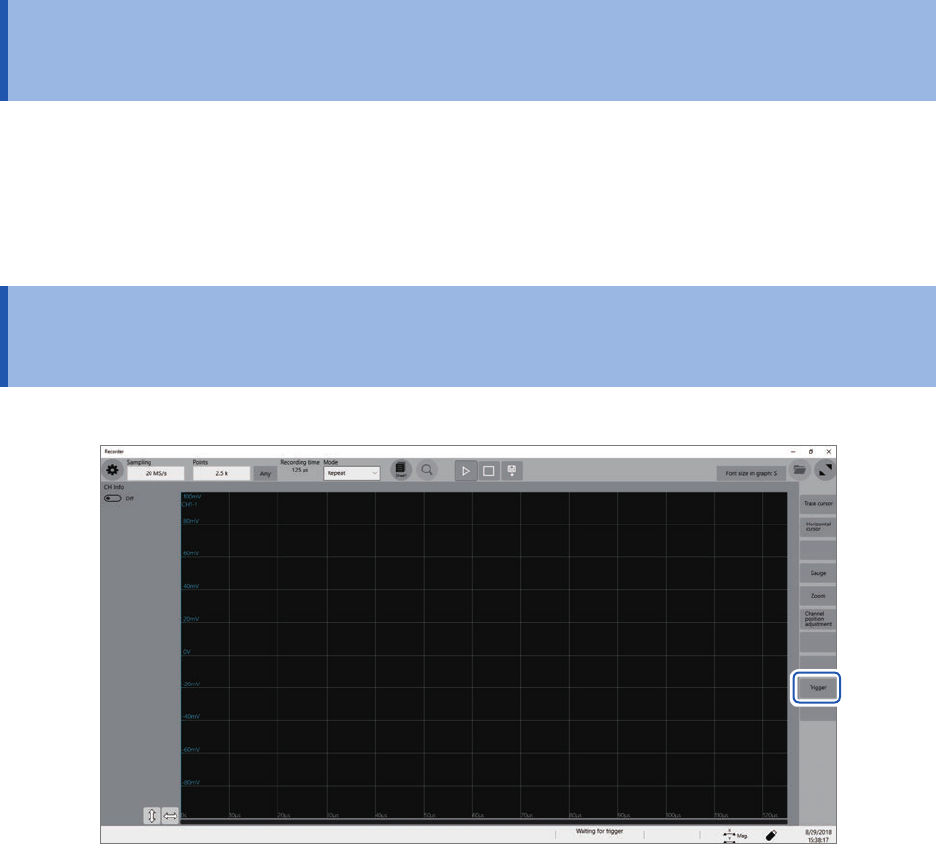
Clicking [Trigger] on the right side of the waveform screen allows you to manually trigger the
instrument while the instrument is waiting time for a trigger.
The forcible trigger triggers the instrument regardless of the other trigger source settings.
To stop the measurement, click the stop icon.
• Clicking the stop icon once stops the measurement after the instrument has acquired recording-
length waveforms.
• Click the stop icon once and click [OK] on the dialog box displayed to stop the measurement.
119
Issuing an Alert Using Triggers (Alert Function)
5.11 Issuing an Alert Using Triggers (Alert Function)
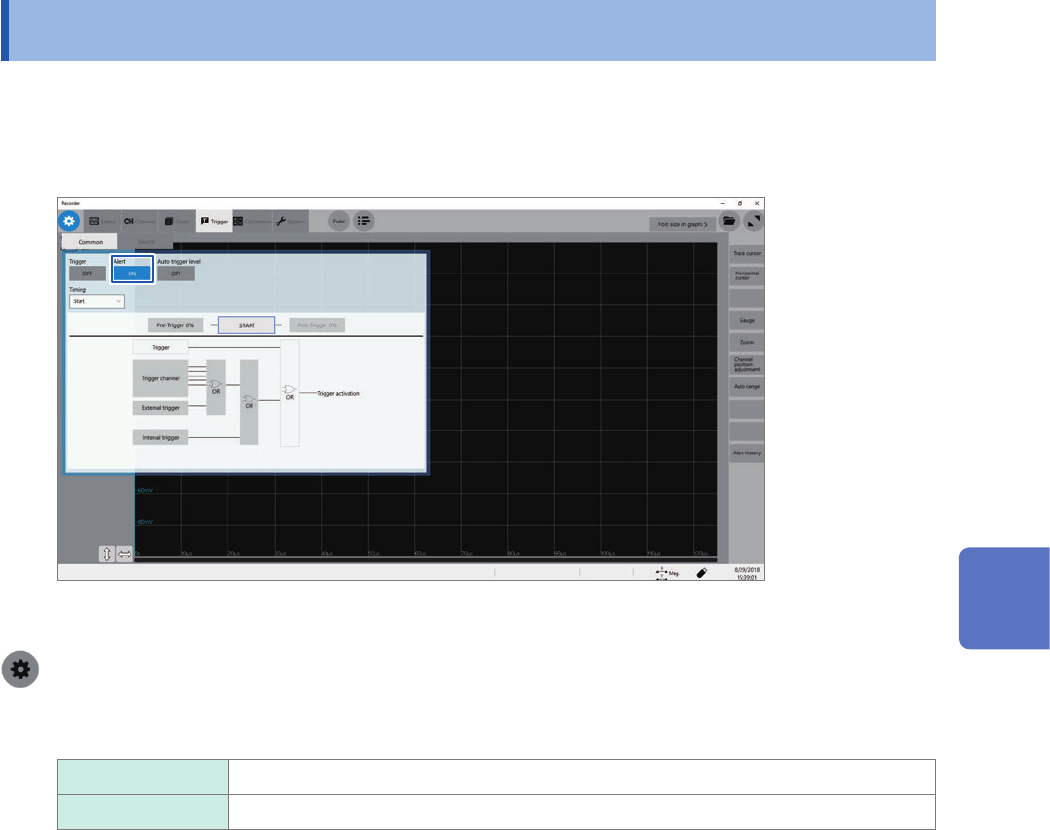
The alert function detects trigger-condition satisfying points based on trigger settings.
When [Beep sound] is set to [Alert] or [Alert+Action], the instrument continues to beep while
the trigger condition is being satised. Also, the CMD ERR red LED lights up when the instrument
alerts you. The LED goes off when the instrument lifts the alert.
Setting [Alert] to [On] limits the sampling rate to 100 kS/s or lower.
The event count of the trigger setting is xed at 1.
> [Trigger] > [Common]
1
Click the [Trigger] to set it to [On] or [Off].
Off
Does not alert you.
On Alerts you.
5
Conguring the Trigger Settings