MR8740T_user_manual_eng_20191016H.pdf - 第126页
121 Automatically Specifying the T rigger Level (Auto-trigger Level) 5.12 Automatically Specifying the T rigger Level (Auto- trigger Level) When you enable this setting, the instrument performs a preliminary measurement …
120
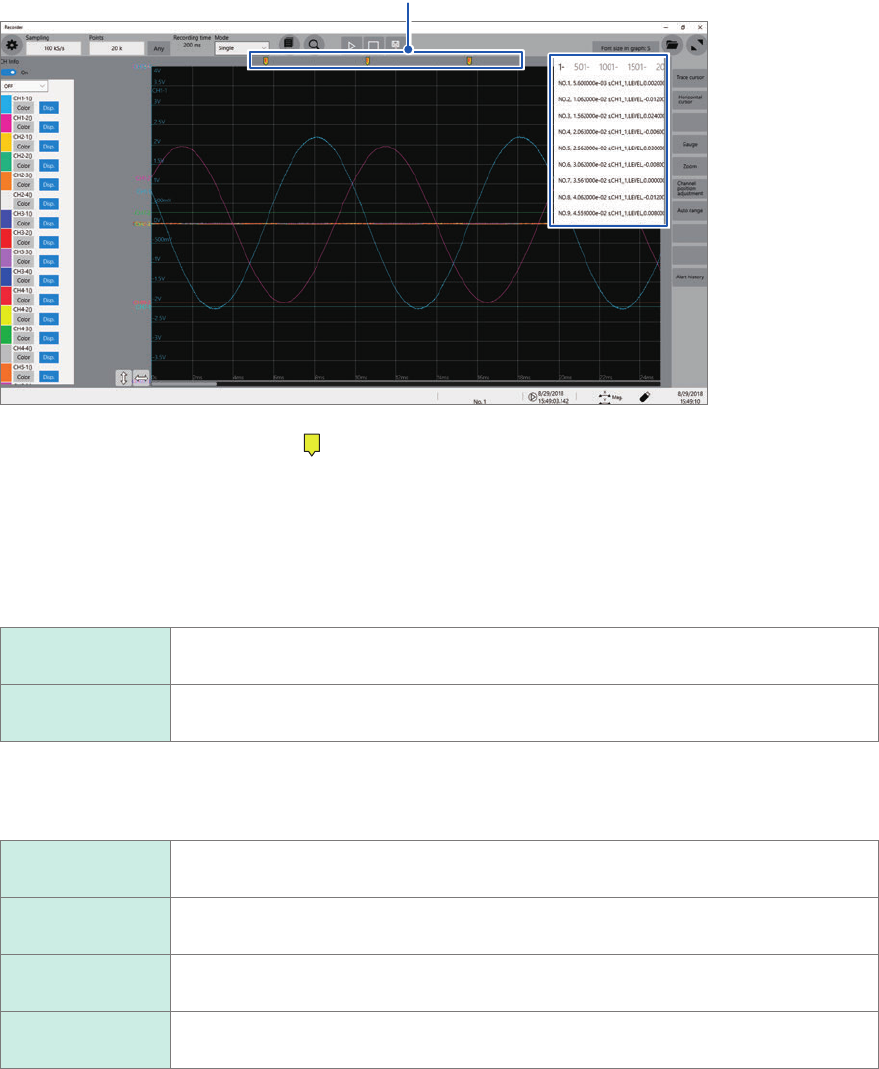
Issuing an Alert Using Triggers (Alert Function)
Event mark
The instrument puts event marks (
E
) at the positions when the specied trigger condition is
satised (alert issued) and when the condition fails to be satised (alert terminated). At the upper
right of the screen, the instrument displays the time when the condition is satised, channel
number, trigger type, measured value and a character string [Out] or [In].
The string [Out] or [In] is intended for use with the out trigger setting; however, with another trigger
setting, the instrument displays [Out] when the condition is satised and [In] when the condition
fails to be satised.
Out When a condition is satised (for the out trigger setting, when a signal gets out of the
specied range)
In When a condition is not satised (for the out trigger setting, when a signal falls within
the specied range)
If the condition is satised and fails to be satised repeatedly within 100 ms, the instrument may
group this condition changes into one and display it as the following.
Out_In When a condition is rst not satised, then the status repeatedly changes, and nally
fails to be satised
Out_In_Out When a condition is rst not satised, then the status repeatedly changes, and is nally
satised
In_Out When a condition is rst satised, then the status repeatedly changes, and is nally
satised
In_Out_In
When a condition is rst satised, then the status repeatedly changes, and nally fails to
be satised
When an alert condition specied for a channel has been already satised, the instrument with
the alert settings specied for multiple channels displays the rst alert at the same position as a
position a condition for another channel is next satised at.
121
Automatically Specifying the Trigger Level (Auto-trigger Level)
5.12
Automatically Specifying the Trigger Level (Auto-
trigger Level)
When you enable this setting, the instrument performs a preliminary measurement before an actual
measurement.
In the preliminary measurement, the instrument acquires the specied number of data points and
calculates the average value of them. Then, the instrument species the average value as the
reference of the out trigger and performs the actual measurement using this trigger.
This function is useful when you use the out trigger setting with the trigger and alert functions.
1
2
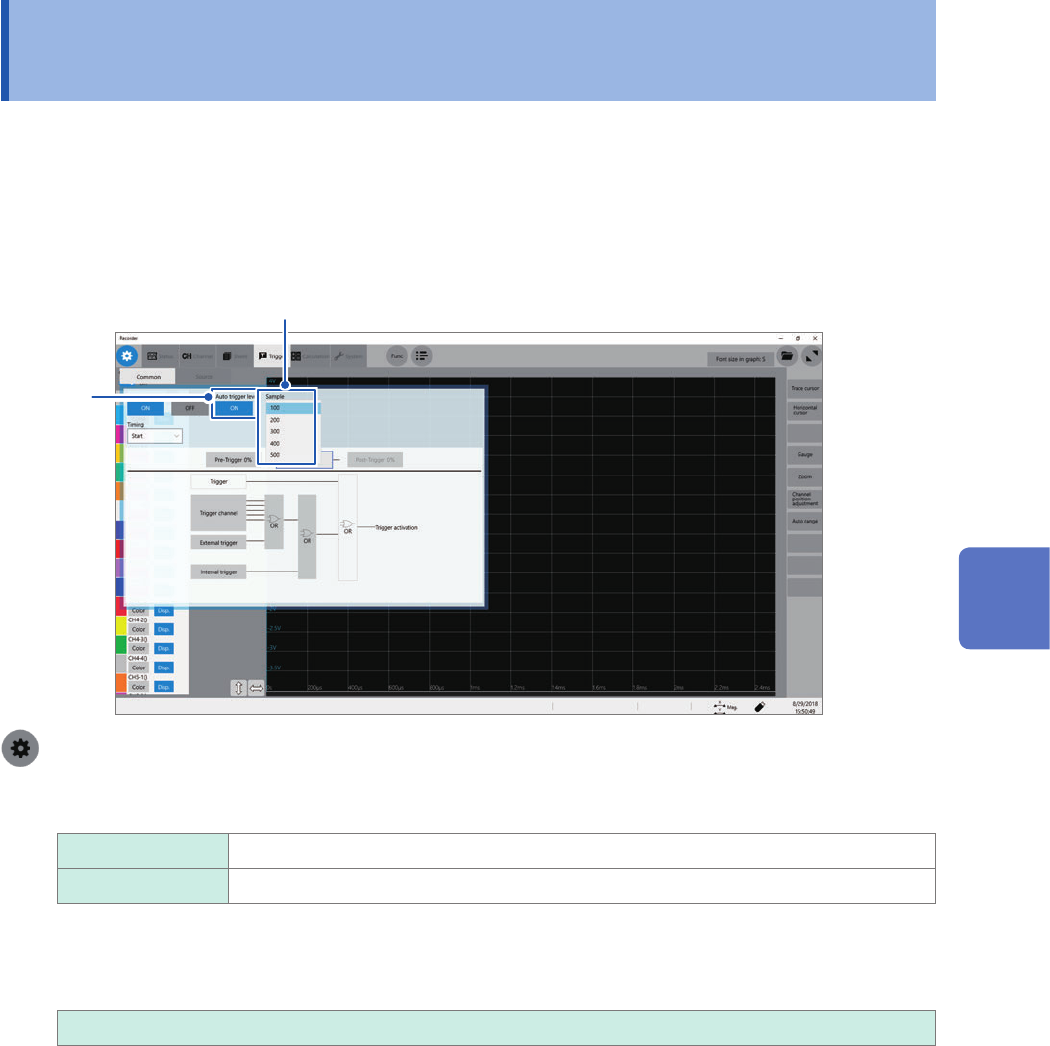
> [Trigger] > [Common]
1
Click the [Trigger] to set it to [On] or [Off].
Off
Disables the auto-trigger level function.
On Automatically species the reference level of the out trigger.
2
Click the [Samples] box, and then choose an option for the number of sampling points from
the list.
100
, 200, 300, 400, 500
3
Congure the trigger setting for each channel.
On the trigger source setting screen, set the trigger type of a channel to be used to the out trigger,
and set [Auto-trigger level] to [On]. (p. 109)
5
Conguring the Trigger Settings
122
Automatically Specifying the Trigger Level (Auto-trigger Level)