MR8740T_user_manual_eng_20191016H.pdf - 第135页
130 Searching For Differences from a Fundamental W ave (Memory HiConcierge) 6.3 Searching For Differences from a Fundamental W ave (Memory HiConcierge) Using Memory HiConcierge allows you to detect differences from the s…
129
Searching For Positions Where a Trigger Condition Is Satised
6
Click [Execute].
The instrument puts search marks ( ) on positions where the search criterion is satised. You can search for
up to 10,000 points. The instrument stops the search if it nds more than 10,000 positions.
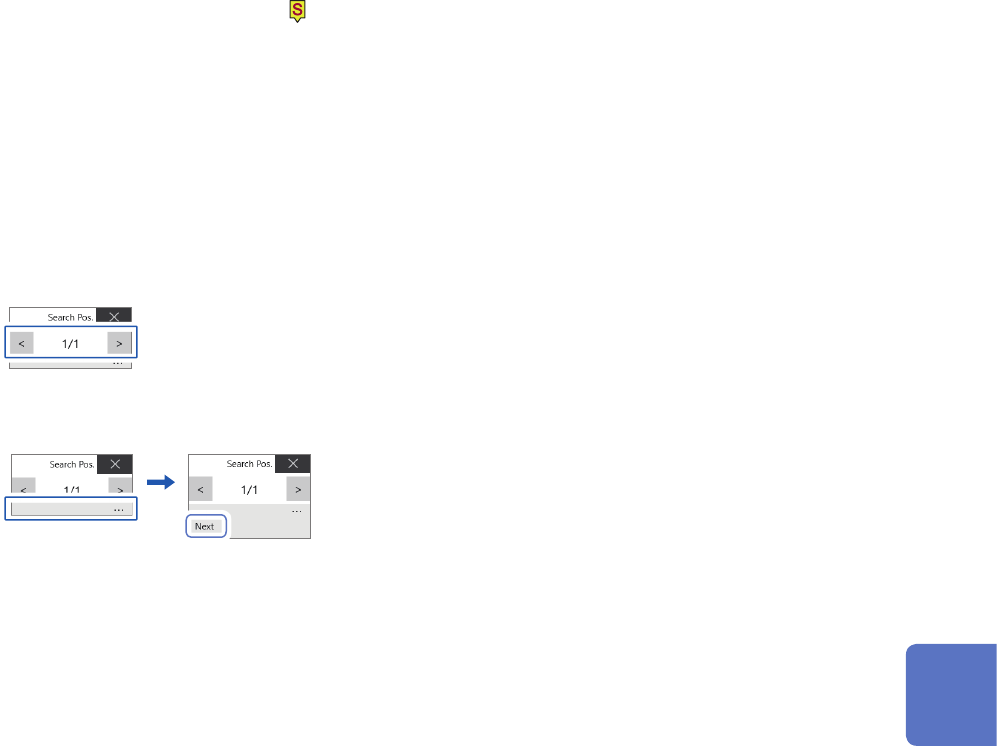
The retrieved position switching panel appears on the waveform screen.
To stop the search
Click the stop icon.
7
Switch retrieved positions using the [Search Pos.] switching panel and check the search
results.
You can switch the retrieved positions by clicking [<] or [>].
The display order follows the setting in [Display order].
Clicking [Next] executes another search beginning from the next point of the retrieved position presently
displayed. The instrument discards a previous search result.
To specify a retrieved position and jump there
As described in “6.4 Jump to the Specied Position” (p. 132), choose [Search number] in the [Type] box,
and then click [Execute].
6
Search Function
130
Searching For Differences from a Fundamental Wave (Memory HiConcierge)
6.3 Searching For Differences from a Fundamental
Wave (Memory HiConcierge)
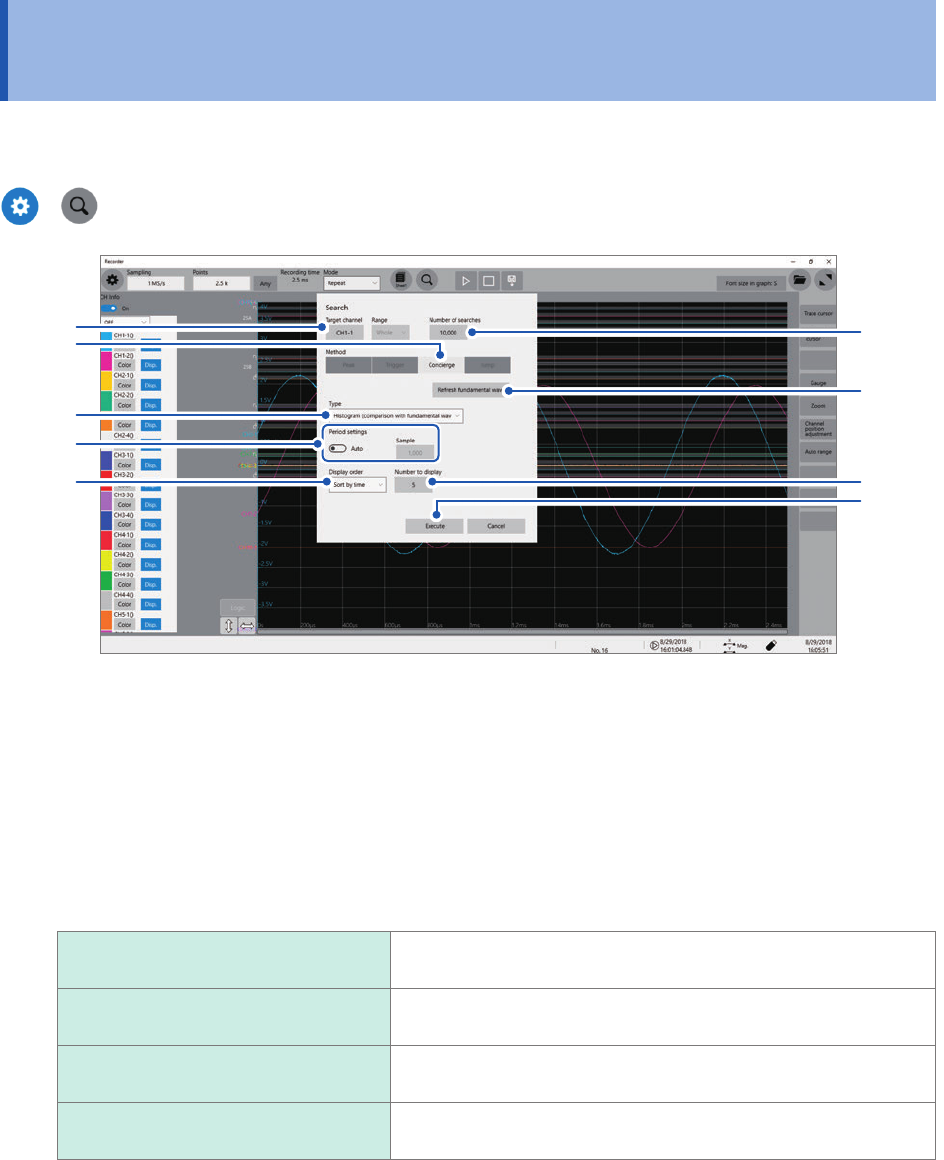
Using Memory HiConcierge allows you to detect differences from the specied fundamental
waveform based on a histogram or standard deviation.
>
2
1
3
4
9
6
5
7
8
1
Click the [Target channel] box, and then from the channel setting dialog box, choose a
channel to be searched for differences.
2
Click the [Number of searches] box, and then enter the number of search results.
3
In the [Method] area, click [Concierge] to set the search method to Concierge.
4
Click the [Type] box, and then from the list, choose a value type to be searched for.
Histogram (comparison with
fundamental wave)
Searches for differences from the specied fundamental wave
based on a histogram.
Histogram (comparison with
previous waveform)
Searches for differences from the previous waveform based on a
histogram.
Standard deviation (comparison with
fundamental wave)
Searches for differences from the specied fundamental wave
based on a standard deviation.
Standard deviation (comparison with
previous waveform)
Search for differences from the previous waveform based on a
standard deviation.
The instrument searches whole measured waveforms. You cannot specify a segment to be searched.
131
Searching For Differences from a Fundamental Wave (Memory HiConcierge)
5
Use the [Period setting] toggle switch to choose a period setting used for searches.
The instrument searches for differences from the fundamental wave (or the previous waveform) in the
specied intervals.
Auto
The instrument automatically saves calculation results.
Any Allows you to click the [Sample] box to enter the number of samples, which species a
period.
With the [Auto] setting, the instrument may not be able to determine a period depending on measured
waveforms. If a fundamental wave have an unintended form, change this setting to [Any] and specify a period
in the number of samples in the [Sample] box.
6
Click [Refresh fundamental wave] to display the fundamental wave.
The instrument extracts a fundamental wave from the specied period and displays the wave on the screen.
7
Click the [Display order] box, and then from the list, choose a sort criterion for search
results.
Sort by time
Displays retrieved positions in chronological order.
Sort by data Displays retrieved positions in order of decreasing difference from a comparison target
(fundamental wave or previous waveform).
8
Click the [Number to display] box, and then enter the number of search results to be
displayed.
9
Click [Execute].
The instrument puts search marks ( ) on positions where the search criterion is satised.
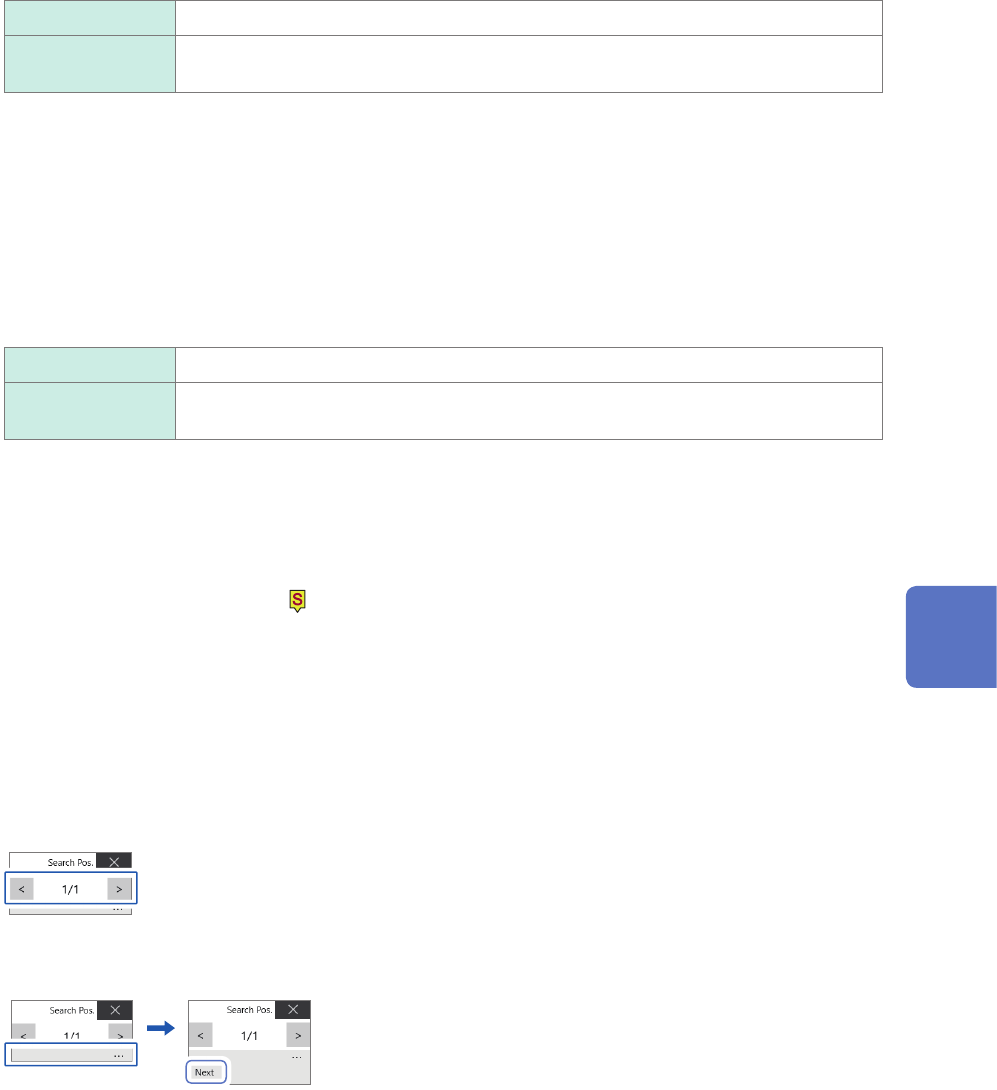
The retrieved position switching panel appears on the waveform screen.
To stop the search
Click the stop icon.
10
Switch retrieved positions using the [Search Pos.] switching panel and check the search
results.
You can switch the retrieved positions by clicking [<] or [>].
The display order follows the setting in [Display order].
Clicking [Next] executes another search beginning from the next point of the retrieved position presently
displayed. The instrument discards a previous search result.
To specify a retrieved position and jump there
As described in “6.4 Jump to the Specied Position” (p. 132), set [Type] to [Search number],and then click
[Execute].
6
Search Function