MR8740T_user_manual_eng_20191016H.pdf - 第178页
173 9 Memory Dividing Function Y ou can divide the memory capacity into several blocks, each of which is used to store waveforms. > [Status] > [Condition] Operation available with the memory dividing function • Y o…
172
Operators of Waveform Calculation and Calculation Results
b
i
:
i
th data point of calculation results,
d
i
:
i
th data point acquired across the source channel
Waveform calculation
type
Description
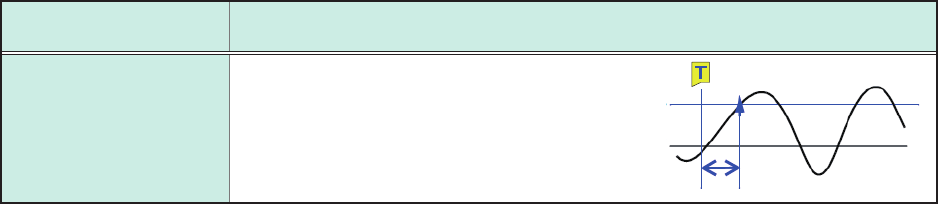
Level at time
(PLEVEL)
Calculates a measured value at a time a
specied time has elapsed from a trigger
point to use this numerical calculation
result for waveform calculations.
Level
0 V
173
9
Memory Dividing Function
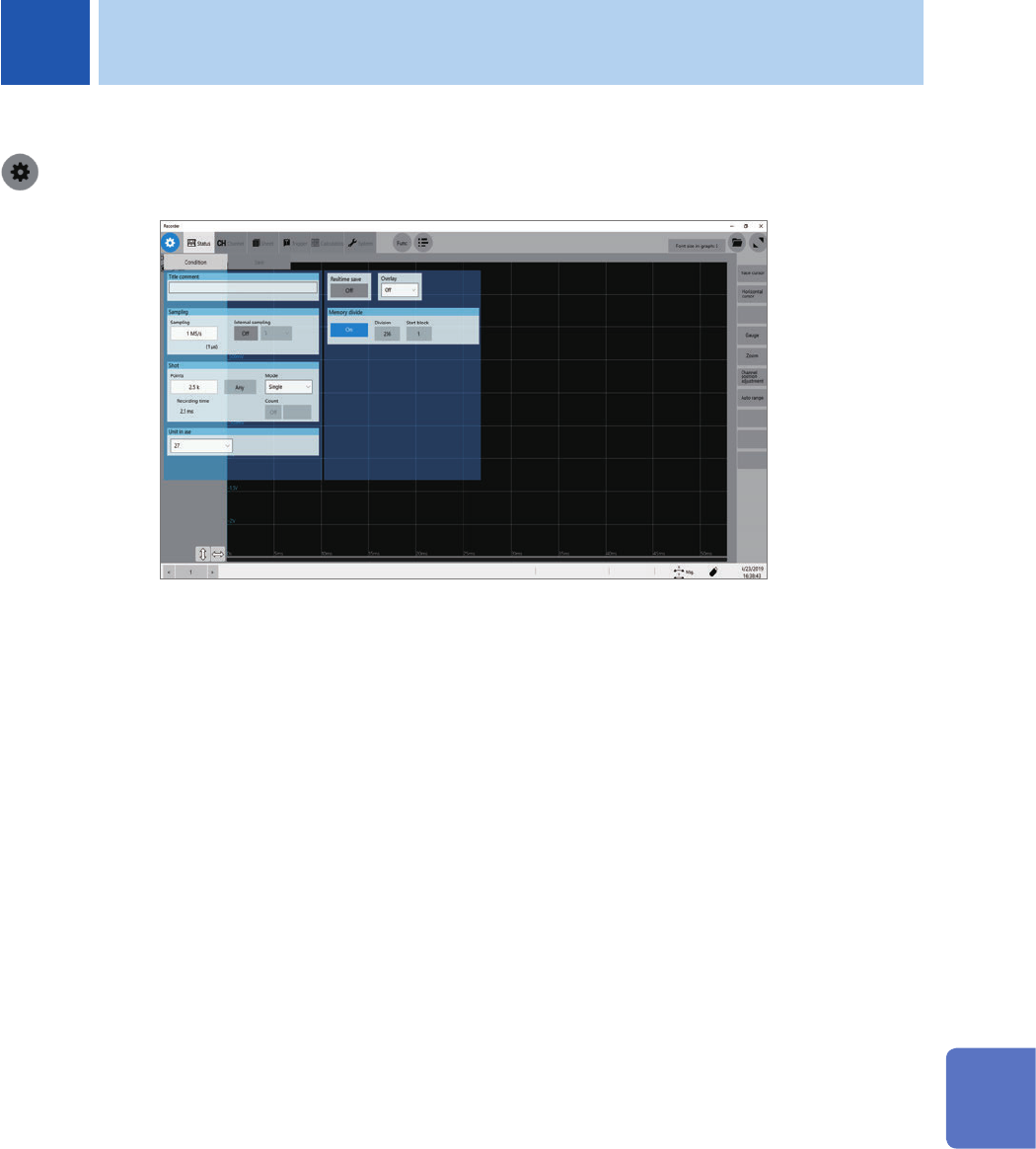
You can divide the memory capacity into several blocks, each of which is used to store waveforms.
> [Status] > [Condition]
Operation available with the memory dividing function
• You can divide the memory capacity into several blocks and save waveforms onto any blocks.
• When triggered, the instrument starts to sequentially acquire waveform data and store the data
onto the block you specied (start block).
During use of the memory division, the instrument may switch the trigger output (TRIG_OUT
terminal) to a low level or irregularly output signals.
• The trigger output method is set to pulse.
• Recording (measuring) length: 5 ms or less
• You can divide a memory into up to 1024 blocks.
• You cannot use the real-time save function concurrently with the memory division function.
Refer
to “Real-time save” (p. 88).
9 Memory Dividing Function
9
Memory Dividing Function
174
Conguring the memory division settings
9.1 Conguring the memory division settings
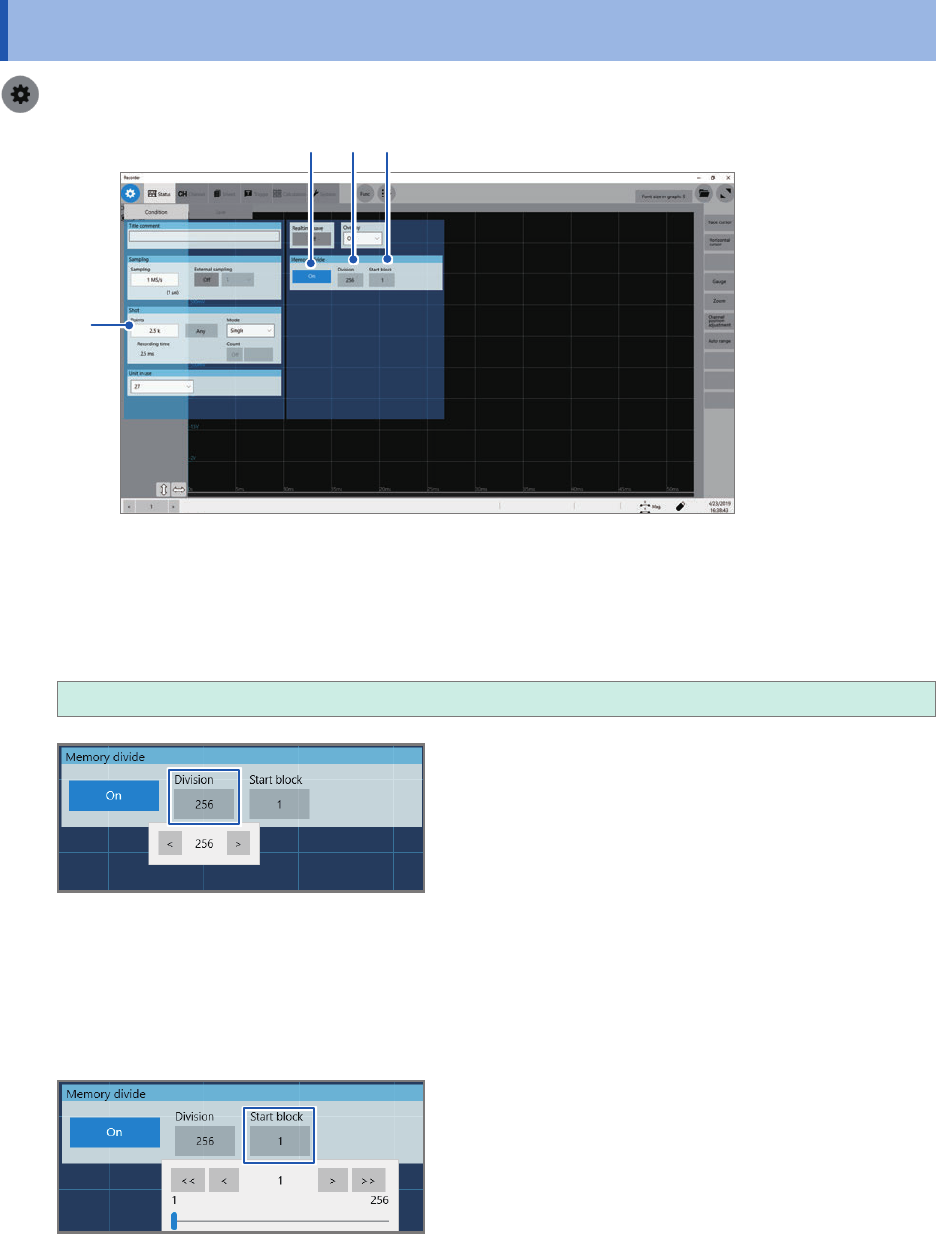
> [Status] > [Condition]
1 2
3
4
1
Click the [Memory divide] button to set it to [On].
2
Click the [Division] box, and then enter the number of blocks the memory capacity is divided
into.
2
, 4, 8, 16, 32, 64, 128, 256, 512, 1024
3
Click the [Points] box, and then enter a recording length.
The maximum recording length varies depending on the division number specied in [Division].
4
Enter the start block number in [Start block].
The instrument stores the waveforms in the block with the number you specied.