MR8740T_user_manual_eng_20191016H.pdf - 第180页
175 Displaying W aveforms 9.2 Displaying W aveforms Y ou can choose a block to display waveforms stored in it. Choose a block number you specied. W aveform calculation with the memory dividing setting • With the memory …
174
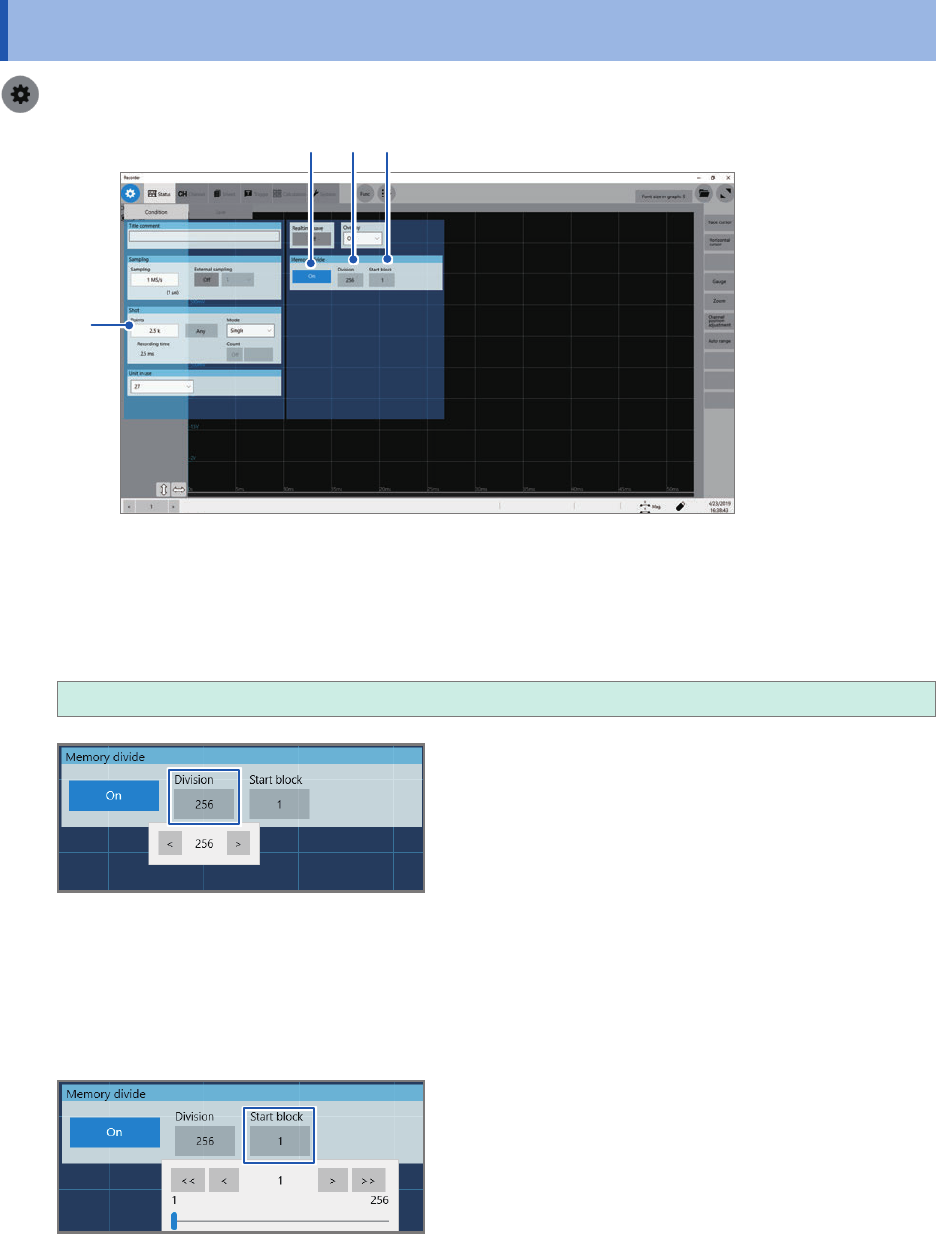
Conguring the memory division settings
9.1 Conguring the memory division settings
> [Status] > [Condition]
1 2
3
4
1
Click the [Memory divide] button to set it to [On].
2
Click the [Division] box, and then enter the number of blocks the memory capacity is divided
into.
2
, 4, 8, 16, 32, 64, 128, 256, 512, 1024
3
Click the [Points] box, and then enter a recording length.
The maximum recording length varies depending on the division number specied in [Division].
4
Enter the start block number in [Start block].
The instrument stores the waveforms in the block with the number you specied.
175
Displaying Waveforms
9.2 Displaying Waveforms
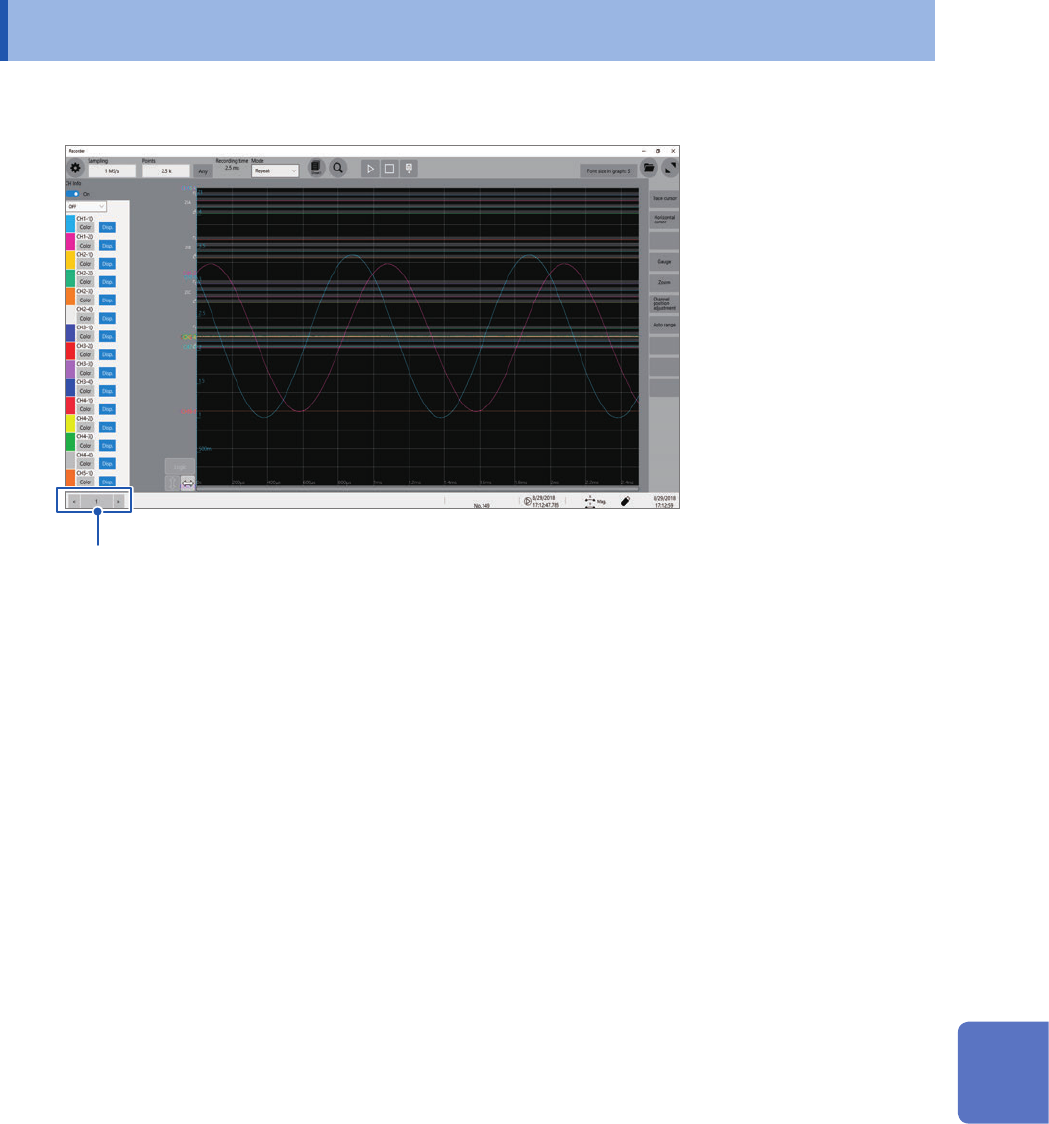
You can choose a block to display waveforms stored in it.
Choose a block number you specied.
Waveform calculation with the memory dividing setting
• With the memory dividing enabled, waveforms Z1 through Z16, which are obtained through
waveform calculations, remain in the block nally calculated only.
• To observe calculated waveforms stored in other blocks, execute another calculation.
9
Memory Dividing Function
176
Displaying Waveforms