MR8740T_user_manual_eng_20191016H.pdf - 第192页
187 Managing Data in the Instrument With the FTP Server Function 3 Click [+] on the left of [Internet Information Services] to expand it. Click [+] on the left of [FTP Server] to expand it, and then choose [FTP Service] …
186
Managing Data in the Instrument With the FTP Server Function
11.2 Managing Data in the Instrument With the FTP
Server Function
Conguring the FTP sever setting with the instrument
The following example shows how to congure the FTP server settings on Windows 10.
The Microsoft
®
Windows
®
Home Edition does not include any FTP server. Use free software such
as the FileZilla* Server.
*: Trademark of another company
• The setting contents may vary with environment. When necessary, refer to the help topics of the
FTP server or consult your network administrator.
• Microsoft
®
Windows
®
administrator privileges are required for setup.
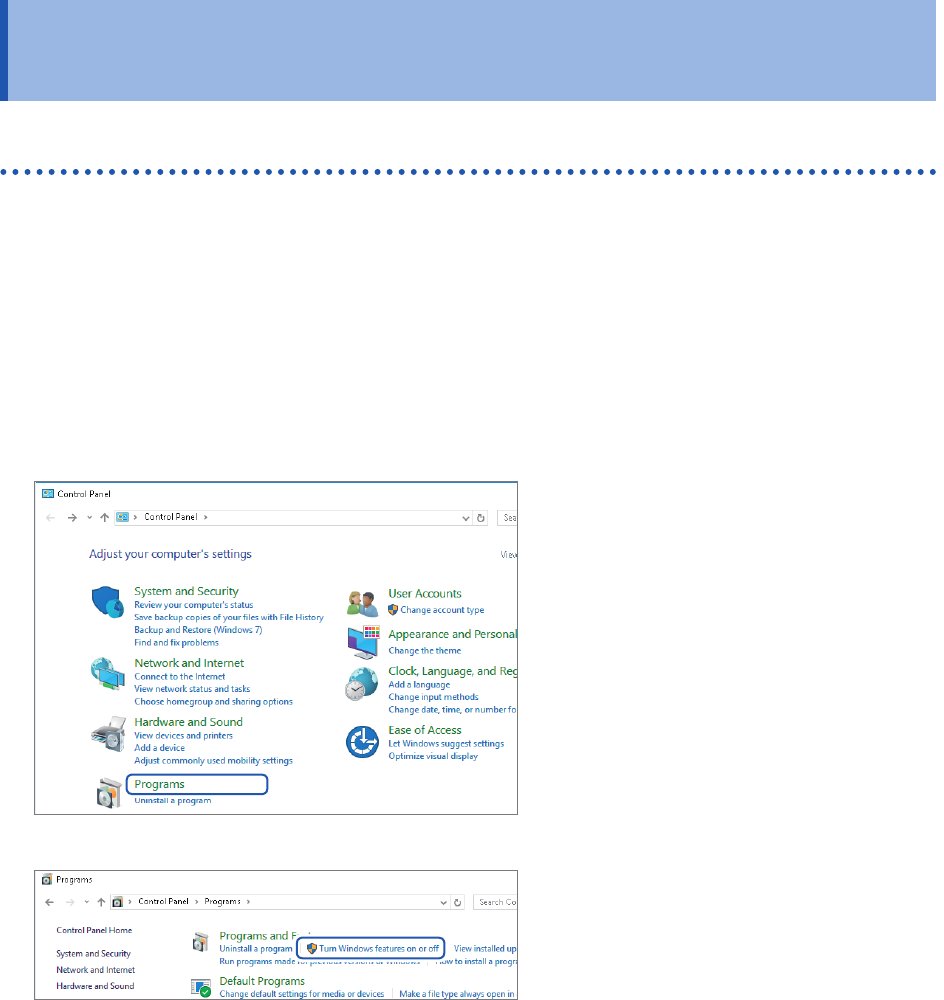
Enabling the FTP
1
Start [Control Panel], and then
click [Programs].
2
Click [Turn Windows features on
or off].
The [Windows Features] dialog box
appear.
187
Managing Data in the Instrument With the FTP Server Function
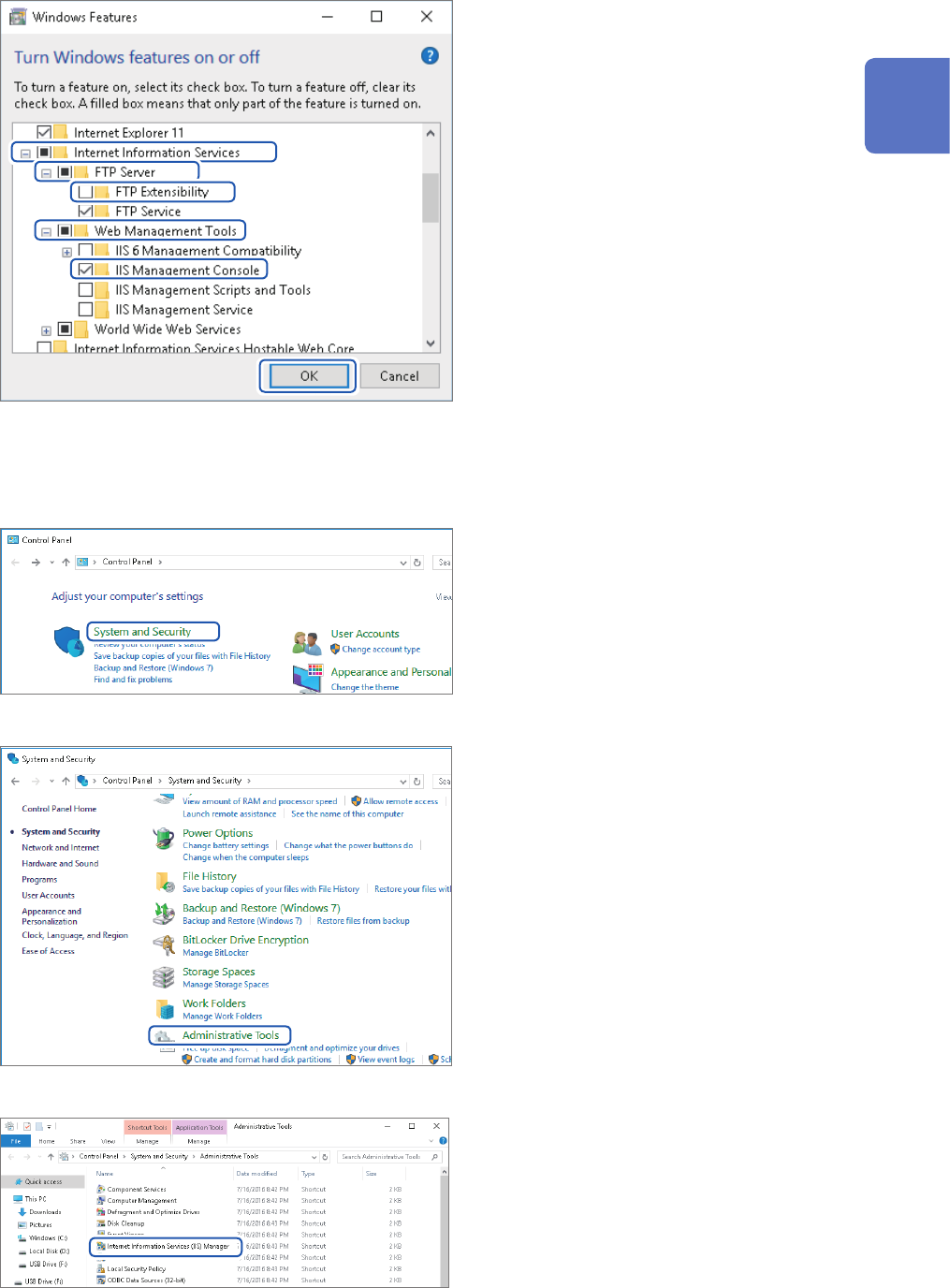
3
Click [+] on the left of [Internet
Information Services] to expand it.
Click [+] on the left of [FTP Server]
to expand it, and then choose [FTP
Service].
Click [+] on the left of [Web
Management Tools] to expand it,
and then choose [IIS Management
Console].
Click [OK].
Conguring the FTP settings
4
Click [System and Security] on
[Control Panel].
5
Click [Administrative Tools].
6
Double-click [Internet Information
Services (IIS) Manager].
11
Connecting the Instrument to Computers
188
Managing Data in the Instrument With the FTP Server Function
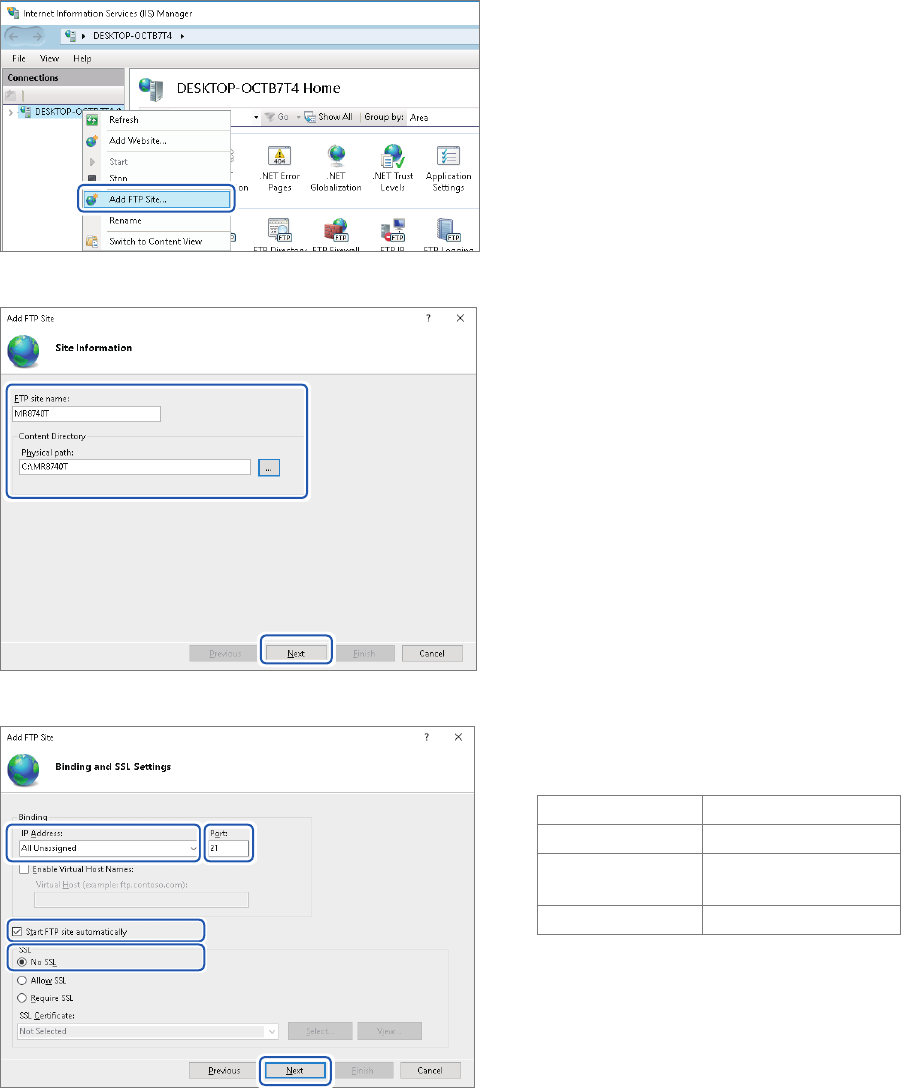
7
Right-click on the item displayed
under [Connections] on the left
side of the screen to display the
shortcut menu, then click [Add
FTP Site].
Communication may be blocked
depending on the settings of the
computer-protecting software (example:
rewall).
8
Enter site information.
Example:
[FTP site name]: [MR8740T]
[Content Directory]:
Choose a directory in which data from the
FTP client will be saved.
Click [Next].
9
Congure the [Binding] and [SSL]
settings as follows:
[IP Address] [All Unassigned]
[Port] [21]
[Start FTP site
automatically]
Select
[SSL] [No SSL]
Click [Next].