MR8740T_user_manual_eng_20191016H.pdf - 第214页
209 12 Externally Controlling the Instrument 12 Externally Controlling the Instrument Familiarize yourself with the section “Before connecting to an external device” in “Operation Precautions” of Quick Start Manual. Conn…
208
Operating the Instrument With a Browser Installed in a Computer

209
12 Externally Controlling the Instrument
12
Externally Controlling the
Instrument
Familiarize yourself with the section “Before connecting to an external device” in “Operation
Precautions” of Quick Start Manual.
Connecting the external control terminals with external devices allows the instrument to start and
stop measurement.
This section describes the procedure and the external control terminal function to externally control
the instrument.
The terminals are referred to collectively as “external control terminals.”
For more information on how to connect the instrument to computers, refer to “2.3 Connecting the
External Control Terminals” in Quick Start Manual.
12
Externally Controlling the Instrument
210
External Input and Output
12.1 External Input and Output
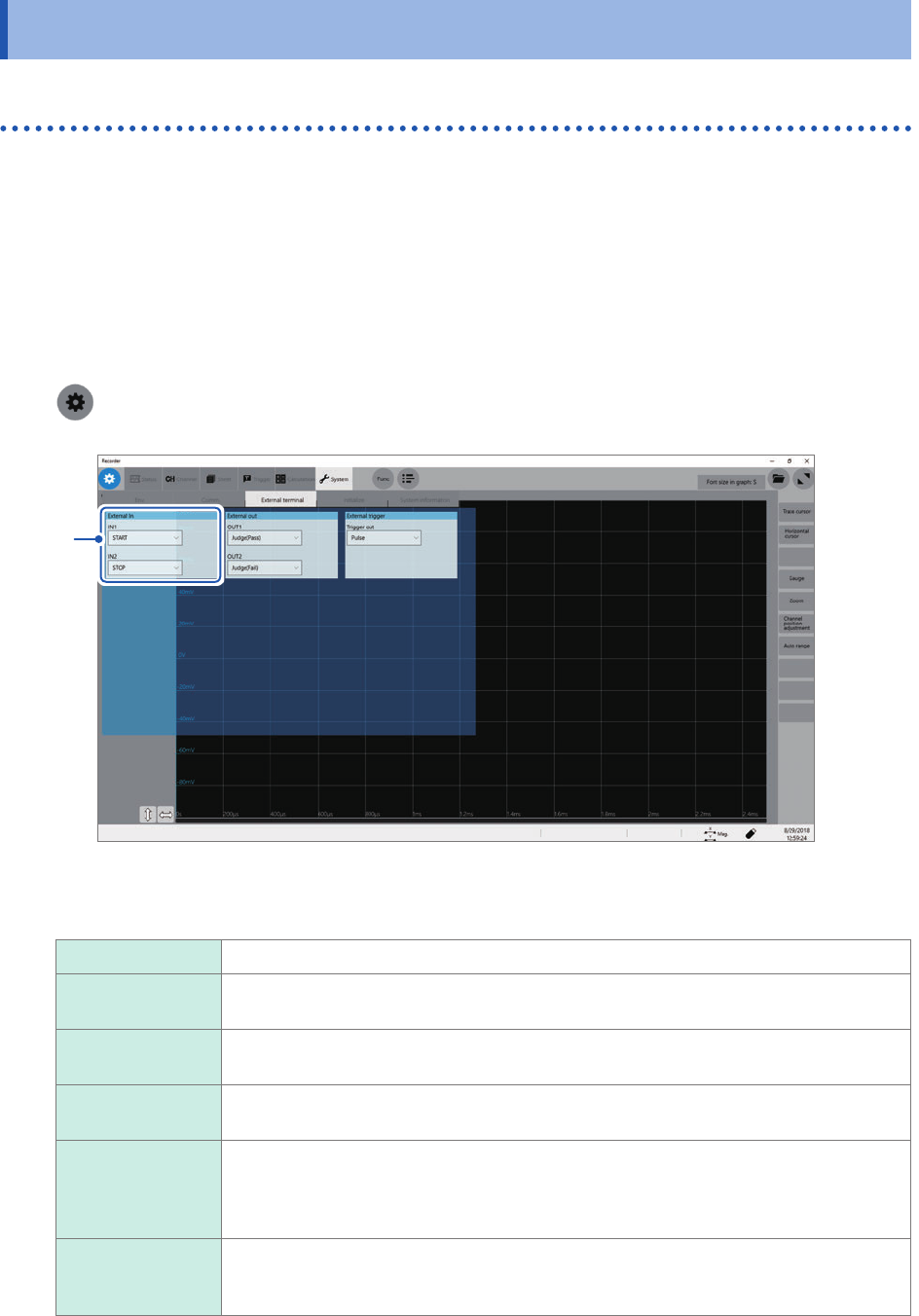
External input (IN1), (IN2)
Externally inputting signals can start and stop measurement as well as save data.
In factory default settings, the START signal is assigned to the IN1, and the STOP signal to the IN2
terminal.
How to input signals
1
Connect each of the IN1, IN2, and GND terminals to an external signal-outputting device with
wires.
Refer to “2.3 Connecting the External Control Terminals” in Quick Start Manual.
2
> [System] > [External terminal]
3
3
Click the [IN1] and [IN2] boxes in the [External In] area in turn, and then from the list, choose
an action performed when an input signal is inputted.
START Starts a measurement.
STOP Stops the measurement (post-measurement processes such as numerical calculations
and automatic saving are performed).
START/STOP Starts a measurement when the low-level signal is inputted; stops the measurement
when the high-level signal is inputted.
SAVE Saves data on the specied conditions into a storage device that is specied in ([Status]
> [Save] > [Save Icon operation] >) [Quick].
ABORT Forcibly terminates the measurement. (No post-measurement processes such as
numerical calculations or automatic saving are performed. However, the instrument
automatically saves a waveform le that contains data acquired until the forcible
termination)
EVENT Puts on an event mark.
The event marks are put on the waveform screen.
You can put event marks by clicking the start icon during a measurement.