MR8740T_user_manual_eng_20191016H.pdf - 第27页
22 Reading Measured V alues (T race Cursors, Horizontal cursor) 4 Click [ ] under the [CH Info] toggle switch, and then choose [T race Cur .] from the list. 4 5 Click a trace cursor of which you want to display the value…
21
Reading Measured Values (Trace Cursors, Horizontal cursor)
For the trace cursors
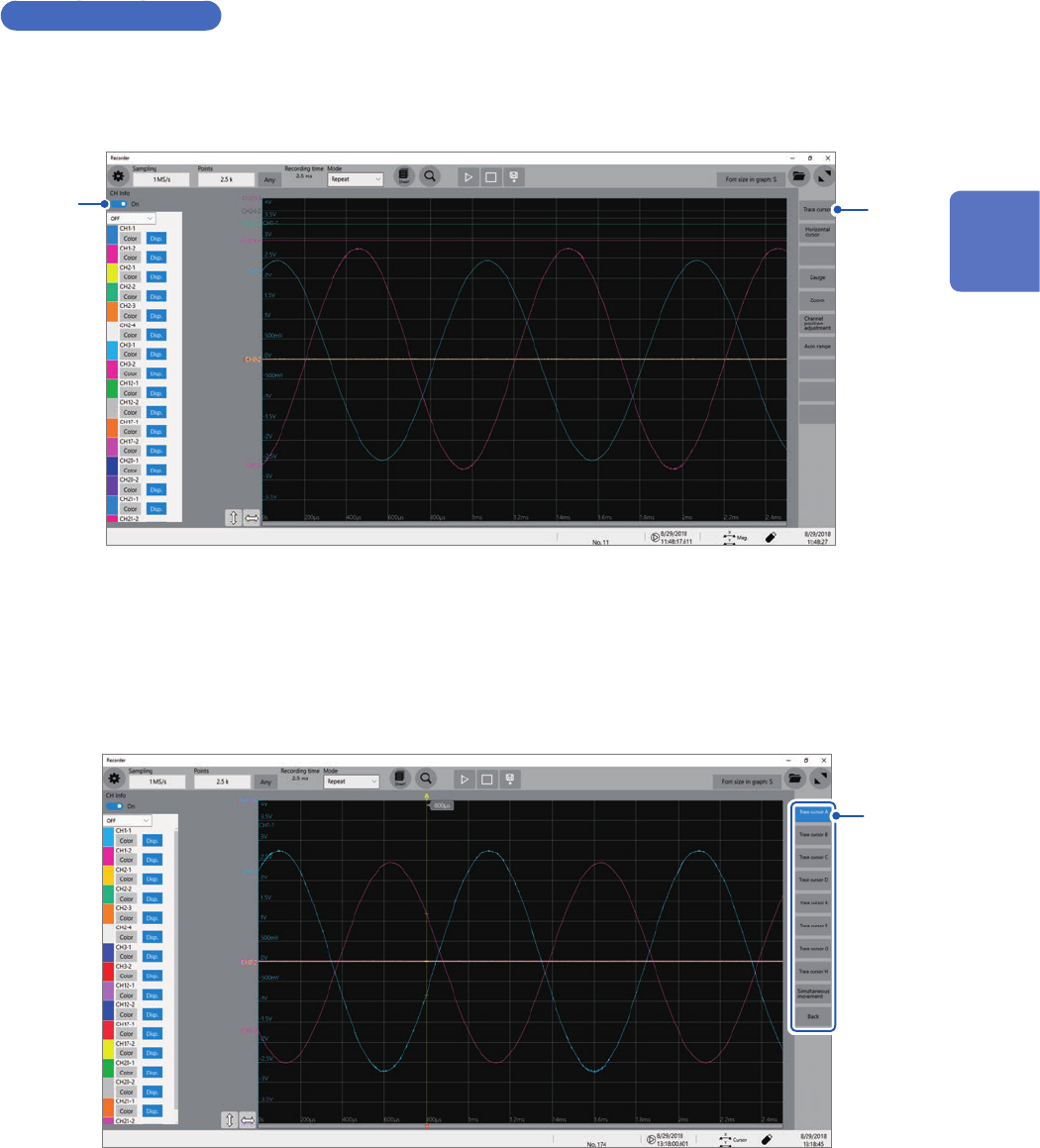
1
Set [CH Info] toggle switch to [On].
Click [CH Info] toggle switch to switch between [On] and [Off] for the information display setting of each
channel.
2
1
2
Click [Trace cursor].
3
Choose two cursors to be used from among [Trace cursor A] through [Trace cursor H].
You can simultaneously use up to eight cursors.
The chosen trace cursors are displayed on the waveform screen.
Drag the trace cursors on the waveform screen to move them.
3
2
Operating the Waveform Screen and Analyzing Data
22
Reading Measured Values (Trace Cursors, Horizontal cursor)
4
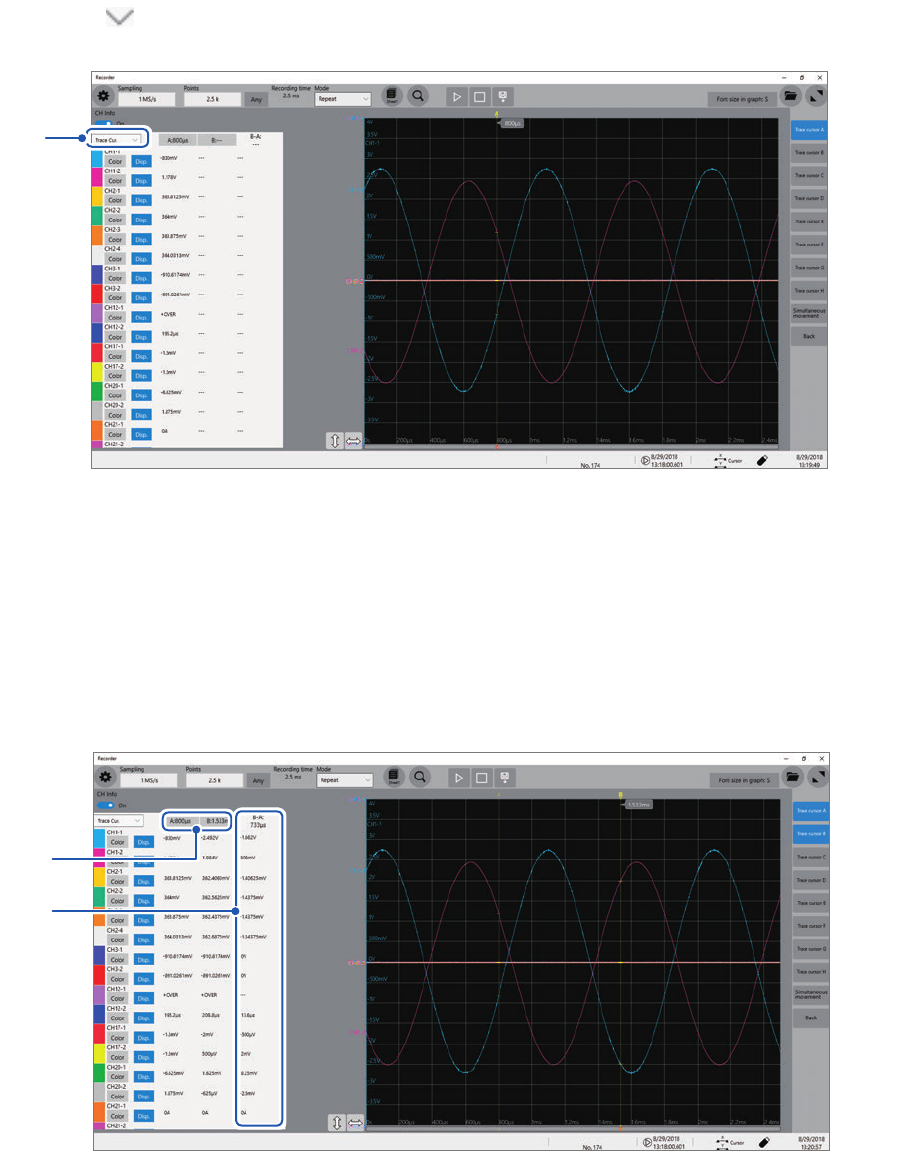
Click [ ] under the [CH Info] toggle switch, and then choose [Trace Cur.] from the list.
4
5
Click a trace cursor of which you want to display the value.
You can choose up to two cursors from among trace cursor A ([Trace cursor A]) and trace cursor H ([Trace
cursor H]).
(Default setting: [Trace cursor A], [Trace cursor B]
The instrument displays differences between cursors you choose in
a
.
If you choose a trace cursor other than the one chosen in step
3
, the instrument displays the strings [---] in
the difference eld.
5
a

23
Reading Measured Values (Trace Cursors, Horizontal cursor)
Changing the display magnication of waveforms while moving the trace cursor
Sliding the mouse upward on the screen while dragging the trace cursor enlarges the waveform
display centered around the trace cursor in proportion to the dragging distance.
Sliding the mouse downward compresses the waveform display.
Once you have the magnication to a suitable size, horizontally moving the trace cursor changes
the the cursors display position.
Stopping dragging the trace cursor reverts the display to the original magnication.
To move the cursors precisely
Choose a cursor and rotate the wheel button upward or downward to move the cursor in one
sample increments.
If no trace cursors appear on the screen even though the trace cursors are
enabled
You can check the trace cursors positions on the scroll bar. (p. 28)
For the horizontal cursors
Congure the setting in the same way as the trace cursor.
1
Set [CH Info] toggle switch to [On].
2
Click [horizontal cursor].
3
Choose two cursors to be used from among [Horizontal cursor A] through [Horizontal cursor
H].
4
Choose [Horizontal Cur.] from the drop-down list.
After that, congure the horizontal cursor setting by following the procedure of the trace cursor setting
beginning from step
5
.
2
Operating the Waveform Screen and Analyzing Data