MR8740T_user_manual_eng_20191016H.pdf - 第30页
25 Displaying V ertical Scales (Gauge Function) 2.2 Displaying V ertical Scales (Gauge Function) Using the gauge function enables the vertical scales (for convenience, hereafter referred to as “gauges”) to be displayed o…
24
Reading Measured Values (Trace Cursors, Horizontal cursor)
How to read cursor values
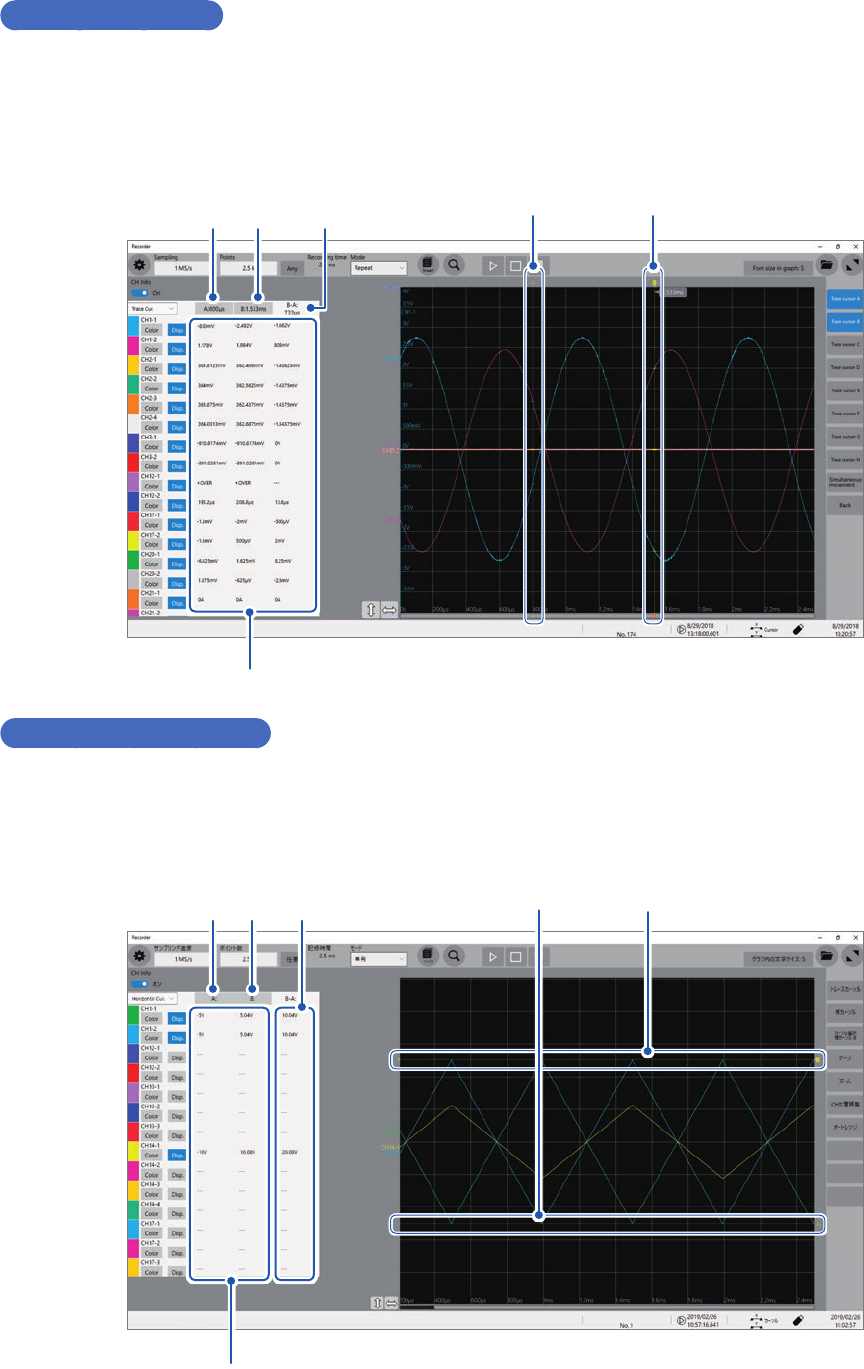
For the trace cursors
• Choose trace cursors the value of which is to be displayed at
1
and
2
.
The time values of chosen trace cursors are displayed on the waveform screen.
• The difference in time values of chosen trace cursors (the time at
2
minus that at
1
) is displayed
at
3
.
Trace cursor A
Trace cursor B
Cursor values
1 2 3
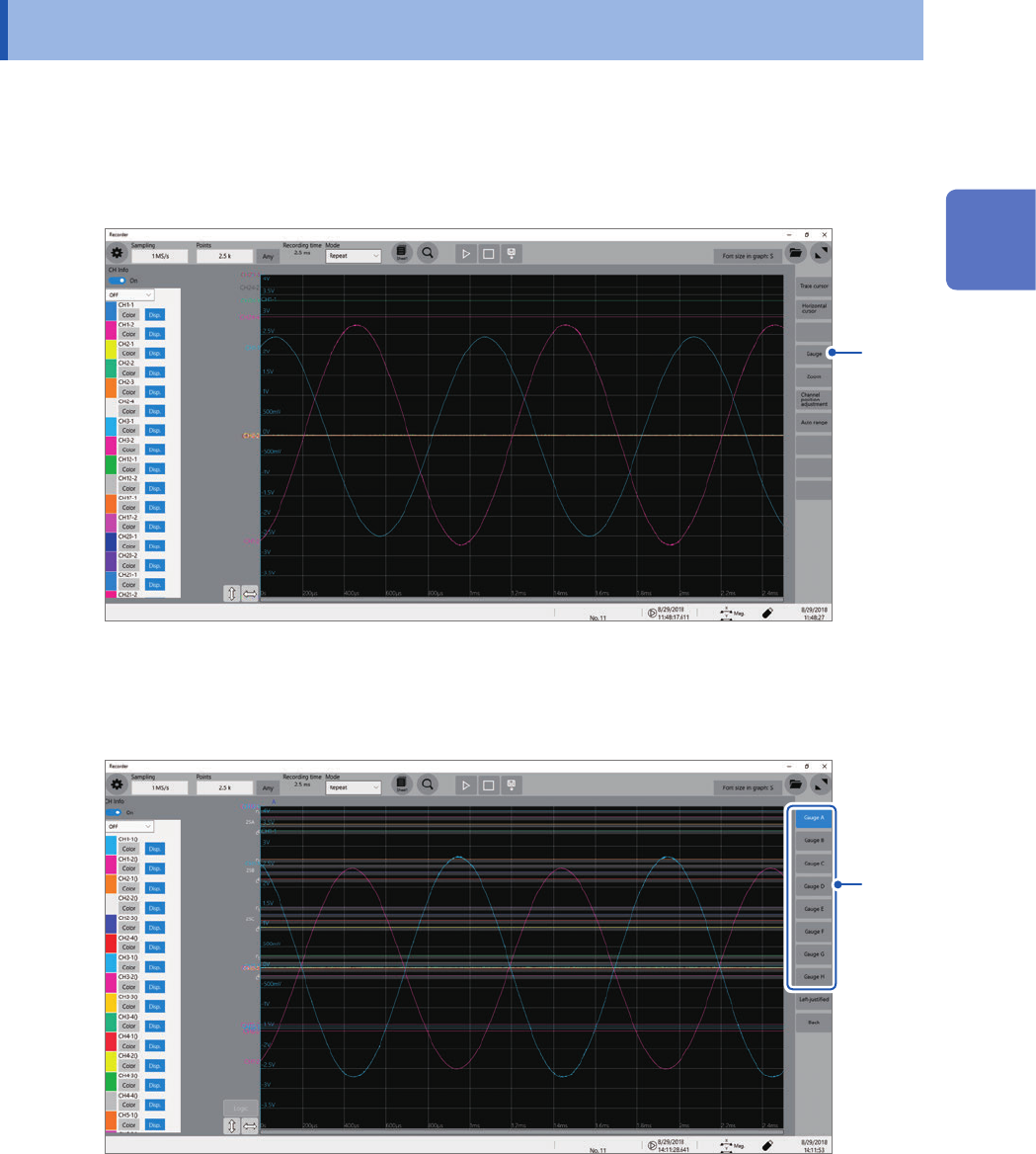
For the horizontal cursors
• Choose horizontal cursors the values of which are to be displayed at
1
and
2
.
• The difference in measured values of chosen horizontal cursors (the value at
2
minus that at
1
)
is displayed at
3
.
Horizontal cursor A
Horizontal cursor B
Cursor values
1 2 3
25
Displaying Vertical Scales (Gauge Function)
2.2 Displaying Vertical Scales (Gauge Function)
Using the gauge function enables the vertical scales (for convenience, hereafter referred to as
“gauges”) to be displayed overlapping waveforms.
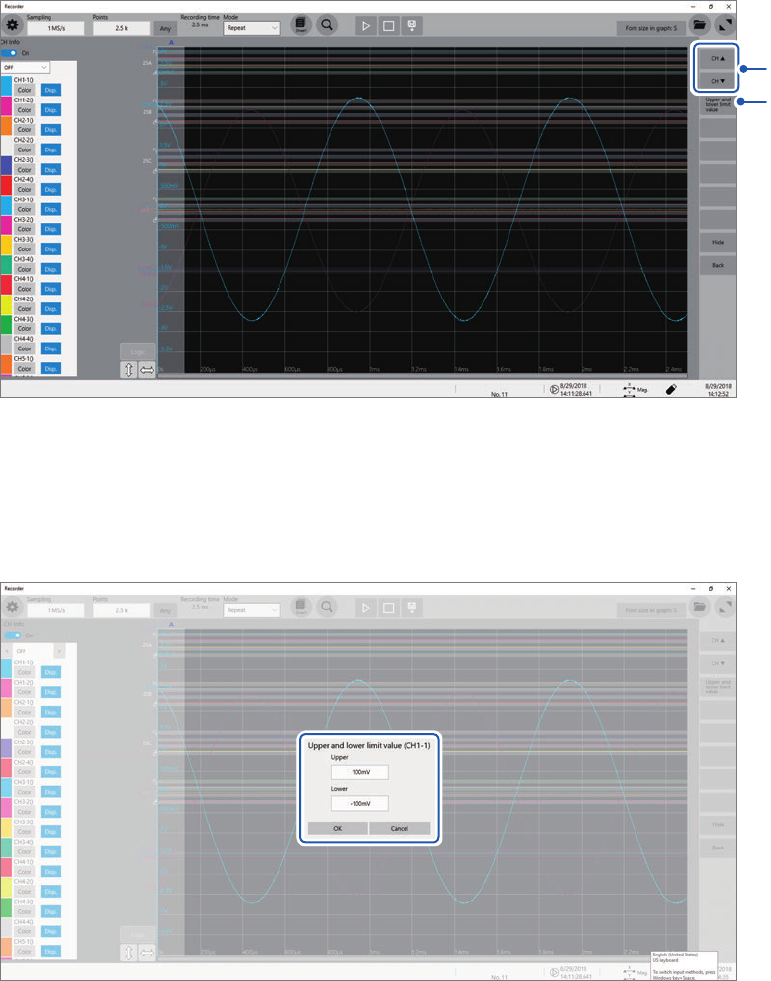
1
Click [Gauge].
1
2
Choose gauges to be displayed from among [Gauge A] through [Gauge H].
The screen display the gauges at the left.
You can move a gauge after click it to select.
2
Click [Left-justied] aligns the gauges to the left.
2
Operating the Waveform Screen and Analyzing Data
26
Displaying Vertical Scales (Gauge Function)
3
Click [CH ] or [CH ] to choose a channel to be displayed.
3
4
Clicking [Hide] hides the gauges.
4
Click [Upper and lower limit value].
The setting dialog box appears. You can specify the display range of each channel.
Enter an upper and lower values in the [Upper] and [Lower] boxes, respectively, and then click [OK].