MR8740T_user_manual_eng_20191016H.pdf - 第36页
31 Changing the Display Position and Display Magnication of W aveforms 2 Click a channel number you want to move to choose and drag the chosen area. The display position of the channel is moved. 2 3 Click a channel numb…
30
Changing the Display Position and Display Magnication of Waveforms
Differentiating the waveform display position and display
magnication of each analog channel
1
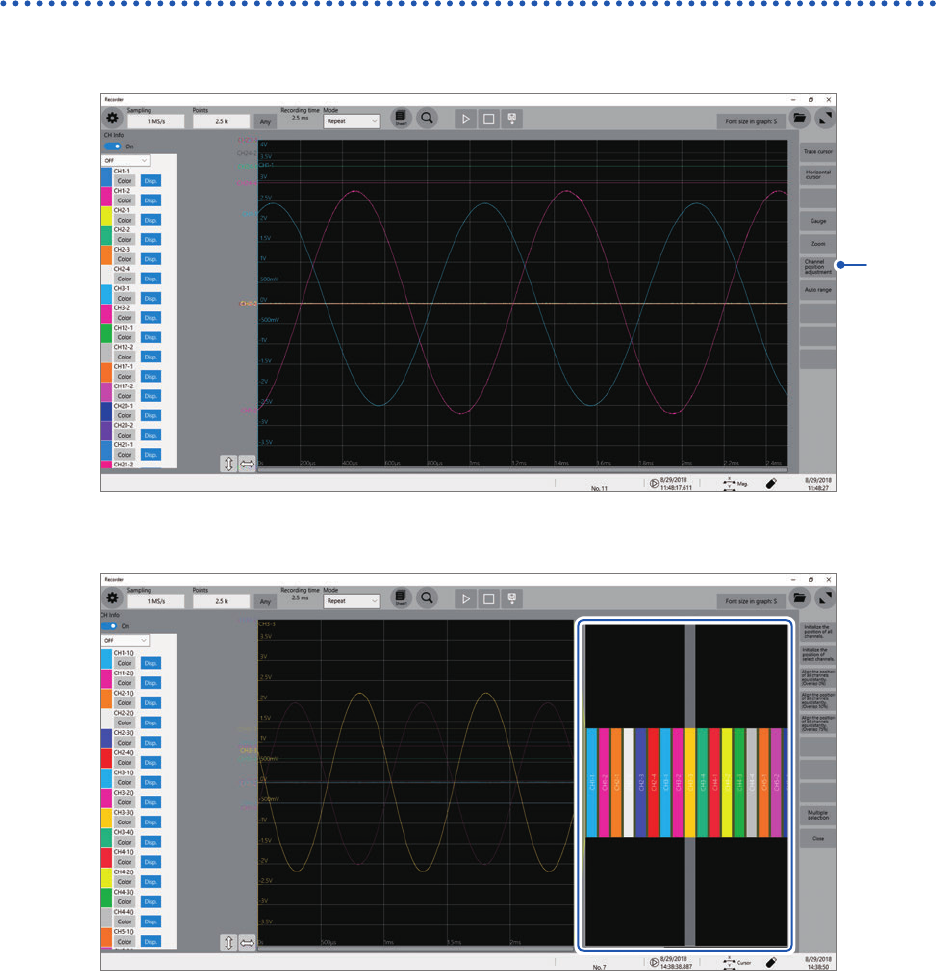
Click [Channel position adjustment].
1
The channel position adjustment screen appears.
The blue box area shows the display range of the waveform screen.
31
Changing the Display Position and Display Magnication of Waveforms
2
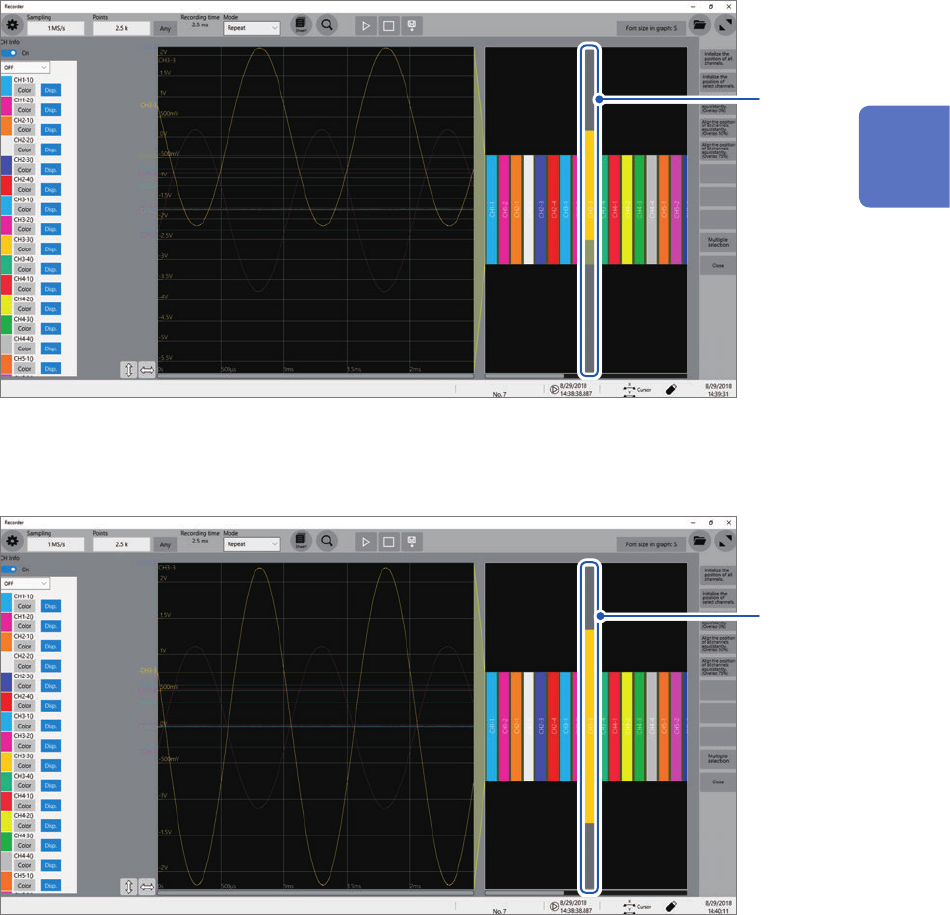
Click a channel number you want to move to choose and drag the chosen area.
The display position of the channel is moved.
2
3
Click a channel number the display position you want to change.
Rotating the wheel button while pointing to the selected area changes the display magnication.
3
2
Operating the Waveform Screen and Analyzing Data
32
Changing the Display Position and Display Magnication of Waveforms
4
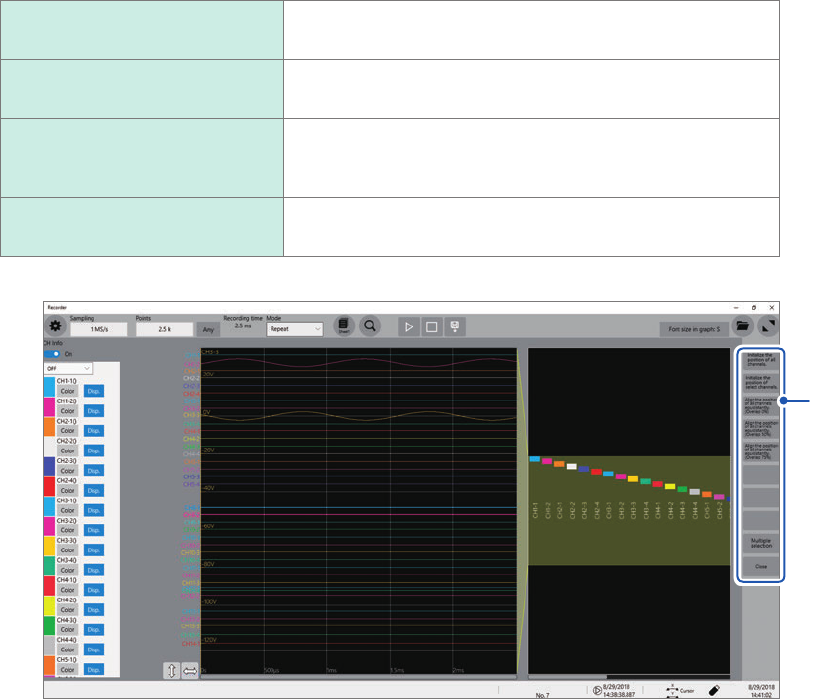
Adjust the display position and magnication.
The display can be adjusted as follows depending on the selected state.
Initialize the position of all
channels.
Restores all the channels to the initial positions and displays
them at the default magnications.
Initialize the position of select
channels.
Restores selected channels only to the initial positions and
displays them at the default magnication.
Align the position of all
channels equidistantly.
Adjusts the display positions and magnications of all
channels such that they are aligned at the same intervals.
Adjust the display position and magnication.
Multiple selection
Allows you to select the channels the displays of which are
to be adjusted.
4