MR8740T_user_manual_eng_20191016H.pdf - 第47页
42 Converting Input V alues (Scaling Function) When using Model U8969 Strain Unit When an inspection record of a strain gauge converter provides a calibration factor Example: T o display data measured with the strain gau…
41
Converting Input Values (Scaling Function)
When using [Output rate]: Choose an output rate (ratio) of a current sensor or a division
ratio of a voltage dividing probe.
Click the [Output rate] box, and then from the list, choose a current value per one volt the current
sensor outputs.
Otherwise, choose a voltage value per a one volt the differential probe outputs.
10 mA
, 100 mA, 1 A, 10 A, 20 A, 50 A, 100 A, 200 A, 250 A, 500 A, 1000 A, 2000 A,
2500 A, 5000 A, 1000 V
When using [dB]: Specify a physical quantity per input signal (ratio) in decibels.
• Click the [Input dB] box, and then enter an inputted signal value in decibels.
• Click the [Output dB] box, and then enter an scaled value in decibels.
-200 to +200
You can specify values to ve or less signicant gures.
Setting example:
Converting (scaling) an input value of 40 dB into 60 dB
Input dB: 40
Output
dB:
60
The conversion ratio corresponding to values entered in decibels is specied. (The offset becomes
zero.)
When using [Rating]
(For Model U8969 Strain Unit only)
• Click the [Capacity] box, and then enter the rated capacity of a strain gauge converter to be used.
• Click the [Output] box, and then enter a rated output of a strain gauge converter to be used.
+1.0000E-9 to +9.9999E+9
You can specify values to ve or less signicant gures.
Specify the parameters such that the quotient of the rated capacity divided by two times the rated
output is less than or equal to 9.9999E+9.
For the rated capacity and rated output, see an inspection record of a strain gauge converter to be
used.
Setting example: To display results measured with a strain gauge converter that has a rated capacity of
20 G and rated output of 1000 μV/V as gures in gravities (G)
Unit: G
Rated capacity: 20
Rated output: 1000
The upper and lower display values of a waveform also automatically change according to the
changes made in the scaling settings.
4
Click the [Units] box, and then enter a unit used for scaled values.
Enter the unit into which you wish to convert the values. (Number of characters: up to 7)
To copy the scaling setting to another channel
Refer to “3.5 Copying Settings (Copy Function)” (p. 45).
3
Advanced Functions
42
Converting Input Values (Scaling Function)
When using Model U8969 Strain Unit
When an inspection record of a strain gauge converter provides a calibration
factor
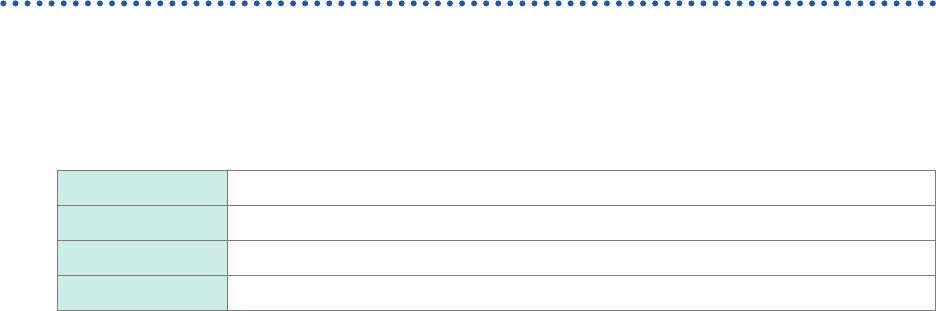
Example: To display data measured with the strain gauge converter having a calibration
factor of 0.001442 G/1 × 10
−6
strain* as values in terms of gravities (G)
(*: 10
−6
strain =
me
)
Scaling On (ENG)
Method Ratio
Units G
Ratio 0.001442 [G] (Displayed as “1.4420 m”)
When an inspection record of a strain gauge converter provides the rated
capacity and rated output
Refer to “When using the [Rating] setting” in “3.2 Converting Input Values (Scaling
Function)”(p. 41).
When using a strain gauge that has a gauge factor of other than 2.0
Model U8969 Strain Unit measures outputs of the gauge supposing that the gauge factor stands at
2.0.
When a strain gauge that has a gauge factor of other than 2.0 is used, you need to convert its
gauge factor into a conversion ratio.
For example, if the gauge factor stands at 2.1, the conversion ratio will be 0.952 (≈ 2 / 2.1).
Example: To display data measured with a strain gauge (gauge factor: 2.1) as values in terms
of gravities (G)
Two scaling (conversion ratio) calculations are required: a gauge ratio and conversion ratio that
converts output into physical quantities. In this case, enter the product of the conversion ratios of
the gauge factor and the scaling conversion ratio as the conversion ratio.
Where the conversion ratio of the gauge factor is 0.952, and the conversion ratio to convert data
into physical quantities is 0.001442*.
Conversion ratio = 0.952 × 0.001442 = 0.0013728
Enter [0.0013728] as the conversion ratio.
*: To convert values measured with a strain gauge into physical quantities, calculate the conversion ratio
based on Young’s modulus or Poisson’s ratio of a measuring object. The conversion method varies
depending on the conditions the strain gauge is used in.
Refer to “Scaling method for strain gauges” (p. 223).
43
Fine-Adjusting Input Values (Vernier Function)
3.3 Fine-Adjusting Input Values (Vernier Function)
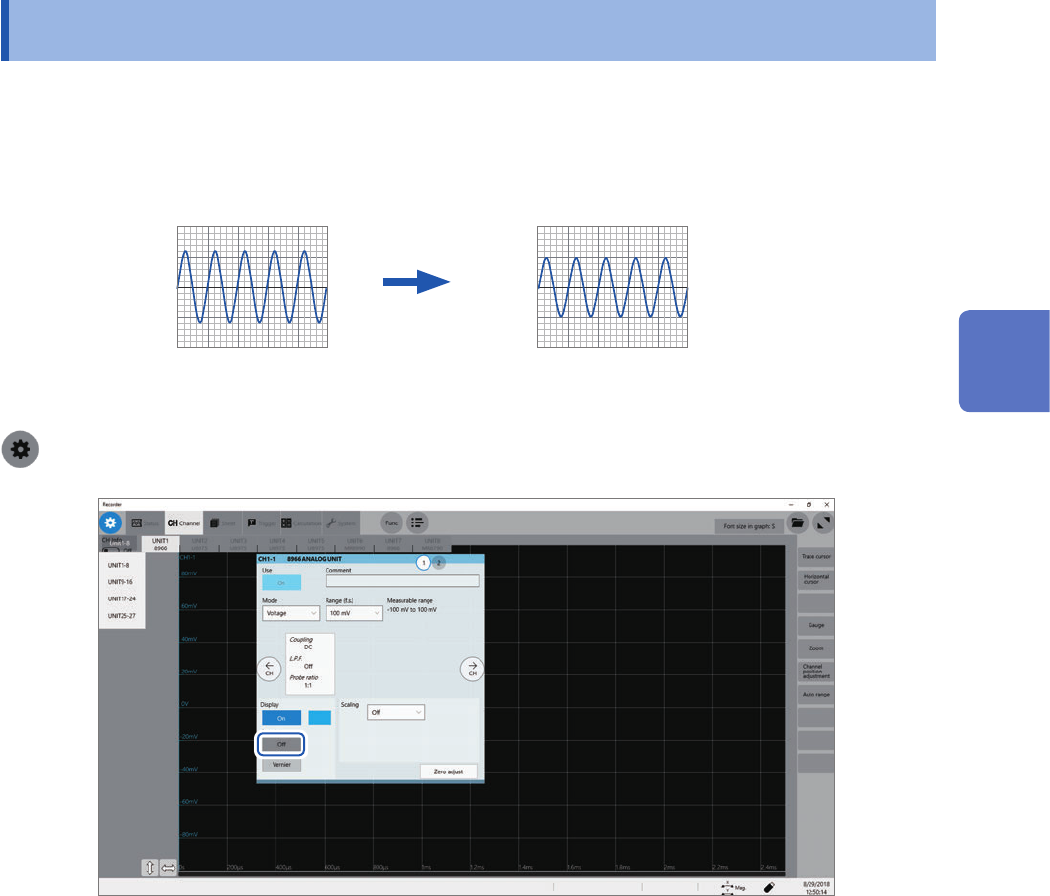
You can freely ne-adjust input voltage on the waveform screen. When recording physical values,
such as noise, temperature, and acceleration, with sensors, you can adjust those amplitudes, which
facilitates calibration.
Normal display Waveform processed by the vernier function
When an input voltage of 1.2 V is displayed
as a voltage of 1.0 V
1.0 V
1.2 V
> [Channel]
1
Click [Vernier].
The adjustment keypad appears.
2
While observing the waveform, you can ne-adjust its amplitude by clicking [−−], [−], [+],
and [++].
Click [C] to revert the ne-adjusted amplitude to its original.
• The adjustable range is from 50% to 200% of an original waveform.
• You cannot check if waveforms are adjusted by the vernier function by observing waveforms only.
• Waveform data (data saved as les) is that adjusted by the vernier function.
3
Advanced Functions