MR8740T_user_manual_eng_20191016H.pdf - 第7页
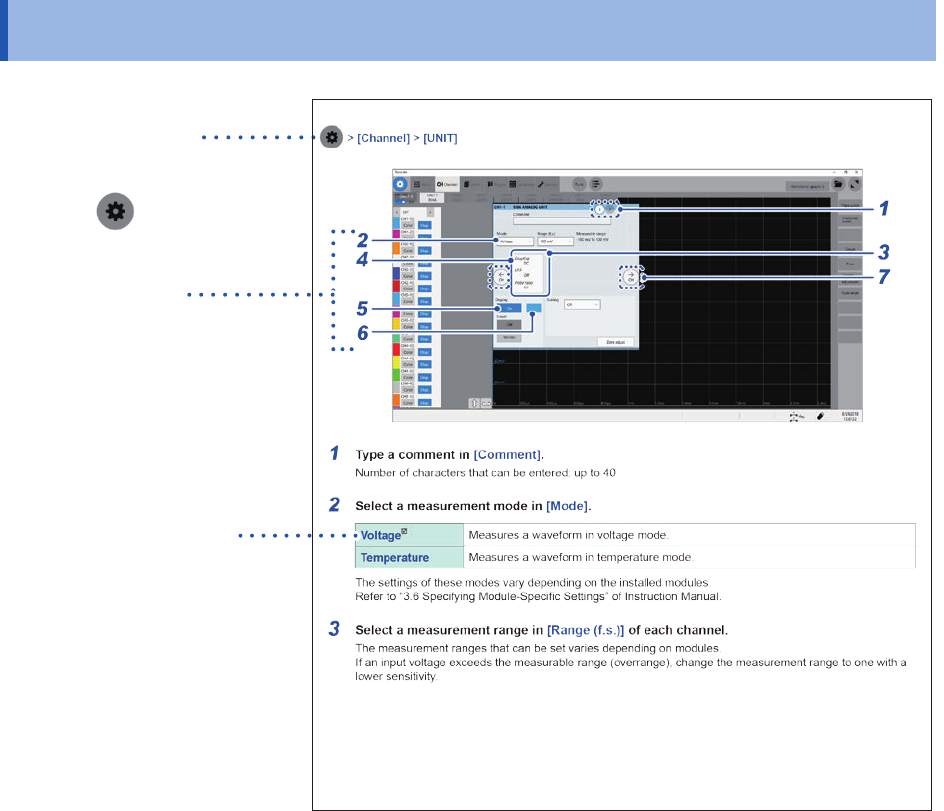
2 How to Refer to This Document How to Refer to This Document How to open a screen Indicates the order of clicking the screens. The button represents the setting key . Procedure numbers Numbered same as a corresponding s…
1
Introduction
Thank you for choosing the Hioki MR8740T Memory HiCorder (Model MR8740-50). Preserve this
manual carefully and keep it handy to make full use of this instrument for a long time.
Following manuals are provided along with these models. Refer to manuals relevant to your
purpose.
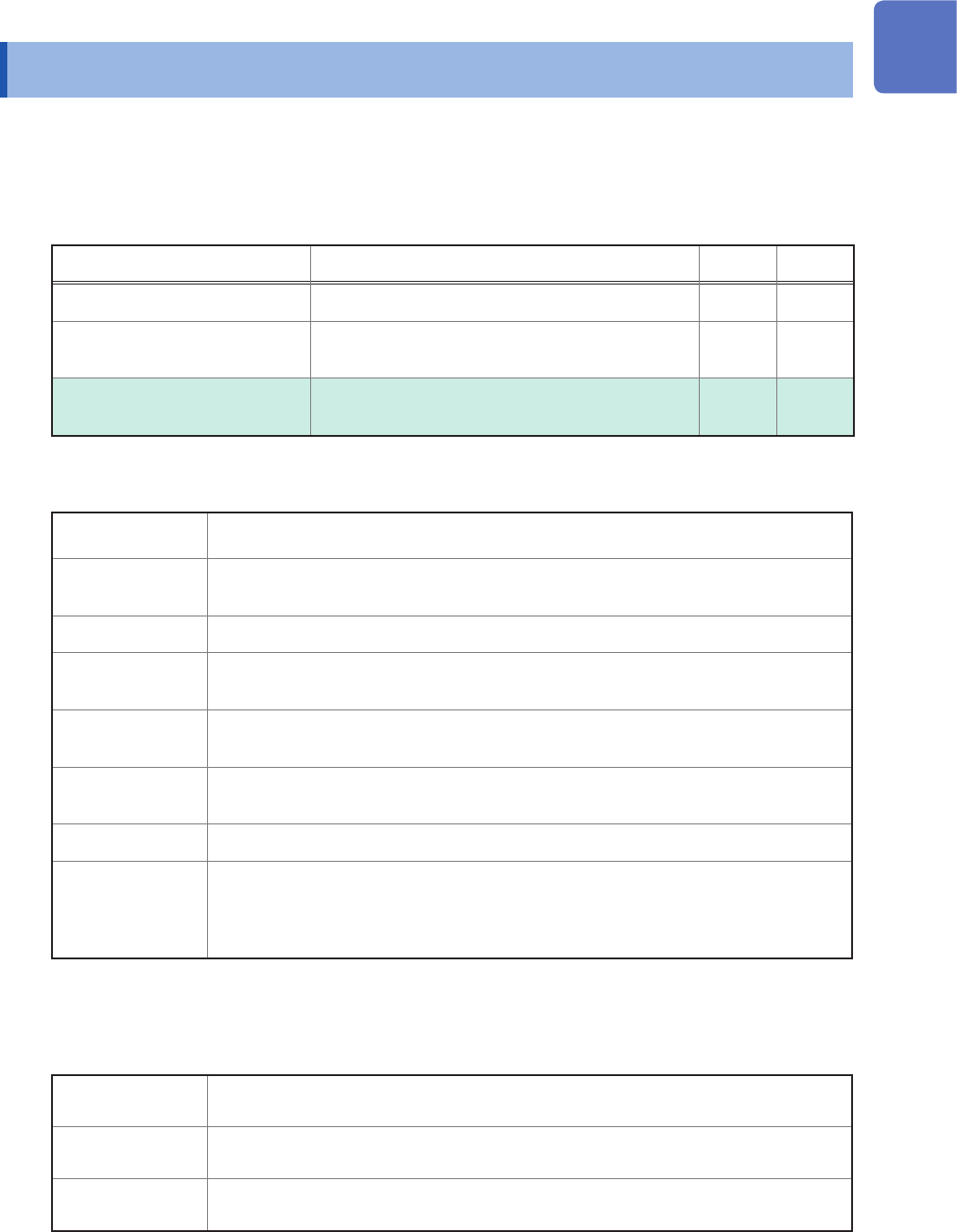
Type Contents Printed PDF
Operating Precautions Information on the instrument for safe operation
–
Quick Start Manual
Basic instructions and specications of the
instrument
–
Instruction Manual (this
document)
Functions and instructions for the instrument –
Notations
*
Additional information is presented below.
Indicates the initial setting values of the items. Initializing the instrument restores
settings to each of these values.
(p. ) Indicates the location of reference information.
START
(Bold-faced)
Names and keys on the screen are shown in boldface.
[ ]
Menus, dialog boxes, buttons in a dialog box, and other names on the screen are
indicated in brackets ([ ]).
Windows
Unless otherwise specied, “Windows” represents Windows 7, Windows 8, and
Windows 10.
Current sensor Sensors measuring current are referred to as “current sensor.”
S/s
The number of times per second the analog input signals are digitized by the
instrument is represented in “samples per second (S/s).”
Example: “20 MS/s” (20 megasamples per second) indicates that the signal is digitized
20 × 10
6
times per second.
Accuracy
We dene measurement tolerances in terms of f.s. (full scale) and rdg. (reading) values, with the
following meanings:
f.s.
(maximum display value or scale length)
The maximum displayable value or scale length.
rdg.
(displayed value)
The value currently being measured and displayed on the measuring instrument.
setting
(setting value)
Indicates the value set as the output voltage, current, or other quantity.
Introduction
2
How to Refer to This Document
How to Refer to This Document
How to open a screen
Indicates the order of clicking the
screens.
The button
represents the
setting key.
Procedure numbers
Numbered same as a
corresponding step-by-step
instruction.
Options and explanations
Describes options available
when an item is clicked.
The icon
indicates the default
setting of the item.
3
1
Measurement Method
1.1 Measurement Procedure
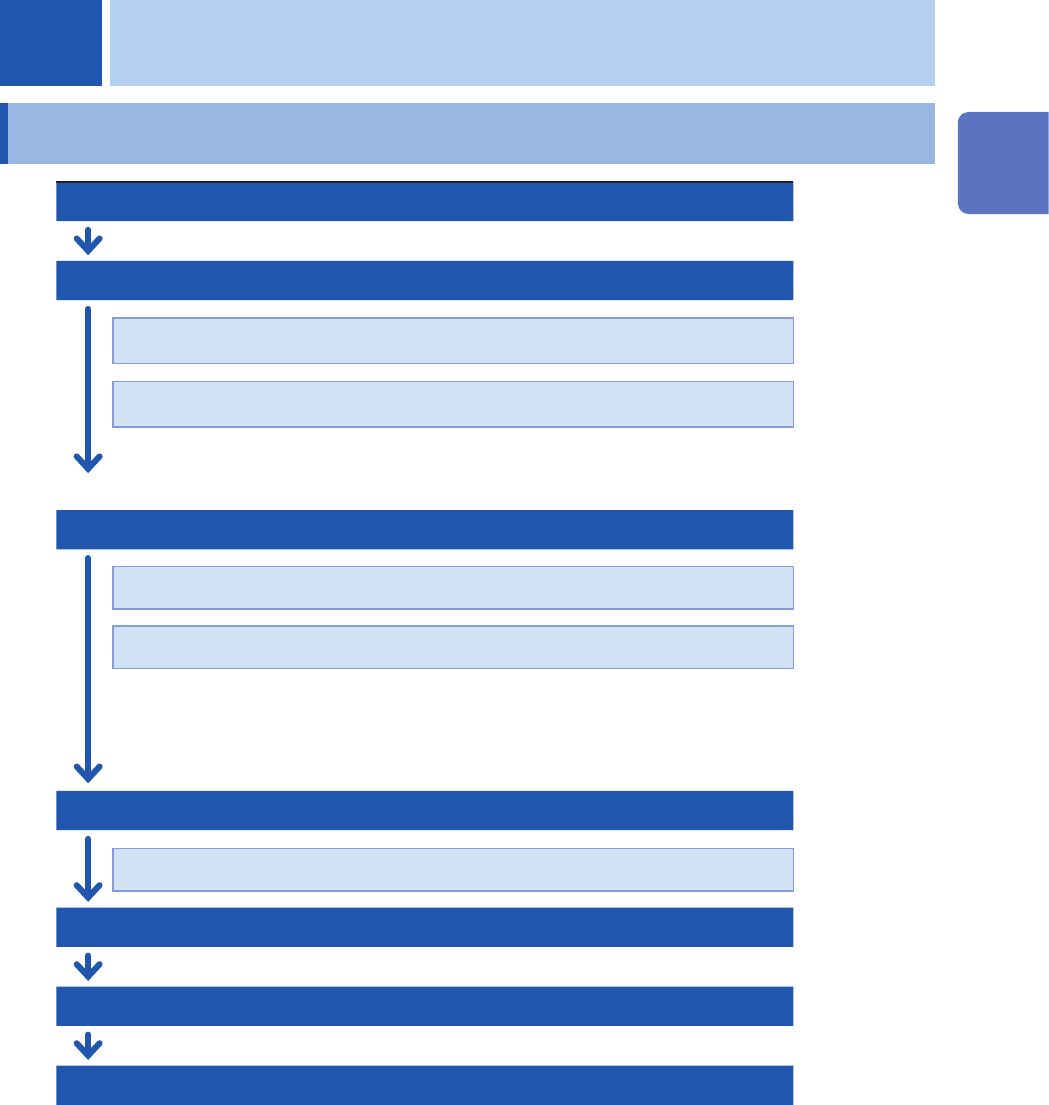
Inspecting the instrument before measurement
Conguring the basic settings for measurement
Choose a sampling rate.
(p. 5)
Choose a recording length (shot).
(p. 6)
Advanced settings: “3.1 Overlaying New Waveforms With Previously Acquired
Waveforms”
(p. 36)
Conguring the input channel settings
(p. 9)
Congure the analog channel settings.
(p. 11)
Congure the logic channel settings.
(p. 15)
Advanced settings: “3.2 Converting Input Values (Scaling Function)” (p. 38)
“3.3 Fine-Adjusting Input Values (Vernier Function)” (p. 43)
“3.4 Inverting a Waveform (Invert Function)” (p. 44)
Conguring the sheet settings
Choose a display format of waveforms.
(p. 16)
Conguring the trigger settings
(p. 97)
Starting measurement
(p. 18)
Finishing the measurement
Advanced operation: “Scrolling through waveforms” (p. 27)
“2.4 Changing the Display Position and Display
Magnication of Waveforms”
(p. 29)
“4 Saving/Loading Data and Managing Files” (p. 81)
“7 Numerical Calculation Function” (p. 133)
1 Measurement Method
1
Measurement Method