MR8740T_user_manual_eng_20191016H.pdf - 第78页
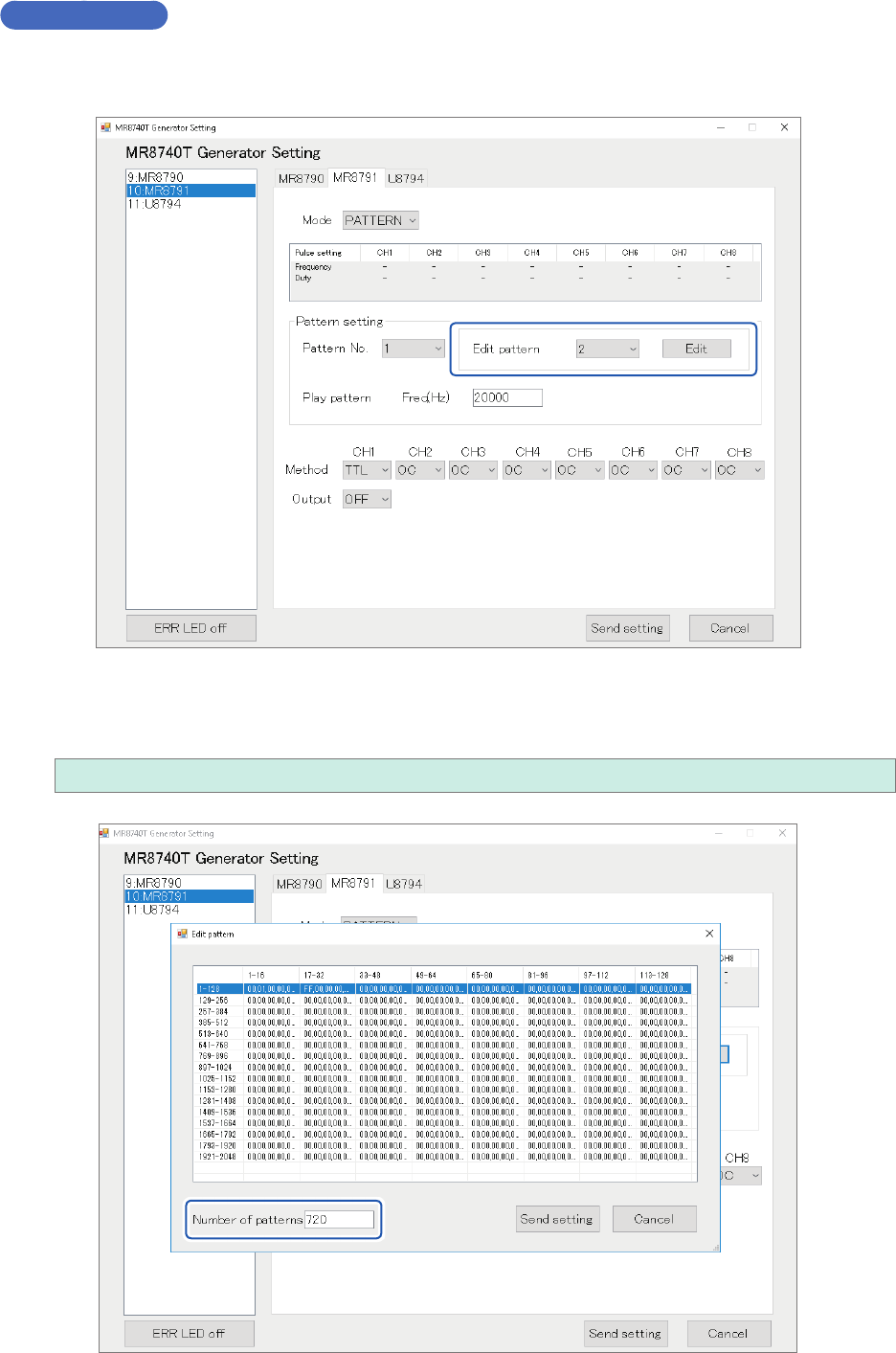
73 Conguring Generator-Module-Specic Settings Creating or editing pattern data sets Clicking a pattern on the screen causes the pattern setting window . The window allows you to specify the pattern in hexadecimal notat…
72
Conguring Generator-Module-Specic Settings
Editing patterns
Editing patterns
Choose a pattern number you want to create or edit, and then click [Edit].
Number of pattern data sets
Enter the number of pattern data sets you want to create or edit.
1 to 2048
73
Conguring Generator-Module-Specic Settings
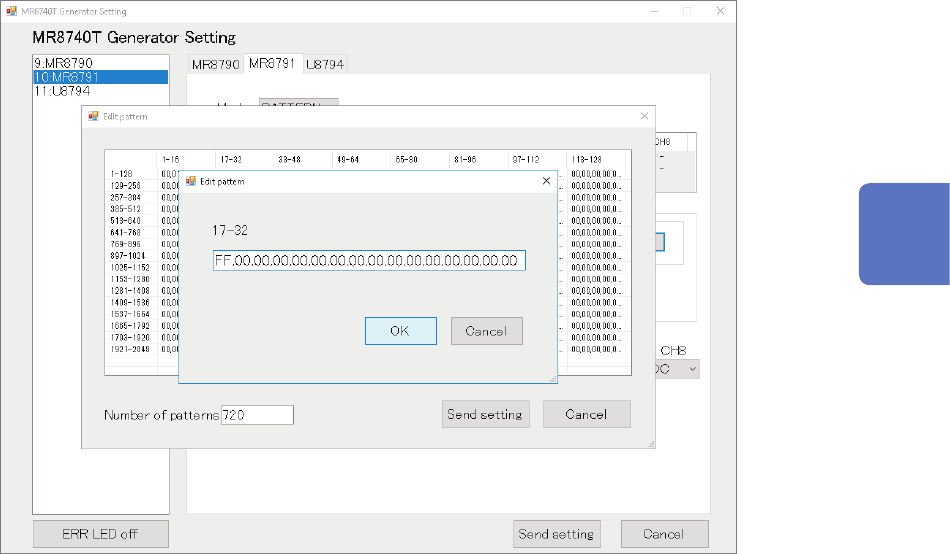
Creating or editing pattern data sets
Clicking a pattern on the screen causes the pattern setting window.
The window allows you to specify the pattern in hexadecimal notation After nishing creating or
editing the pattern, click
[OK]
.
Conrmation of the setting
After nishing the setting, click
[Send setting]
.
The pattern created or edited is stored.
Turning off the instrument clears pattern data sets.
After turning on the instrumen, re-register pattern data.
3
Advanced Functions
74
Conguring Generator-Module-Specic Settings
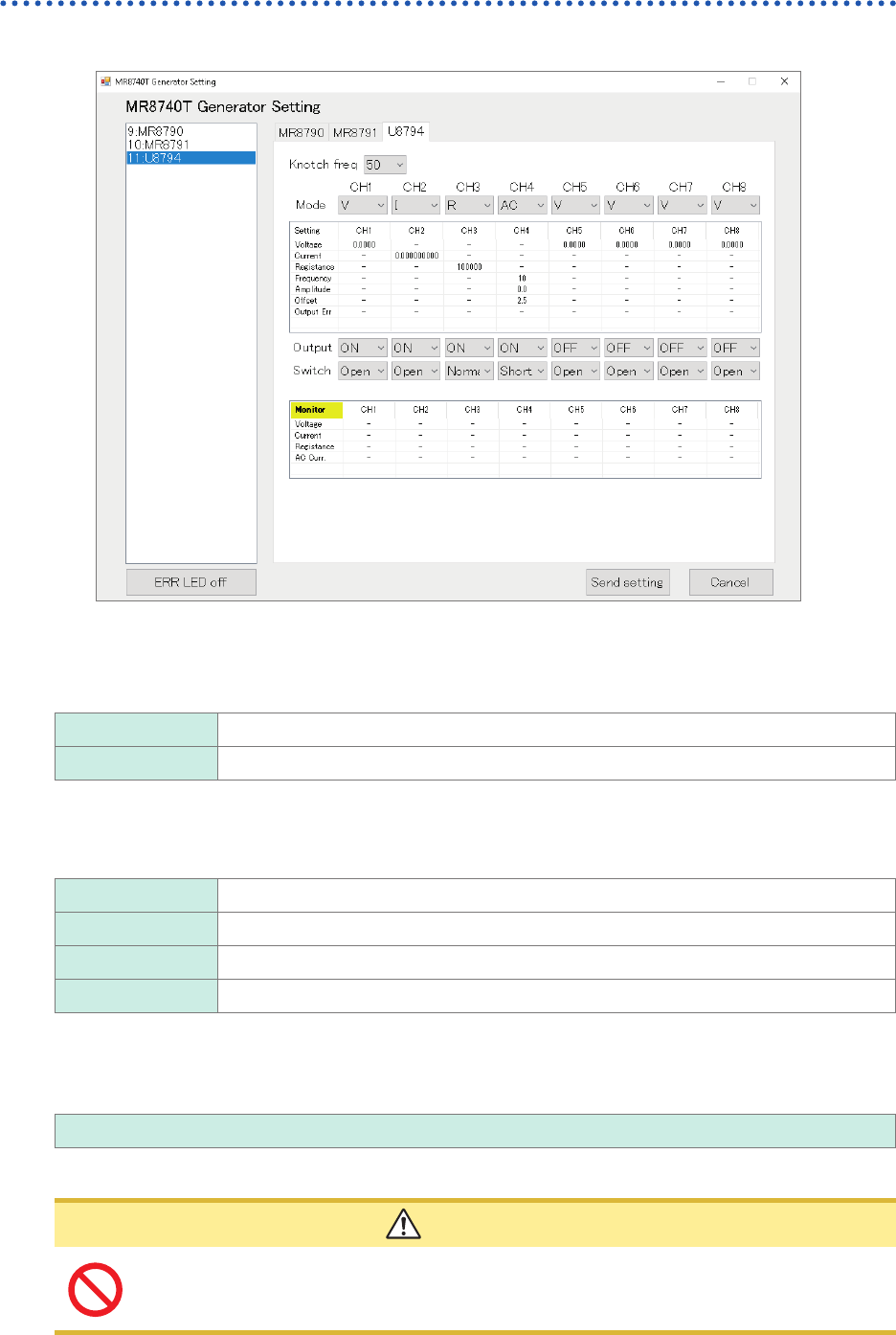
Conguring Model U8794 VIR Generator Unit settings
Choose
[11:U8794]
.
Notch frequency
Choose a power frequency according to the power frequency in your region.
An incorrect power frequency setting causes measured values to be unstable.
50
Allows you to set the notch frequency at 50 Hz.
60 Allows you to set the notch frequency at 60 Hz.
Mode
Allows you to choose an output type.
V
DC voltage
I DC current
R Resistance (simulated)
AC AC voltage
Specifying voltage values
Enter an output DC current value.
−0.1 V to 5.3 V
The output current range of −5 mA to +5 mA.
CAUTION
The instrument accepts a load resistance of 1 k
Ω
or more. Do not connect a load
resistance lower than the permissible value or short-circuit an output terminal. Damage
to the instrument could result.