00198611-02_IM_712.1_R19-1_EN.pdf - 第10页
Station Software Version 7 12.1 (R19-1) / Installation Manual 05/2019 Edition 10 ► Select the System identification calibration step. Figure 3-3: System identificatio n step
Station Software Version 712.1 (R19-1) / Installation Manual 05/2019 Edition
9
Automatic Calibration – System Identification for SX-Series
The System identification calibration feature has been introduced for the SX-series placement
machines in the automatic calibration. Therefore, an additional calibration step may be required
after installation. In this case, a warning is displayed that the calibration is not up to date. This also
applies for the respective station software version in compatible mode. Proceed as follows:
► Log in on the Machine service activity level.
► Switch to the Configure, update and calibrate machine menu.
► Press the Automatic calibration button.
The Automatic calibration wizard opens.
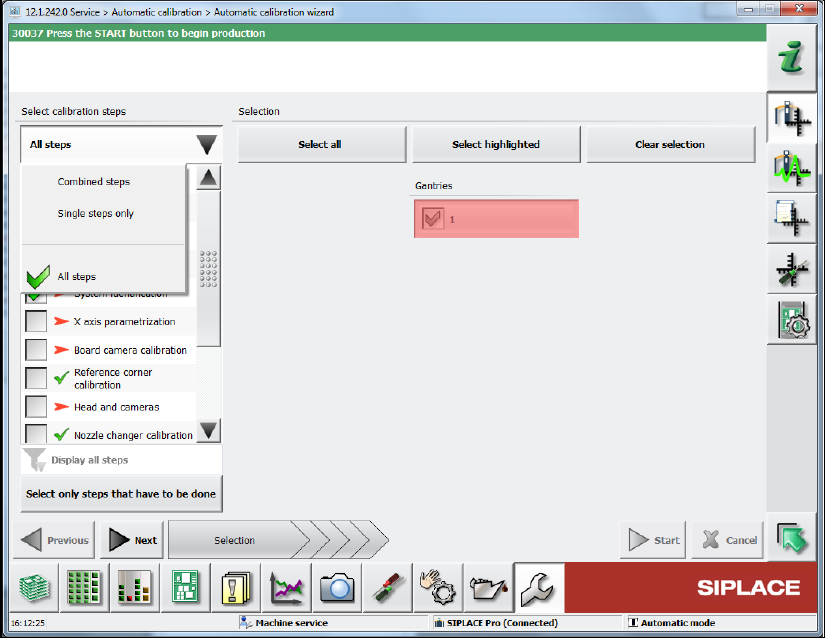
► Select All steps from the Select calibration steps list.
Figure 3-2: Calibration steps in Automatic calibration wizard
Station Software Version 712.1 (R19-1) / Installation Manual 05/2019 Edition
10
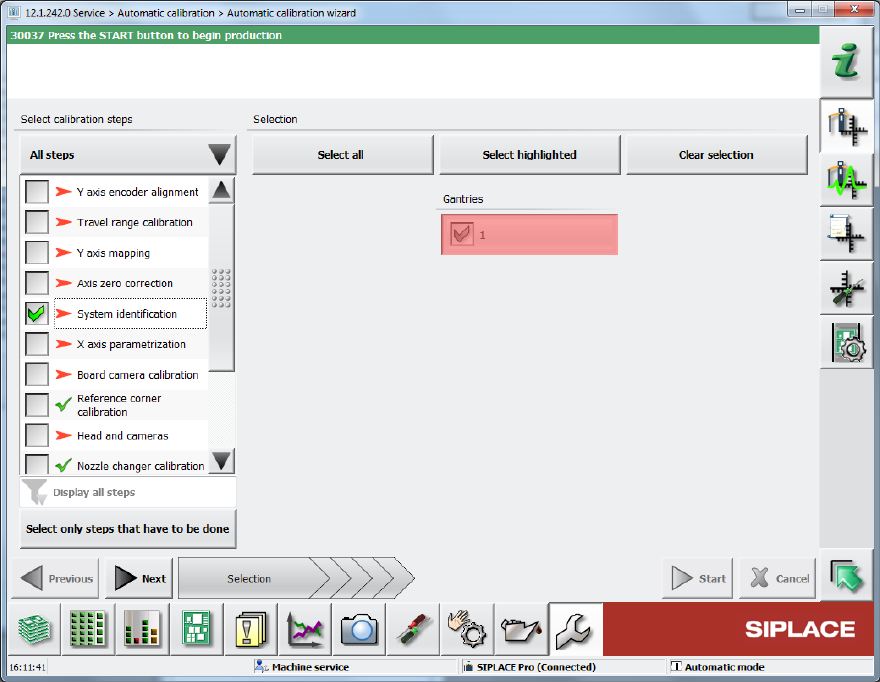
► Select the System identification calibration step.
Figure 3-3: System identification step
Station Software Version 712.1 (R19-1) / Installation Manual 05/2019 Edition
11
Loss of Calibration Data for Vacuum Tooling
The following message may occur when upgrading the station software:
Figure 3-4: Error message: Vacuum tooling calibration
In this case, detailed information can be found in the assistance to this error message or in the
topic "Calibration/Vacuum Tooling" in the Online Help for the station software.
► The following steps must be performed:
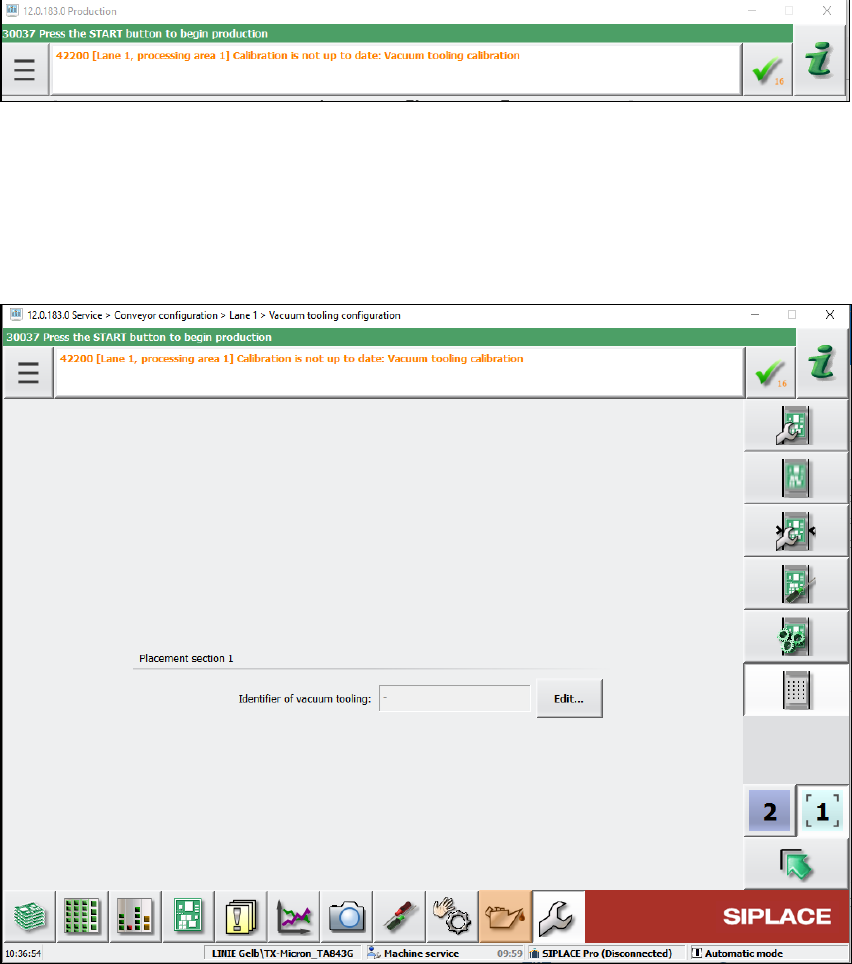
Depending on the machine type, the vacuum tooling ID must be entered in the dialog below and
the corresponding file reloaded.
Figure 3-5: Vacuum tooling configuration
Additionally, the vacuum toolings must be recalibrated by selecting the vacuum tooling calibration
in the automatic calibration wizard.