00198611-02_IM_712.1_R19-1_EN.pdf - 第34页
Station Software Version 7 12.1 (R19-1) / Installation Manual 05/2019 Edition 34 If Windows cannot verify the publi sher of the driver software, the following dialog box is displayed. Figure 5- 16 : Verifying driv er sof…
Station Software Version 712.1 (R19-1) / Installation Manual 05/2019 Edition
33
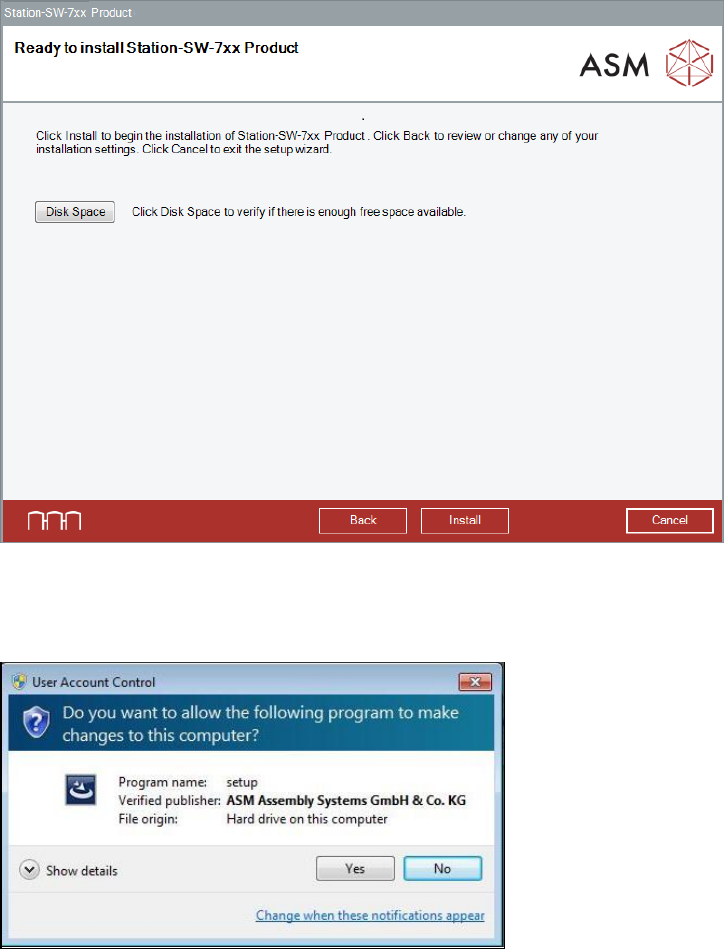
The Ready to install dialog box is displayed again.
Figure 5-14: Ready for installation
► Click the Install button to start the installation.
If User Account Control is enabled, the following dialog boxes are additionally displayed.
Figure 5-15: User Account Control
► Click the Yes button to allow the ASM Software installation.
Station Software Version 712.1 (R19-1) / Installation Manual 05/2019 Edition
34
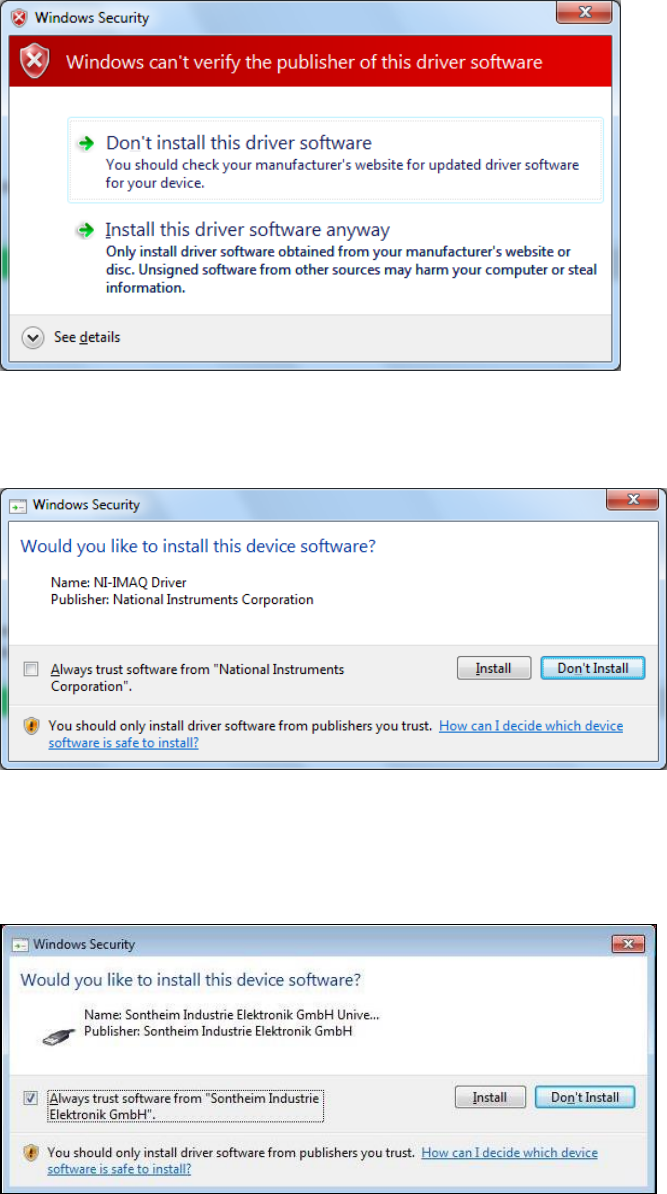
If Windows cannot verify the publisher of the driver software, the following dialog box is displayed.
Figure 5-16: Verifying driver software
► Select the Install this driver software anyway option.
► If an NI-IMAQ driver is connected, the following dialog box is displayed.
Figure 5-17: Installation driver software for NI-IMAQ Driver
► Activate the Always trust software from "National Instruments Corporation" field.
► Click the Install button to install the corresponding driver software.
If a Sontheim device is connected, the following dialog box is displayed.
Figure 5-18: Installing driver software for Sontheim device, part 1
► Activate the Always trust software from "Sontheim Industrie Elektronik GmbH" field.
► Click the Install button to install the corresponding driver software.
Station Software Version 712.1 (R19-1) / Installation Manual 05/2019 Edition
35
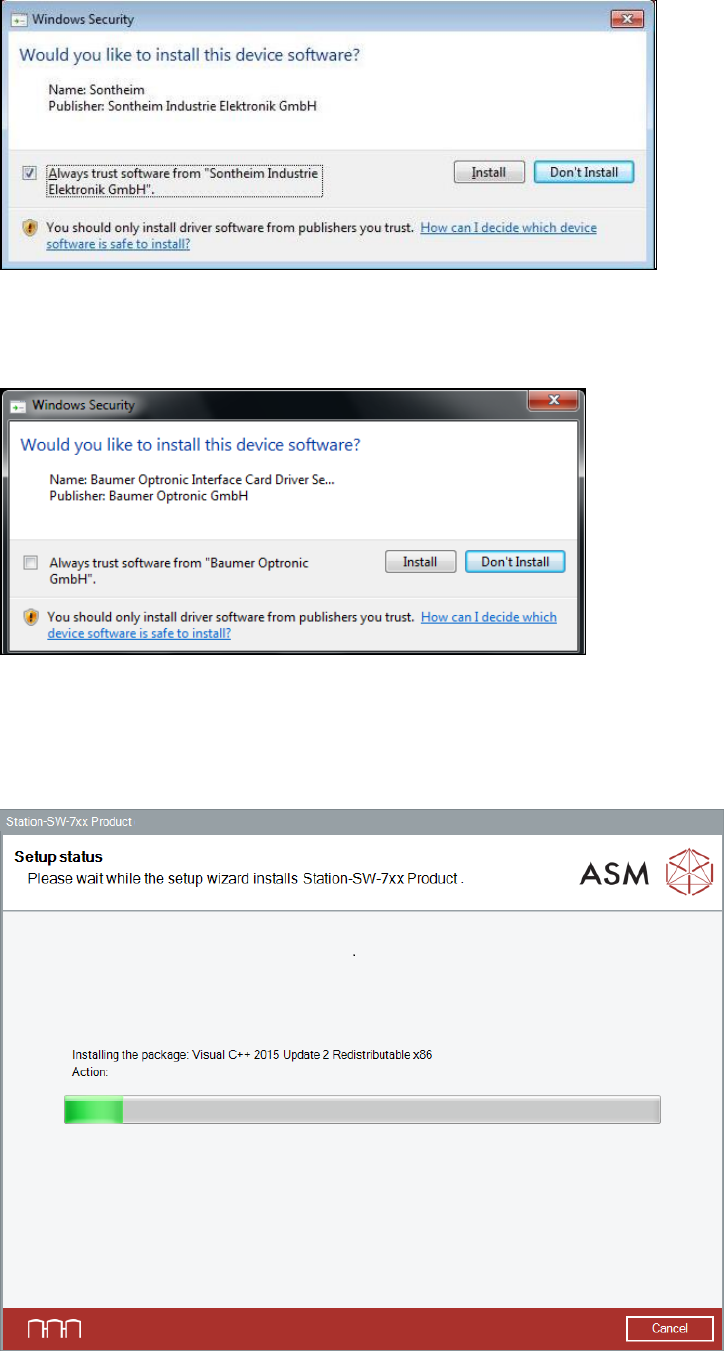
Thereafter, the following dialog box is displayed again.
Figure 5-19: Installing driver software for Sontheim device, part 2
► Perform the same steps as in the previous dialog box.
If a Baumer card is installed, the following dialog is displayed.
Figure 5-20: Installing driver software for Baumer card
► Activate the Always trust software from "Baumer Optronic GmbH" field.
► Click the Install button to install the corresponding driver software.
The setup status is displayed during installation.
Figure 5-21: Setup status