00198611-02_IM_712.1_R19-1_EN.pdf - 第43页
Station Software Version 7 12.1 (R19-1) / Installation Manual 05/2019 Edition 43 5.5.2 Error Handling If an error occurs during in stallation, if possible, the setup will perform a r ollback to return the system to its o…
Station Software Version 712.1 (R19-1) / Installation Manual 05/2019 Edition
42
5.5.1 Deinstalling Product Patches
It is only possible to deinstall the patch that has been most recently installed. Older patches cannot
be deinstalled. Deinstalling the newest patch restores the state exactly before the installation of the
patch.
In previous station software versions, with deinstalling the newest patch, all patches had been
deinstalled and the basic version of the software had been restored.
To deinstall the newest patch, proceed as follows:
► Log in under the ASM_Admin user account on the station computer.
► Open the Control Panel and go to Programs and Features.
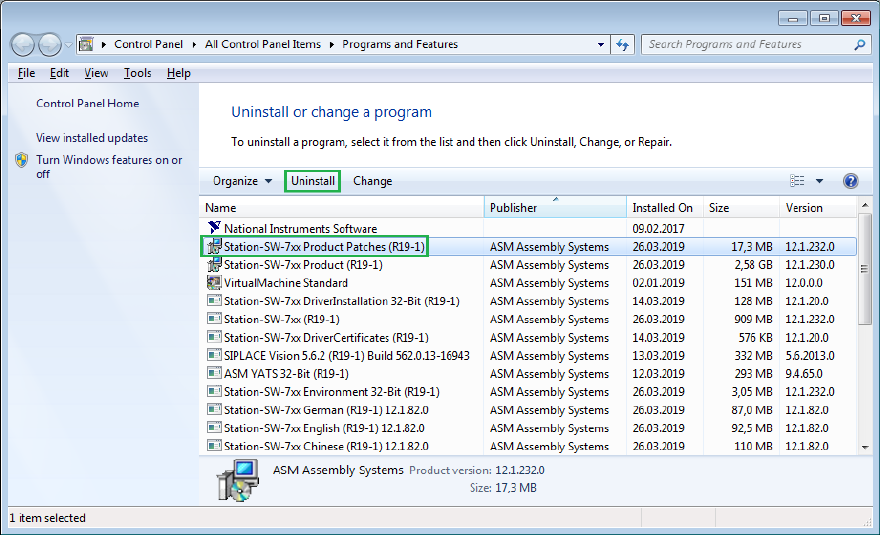
► Select Station-SW-7xx Product Patches (RXX-x) from publisher ASM Assembly Systems.
► Click the Uninstall button.
Figure 5-31: Deinstalling newest patch in Programs and Features dialog
After deinstalling the patch, the entry Station-SW-7xx Product Patches (RXX-x) disappears from
Programs and Features, even if older patches are still active. The existence of other patches is
indicated by a higher version number of the entry Station-SW-7xx (RXX-x) compared to the
version number of the basic version shown in the entry Station-SW-7xx Product (RXX-x).
To downgrade to lower station software versions, the complete station software must be
deinstalled.
► Follow the instructions in section 10.1.
Station Software Version 712.1 (R19-1) / Installation Manual 05/2019 Edition
43
5.5.2 Error Handling
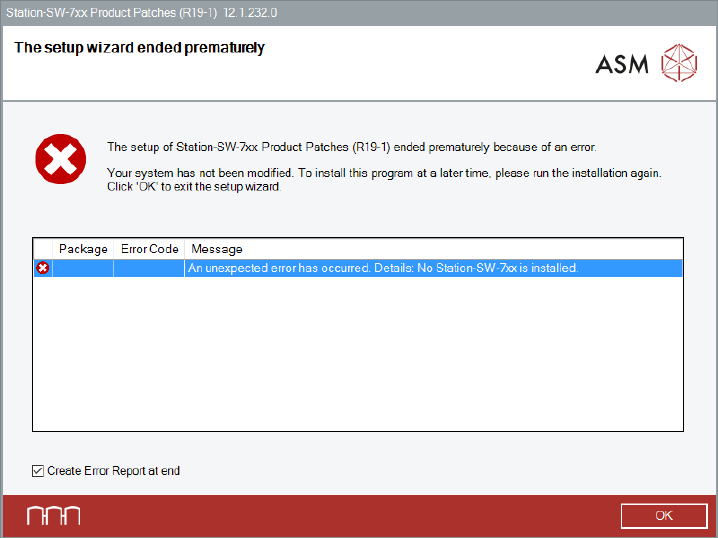
If an error occurs during installation, if possible, the setup will perform a rollback to return the
system to its original state. After a rollback a corresponding error message is displayed.
Figure 5-32: Error during installation
► Ensure that the Create Error Report at end option is selected (default).
► Click OK to exit the setup wizard.
You will be prompted to store the Error Report (as zip file).
► After the problem has been solved, start the Station_SW_Patches.exe file to run the installation
again.
At the beginning of the installation, the preconditions for a successful installation procedure are
checked. If one of the checks fails, the installation procedure will not start.
The errors that might occur are listed below.
Station Software Version 712.1 (R19-1) / Installation Manual 05/2019 Edition
44
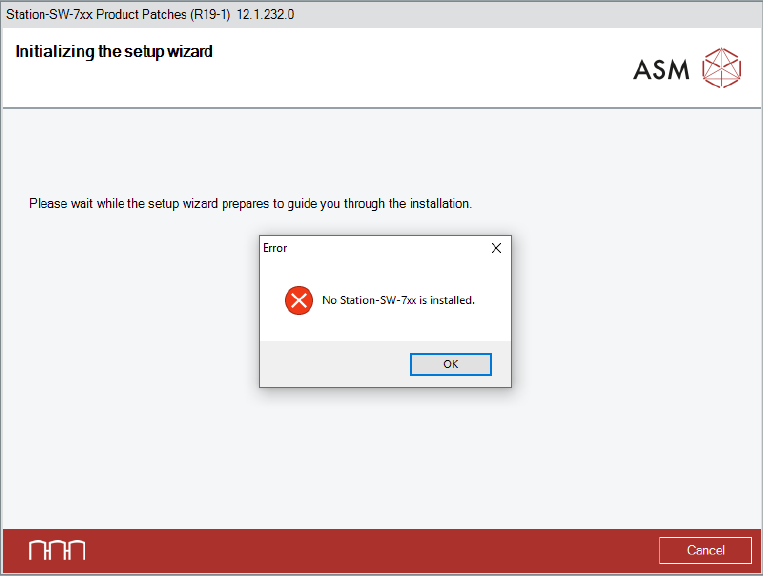
No station software found
If no station software was found, a corresponding error message appears.
Figure 5-33: No station software installed
► Click the OK button to exit the setup wizard.
► After the problem has been solved, start the Station_SW_Patches.exe file to run the installation
again.