00198611-02_IM_712.1_R19-1_EN.pdf - 第45页
Station Software Version 7 12.1 (R19-1) / Installation Manual 05/2019 Edition 45 No suitable station software v ersion found Every patch only fit s to one specific basic software versio n. This basic version is also call…
Station Software Version 712.1 (R19-1) / Installation Manual 05/2019 Edition
44
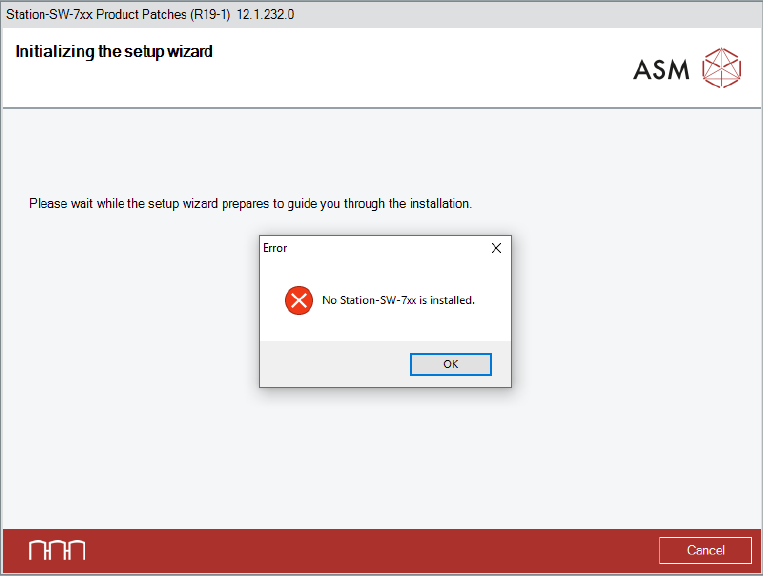
No station software found
If no station software was found, a corresponding error message appears.
Figure 5-33: No station software installed
► Click the OK button to exit the setup wizard.
► After the problem has been solved, start the Station_SW_Patches.exe file to run the installation
again.
Station Software Version 712.1 (R19-1) / Installation Manual 05/2019 Edition
45
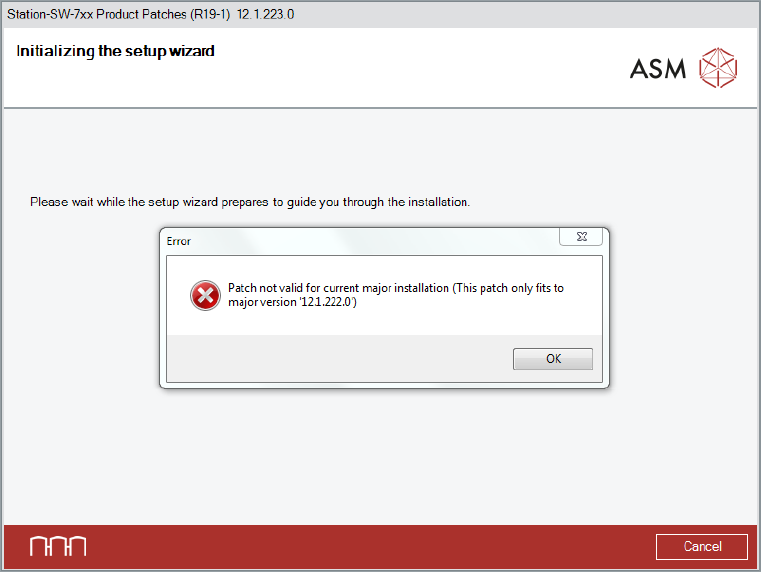
No suitable station software version found
Every patch only fits to one specific basic software version. This basic version is also called major
version. The installed basic version can be checked in the Control Panel under Programs and
Features, in the line Station-SW-7xx Product (RXX-x).
If the basic version does not fit to the patch, a corresponding error message is displayed.
Figure 5-34: No suitable station software version installed
► Click the OK button to exit the setup wizard.
► After the problem has been solved, start the Station_SW_Patches.exe file to run the installation
again.
Station Software Version 712.1 (R19-1) / Installation Manual 05/2019 Edition
46
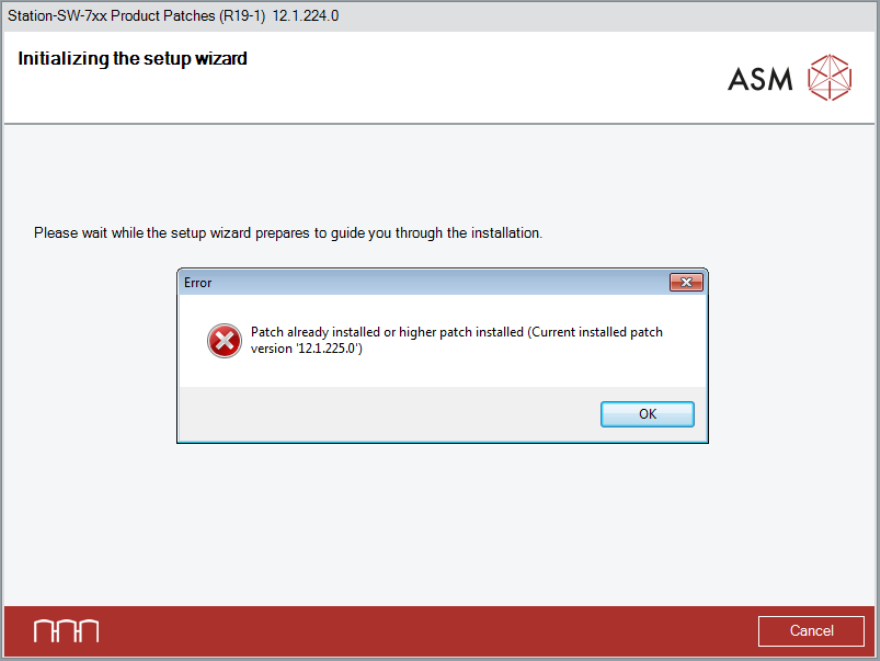
Patch already installed or higher version installed
If the patch is already installed or a higher version is installed, a corresponding error message is
displayed.
Figure 5-35: Same or higher patch version already installed