00198611-02_IM_712.1_R19-1_EN.pdf - 第50页
Station Software Version 7 12.1 (R19-1) / Installation Manual 05/2019 Edition 50 The Packages and Features dialo g box is displayed. Figure 5- 38 : Packages and Featu res All available languages are enable d by default. …
Station Software Version 712.1 (R19-1) / Installation Manual 05/2019 Edition
49
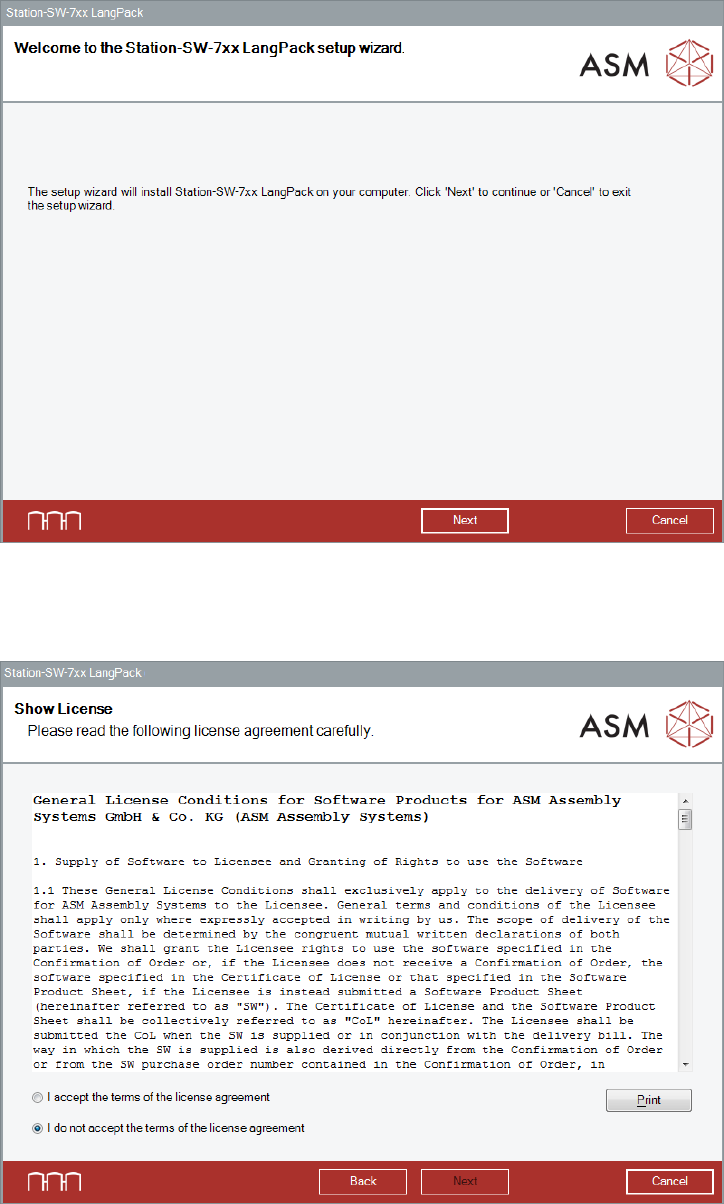
The Welcome dialog box of the Language Pack setup wizard is displayed.
Figure 5-36: Welcome dialog box
► Click the Next button.
The Show License dialog box is displayed.
Figure 5-37: Accepting license
► Select I accept the terms of the license agreement to accept the license conditions.
► Click the Next button.
Station Software Version 712.1 (R19-1) / Installation Manual 05/2019 Edition
50
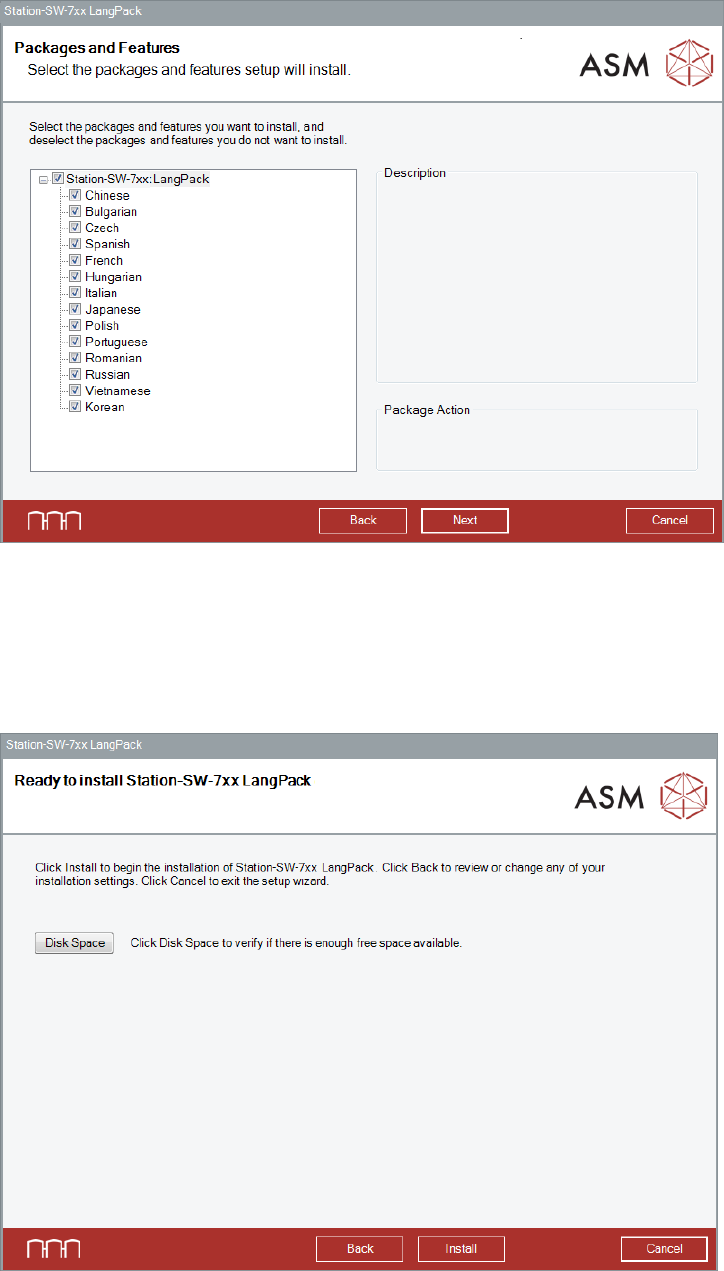
The Packages and Features dialog box is displayed.
Figure 5-38: Packages and Features
All available languages are enabled by default.
► If desired, unselect languages you do not want to install.
► Click the Next button.
The Language Pack is now ready to be installed. The following dialog box is displayed.
Figure 5-39: Ready for installation
Station Software Version 712.1 (R19-1) / Installation Manual 05/2019 Edition
51
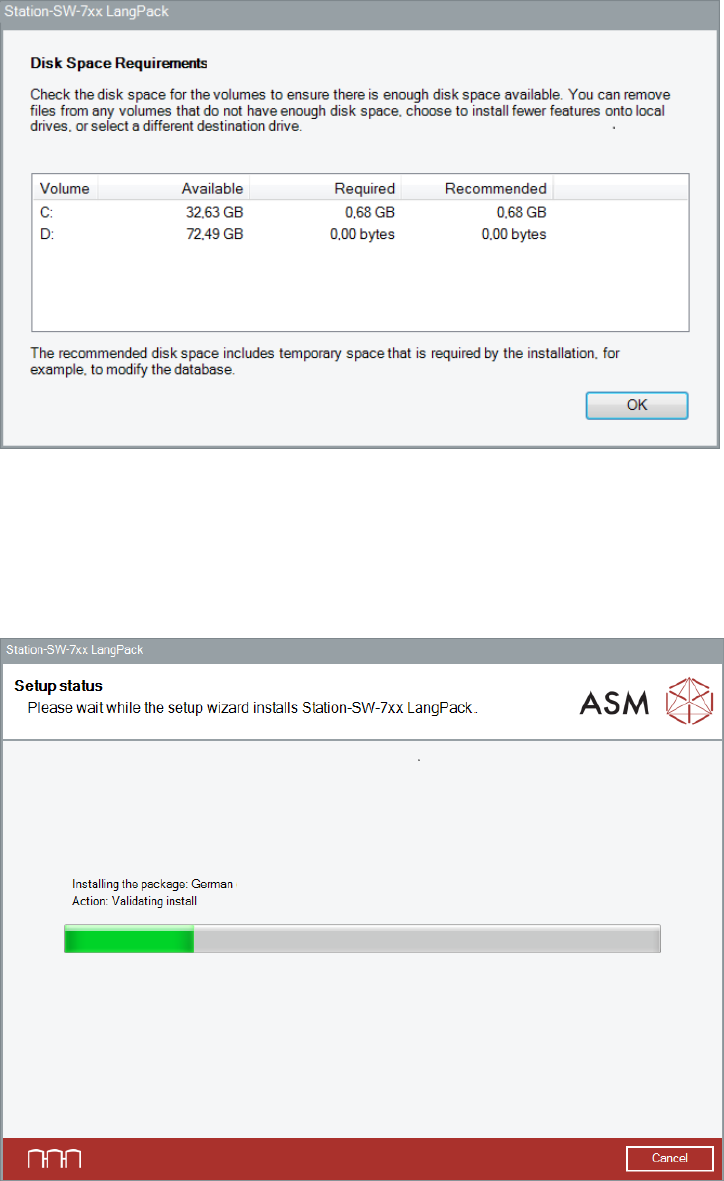
Before installing, you can check the available, required and recommended disk space (per drive) to
perform the installation.
► Click the Disk Space button.
The Disk Space Requirements dialog box is displayed.
Figure 5-40: Disk Space Requirements
► Click the OK button.
The Ready to install dialog box is displayed again.
► Click the Install button to start the installation.
The setup status is displayed during installation.
Figure 5-41: Setup status