00198611-02_IM_712.1_R19-1_EN.pdf - 第76页
Station Software Version 7 12.1 (R19-1) / Installation Manual 05/2019 Edition 76 After successful removal, the f ollowing dialog is displayed. Figure 10 -3: Uninstalli ng completed ► Click OK to exit the wizard and resta…
Station Software Version 712.1 (R19-1) / Installation Manual 05/2019 Edition
75
NOTICE
Important note:
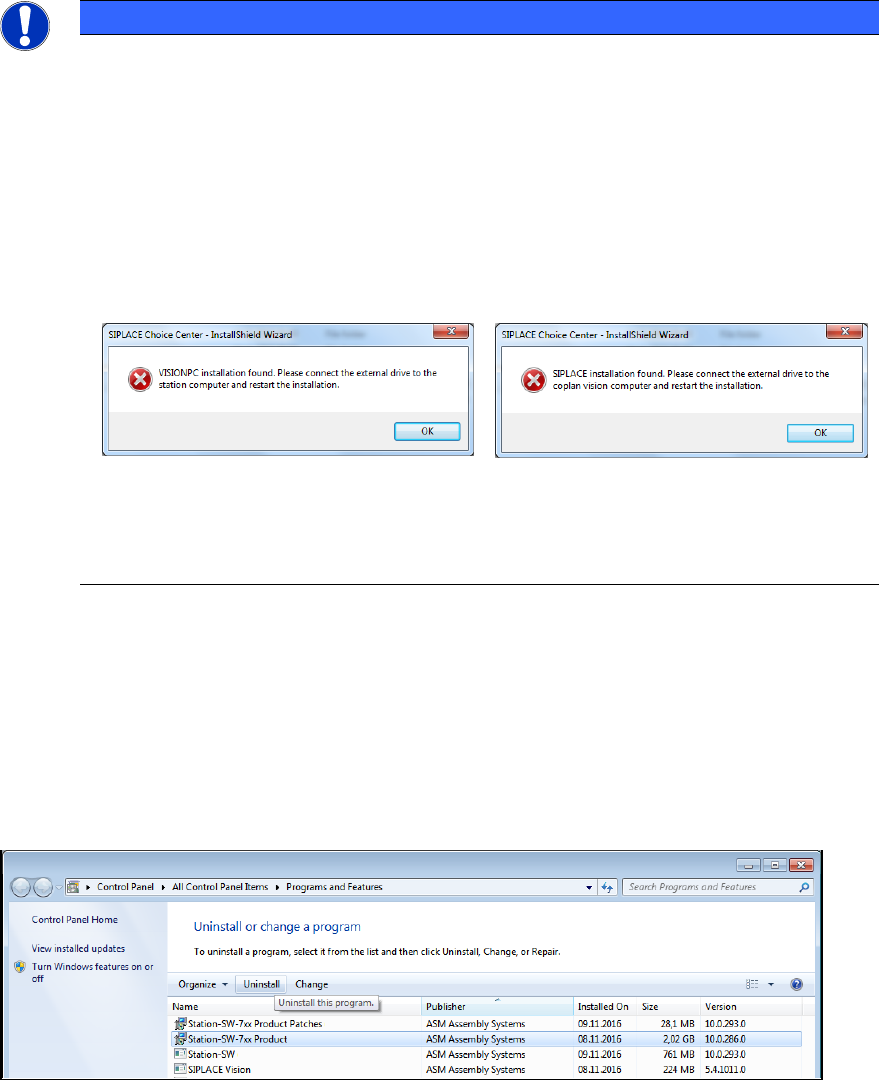
All station software versions < 710.0 are not able to detect station software 710.0 or
higher. This is caused by the system migration to Windows Installer XML and a
standardized deployment framework for all SIPLACE products.
In order to avoid a mix of installed new and older station software versions, we use a
workaround. For this, a feature of station software 709 or lower is used, preventing the
installation of station software on a Vision computer and vice versa. If you try to install a
station software version < 710.0 on a system on which station software 710 or higher is
installed, a dialog will appear, saying, you are trying to install a SIPLACE station
computer on a Vision computer or vice versa.
This dialog will be displayed as long as there is a station software 710 installed!
If you are trying to downgrade to a version 710.0 or higher from a higher version, the
installation will detect that a newer version is already installed and display a correct
message.
10.1.1 Uninstalling Station Software 712.1
► Log off from the station computer.
► Log in under the ASM_Admin user account.
► Open the Start menu and select Control Panel – Uninstall a program – Programs and
Features (Category: Small Icons).
Figure 10-2: Uninstalling station software
► Sort by Publisher.
► Select Station-SW-7xx Product (RXX-x) from publisher ASM Assembly Systems.
► Click the Uninstall button.
► In the next dialog, click the Remove button.
Station Software Version 712.1 (R19-1) / Installation Manual 05/2019 Edition
76
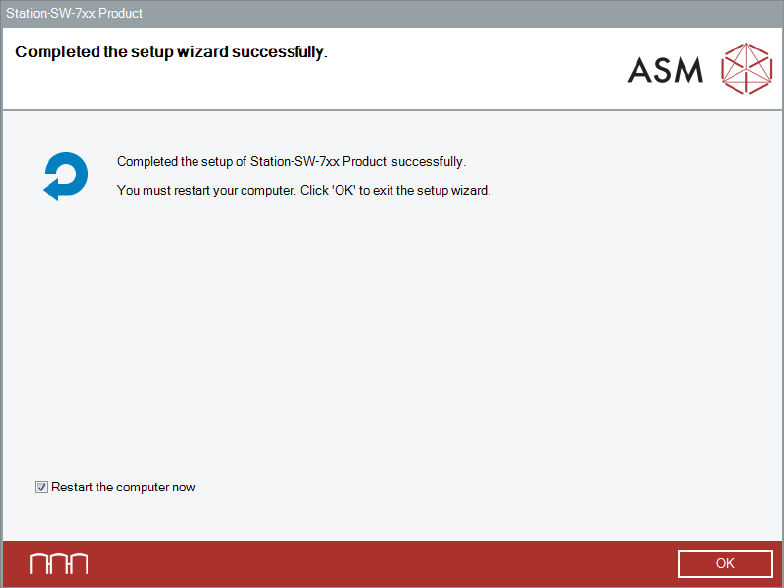
After successful removal, the following dialog is displayed.
Figure 10-3: Uninstalling completed
► Click OK to exit the wizard and restart the computer.
After restart, an automatic login under the Operator user account will be done.
► Log off from the Operator user account.
► Log in under the ASM_Admin user account again.
► Continue with the installation of the station software version you want to downgrade to.
Station Software Version 712.1 (R19-1) / Installation Manual 05/2019 Edition
77