00191413-01.pdf - 第125页
User Manual Line Computer UNIX 4 Data Management Software Version 501.xx 01/99 Issue 4.3 User Interface of the Data Manager 4 - 15 Menu Bar The menu ba r contai ns the menus "FI LE", "SER VICES" , &qu…
4 Data Management User Manual Line Computer UNIX
4.3 User Interface of the Data Manager Software Version 501.xx 01/99 Issue
4 - 14
4.3.4 Main Window of a Data Partner
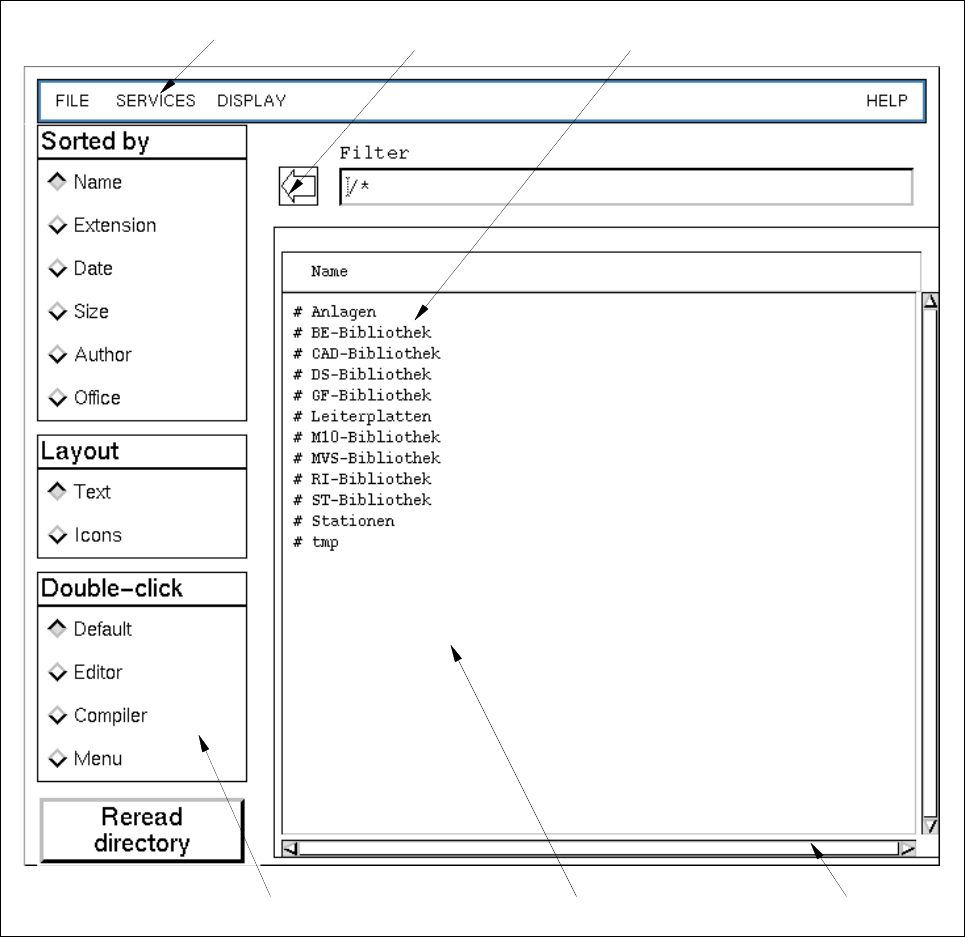
Fig. 4.3.2 Main Window of a Data Partner (example "Master Data")
The main window (see Fig. 4.3.2) is subdivided into the following areas:
- Menu bar
- Display area
- Command area
- Arrow button
menu bar arrow button directory/file
scroll bardisplay areacommand area
User Manual Line Computer UNIX 4 Data Management
Software Version 501.xx 01/99 Issue 4.3 User Interface of the Data Manager
4 - 15
Menu Bar
The menu bar contains the menus "FILE", "SERVICES", "DISPLAY" and "HELP".
The menus are described in the section 4.3.4.1 to section 4.3.4.3.
NOTE
Since the functions and operation of the "HELP" menu are identical to those in other application programs
of the line computer, they are described comprehensively in chapt. 2 of this manual.
Display Area
In the display area the directories and files of a data partner are represented that can be edited in the Data
Manager. The directories can be opened either by double-clicking (if Double click --> Default has been set)
or via the menu. When a directory is opened, the display area is newly set up containing the contents of the
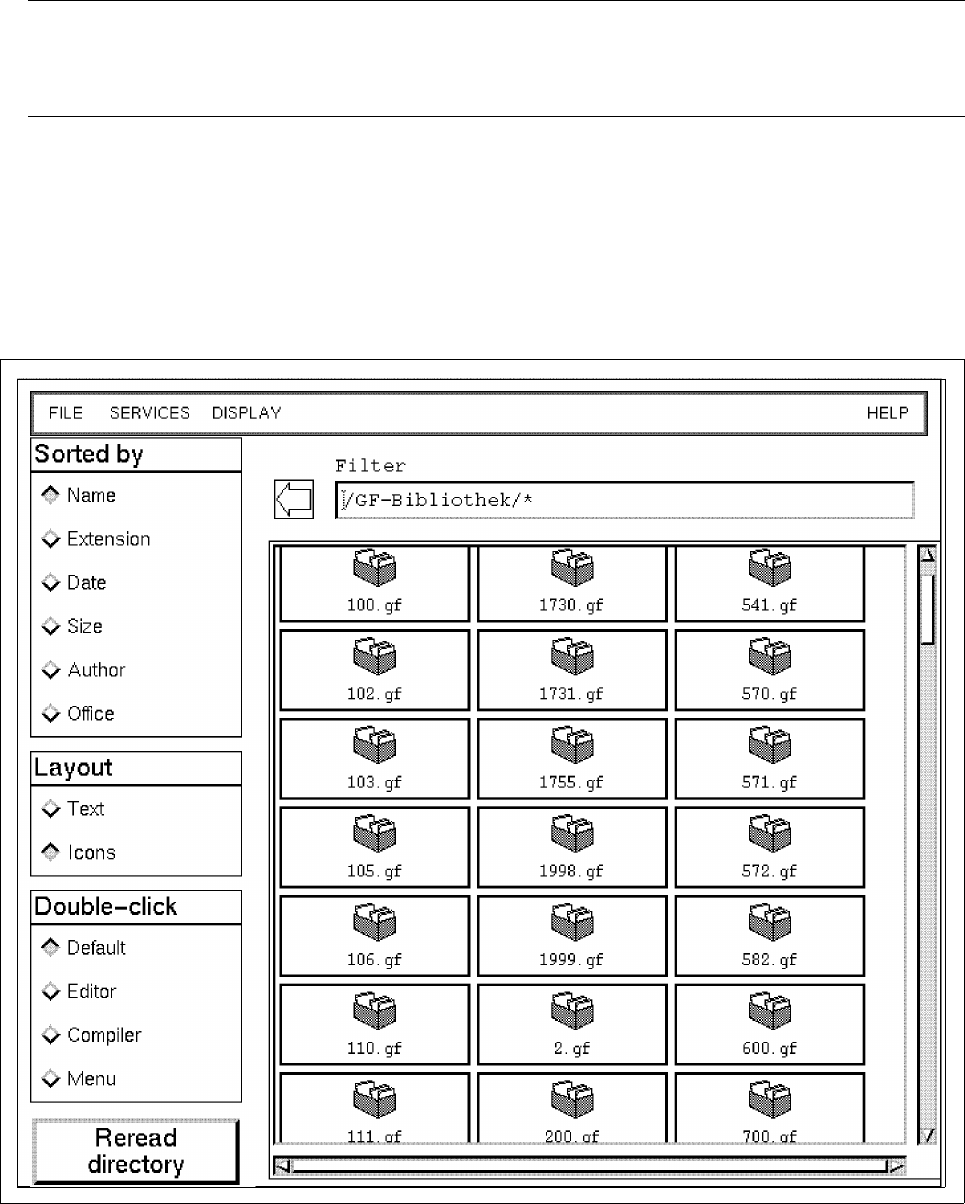
directory (see example below).
The display area contains scroll bars by means of which the section of the display area viewed can be moved.

4 Data Management User Manual Line Computer UNIX
4.3 User Interface of the Data Manager Software Version 501.xx 01/99 Issue
4 - 16
Command Area
In the command area the sorting sequence can be selected according to certain criteria as well as the display
mode of the files and directories in the main window. The uses for the mouse action double-click can be defined
for Default, Editor, Compiler or Menu. In addition, the function Reread directory is available.
Arrow button
Each click of the arrow button causes the directory structure to go back in the
hierarchy
by one level (e.g.
subdirectory --> directory --> main directory).
4.3.4.1 FILE menu
The Data Manager enables files and directories to be edited using the menu functions described in the following.
- Opening directories
A selected directory is opened and its contents are shown in the current file window.
● Select directory by clicking one time.
● Select menu option FILE --> Open....
Or else, if Double click --> Default is set in the command area:
● Open directory by double-clicking.
- Copying files and directories within a data partner or from one data partner to another
Files or directories can be copied. Source and target of the copying operation can be located in diffe-
rent data partners.
● Select file/directory (source) by clicking one time.
● Select menu option FILE --> Copy.
The mouse cursor has the shape of a double cross.
● Click on target.
NOTE
Only if Actions --> Confirm is set in the main window of the Data Manager will a dialog box be
displayed in which the selected action (e.g. copy, move, delete etc.) has to be confirmed before it is
executed.
If Actions --> Immediately is set, the selected action is executed immediately
without any prior
confirmation. An exception is the "Delete" action. It is always executed after
the verification query has
been confirmed.