00191413-01.pdf - 第135页
User Manual Line Computer UNIX 4 Data Management Software Version 501.xx 01/99 Issue 4.3 User Interface of the Data Manager 4 - 25 4.3.4.6 Actions to Be Taken Following any Update/Upgrade of the LC Software Subsequ ent t…
4 Data Management User Manual Line Computer UNIX
4.3 User Interface of the Data Manager Software Version 501.xx 01/99 Issue
4 - 24
4.3.4.5 Conversion of Individual GF-Files
To complement individual GF-files by adding the entries for the standard configurations of nozzle and sensor
system types, proceed as follows:
● Open the Master data data partner in the main window of the Data Manager (see Fig. 4.3.1) by
double-clicking. The main window of the data partner is displayed on the screen (see Fig. 4.3.2).
● Open the GF-Bibliothek directory by double-clicking on it.
● Select Double-click --> Menu in the command area.
● Select the xx.gf GF-file by double-clicking on it.
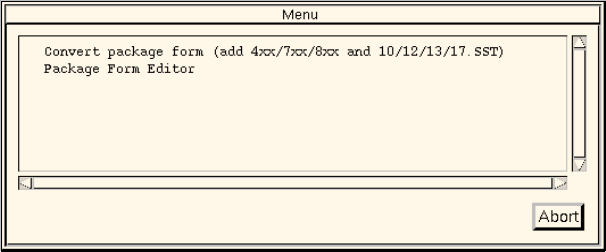
The following dialog box opens.
● Click on the Convert package form (add 4xx/7xx/8xx and 12/13.SST) entry.
The conversion for the selected GF-file is now carried out.
When the conversion has been completed successfully, an appropriate message will be dis-
played.
● Acknowledge the message by clicking on OK.
User Manual Line Computer UNIX 4 Data Management
Software Version 501.xx 01/99 Issue 4.3 User Interface of the Data Manager
4 - 25
4.3.4.6 Actions to Be Taken Following any Update/Upgrade of the LC Software
Subsequent to any update/upgrade (see chapt. 1), the following steps described below are to be performed
with the aid of the Data Manager, to ensure the proper functioning of the LC software:
Consistency check for "set-ups"
NOTE
Depending on the procedure used, the consistency check can be carried out for the complete line
"xx.ak", for every subline "xx.va". or for every individual set-up "xx.ar". It is good practice to trigger the
consistency check for the subline, see the description below.
● Set Double-click -> Default in the command area.
● Successively open the directories Anlagen/xx.ak by double-clicking.
● Set Double-click -> Menu in the command area.
● Select the set-up file xx.va (subline) by double-clicking.
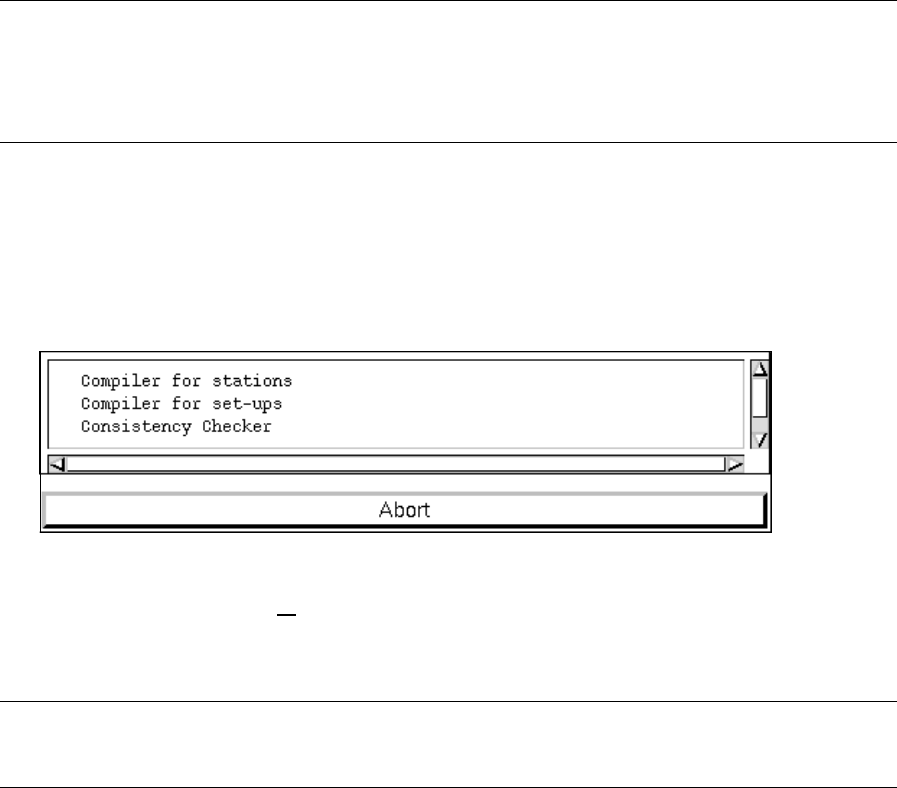
The following dialog box is opened.
● Click on the Consistency Checker entry.
The consistency check for all
set-ups contained in the selected subline is performed.
Upon the successful completion of the check a corresponding message is displayed.
NOTE
The consistency check must be performed for all set-ups.
● After the completion of the consistency check, click on the arrow button until the "Anlagen"
directory is closed.

4 Data Management User Manual Line Computer UNIX
4.3 User Interface of the Data Manager Software Version 501.xx 01/99 Issue
4 - 26
4.3.5 Quitting the Data Manager
When the main window of the Data Manager is closed, the latter is no longer active.
● Click on FILE --> Quit in the main window of the Data Manager.
The main window and all
open windows of the data partners are closed.
Upon restarting the Data Manager, the main window and all previously open windows of the
data partners are restored.