00191413-01.pdf - 第408页
13 Production Tools / Set-Up User Manu al Line Computer UNIX 13.1 Set-Up Editor (Feeder Part and W PC Editors) Software Version 501.xx 01/99 Issue 13 - 10 13.1.2. 3 Starting the WPC Editor for the Virtual Level of the HS…

User Manual Line Computer UNIX 13 Production Tools / Set-Up
Software Version 501.xx 01/99 Issue 13.1 Set-Up Editor (Feeder Part and WPC Editors)
13 - 9
Display area "Levels"
In the "Levels" display area the levels of the Waffle-Pack Changer are listed in numerical order.
If no level has been defined for a waffle-pack tray yet, the line behind the respective number is blank.
If a waffle-pack tray carrier has been defined for a level, this is not displayed.
In the case that one or several waffle-pack trays and components have already been defined, this is displayed
on the line as follows:
Examples: 17 ~ [ - ]
On level 17, a waffle-pack tray - but no component - is defined.
17 ~ [
QFP ]
On level 17, a waffle-pack tray with the component type QFP is defined
When a level is selected, the same is displayed in the "WPC" display area.
Display area "WPC"
In the "WPC" display area the top view of a Waffle-Pack Changer is displayed symbolically.
In each case, the level is symbolized that has been selected in the "Levels" display area.
If no waffle-pack tray has been defined for the displayed level yet, the latter is "empty".
If for the displayed level a waffle-pack tray carrier has been defined, the same is displayed.
If for the displayed level one or several waffle-pack trays and components have been defined, these are
displayed in the WPC Editor in accordance with their definitions.
Filter field "Component filter"
In the "Component filter" field it is possible to limit the list of components contained in the "Components" selection
field, by entering a given character string and subsequently pressing the Enter key. This may be useful when
searching for a given component. The "*" character serves as wildcard character and stands for any other
characters, whatever they may be.
Examples: *6
Only components whose last character is a
6
are displayed.
13*
Only components whose first characters are
13
are displayed.
*
All components are displayed.
If a filter was entered which limits the selection too much, the result may also be an empty list. In this case,
more characters must be added to the previously entered filter.
Selection field "Components"
All defined components are listed in the selection field "Components". Moving the scroll car allows components
to be displayed that are located further down on the list. By means of the component filter the display can be
limited to given components.
If the component library is modified in the Data Manager these changes are not automatically transferred to the
open Feeder Part Editor. Only when the editor is closed and re-started, will the changes be adopted.
13 Production Tools / Set-Up User Manual Line Computer UNIX
13.1 Set-Up Editor (Feeder Part and WPC Editors) Software Version 501.xx 01/99 Issue
13 - 10
13.1.2.3 Starting the WPC Editor for the Virtual Level of the HS180
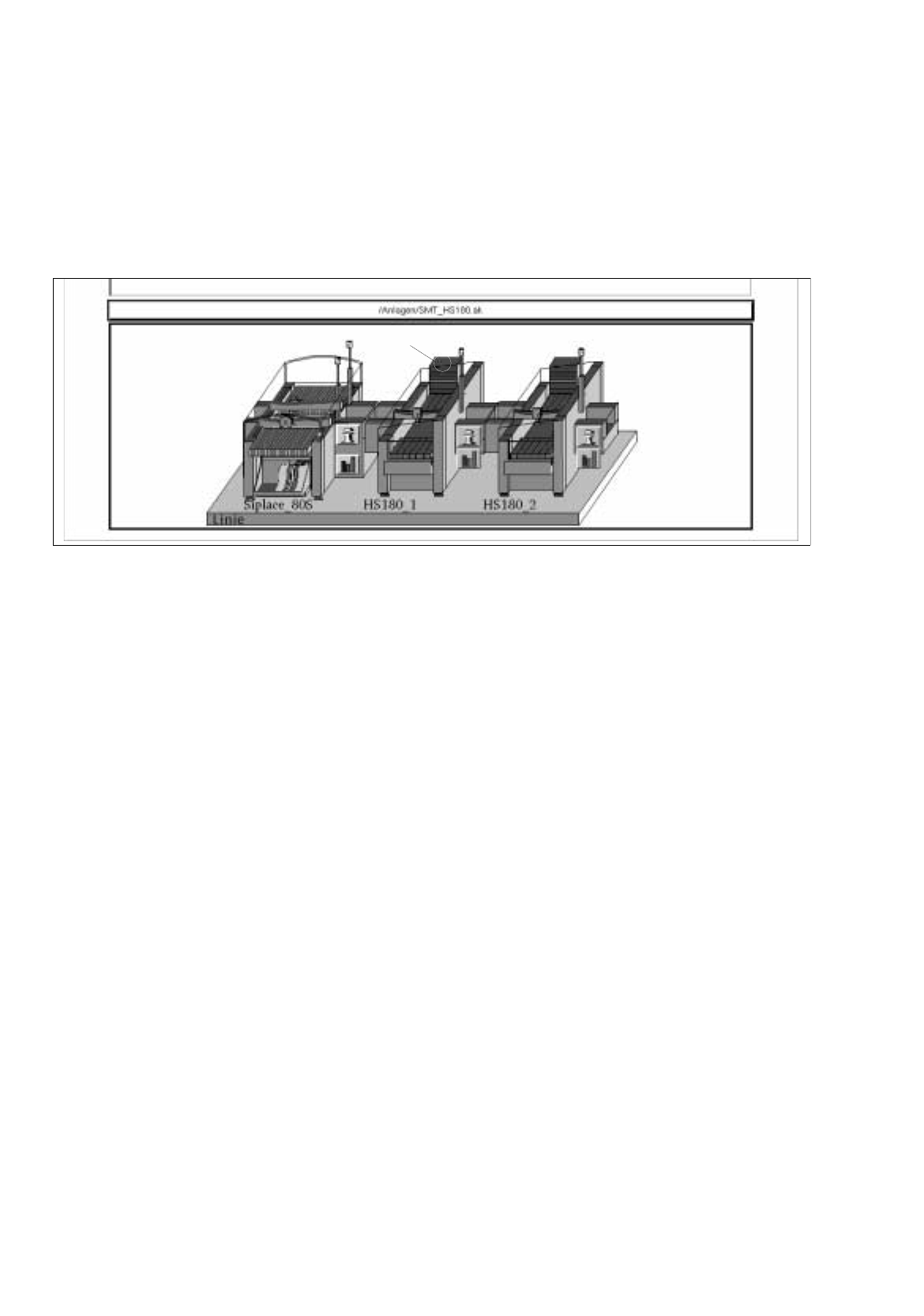
The Virtual Level of an HS180 is located above the left feeder part. Waffle-pack trays can be placed onto a
waffle-pack tray carrier at this level.
The WPC Editor for Virtual Levels is opened from the desktop (see Fig. 13.1.5).
Fig. 13.1.5 Starting the WPC Editor for the Virtual Level
●
Click on the Virtual Level.
The FSB containing the file selection "Set-up selection" is opened.
●
Select a set-up from the list or enter a name (xx.ar), click on OK.
The WPC Editor is opened.
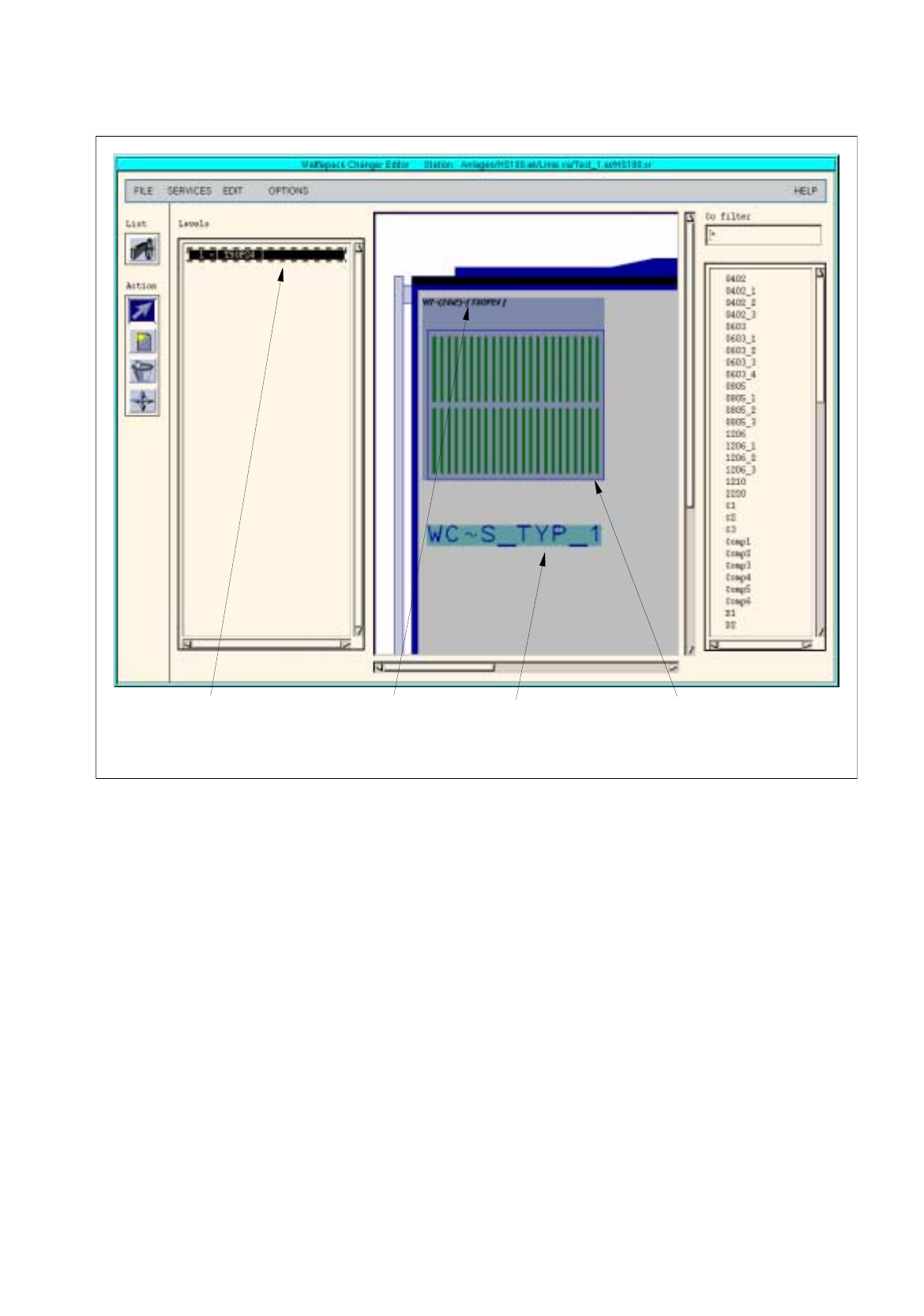
The WPC Editor for the Virtual Level disposes of one level only. For this level only type 1 waffle-pack trays can
be defined (see Fig. 13.1.6).
virtual level
User Manual Line Computer UNIX 13 Production Tools / Set-Up
Software Version 501.xx 01/99 Issue 13.1 Set-Up Editor (Feeder Part and WPC Editors)
13 - 11
Fig. 13.1.6 Main Window of the WPC Editor for the Virtual Level
Structure and operation of the WPC Editor for the Virtual Level and and that of the Waffle-Pack Changer are
identical and are described in detail in section 13.1.2.2.
If a Virtual Level exists, the same is displayed upon opening the Feeder Part Editor. The waffle-pack trays
defined thereon are, however, not displayed (see Fig. 13.1.7).
However, no waffle-pack trays can be allocated. Allocations can only be made in the WPC Editor.
waffle-pack tra
y
waffle-pack tra
y
displa
y
area "Levels"
(
one level onl
y)
carrier
Entr
y
of spacin
g
(
here: 24x2
)
and
component
(
here: TSOP24
)