00191413-01.pdf - 第482页
14 Control / Cont rol Modules User Manual Line Computer UNIX 14.4 Set-Up Modification Generator Software Version 501.xx 01/99 Issue 14 - 46 ● Confirm di alog box with Ok . ● Exit from the S et-Up Mod ificatio n Gener ato…
User Manual Line Computer UNIX 14 Control / Control Modules
Software Version 501.xx 01/99 Issue 14.4 Set-Up Modification Generator
14 - 45
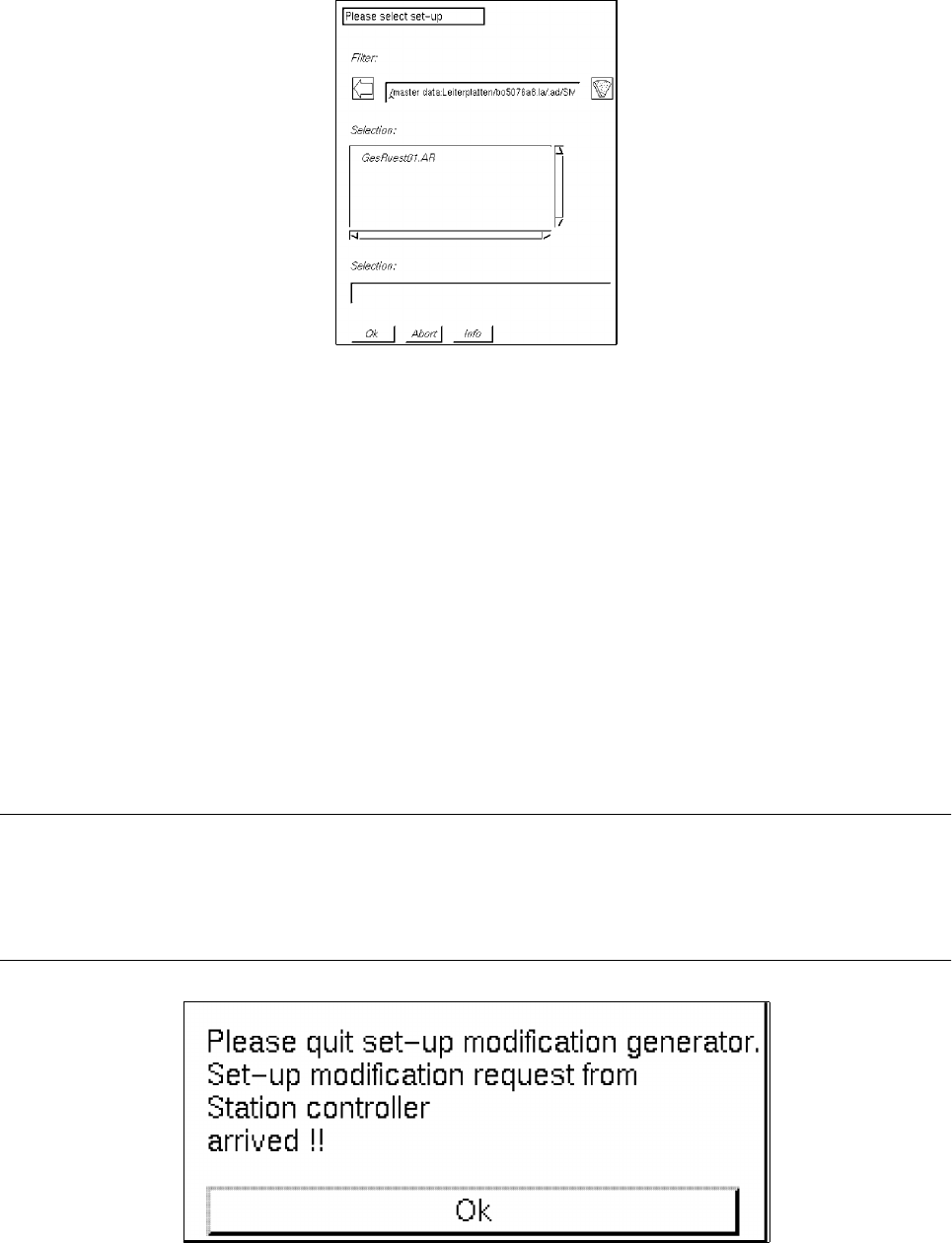
● Select set-up "xx.AR" by double-clicking.
The FSB is closed and the main window of the Set-Up Modification Generator is displayed on the
screen. In the display area of the main window the set-up portion of the selected PCB type for the
station selected from the selection field "Stations" is displayed (see Fig. 14.4.2).
14.4.4 Main Window of Set-Up Modification Generator
The main window is opened upon each selection made in the selection window of the Set-Up Modification
Generator, or, for example, through a station controller if a changeover from the current set-up (initial set-up)
to a follow-up set-up is required for the processing of the PCB scheduled for production.
The main window provides the operator, for example, with the data of the initial set-up and the instructions for
the changeover to a follow-up set-up of a selected station.
NOTE
In the case that a changeover request - initiated by a requesting program, e.g. the Job Control (see section
0.2) is received after the main window of the Set-Up Modification Generator has been opened by the
operator, the station controller’s changeover request is given priority. The following dialog box is displayed.
14 Control / Control Modules User Manual Line Computer UNIX
14.4 Set-Up Modification Generator Software Version 501.xx 01/99 Issue
14 - 46
● Confirm dialog box with Ok.
● Exit from the Set-Up Modification Generator via the menu by selecting Quit.
The Set-Up Modification Generator opened by the operator is closed and only the Set-Up
Modification Generator opened by the station controller is displayed as the topmost window.
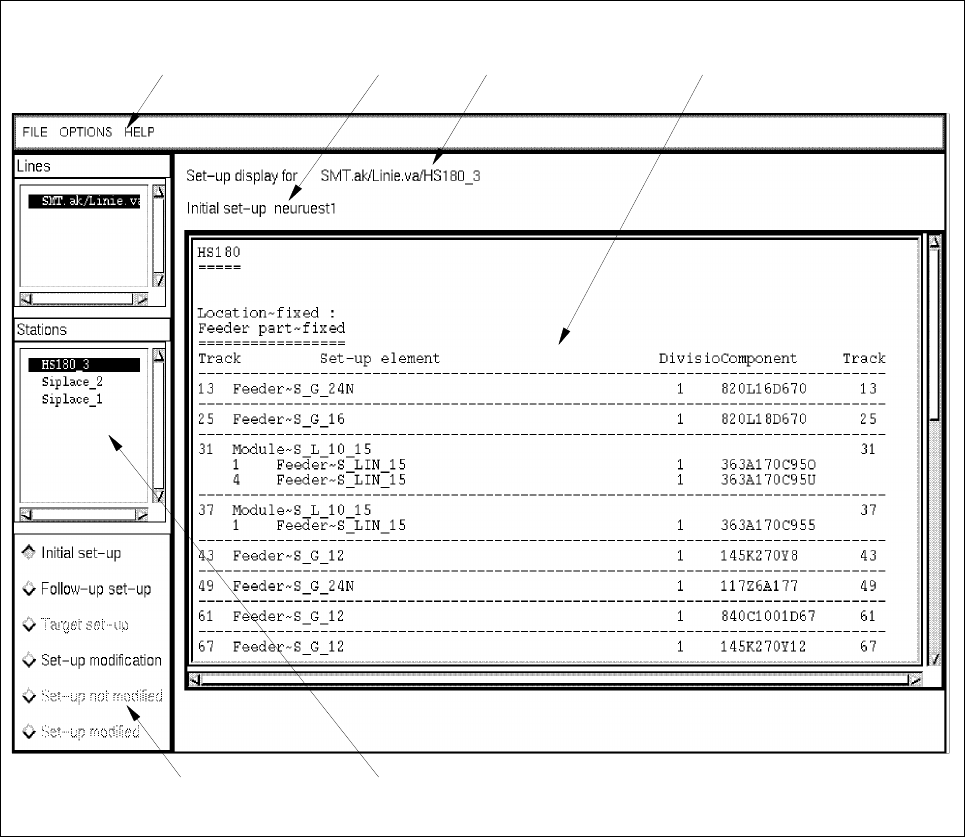
Fig. 14.4.2 Main Window of the Set-Up Modification Generator
In the following, the different areas of the main window of the Set-Up Modification Generator and their functions
are explained.
The main window is subdivided as follows:
- Menu bar
- Message and status line
- Selection fields "Sublines" and "Stations"
- Command area
- Display area
selection field "Stations" command area
menu bar message line status line display area

User Manual Line Computer UNIX 14 Control / Control Modules
Software Version 501.xx 01/99 Issue 14.4 Set-Up Modification Generator
14 - 47
Menu bar
The menu bar contains the menus "FILE", "OPTIONS" and "HELP".
The "FILE" menu is described in section 14.4.4.1.
The "OPTIONS" menu is described in section 14.4.3.1.
NOTE
Since the functions and the operation of the menus "FILE", "OPTIONS" and "HELP" are similar to those in
other application programs of the line computer, they are described comprehensively in chapt. 2.
Status line
The status line displays the subline and station selected from the corresponding selection fields and which the
current set-up applies to.
Message line
The message line always displays the type of set-up and the name of the set-up shown, or, in the case of
changeover instructions, the name of the inital and folllow-up set-ups.
Selection field "Sublines"
In this field the subline is selected that comprises the stations required for a set-up changeover or for which the
display of a given set-up type is desired.
Selection field "Stations"
In this field all stations that are part of the selected line are listed.
From the list a station is selected for which a given set-up type is to be displayed, or for which set-up changeover
instructions are to be generated and displayed.
Command Area
In the command area the set-up type which is to be displayed in the display area can be selected.
It is possible to initiate the generation and display of instructions for the changeover from an initial set-up to a
follow-up set-up.
Moreover, when a changeover request has been received from a station controller, the operator can indicate
whether he has performed the physical set-up changeover on a station or not by clicking on the appropriate
button. Function and execution of the various commands are described in section 14.4.4.2.
Display area
This area serves to display the type of set-up for a selected station that was selected in the command area, or
the changeover instructions generated for this station.