00191413-01.pdf - 第563页
User Manual Line Computer UNIX 17.3 Description of Components and PCBs Software Version 501.xx 01/99 Issue 17.3.2 PCB 2: Focus on Packa g e Form Description 17 - 3 1 To create the first pin group (pins 5 and 7) at the to…
17.3 Description of Components and PCBs User Manual Line Computer UNIX
17.3.2 PCB 2: Focus on Packa
g
e Form Description Software Version 501.xx 01/99 Issue
17 - 30
continued from pa
g
e 17-28
Entering handling
data
Package form description for package form 1503
Creating pin group
Accepting pin model
Creating pin group
Defining pin model
continued on pa
g
e 17-32
User Manual Line Computer UNIX 17.3 Description of Components and PCBs
Software Version 501.xx 01/99 Issue 17.3.2 PCB 2: Focus on Packa
g
e Form Description
17 - 31
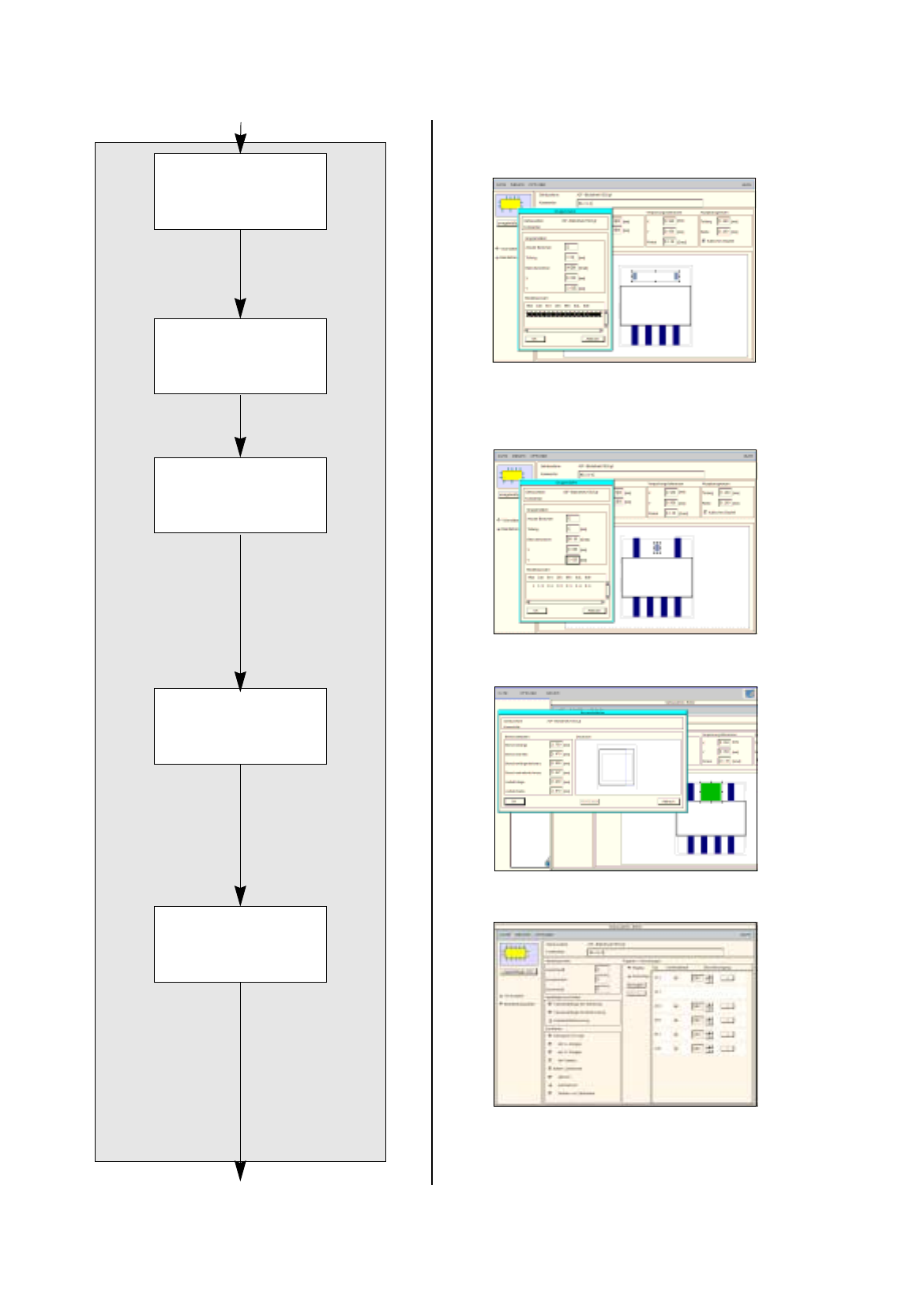
To create the first pin group (pins 5 and 7) at the top and to adopt the pin model from the pin group at
the bottom, proceed as follows:
75. Click on the
Create
button.
The Group data window is opened.
76. Overwrite the default values in the editin
g
fields with the pin
g
roup data for packa
g
e form 1503
(
see dis-
pla
y
s in On-Line Help
)
and confirm b
y
pressin
g
the Enter ke
y
, here: see chart:
Ever
y
time the Enter ke
y
is pressed, the displa
y
of the pin
g
roup
(g
ra
y
areas
)
is updated.
77. In the selection field Model selection click on the model data of the lower pin
g
roup created.
78. Click on the
OK
button.
The Group data window is closed. The Model data for the upper pin
g
roup are adopted. The packa
g
e
form is now displa
y
ed with the pins on the bottom side and the two pins on the top side.
To create the second pin group at the top (pin 6), proceed as follows:
79. Click on the
Create
button.
The Group data window is opened.
80. Overwrite the default values in the editin
g
fields with the Pin
g
roup data for packa
g
e form 1503
(
see dis-
pla
y
s in On-Line Help
)
and confirm the entr
y
b
y
pressin
g
the Enter ke
y
, here: see chart:
Ever
y
time the Enter ke
y
is pressed the displa
y
of the pin
g
roup
(
g
ra
y
areas
)
is updated.
81. Click on the
OK
button.
The Group data window is closed.
To define the pin model for the second pin group at the top, proceed as follows:
82. Select one of the two pin
g
roups b
y
clickin
g
on it.
83. Click on the
Pin/Ball
button.
The Pin model data window is opened.
84. Enter the pin model data, here: see chart:
In this example, the automaticall
y
calculated values of the other editin
g
fields can be adopted.
The pin model is displa
y
ed
g
raphicall
y
and updated after ever
y
entr
y
.
85. Click on the
OK
button.
The Pin model data window is closed. The pins of the packa
g
e forms are now completel
y
defined. The
displa
y
corresponds to the packa
g
e form on the data sheet.
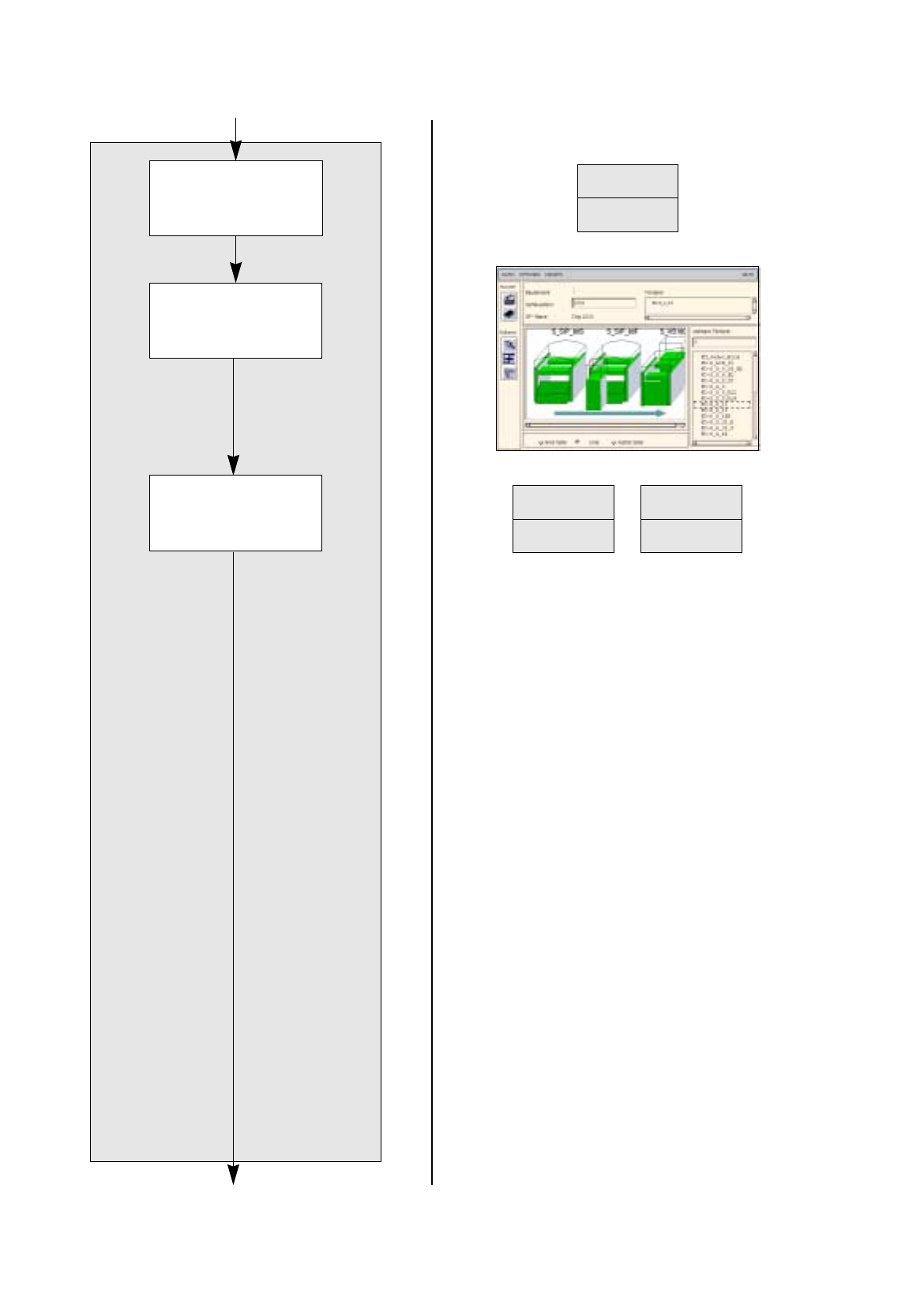
To define the handling data for package form 1503, proceed as follows:
86. Activate the
Handling data
button.
The screen for enterin
g
the handlin
g
data is displa
y
ed.
87. Activate the
Nozzle
button in the command area.
88. Click on the
Create
button.
The Nozzle t
y
pe selection window containin
g
a list of the nozzle t
y
pes is opened.
89. Click on a nozzle, here:
615
.
The selection window closes, the nozzle is transferred to the view area.
90. Select all other nozzle re
q
uired accordin
g
l
y
, here:
618.
91. Activate the
Sensor type
button.
92. Click on the
Create
button.
The Sensor t
y
pe selection window containin
g
a list of the sensor t
y
pes is opened.
93. Click on the sensor t
y
pe
,
here:
9
.
The selection window closes, the sensor t
y
pe is transferred to the view area.
No. of pins Spacing Pin angle
X (BG
Off
) Y (BG
Off
)
1 1 90 0 2.625
Pin length BL Pin width b1
1.75 1.87
No. of pins Spacing e1 Pin angle
X (BG
Off
) Y (BG
Off
)
2 3.81 90 0 2.625
17.3 Description of Components and PCBs User Manual Line Computer UNIX
17.3.2 PCB 2: Focus on Packa
g
e Form Description Software Version 501.xx 01/99 Issue
17 - 32
FILE
Save
FILE
Save
FILE
Quit
Allocating a package
form to a feeder
continued from pa
g
e 17-30
Saving package form
to feeder allocation
Package form description for pack. form 1503
continued on pa
g
e 17-34
Saving package form
data