00191413-01.pdf - 第64页
2 General Information on Using the P rogram User Manual Line Co mputer UNIX 2.5 Menu Bar in the Application Window Software Version 501.xx 01/99 Issue 2 - 30 2.5.3.1 Basic Information on Using the Hel p Index Invoking th…

User Manual Line Computer UNIX 2 General Information on Using the Program
Software Version 501.xx 01/99 Issue 2.5 Menu Bar in the Application Window
2 - 29
2.5.3 Functions of the HELP Menu
- Online HELP On/Off
This software switch activates or deactivates the on-screen Help system (see also section 2.1.2).
Turning the online Help system on
● Select HELP --> Online HELP On/Off from the menu bar of the active application window.
The on-screen Help system is active.
● Drag the mouse pointer onto the desired object (e.g. command "Delete").
The help window is displayed directly adjacent to the selected object. If the mouse pointer is
moved away from the object, the help window is closed automatically.
NOTE
The online Help system remains available in the active application window until it is deactivated again
(see below).
Turning the online help system off
● Select HELP --> Online HELP On/Off from the menu bar of the active application window.
The online Help system is deactivated.
- Index
This menu option allows the Help Index to be called up (see section 2.5.3.1).
● Select HELP --> Index.
The Help window containing a listing of all available help topics is opened.
● Click on the desired topic (underlined entry in green type).
Information on the selected Help topic is displayed in the Help window.
NOTE
Further basic information on using the Help system is contained in section 2.5.3.1.
2 General Information on Using the Program User Manual Line Computer UNIX
2.5 Menu Bar in the Application Window Software Version 501.xx 01/99 Issue
2 - 30
2.5.3.1 Basic Information on Using the Help Index
Invoking the Help Index
● Select HELP --> Index.
The Help window containing a list of all available Help topics is opened.
● Click on the desired topic.
The information about the selected topic is displayed in the Help window.
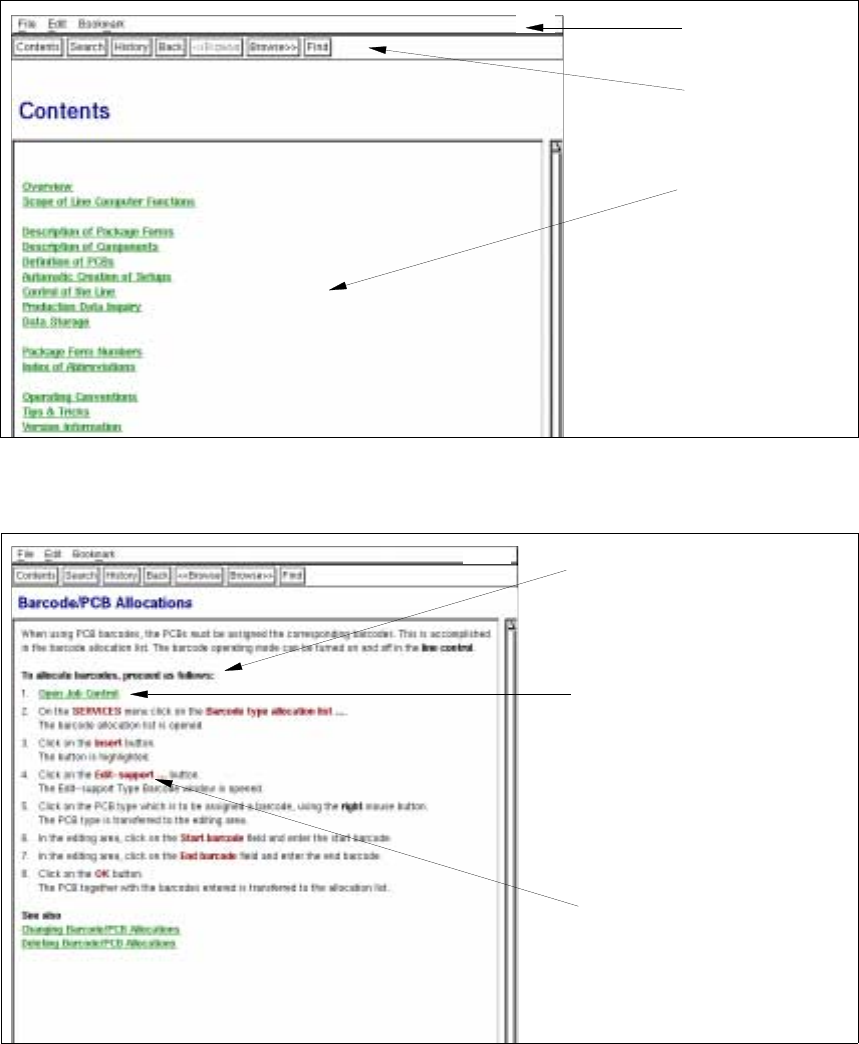
Menu bar
Command line
Selection list
of help topics
Help topic
Sensitive text area
(link to more
detailed information
on the current topic))
Term from the user interface
of the LC program
User Manual Line Computer UNIX 2 General Information on Using the Program
Software Version 501.xx 01/99 Issue 2.5 Menu Bar in the Application Window
2 - 31
Explanation of Text Marking in the Help Window:
In the following, the meaning of the different highlighting of terms or text portions in the help window is explained:
● As a rule, the terms of the help topics appear in green type and are underlined.
The Help Index comprises two týpes of underlining with different meanings:
- When a term or text portion underlined with a solid line is clicked on, the user obtains information on
the selected topic in the help window.
- The Help Index glossary contains terms underlined with a dotted line.
If such a term is clicked on, the user obtains, in a separate box, a quick definition of the term.
● Terms from the user interface of the LC program are highlighted in red.
They cannot be selected.
Menu Bar
The menus "File", "Edit" and "Bookmark" are contained on the menu bar.
- File
The "File" menu contains the "Exit" menu option by means of which the Help Index facility can be exited.
● Click on File --> Exit.
The Help window is closed.
- Edit
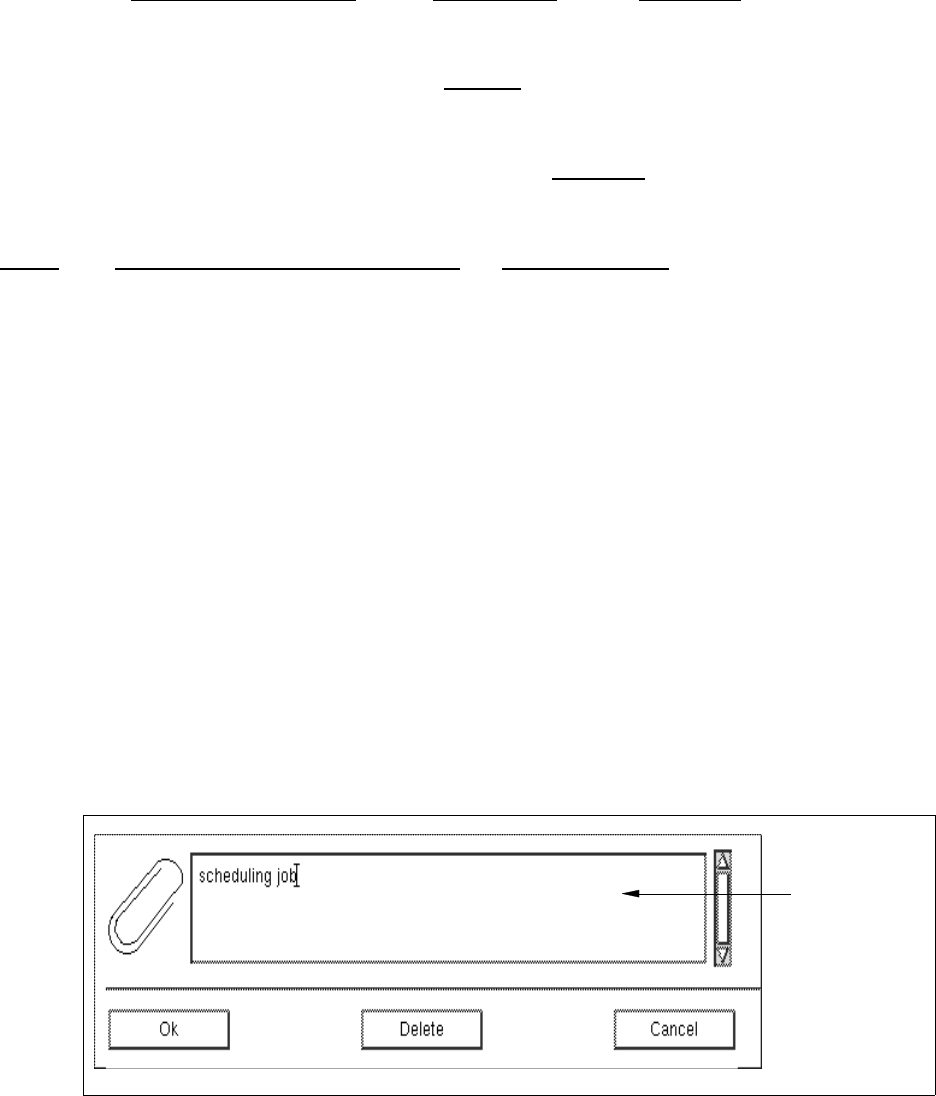
The "Edit" menu contains the "Annotate..." menu option. It allows the user to add his own notes to the
current Help topic.
● Select the Help topic to which you wish to add a note.
● Click on Edit --> Annotate...
The dialog box for entering the note is opened.
editing field