00193906-05.pdf - 第12页
Software Installation Manual Windows 2000 Professional for SIPLACE Computer Edition 03/2006 US + DE 5.1.6 Checking the hardware requirements With the information from the previous dialog, a har dware check will start. If…
Software Installation Manual Windows 2000 Professional for SIPLACE Computer Edition 03/2006 US + DE
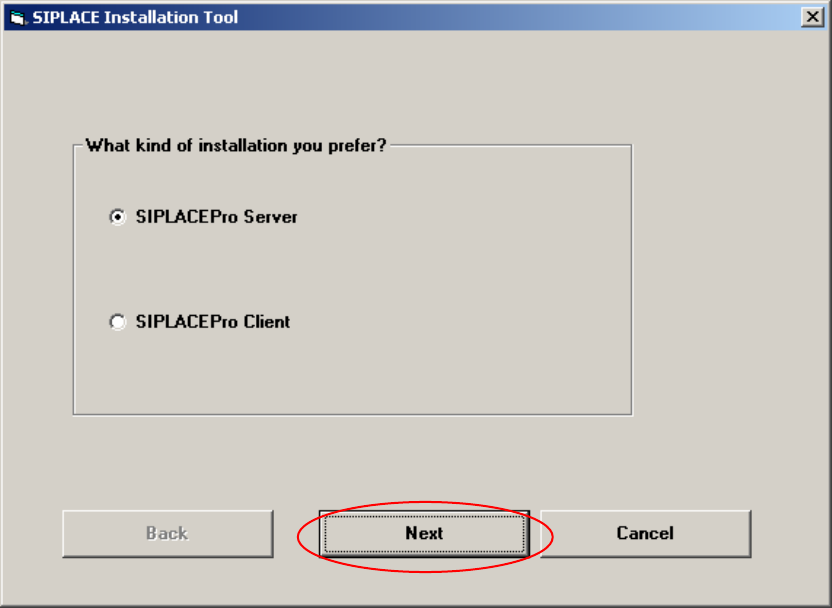
5.1.5 Investigation of the SIPLACE installation types
With this information, setup is able to lead you through the correct Windows 2000 Professional
installation for your SIPLACE product.
Fig. 5-4: Kind of installation
→ Select the correct radio button.
→ Click the Next button.
11
Software Installation Manual Windows 2000 Professional for SIPLACE Computer Edition 03/2006 US + DE
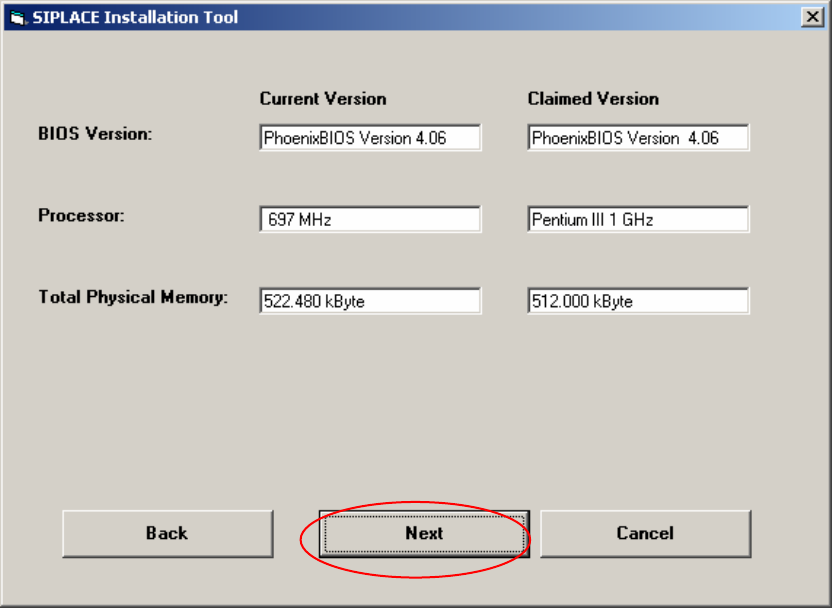
5.1.6 Checking the hardware requirements
With the information from the previous dialog, a hardware check will start. If there is something wrong,
an error message will appear, but the installation will not stop!
Fig. 5-5: Display of the hardware information (example)
→ Click the Next button.
12
Software Installation Manual Windows 2000 Professional for SIPLACE Computer Edition 03/2006 US + DE
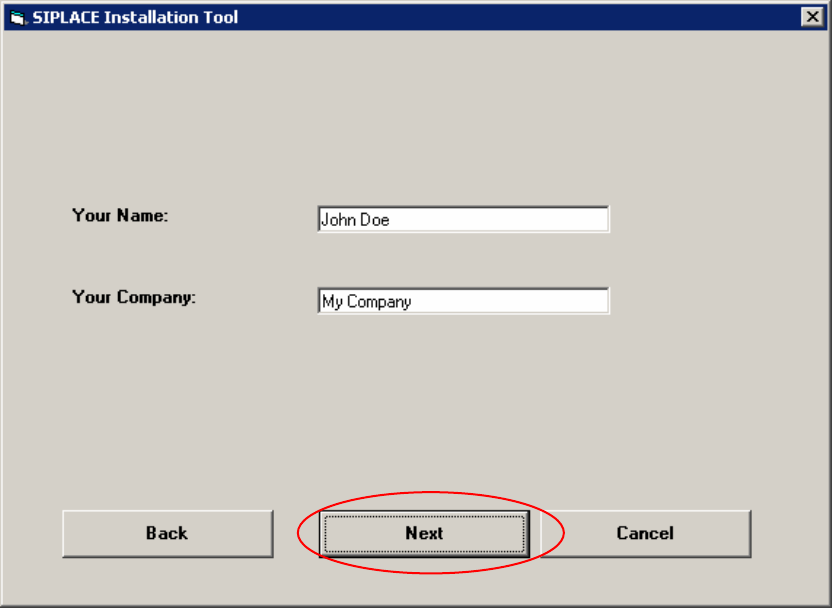
5.1.7 Windows 2000 Professional Licensing
In the following setup steps you have to enter all necessary parameters for the installation and
configuration of Windows 2000 Professional. Here you don’t have to enter the license key because
this Windows 2000 version is a special version for Siemens A&D AG.
Fig. 5-6: Licensing
→ Please enter the user name (not the administrator name).
→ Please enter the name of your Company.
→ Click the Next button.
13