00193906-05.pdf - 第9页
Software Installation Manual Windows 2000 Professional for SIPLACE Computer Edition 03/2006 US + DE 5.1.3 Preparation for the unatte nded setup Windows 2000 Professional Fig. 5-1: License Agreement → Select “ I Agree ” a…

Software Installation Manual Windows 2000 Professional for SIPLACE Computer Edition 03/2006 US + DE
5 Installation
5.1 Installation Steps
5.1.1 Notes
Note:
In the general part of the setup, you have to answer with „Yes“ or „No“. In the second
part you can switch between the wizard dialogs with „Next“ or „Back“ buttons.
With the „Cancel“ button you can abort the whole installation procedure.
5.1.2 Installation Procedure
→ Insert the BOOT CD-ROM (Boot CDROM for Windows 2000 Professional) to start the unattended
setup into the CD ROM drive.
→ Reboot the computer.
→ Please change the boot devices in your BIOS if the system doesn’t accept the CD ROM drive as
the boot medium.
8
Software Installation Manual Windows 2000 Professional for SIPLACE Computer Edition 03/2006 US + DE
5.1.3 Preparation for the unattended setup Windows 2000 Professional
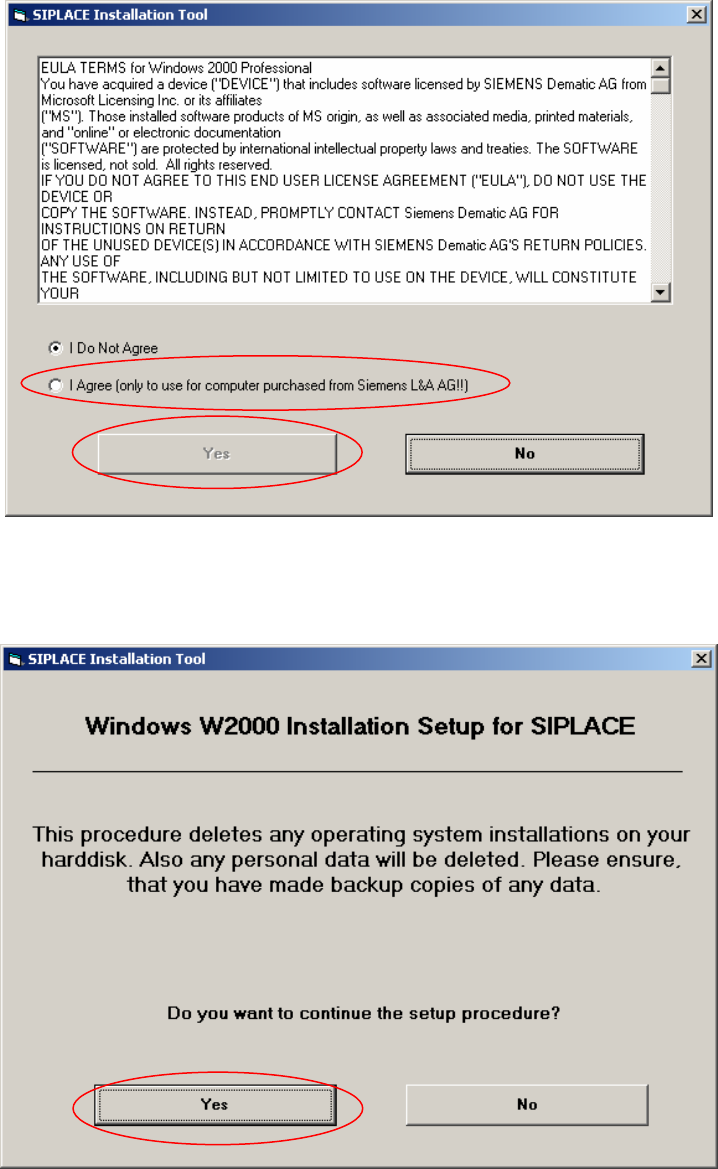
Fig. 5-1: License Agreement
→ Select “I Agree” and then click “Yes” to continue
9
Fi. 5-2: Start Screen
→ Click “Yes” to continue.
Software Installation Manual Windows 2000 Professional for SIPLACE Computer Edition 03/2006 US + DE
5.1.4 System partition
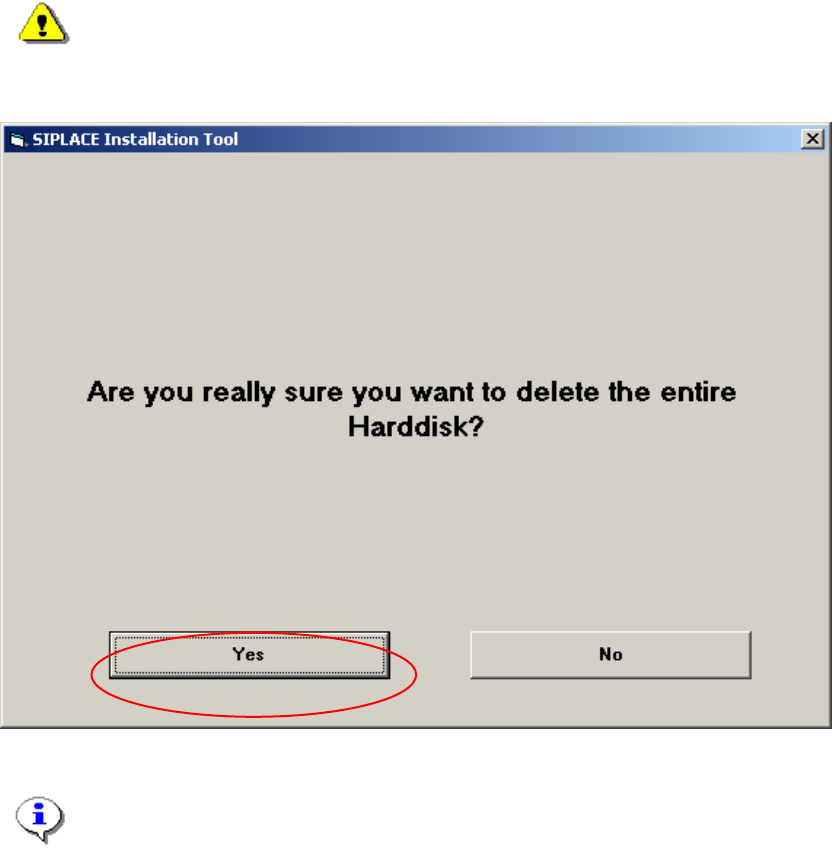
During the setup your hard drive will be partitioned.
Warning:
All data on your hard disk will be destroyed.
→ Please accept the partition:
Fig. 5-3: Warning
Note:
By clicking the „No“ button the complete setup procedure will be cancelled.
10