00195941-03-UM SiplaceCA-EN.pdf - 第216页
3 Technical Data User Manual SIPLACE CA 3.11 Controls on the SWS Edition 08/2011 EN 216 3.1 1.2 Description All the contr ols can be reached by a 1.40 m tall per son. EMERGENCY STOP button 3 The EMERGENCY STOP button lat…
User Manual SIPLACE CA 3 Technical Data
Edition 08/2011 EN 3.11 Controls on the SWS
215
3.11 Controls on the SWS
Each SWS features a monitor screen and keyboard.
The EMERGENCY STOP button is located on one side of the SWS together with the other con-
trols.
3.11.1 Controls and Displays
3
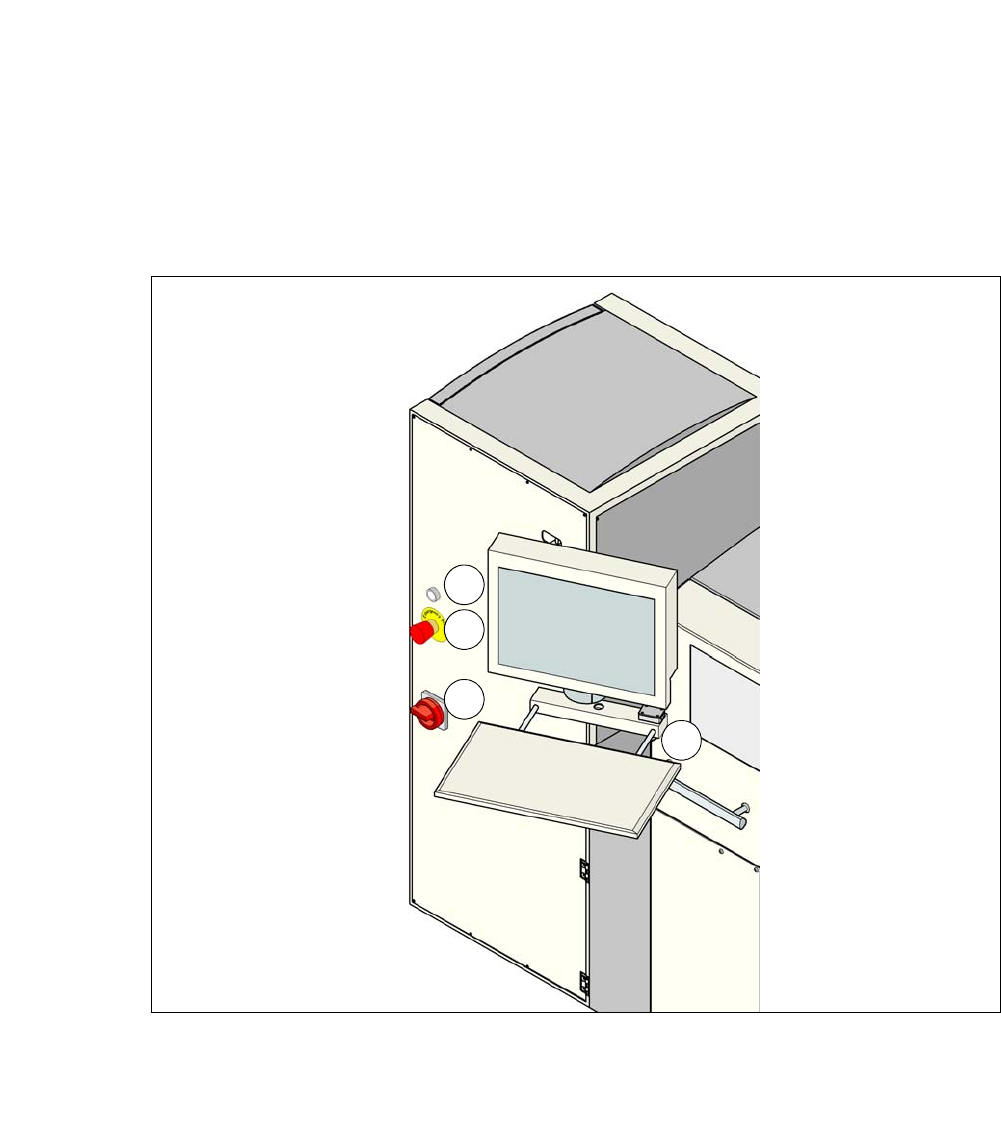
Fig. 3.11 - 1 Controls and displays
(1) Operating status indicator lamp (3) Power supply switch
(2) Emergency STOP switch (4) Monitor screen with keyboard
1
2
3
4

3 Technical Data User Manual SIPLACE CA
3.11 Controls on the SWS Edition 08/2011 EN
216
3.11.2 Description
All the controls can be reached by a 1.40 m tall person.
EMERGENCY STOP button 3
The EMERGENCY STOP button latches in the ON position when pressed. SWS and SIPLACE
switch to EMERGENCY STOP state. The power supply to all axes of the SWS is interrupted. Turn
the button to release it.
WARNING 3
Even when the emergency STOP button is activated, there are still some live voltages present.
Operating status indicator on the SWS 3
The operation status indicator lights up, if the SWS is switched on.
Main switch 3
The main switch is used for switching the power supply to the SWS on and off.
WARNING
Some parts inside the placement machine will still carry potentially lethal voltages, even when
the machine is switched off at the main switch. 3
LCD touchscreen 3
Each SWS features a flat screen monitor with LCD technology and touchscreen function.
Keyboard 3
The keyboard is located beneath the monitor. The keyboard is equipped with a USB port, which
can be used for storing data on an external data storage medium.
User Manual SIPLACE CA 3 Technical Data
Edition 08/2011 EN 3.12 Gantries
217
3.12 Gantries
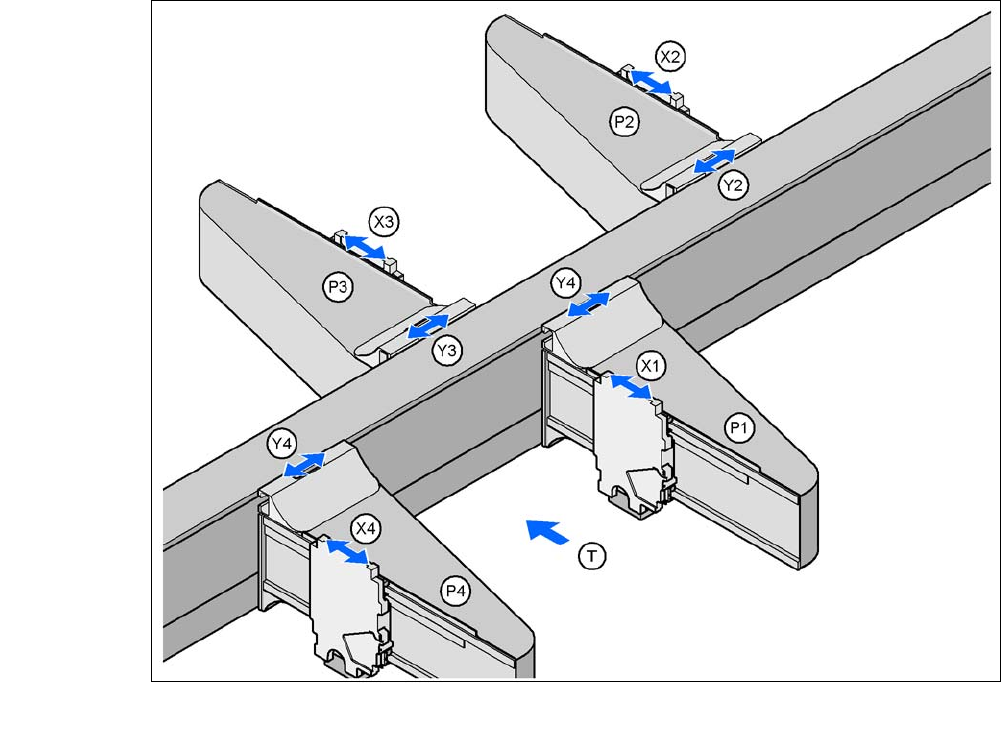
The gantry system consists of two functional groups
–X axis and
–Y axis
.
3.12.1 Position of Gantry in CA4 MachinesCA4
3
Fig. 3.12 - 1 Position of Gantry in CA4 MachinesCA4
P1, P2, P3, P4 (gantry 1 - 4) X3X axis, gantry 3
X1X axis, gantry 1 Y3Y axis, gantry 3
Y1Y axis, gantry 1 X4X axis, gantry 4
X2X axis, gantry 2 Y4Y axis, gantry 4
Y2Y axis, gantry 2 (T)Direction of PCB transport
Placement area 2
Placement area 1