00195941-03-UM SiplaceCA-EN.pdf - 第383页
User Manual SIPLACE CA 6 Component and Die Handling Edition 08/2011 EN 6.1 X Feeder Modules for the Component Trolley from the SIPLACE X Series 383 6 Fig. 6.1 - 4 Operator panel of the X feeder module (1) Operator p anel…
6 Component and Die Handling User Manual SIPLACE CA
6.1 X Feeder Modules for the Component Trolley from the SIPLACE X Series Edition 08/2011 EN
382
6
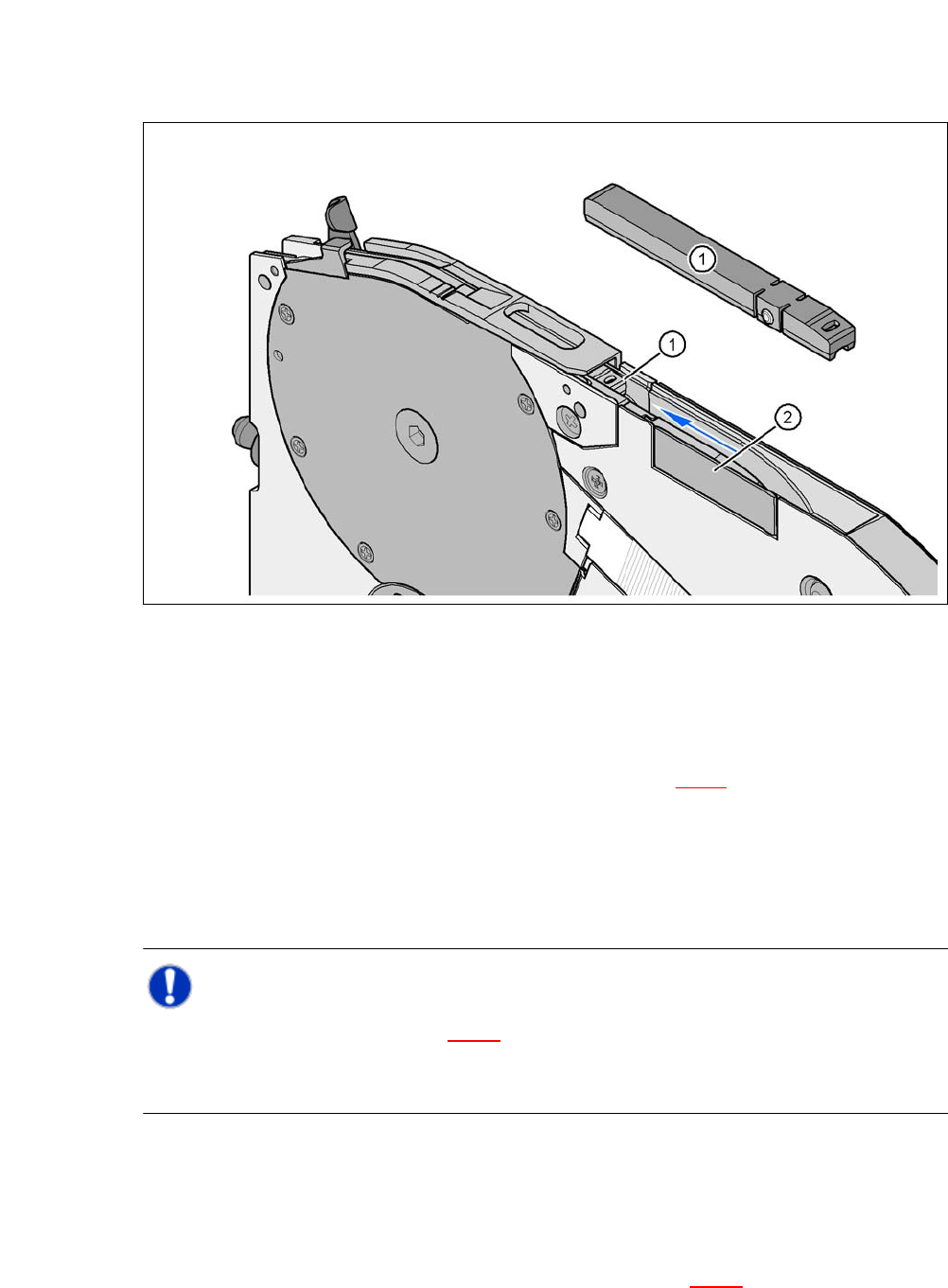
Fig. 6.1 - 3 8 mm X feeder module - tape support and splice sensor
(1) Tape support, removable
(2) Mounting location for the splice sensor
The 8 mm X feeder is equipped with a tape support (item 1 in fig. 6.1 - 3
). It can easily be removed
if necessary.
Insert the tang of a watchmaker's screwdriver into the oval opening in the tape support and
pull the tape support out against the direction of travel of the tape.
When you insert the tape support, make sure that it engages in its desired position.
NOTE 6
Insert the tape support (item 1 in fig. 6.1 - 3
) into the 8 mm X feeder for all 0402 components and
smaller. This will give you a constant Z pick up height and will minimize the time needed to cor-
rect the pick up heights.
Splice sensors can be retrofitted to the X tape feeder modules. There are two versions of the sen-
sor:
Splice sensor for 8 mm and 12 mm X tape feeder modules
Splice sensor for 16 mm to 88 mm X tape feeder modules 6
The splice sensor is installed at the point marked as item 2 in fig. 6.1 - 3
.
User Manual SIPLACE CA 6 Component and Die Handling
Edition 08/2011 EN 6.1 X Feeder Modules for the Component Trolley from the SIPLACE X Series
383
6
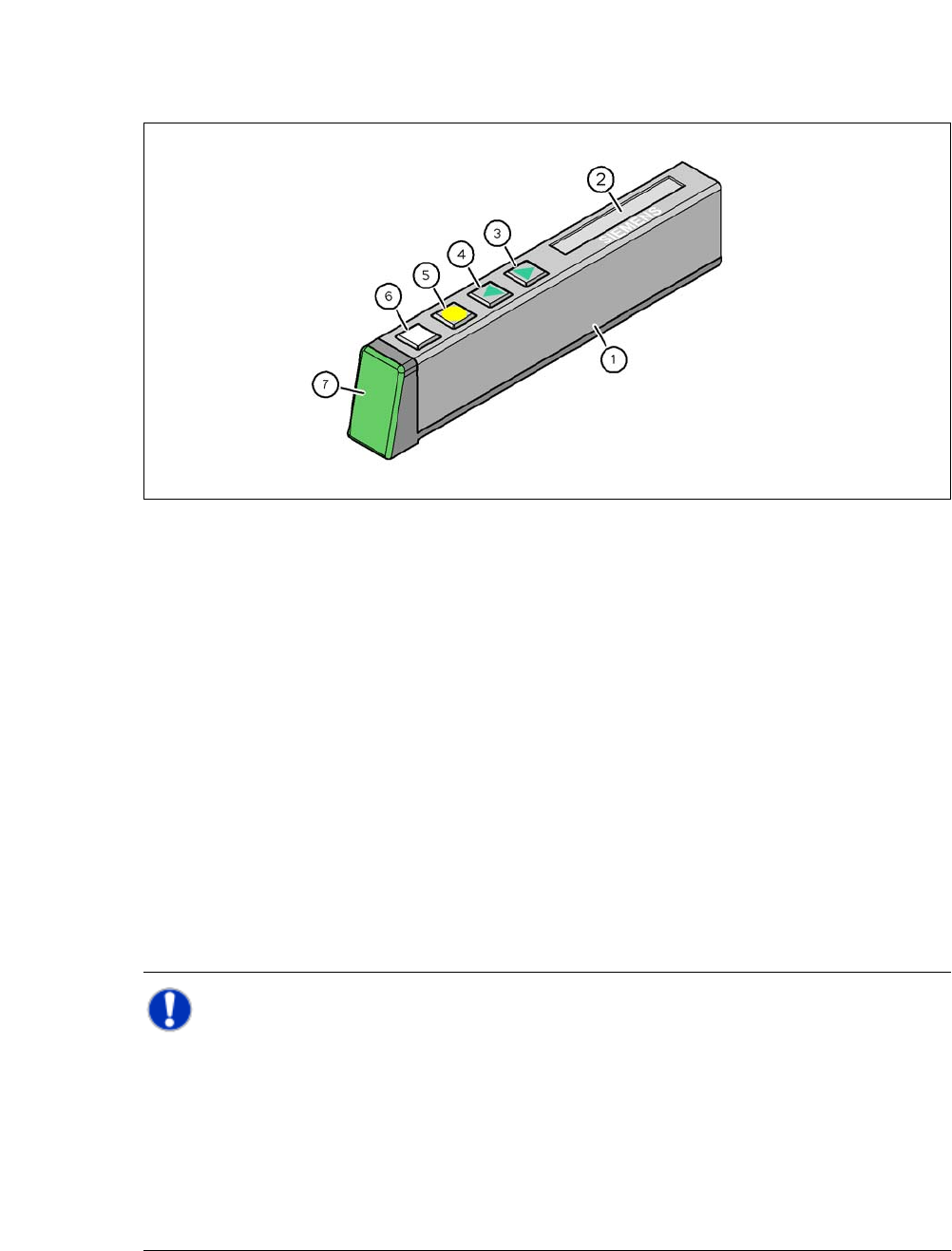
Fig. 6.1 - 4 Operator panel of the X feeder module
(1) Operator panel of the X feeder module
(2) LCD display
In the basic setting, the track number and conveyor increment are displayed.
(3) "FORWARD" button
(4) "BACK" button
(5) "FOIL" button
(6) "SET" button
(7) Multicolor status display
green ready to operate
orange warning
rot error
off Feeding module is not included in the set up
6
NOTE 6
The machine controller switches off the status display of any feeder modules not included in the
setup. The "LED off" status only occurs when the programming system has preset a job on the
line. This takes some of the work away from the operator since he only has to watch those feeder
modules that are contained in the setup.
For the actual setup process - no setup information at the station, no job sent from SIPLACE Pro
to the station/line - the LED on each feeder module is activated after the setup has been made.
The operator is thus informed whether everything is OK.
6
6 Component and Die Handling User Manual SIPLACE CA
6.1 X Feeder Modules for the Component Trolley from the SIPLACE X Series Edition 08/2011 EN
384
6.1.2 Technical Data for the SIPLACE X Series Feeder Modules
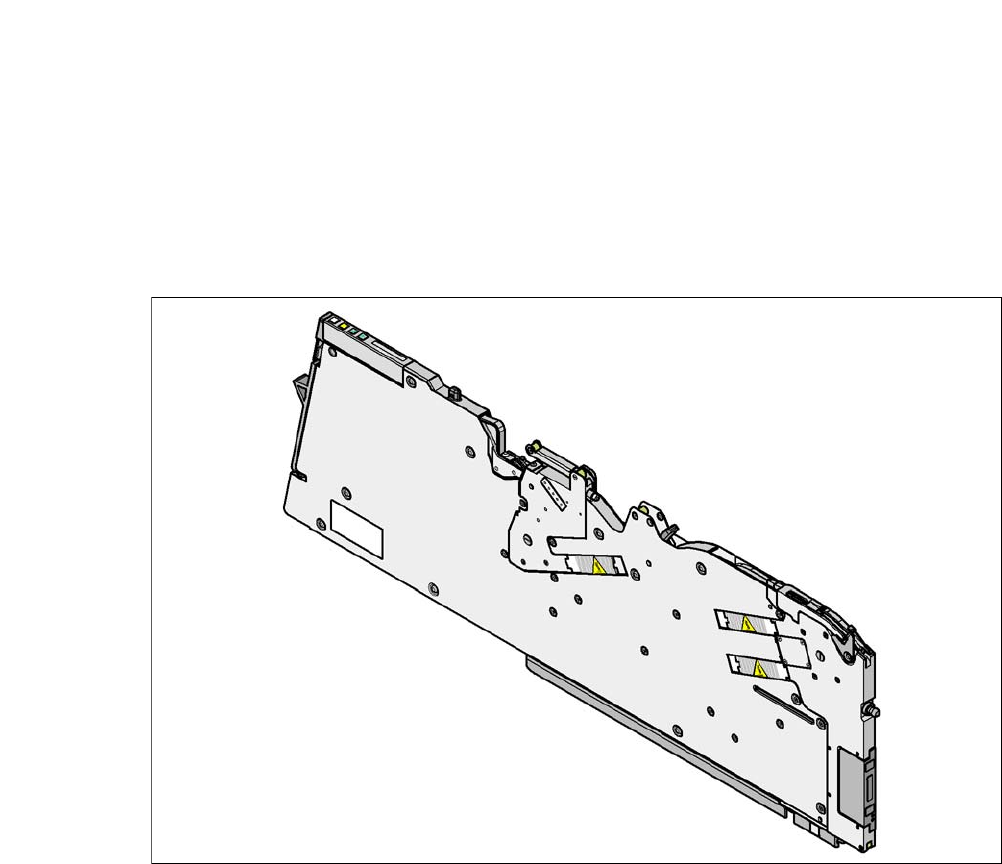
The following pages contain pictures of the X-series feeder modules and the technical data.
6.1.2.1 8 mm X Tape Feeder Module
6
Fig. 6.1 - 5 8 mm X tape feeder module
6
8 mm X tape feeder module [00141270-xx]
8 mm X tape feeder module with splice sensor [00141290-xx]
Width 10.8 mm
Feeder module locations filled 1
Conveyor increment 1 mm / 2 mm / 4 mm / 8 mm
Changeover time for the component tape < 45 s
Changeover time for the pre-set feeder module
on the machine
< 15 s