00195941-03-UM SiplaceCA-EN.pdf - 第89页
User Manual SIPLACE CA 2 Operational Safety Edition 08/2011 EN 2.8 Safety Equipment 89 2.8.2.4 Position of Protective Switches at the Ma chine 2 Fig. 2.8 - 5 Position of protective switches at the machine 2 (1) Protectiv…

2 Operational Safety User Manual SIPLACE CA
2.8 Safety Equipment Edition 08/2011 EN
88
Main switch in OFF position 2
WARNING
Individual SWS components can still carry potentially lethal voltages even if the main power switch
is switched off:
Death, serious injury or considerable damage may result if these automatic placement sys-
tems are handled incorrectly.
Always follow the applicable accident prevention and DIN regulations (particularly DIN EN 60
204, part 1) and the applicable regulations in your own country.
The safety door to the power supply must ONLY be opened by appropriately qualified and
trained personnel.
Main switch in ON position 2
The SWS computer starts when the main switch is switched on.
User Manual SIPLACE CA 2 Operational Safety
Edition 08/2011 EN 2.8 Safety Equipment
89
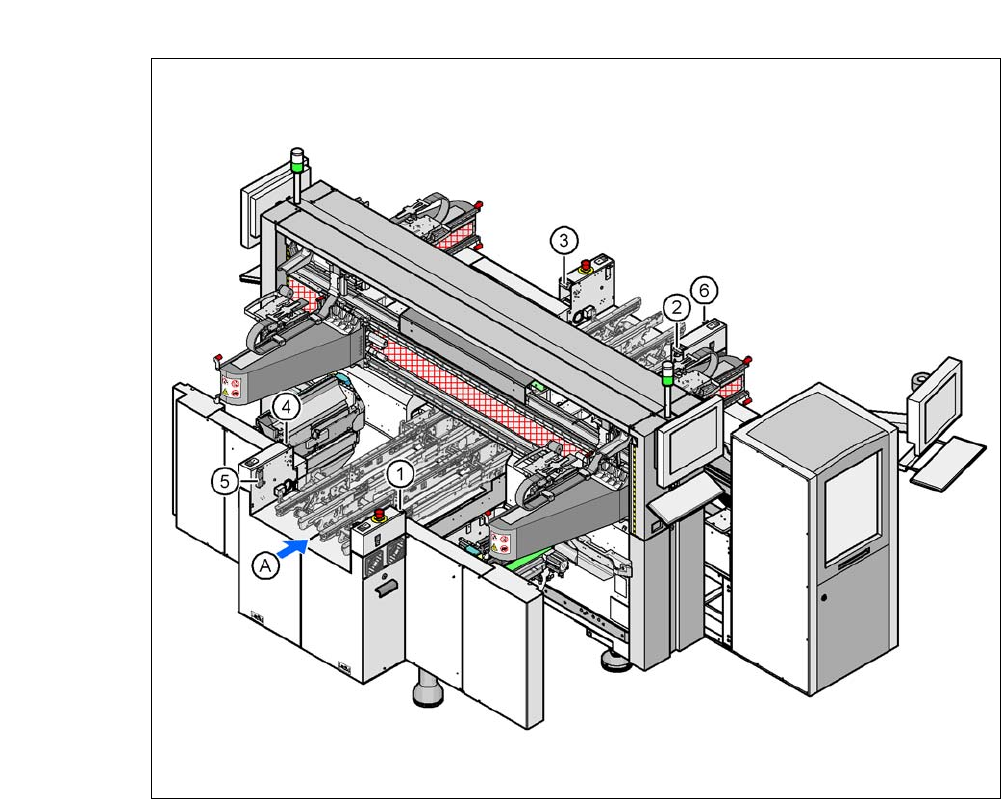
2.8.2.4 Position of Protective Switches at the Machine
2
Fig. 2.8 - 5 Position of protective switches at the machine
2
(1) Protective cover switch, location 1
(2) Protective cover switch, location 2
(3) Protective cover switch, location 3
(4) Protective cover switch, location 4
(5) Protective switch for the cover flap on the PCB conveyor input side
(6) Protective switch for the cover flap on the PCB conveyor output side
(A) PCB transport direction
2 Operational Safety User Manual SIPLACE CA
2.8 Safety Equipment Edition 08/2011 EN
90
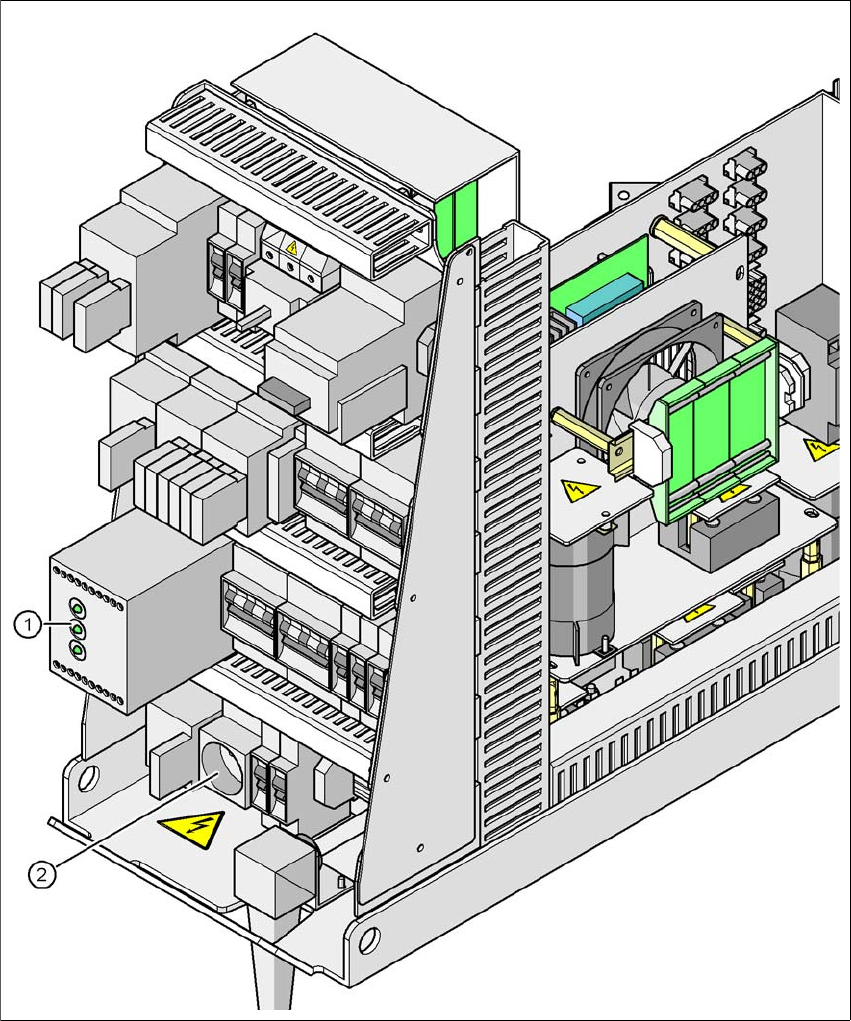
2.8.3 Position of Protective Contactor Combination and Service Socket
2
Fig. 2.8 - 6 Position of protective contactor combination and service socket
2
(1) Protective contactor combination
(2) Service socket