88242361-04-01 Vol 1 DEK TQ TECHNICAL REFERENCE (1).pdfPDFA.pdf - 第89页
6 MACHINE CONTROL 6.5 ENCODER SERIAL INPUT OR OUTPUT (ESIO) MODULES TECHNICAL REFERENCE MANUAL DEK TQ 04/2021 89 6.5.1 ESIO 12 IO 1 IO 2 IO 3 IO 4 IO 5 IO 6 IO 7 IO 8 IO 9 IO 10 IO 1 1 IO 12 IO 13 IO 14 IO 15 IO 16 IO 17…
6 MACHINE CONTROL
6.5 ENCODER SERIAL INPUT OR OUTPUT (ESIO) MODULES
88 TECHNICAL REFERENCE MANUAL DEK TQ 04/2021
6.5 ENCODER SERIAL INPUT OR OUTPUT (ESIO) MODULES
The ESIO modules connect to the CPM using serial cable and are located close to the mechanical
module that they relate to. There are three different types of ESIO modules located around the
machine:
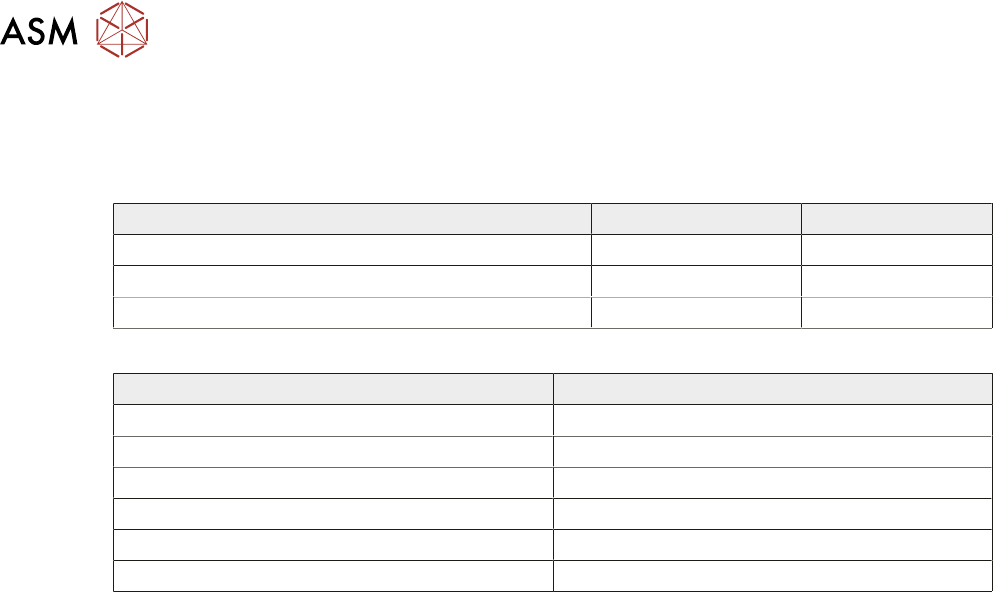
ESIO 12 ESIO 15
Digital Input and Output Ports 24 16
Encoder Ports 4 2
ADC and DAC Ports 0 1
The following table indicates what type of ESIO is used:
Item Type
ESIO-1 ESIO 12
ESIO-2 ESIO 15
ESIO-3 ESIO 12
ESIO-4 ESIO 12
ESIO-5 ESIO 15
ESIO-6 ESIO 15
6 MACHINE CONTROL
6.5 ENCODER SERIAL INPUT OR OUTPUT (ESIO) MODULES
TECHNICAL REFERENCE MANUAL DEK TQ 04/2021 89
6.5.1 ESIO 12
IO1
IO2
IO3
IO4
IO5
IO6
IO7
IO8
IO9
IO10
IO11
IO12
IO13
IO14
IO15
IO16
IO17
IO18
IO19
IO20
IO21
IO22
IO23
IO24
ENC4 ENC2
ENC3 ENC1
+24V3 +24V2
+24V1
ENCFAULT
4 3 2 1 +5V
16
15
141312
11
10
9
8
7
6
5
3
4
2
1
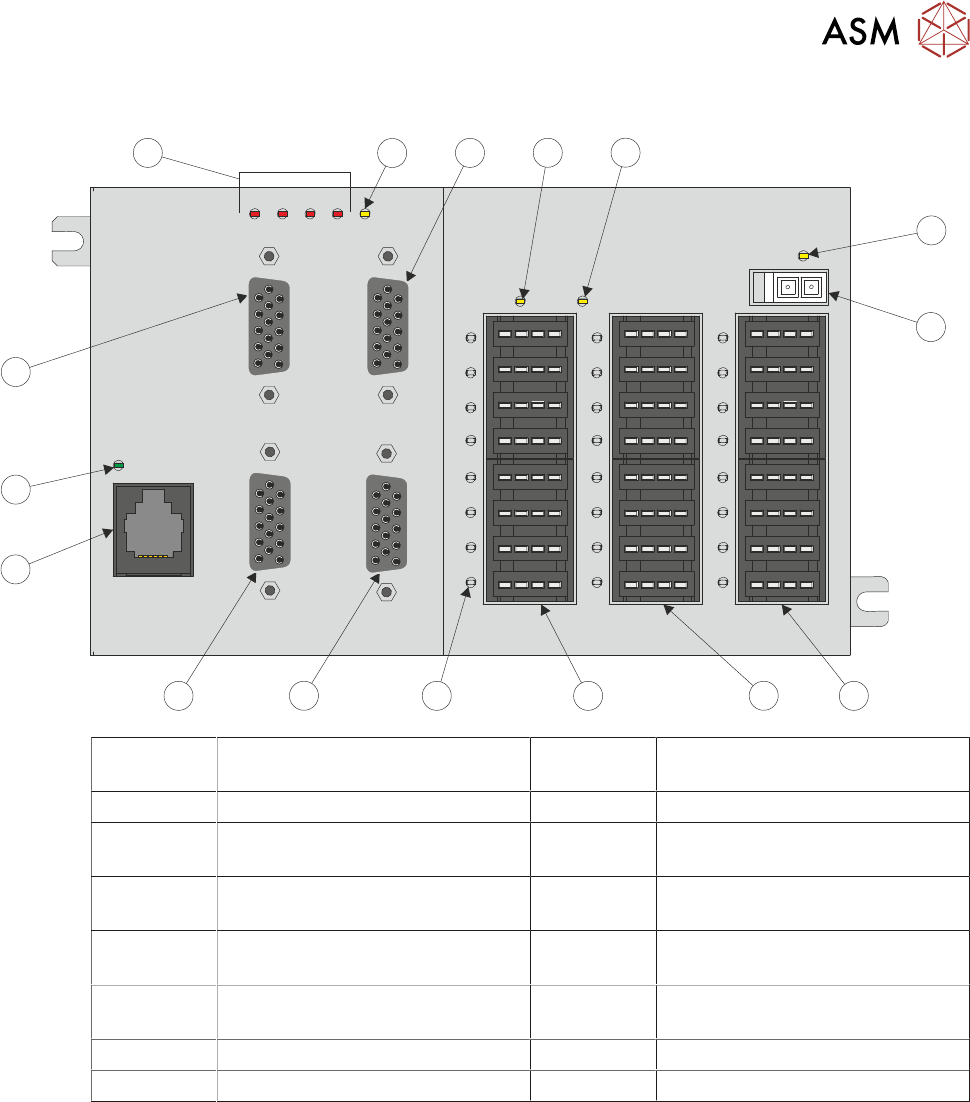
1 24V Supply LED for Bank 1 9 RJ11 Serial Connection from the
CPM (SIOLink)
2 24V Power Supply Input 10 SIOLink Status LED
3 Digital Inputs and Outputs Bank 1
(IO1 to IO8)
11 Encoder Input (ENC3)
4 Digital Inputs and Outputs Bank 2
(IO9 to IO16)
12 ENC Fault LEDs
5 Digital Inputs and Outputs Bank 3
(IO17 to IO24)
13 Internal 5V Status LED
6 Digital Input and Output Status
LED (24 positions)
14 Encoder Input (ENC1)
7 Encoder Input (ENC2) 15 24V Supply LED for Bank 3
8 Encoder Input (ENC4) 16 24V Supply LED for Bank 2
6 MACHINE CONTROL
6.5 ENCODER SERIAL INPUT OR OUTPUT (ESIO) MODULES
90 TECHNICAL REFERENCE MANUAL DEK TQ 04/2021
6.5.1.1 Status LEDs
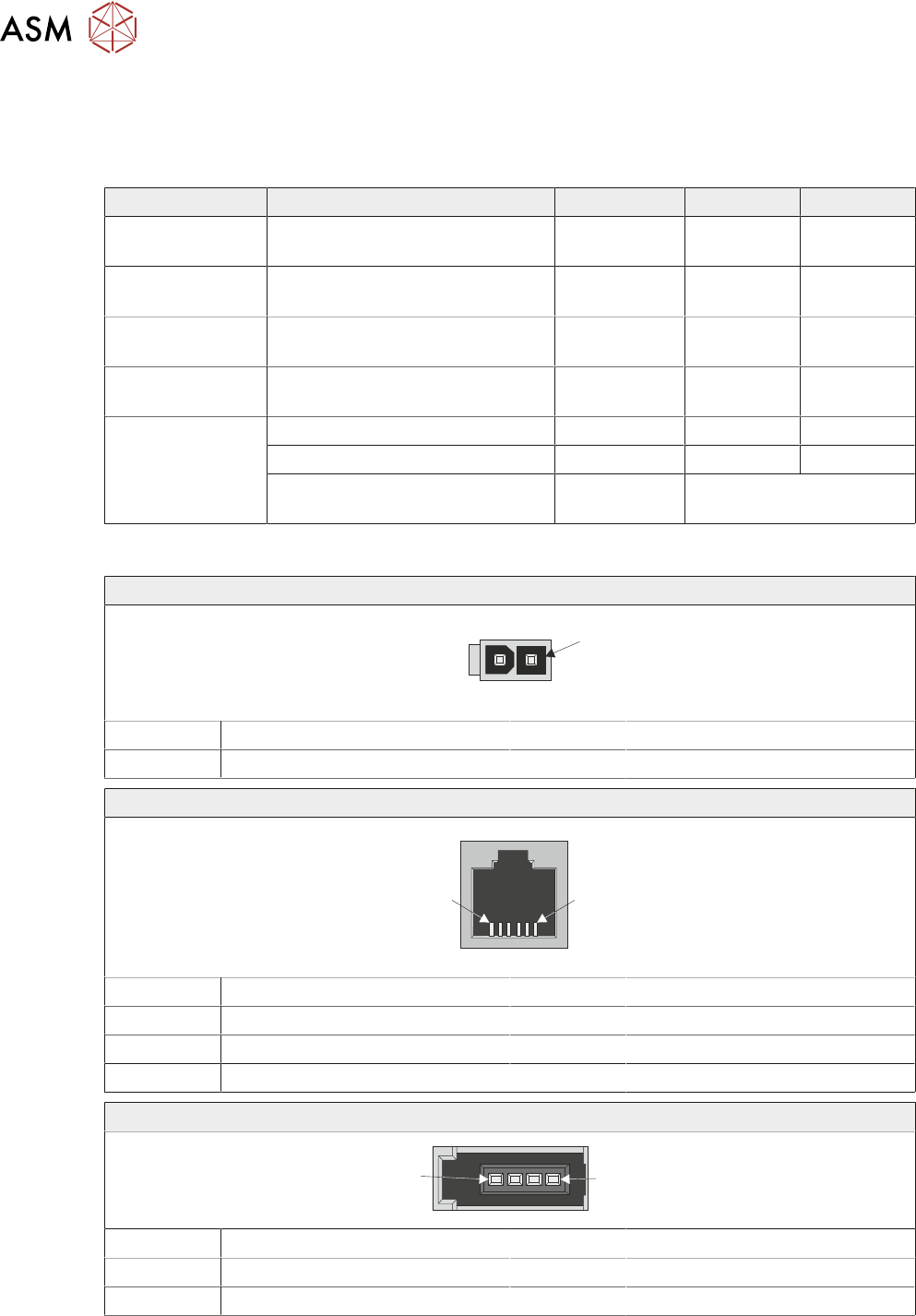
The ESIO modules are fitted with a number of LEDs which give indication of the status of the
power supplied to the module and the input/outputs connected to it. The following table details the
LEDs and their function:
LED Description Colour ON OFF
SIOLink Indicates status of SIOLink to
CPM module
Green Linked Not Linked
Encoders 1 to 4 Indicates there is an error with
the encoder or it is disconnected
Red Fault No Fault
5V supply Indicates status of internal 5V
supply
Yellow OK Not OK
24V Supply Indicates status of 24V supply to
the Digital IO banks
Yellow OK Not OK
IO 1 to 24 Indicates activity status of inputs Green Active Inactive
Indicates activity status of outputs Red Active Inactive
Indicates current overload has
been detected
Red Flashing
6.5.1.2 Connectors
24V Power Supply Input
1
Pin No Signal Pin No Signal
1 24V 2 0V
SIOLink
1
6
Pin No Signal Pin No Signal
1 Not Used 4 XCVR-
2 GND 5 Not Used
3 XCVR+ 6 GND
Digital Input and Output (IO1 to IO24)
1
4
Pin No Signal Pin No Signal
1 24V 3 Input
2 Output 4 0V