00196956-02_IM_OIS_SIS 10.1_DE EN.pdf - 第10页
OIS 10.1 / Installation Manual Ausgabe 11/2012 Edition The software licensing cont ract is opened. Figure 3-4: License agreement If you do not accept the lic ensing contract, the setup proce ss is terminated. ► Select I …
OIS 10.1 / Installation Manual Ausgabe 11/2012 Edition
3.2 Installation of the OIS software
As of the OIS 10.0 version the setup has been re-designed in order to support newer technologies,
such as Windows Installer and Windows 7. The new setup also contains the OIS Client installation
that was delivered as a separate setup package in former versions.
3.2.1 Starting the installation of the OIS software
NOTICE
Sample installation
In the following sample installation Monitoring Service as well as OIS Client will be
installed. If only one of the programs shall be installed, some of the described dialog
boxes do not appear.
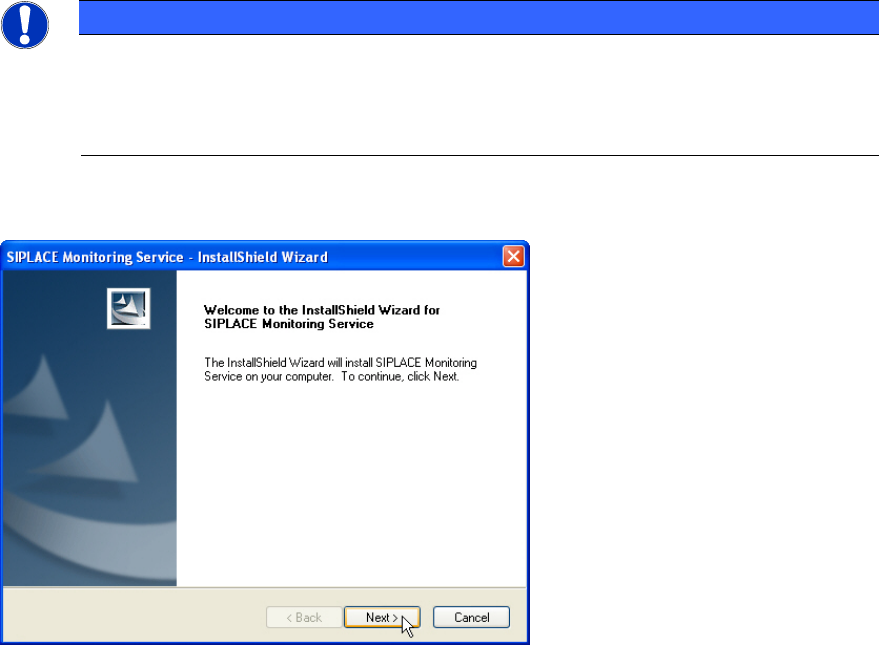
The following dialog box is opened.
Figure 3-3: Welcome SIPLACE Monitoring Service
► Close all open applications.
► Continue by clicking Next>.
9
OIS 10.1 / Installation Manual Ausgabe 11/2012 Edition
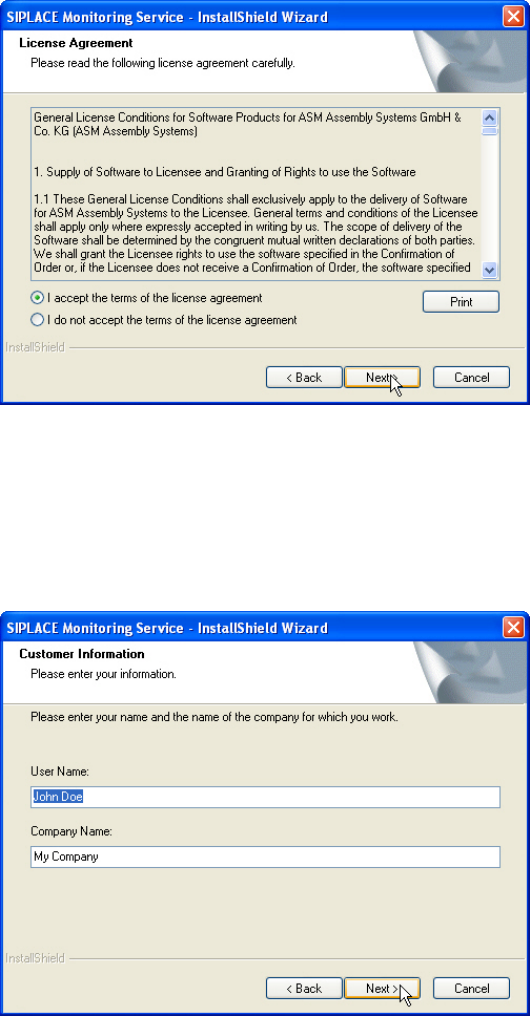
The software licensing contract is opened.
Figure 3-4: License agreement
If you do not accept the licensing contract, the setup process is terminated.
► Select I accept the terms of the license agreement to accept the licensing conditions.
► Click Next >.
The following dialog box is opened.
Figure 3-5: Customer information
► Enter your name and company name.
► Click Next >.
10
OIS 10.1 / Installation Manual Ausgabe 11/2012 Edition
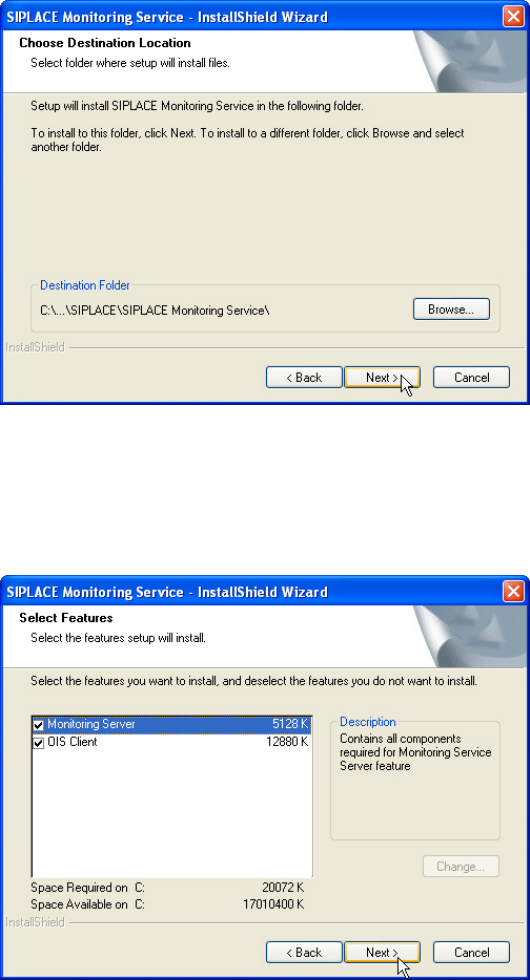
The following dialog box is opened.
Figure 3-6: Choosing destination location
► Click Browse... if you want to choose a different installation directory.
► Click Next >.
The following dialog box is opened.
Figure 3-7: Selecting features
Here you can select to install Monitoring Service only or OIS Client only or both features. The
further installation steps depend on the feature to be installed. In this installation sample both
features are selected to be installed.
► Check the Monitoring Server and OIS Client entries.
► Click Next >.
11