3OM-1011-001.pdf - 第195页
0305-001 3 - B Tg0859-PM-ER

Section 3
Starting Guidance
0305-001 3-A Tg0859-PM-ER
This section explains the Check Messages, displaying the
descriptions required to start-up the machine.

0305-001 3-B Tg0859-PM-ER
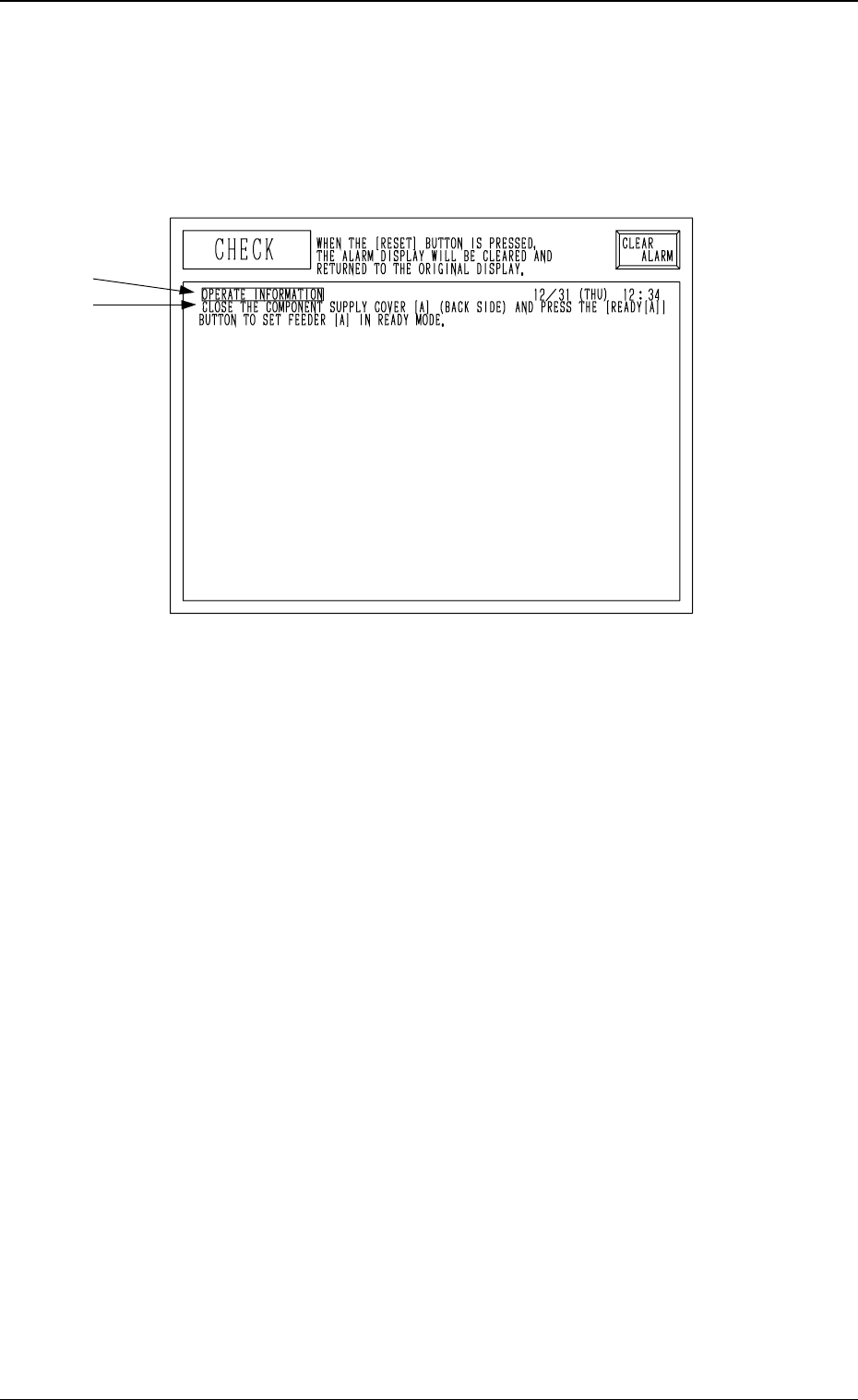
1. CHECK Display
Compared with an “ERROR” display which appears when an error occurs
while a device is activated, an “CHECK” display appears when a pushbutton
on the operation panel is pressed under the condition that requirements for a
device to be activated are not fulfilled with the machine in the “STOP” or
“PAUSE” mode.
A: Check Item
B: Check Messages
Refer to “3. List of Check Messages” for the detailed information on the check
messages and remedial information.
Reset Procedure after Check Message
(1) Refer to the “CHECK” display and operate and activate the devices in-
stalled on the machine.
(2) Press the [RTN] key or the [RESET] button on the operation panel to
resume the original display.
0305-001 3-1 Tg0859-PM-ER
1. CHECK Display
A
B
Fig. 3C1