3OM-1011-001.pdf - 第196页
1. CHECK Display Compared with an “ERROR” display which appears when an error occurs while a device is activated, an “CHECK” display appears when a pushbutton on the operation panel is pressed under the condition that re…

0305-001 3-B Tg0859-PM-ER
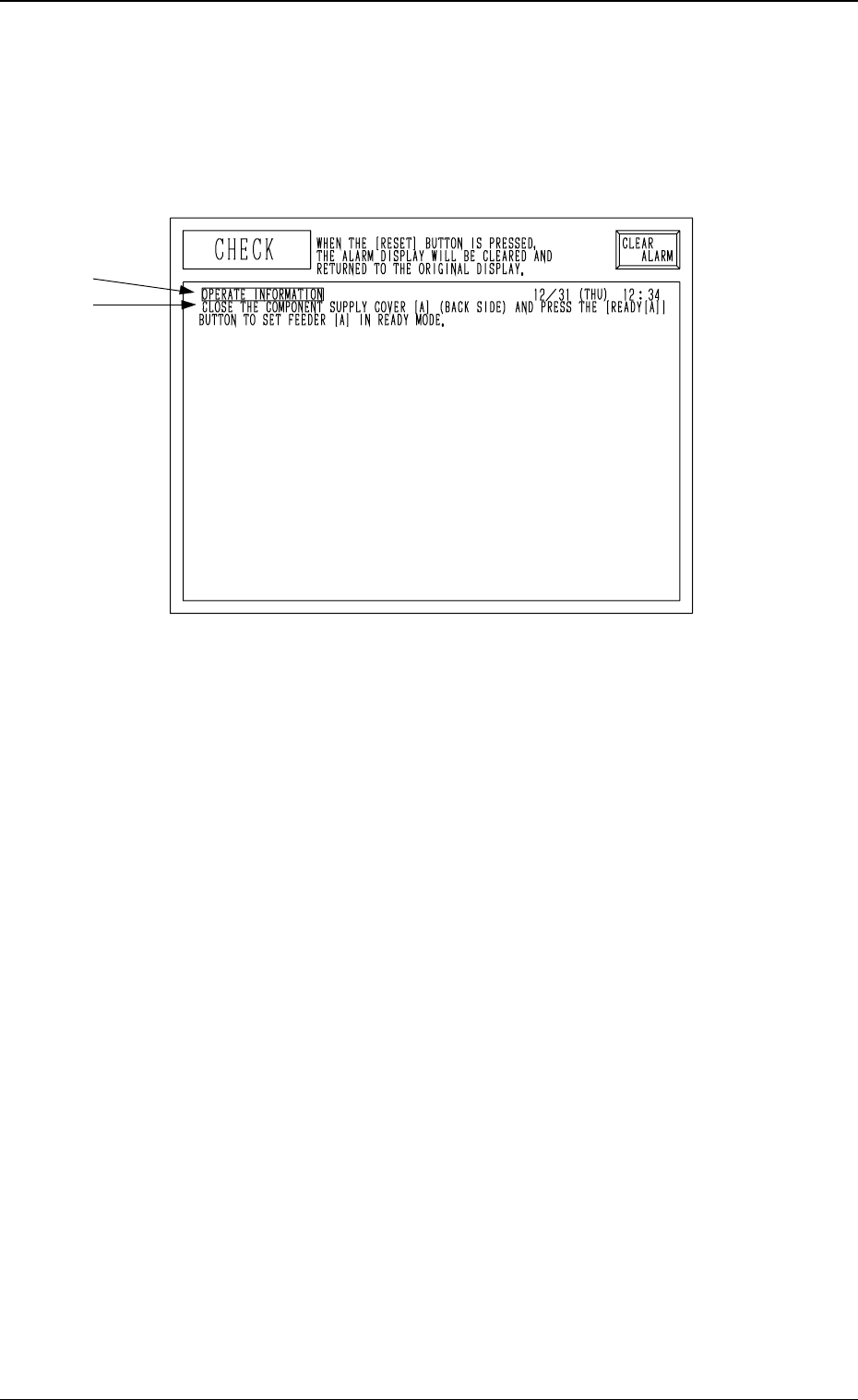
1. CHECK Display
Compared with an “ERROR” display which appears when an error occurs
while a device is activated, an “CHECK” display appears when a pushbutton
on the operation panel is pressed under the condition that requirements for a
device to be activated are not fulfilled with the machine in the “STOP” or
“PAUSE” mode.
A: Check Item
B: Check Messages
Refer to “3. List of Check Messages” for the detailed information on the check
messages and remedial information.
Reset Procedure after Check Message
(1) Refer to the “CHECK” display and operate and activate the devices in-
stalled on the machine.
(2) Press the [RTN] key or the [RESET] button on the operation panel to
resume the original display.
0305-001 3-1 Tg0859-PM-ER
1. CHECK Display
A
B
Fig. 3C1
2. Check Codes
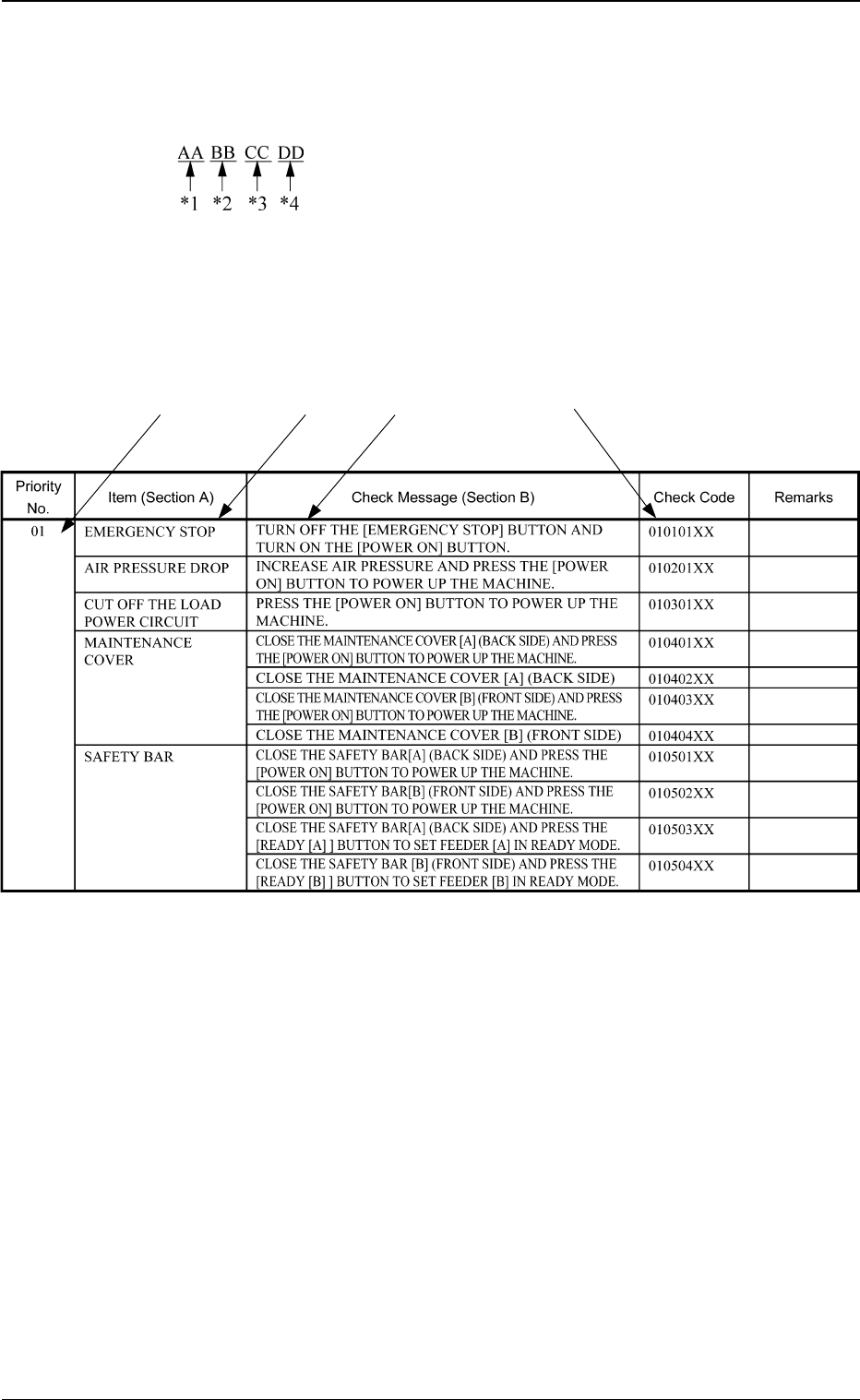
Check codes are classified as follows and expressed in *1 through *4 below.
3. List of Check Messages
Check “Section A” and “Section B” at the management information message
display and operate or activate the device referring to the following manage-
ment information message list.
*1: Shows the category of priority for check and remedy.
*2: Shows the Check Item (Section A).
*3: Shows the Check Message (Section B).
*4: Shows the Check Code.
Notes: (a) The “” marked items are optional.
(b) When error description is indicated, refer to
“Section 4 Recognition Error Codes”.
*1 Priority Code
*2 Block Code
*3 Classification Code
*4 CPU2 Management Code
2. Check Codes
0305-001 3-2 Tg0859-PM-ER
*1 *2 *3
Indication Example
*4
Table 3C1