3OM-1011-001.pdf - 第211页
3 . Control-to-Control Communication Error Code and List of Error Messages Shown are the contents of the error codes which might be issued in the control- to-control communication processing. 0305-001 4-6 Tg0859-PM-ER 3.…
0305-001 4-5 Tg0859-PM-ER
2. Internal Recognition Data Error Code and List of Error Messages
00XXXXXX INSIDE RECOGNITION DATA UNUSUALLY OCCURRED INSIDE A
RECOGNITION.
Error Code Display A Display B
(Cause 1) This is the device’s self-diagnostic message.
(Reset Procedure in the case of Cause 1)
Reset Procedure
(1) Press the [ZERO] button to return all the axes to their original positions.
(2) Re-start.
(3) If the device can’t be re-started, contact our service personnel.
Table 3D2
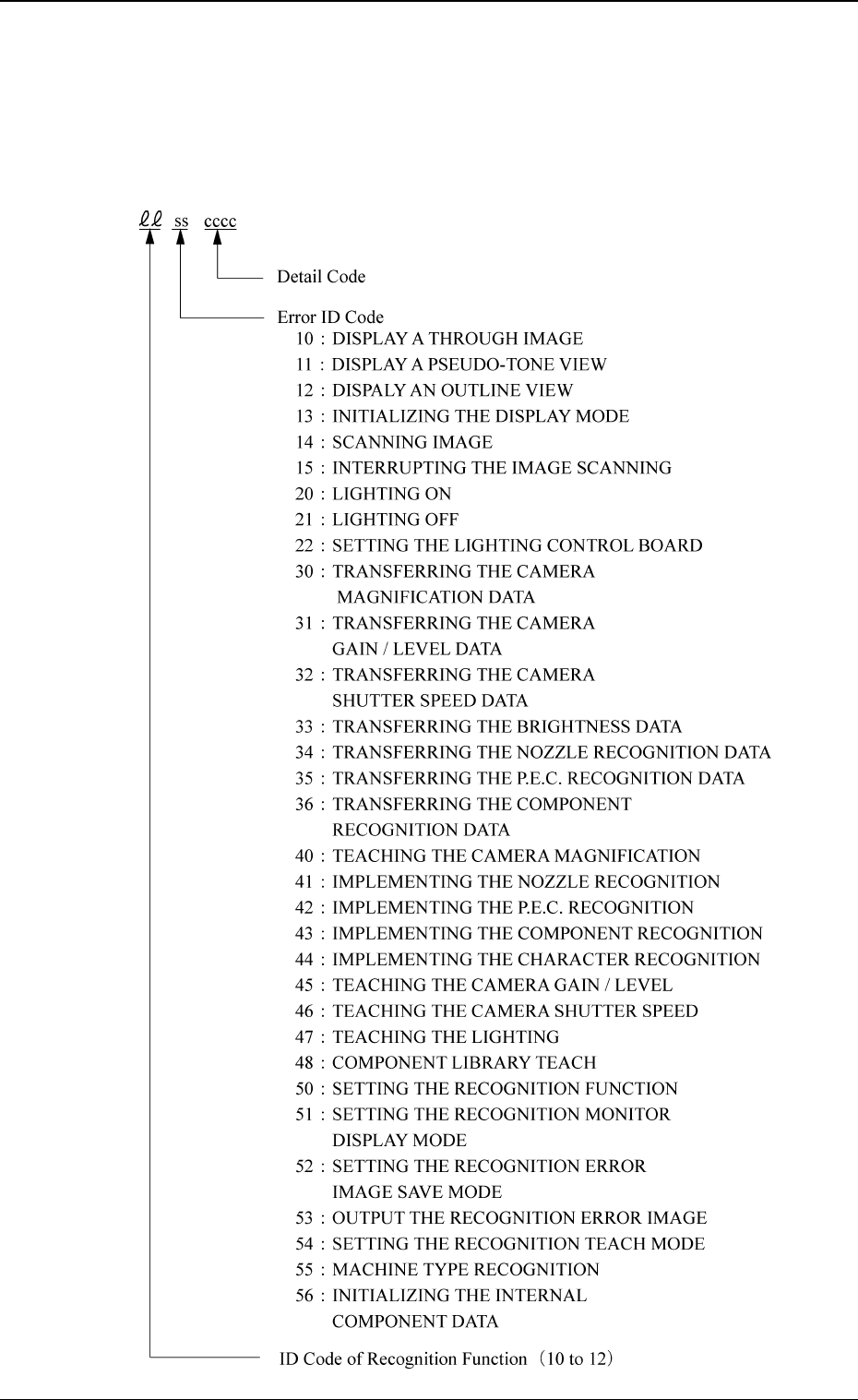
3. Control-to-Control Communication Error Code and
List of Error Messages
Shown are the contents of the error codes which might be issued in the control-
to-control communication processing.
0305-001 4-6 Tg0859-PM-ER
3. Control-to-Control Communication Error Code and List of Error Messages
0305-001 4-7 Tg0859-PM-ER
3. Control-to-Control Communication Error Code and List of Error Messages
Error Code Display A Display B
10110000 DISPLAY A PSEUDO-TONE
VIEW
(Cause 1) This is the device’s self-diagnostic message.
(Reset Procedure in the case of Cause 1)
Reset Procedure
(1) Press the [ZERO] button to return all the axes to their original positions.
(2) Re-start.
(3) If the device can’t be re-started, contact our service personnel.
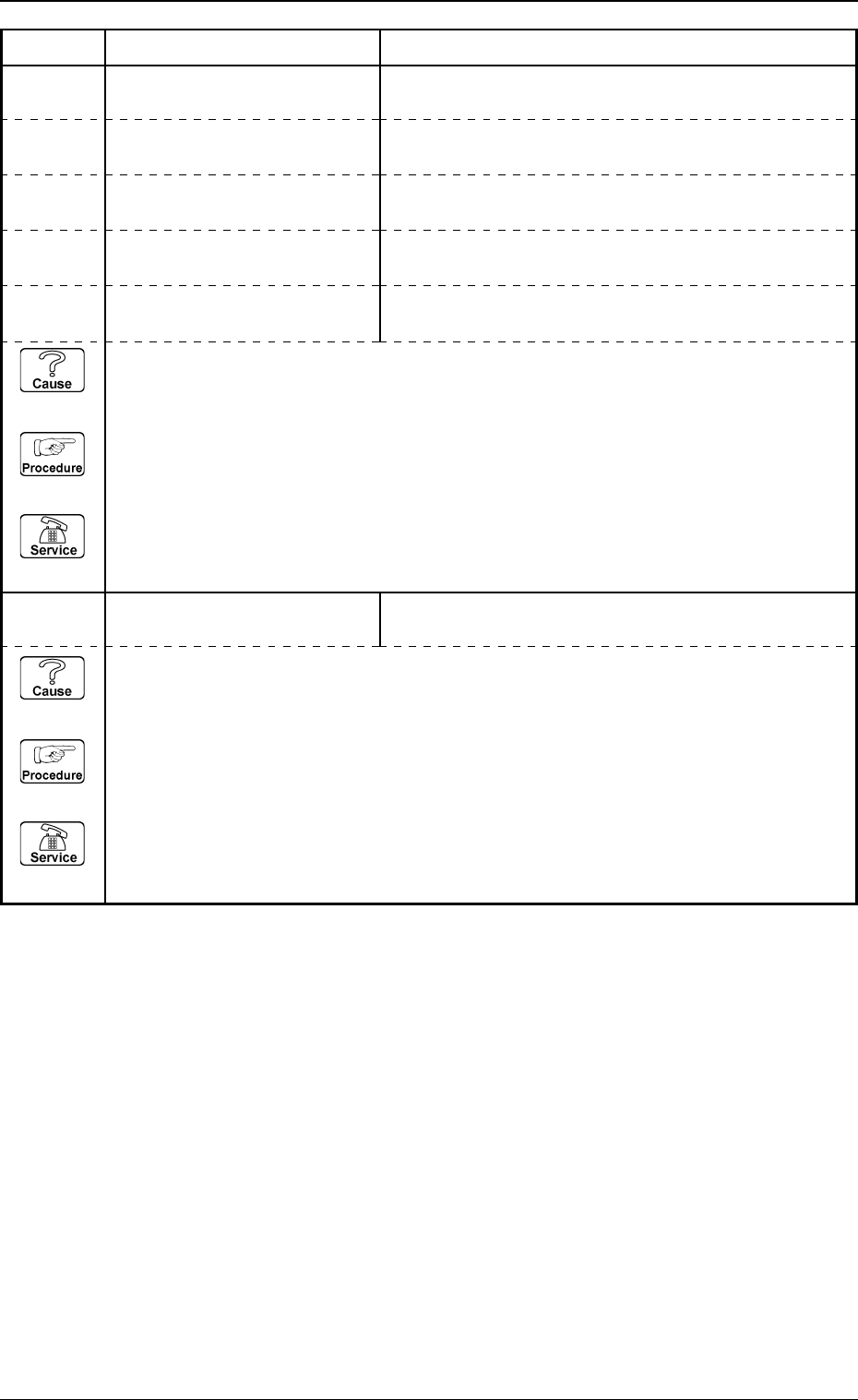
“CONTROL FLAG” EXCEEDS THE RANGE OF SETTING.
10100000 DISPLAY A THROUGH IMAGE “CAMERA NO.” EXCEEDS THE RANGE OF SETTING.
10100001 DISPLAY A THROUGH IMAGE “HEAD NO.” EXCEEDS THE RANGE OF SETTING.
10100002 DISPLAY A THROUGH IMAGE “LIGHTING UNIT NO.” EXCEEDS THE RANGE OF
SETTING.
10100003 DISPLAY A THROUGH IMAGE “GAIN FLAG” EXCEEDS THE RANGE OF SETTING.
10100004 DISPLAY A THROUGH IMAGE “GAIN” OR “LEVEL” EXCEEDS THE RANGE OF
SETTING.
(Cause 1) This is the device’s self-diagnostic message.
(Reset Procedure in the case of Cause 1)
Reset Procedure
(1) Press the [ZERO] button to return all the axes to their original positions.
(2) Re-start.
(3) If the device can’t be re-started, contact our service personnel.