3OM-1011-001.pdf - 第251页
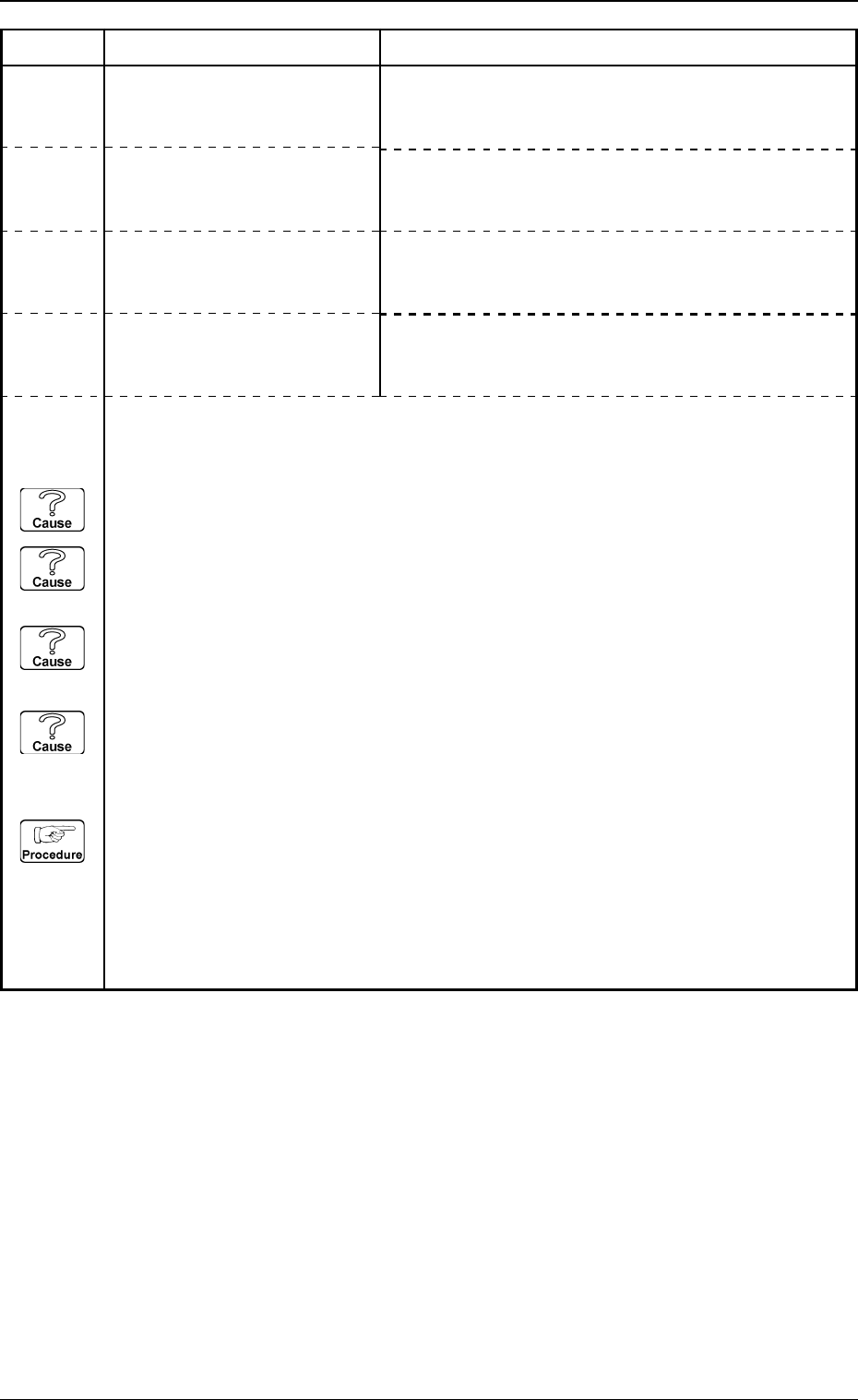
(Cause 1) The pick-up position has shifted from the specified one in the X direction. (Cause 2) The tapered part of the vacuum nozzle end or the diffusion plate is stained. (Cause 3) The lighting is dark. (Cause 4) An im…
Note: When the front-lighting system is used to recognize square and deform components, the
word “EDGE” is changed to “ELECTRICAL CONTACT”.
(Cause 1) An improper vacuum nozzle is selected for the component or vice versa.
(Cause 2) Wrong parameters (edge data) are set for the selected component in the component
library data.
(Cause 3) Improper parameters are set in the "DETECT X POSN" and "DETECT Y POSN" data
boxes.
(Cause 4) Dirt and dust, etc., have adhered to the nozzle diffusion plate and the head lighting unit
in the vicinity of the edges.
(Reset Procedure in the case of Causes 1, 2, 3 and 4)
Reset Procedure
(1) Check the selected component and the vacuum nozzle.
(2) Check if the feeder (B) offset data is correct.
(3) Check the edges of the selected component and the parameters set as “EDGE DATA” in the
component library data.
(4) If wrong parameters are set in the component library data, correct them.
5. Component Recognition Error Code and List of Error Messages
Error Code Display A Display B
0305-001 4-45 Tg0859-PM-ER
2033Y100 EDGE DETECTION ERROR
to 109 Note:Y represents “1”, “2”, or
“4”.
EDGE (UPPER) NOT FOUND.
2033Y300 EDGE DETECTION ERROR
to 309 Note:Y represents “1”, “2”, or
“4”.
EDGE (RIGHT) NOT FOUND.
2033Y400 EDGE DETECTION ERROR
to 409 Note:Y represents “1”, “2”, or
“4”.
EDGE (LOWER) NOT FOUND.
2033Y200 EDGE DETECTION ERROR
to 209 Note:Y represents “1”, “2”, or
“4”.
EDGE (LEFT) NOT FOUND.
(Cause 1) The pick-up position has shifted from the specified one in the X direction.
(Cause 2) The tapered part of the vacuum nozzle end or the diffusion plate is stained.
(Cause 3) The lighting is dark.
(Cause 4) An improper parameter is set in the "DIRECTION" data box of the label "LEAD
DATA".
(Reset Procedure in the case of Causes 1, 2, 3 and 4)
Reset Procedure
(1) Check the component and the tape feeder.
(2) Clean the vacuum nozzle end or the diffusion plate.
5. Component Recognition Error Code and List of Error Messages
0305-001 4-46 Tg0859-PM-ER
Error Code Display A Display B
2034Y020 CORNER DETECTION
to 029 ERROR
Note:Y represents “1”, “2”, or
“4”.
NOZZLE PROTRUSION OCCUPIES MORE THAN 2
CORNERS.
2034Y030 CORNER DETECTION
to 039 ERROR
Note:Y represents “1”, “2”, or
“4”.
RECOGNITION ABORTED BECAUSE OF IMPROPER
COMPONENT HANDLING.
(Cause 1) This is the device’s self-diagnostic message.
(Reset Procedure in the case of Cause 1)
Reset Procedure
(1) Press the [ZERO] button to return all the axes to their original positions.
(2) Re-start.
(3) If the device can’t be re-started, contact our service personnel.
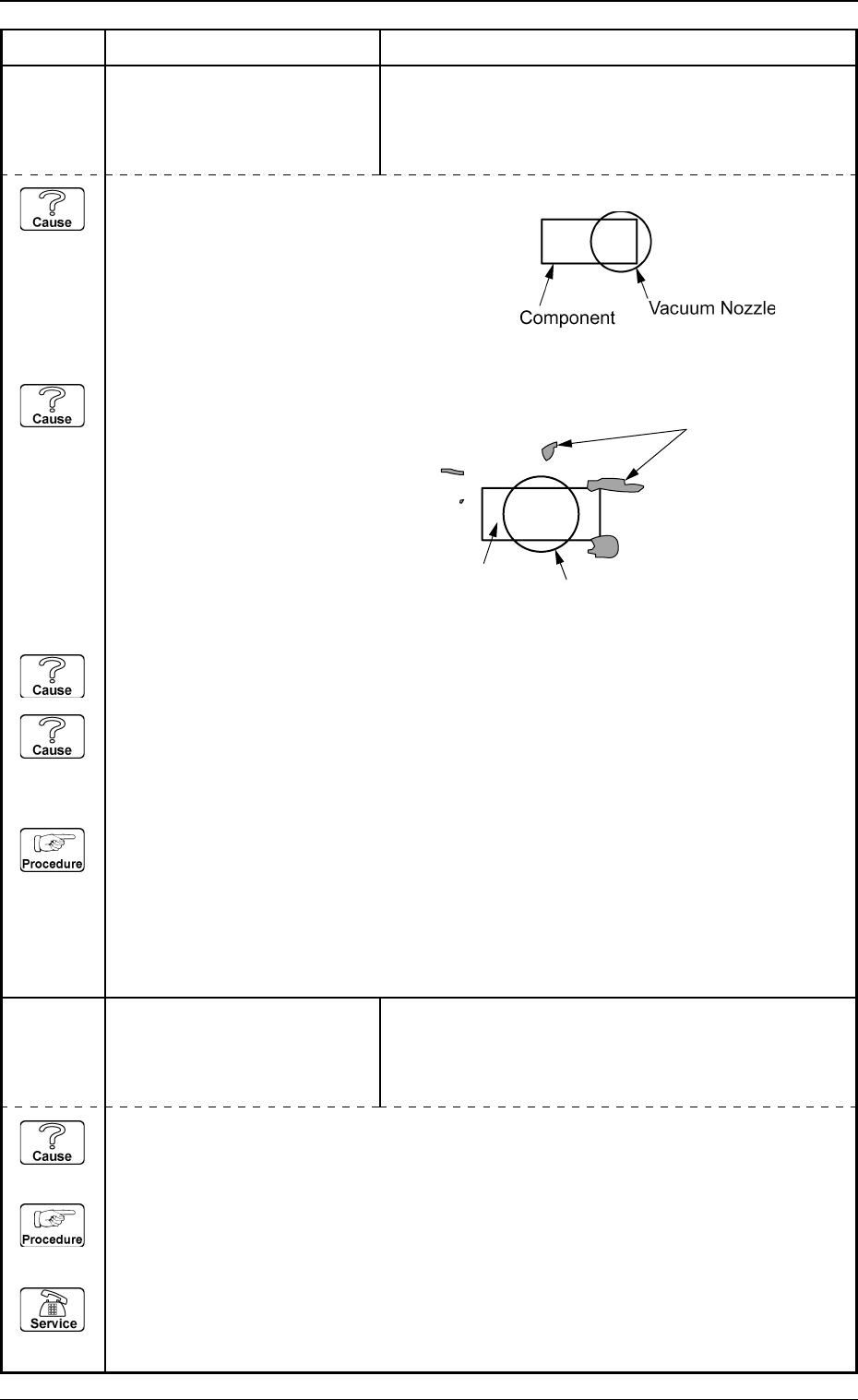
Fig. 3D5
Fig. 3D6
Dirty Spots
Component
Vacuum Nozzle
(Cause 1) The pick-up position has shifted from the specified one in the X direction.
(Cause 2) The tapered part of the vacuum nozzle end or the diffusion plate is stained.
(Cause 3) Improper parameters are set in the "FORM", "X SIZE", and "Y SIZE" data boxes of the
label "CORNER DATA".
(Reset Procedure in the case of Causes 1, 2 and 3)
Reset Procedure
(1) Check the component and the tape feeder.
(2) Clean the vacuum nozzle end or the diffusion plate.
5. Component Recognition Error Code and List of Error Messages
0305-001 4-47 Tg0859-PM-ER
Error Code Display A Display B
2034Y500 CORNER DETECTION
to 509 ERROR
Note:Y represents “1”, “2”, or
“4”.
CORNER (UPPER-LEFT) NOT FOUND.
2034Y700 CORNER DETECTION
to 709 ERROR
Note:Y represents “1”, “2”, or
“4”.
CORNER (LOWER-RIGHT) NOT FOUND.
2034Y800 CORNER DETECTION
to 809 ERROR
Note:Y represents “1”, “2”, or
“4”.
CORNER (UPPER-RIGHT) NOT FOUND.
2034Y600 CORNER DETECTION
to 609 ERROR
Note:Y represents “1”, “2”, or
“4”.
CORNER (LOWER-LEFT) NOT FOUND.
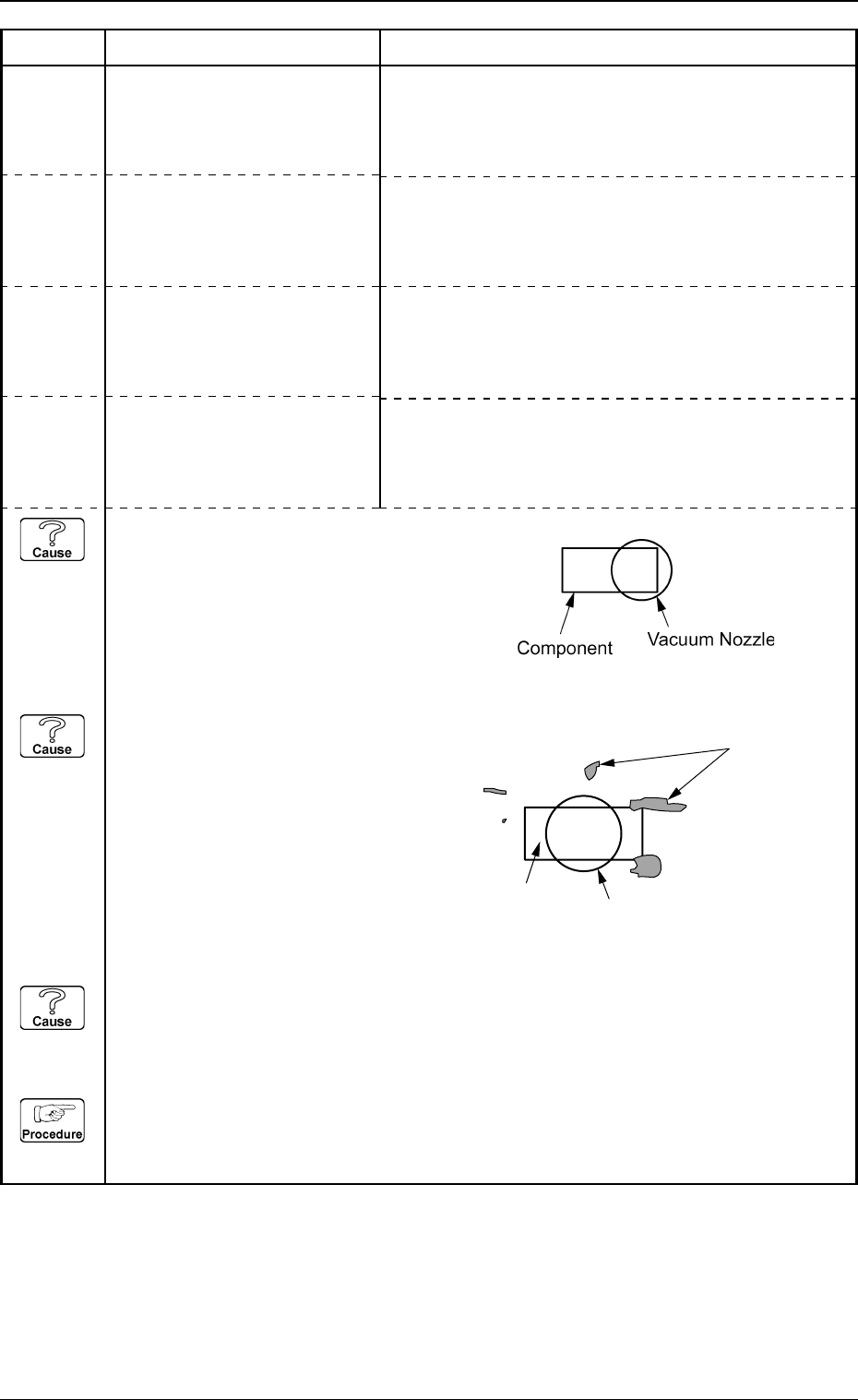
Fig. 3D7
Fig. 3D8
Dirty Spots
Component
Vacuum Nozzle